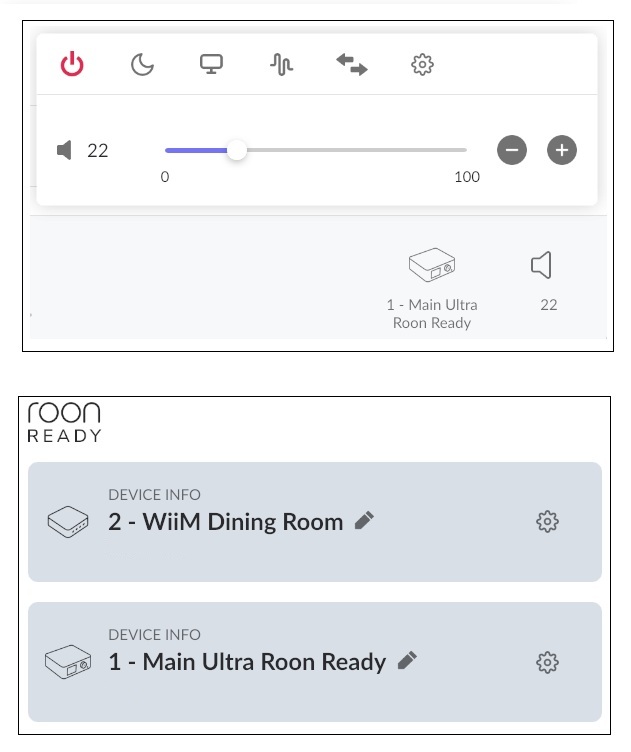
Both of these WiiM devices are set up as Roon Ready zones but there is no option in zone settings for the Main Ultra device to group the Dining Room device.
Oops. So confused knowing which zone setting is where. Auto Standby is from volume icon, device setting is volume then gear, group is zone icon. Thanks.
You should most definitly be able to group Roon Ready zones with each other. Can you click on the 1 - Main Ultra Roon Ready icon from your screenshot and see if you have the “Group” button listed there?
Just checking in on this. Were you able to click the 1 - Main Ultra Roon Ready zone and see whether the Group button shows up there? If it is missing, please send us a fresh screenshot so we can compare what Roon is showing on your side, following our Screenshots guide. Let us know what you find, and we can keep going from there.
Please note, if we don’t hear back from you this thread may close automatically soon. If the thread auto-closes and you need further assistance, please submit a reopen support request via the technical support help form below and specify that the issue should be reopened. Thank you.