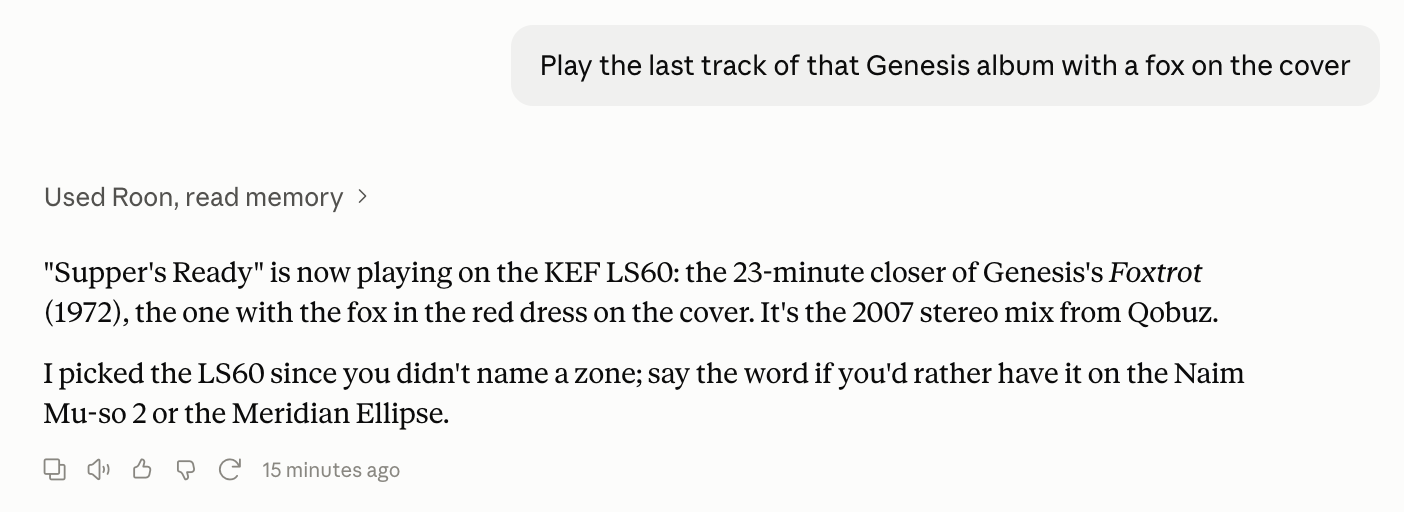
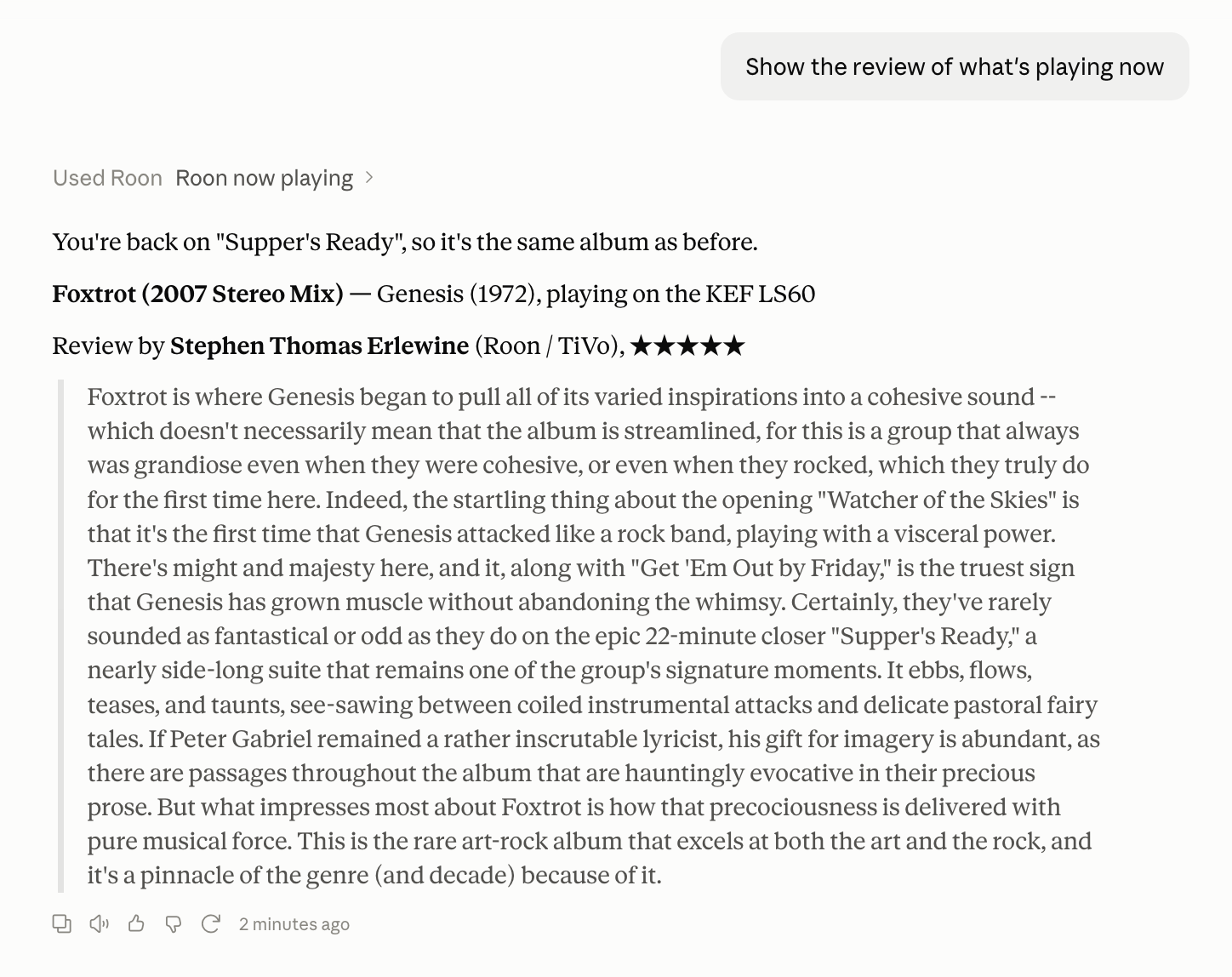
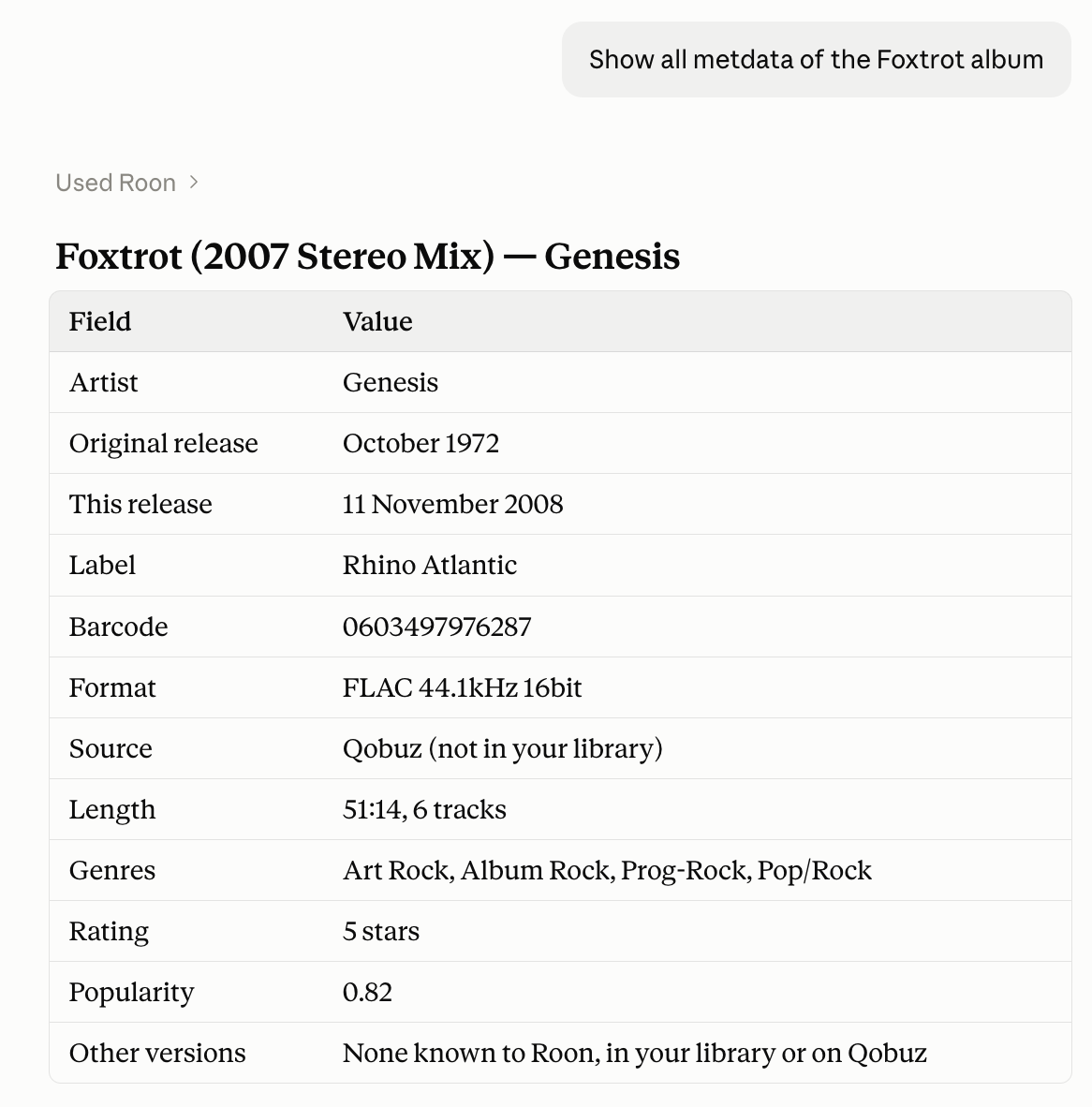
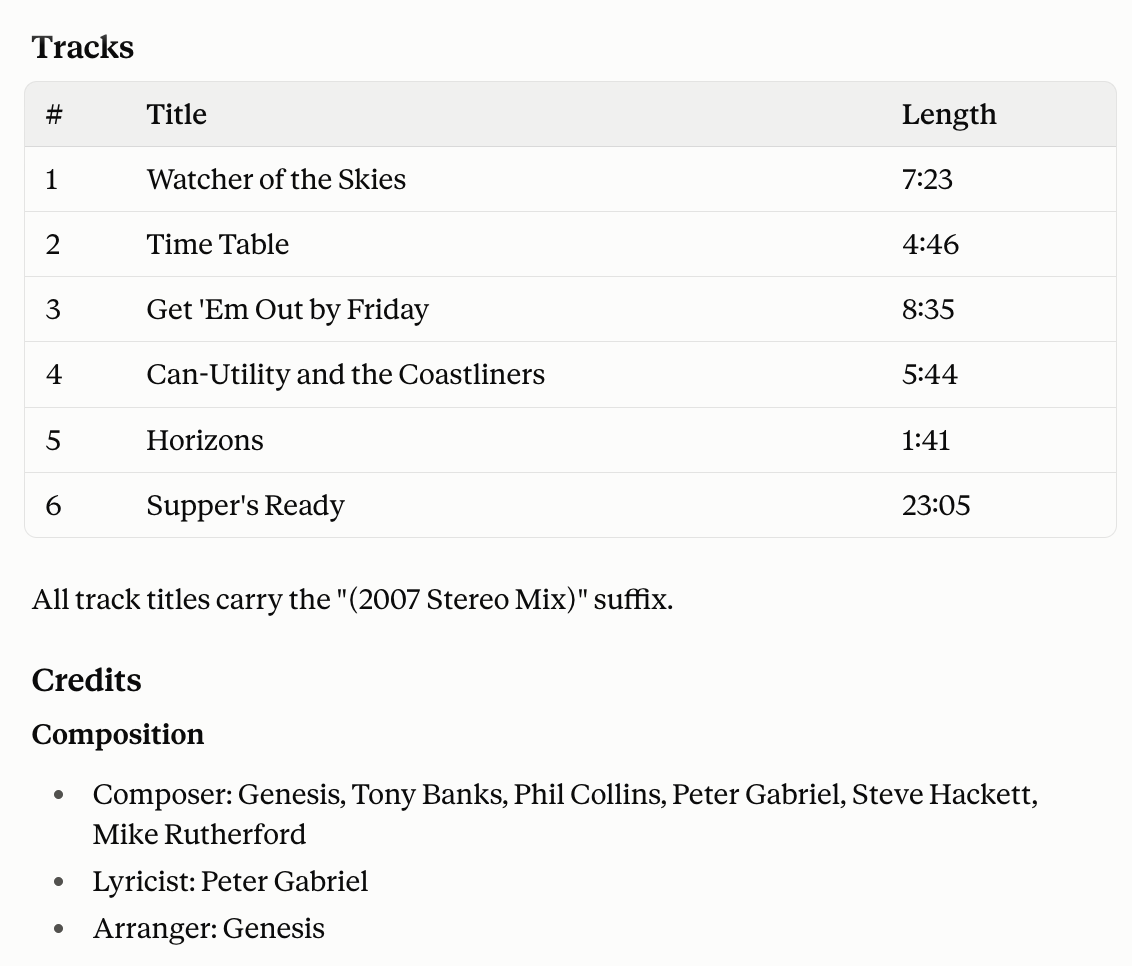
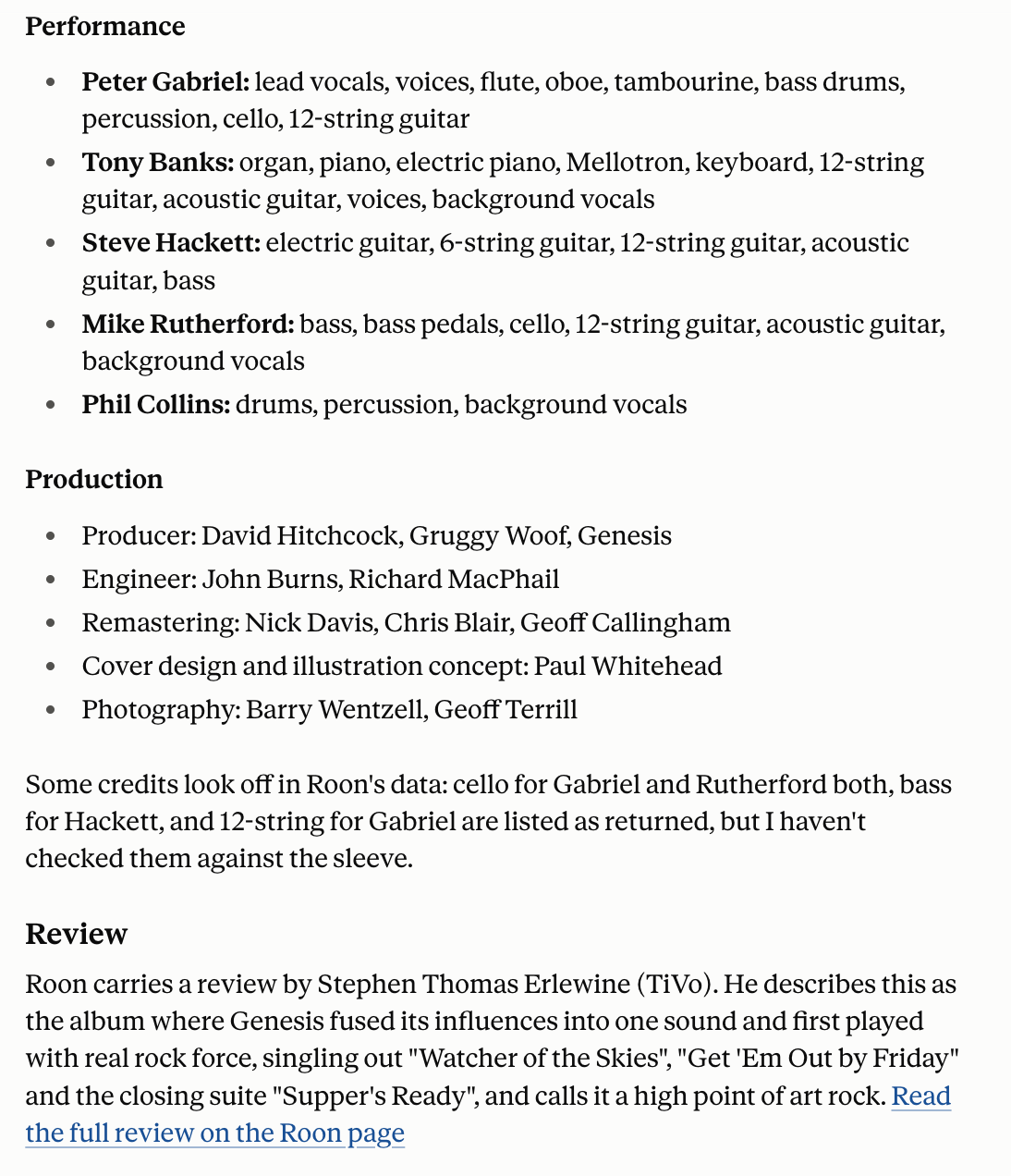
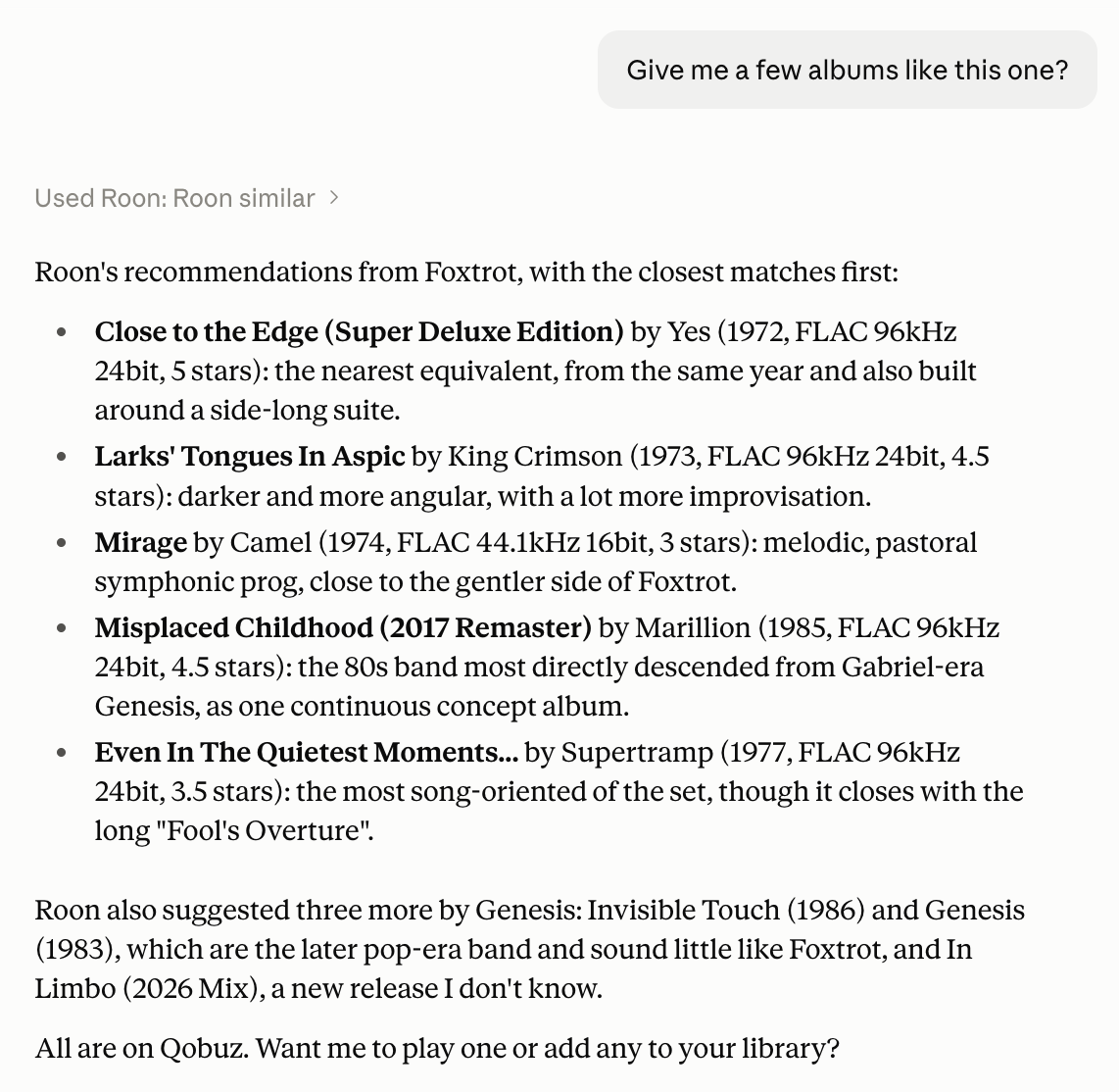
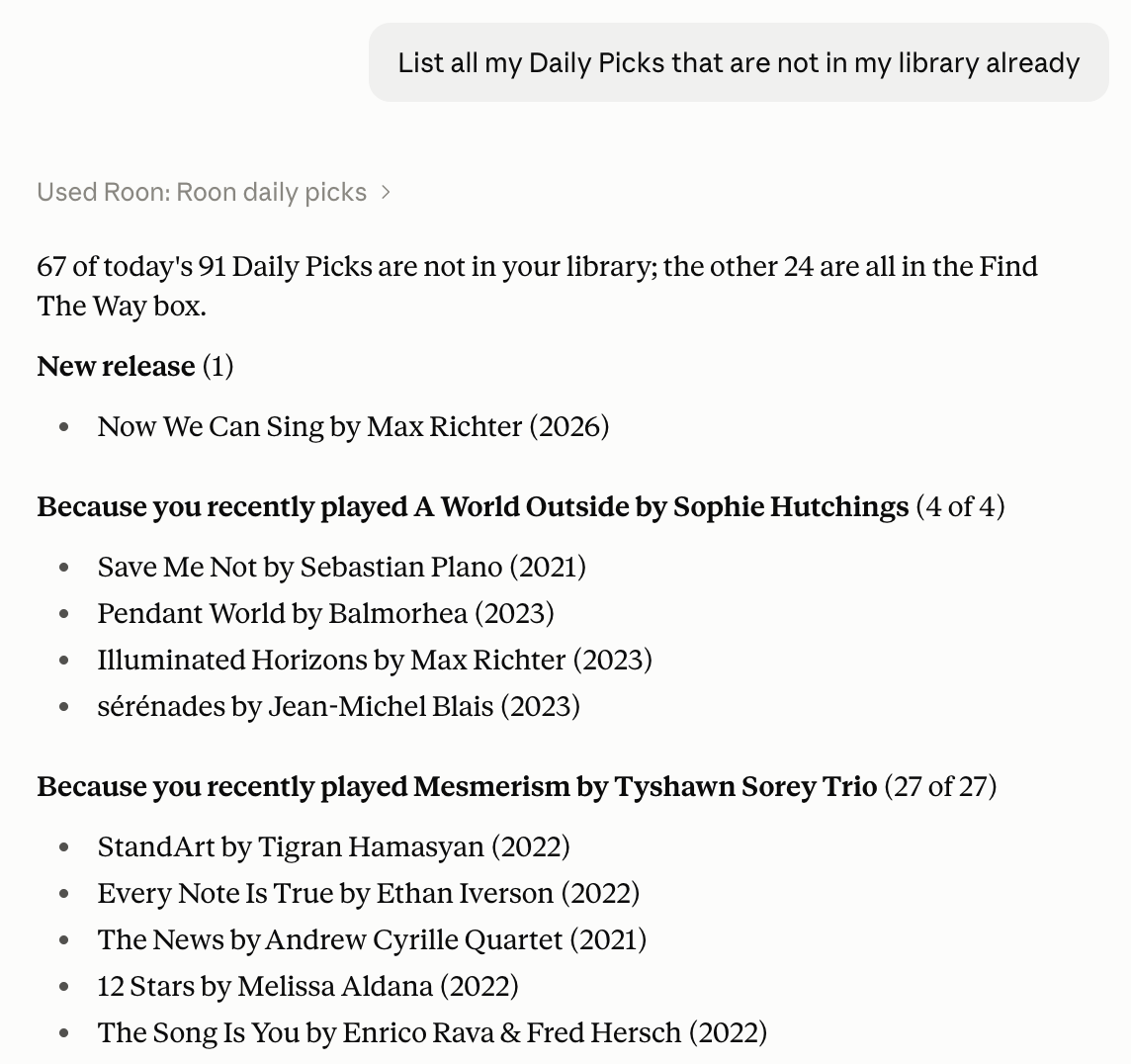
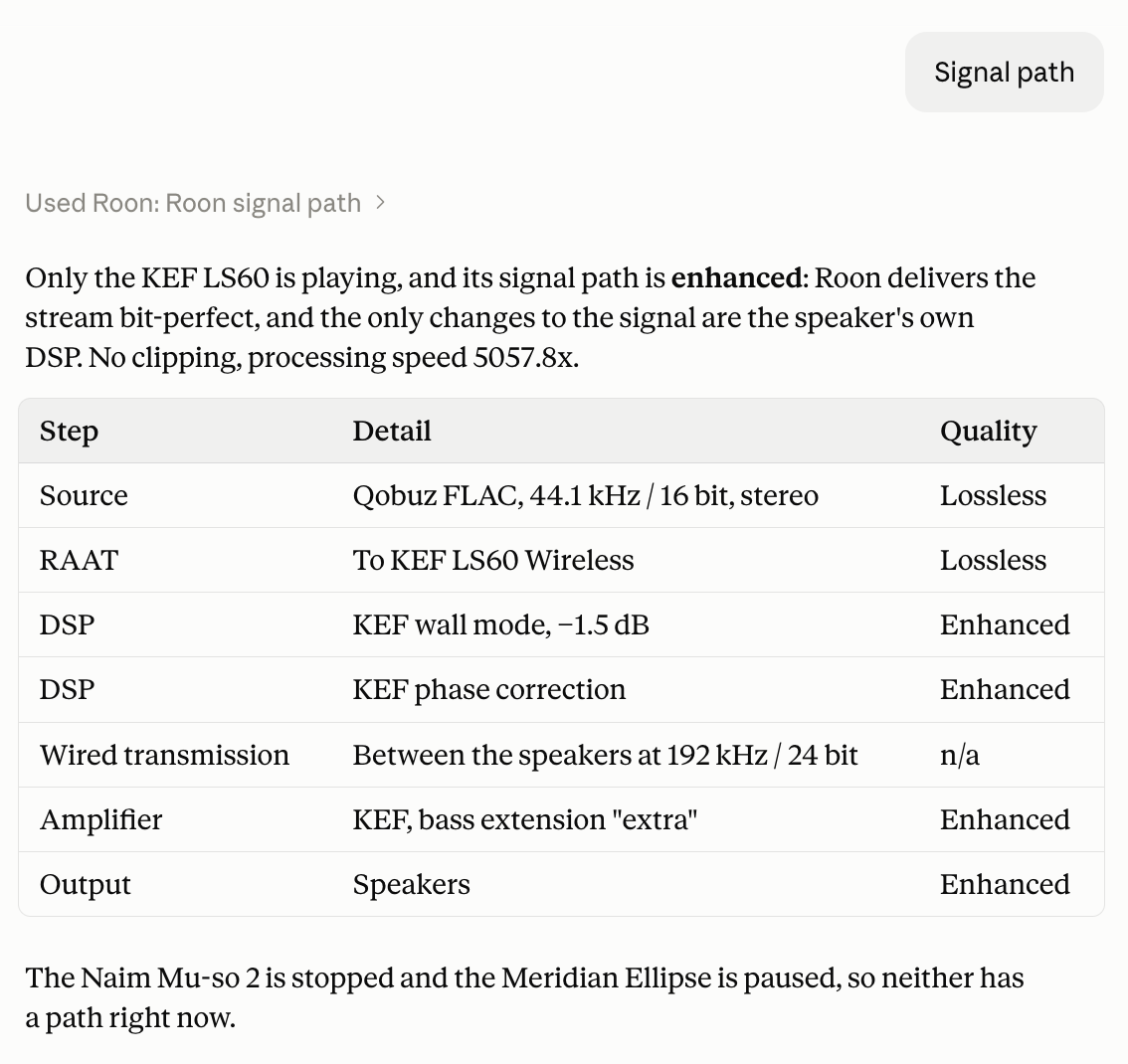
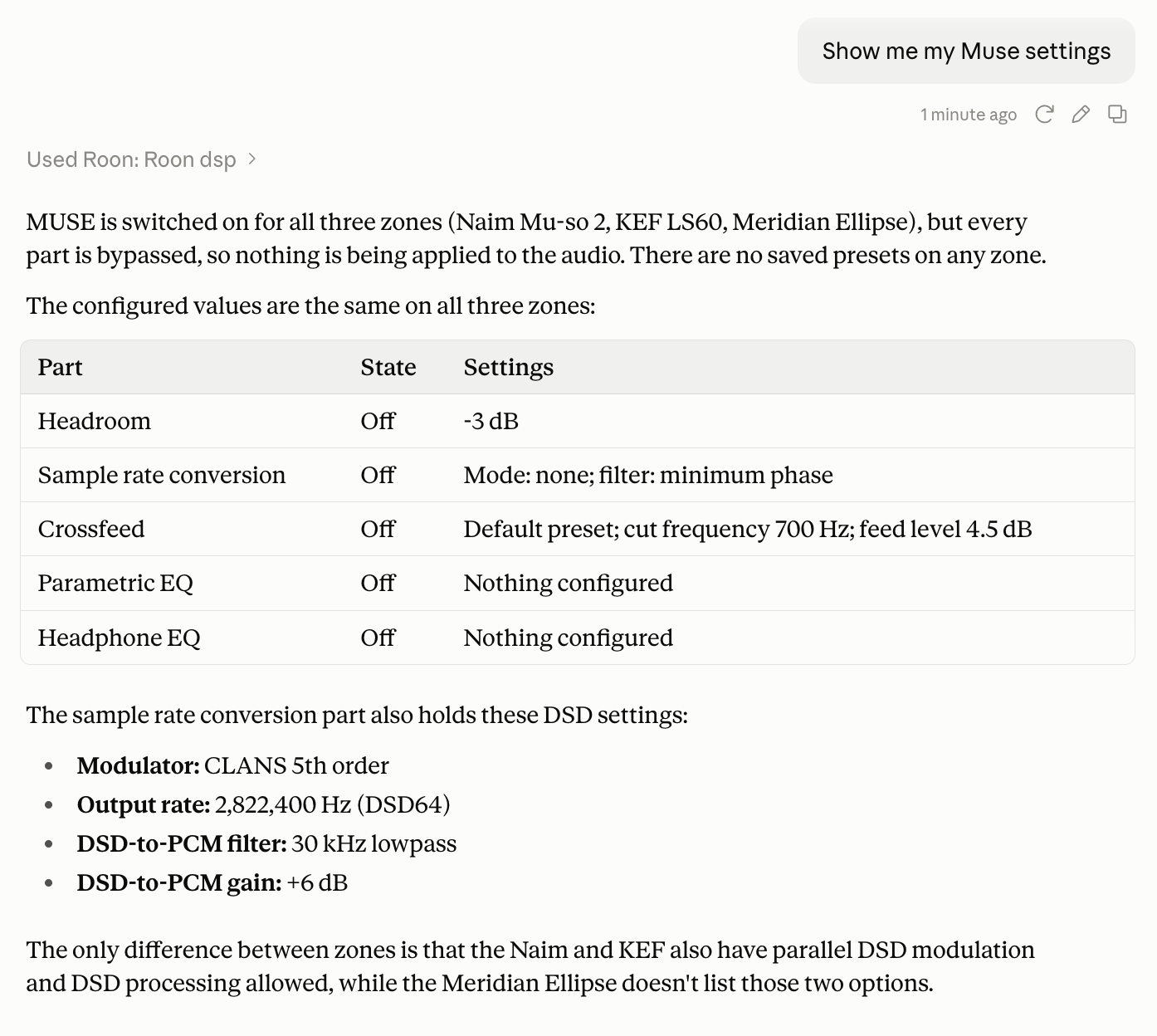
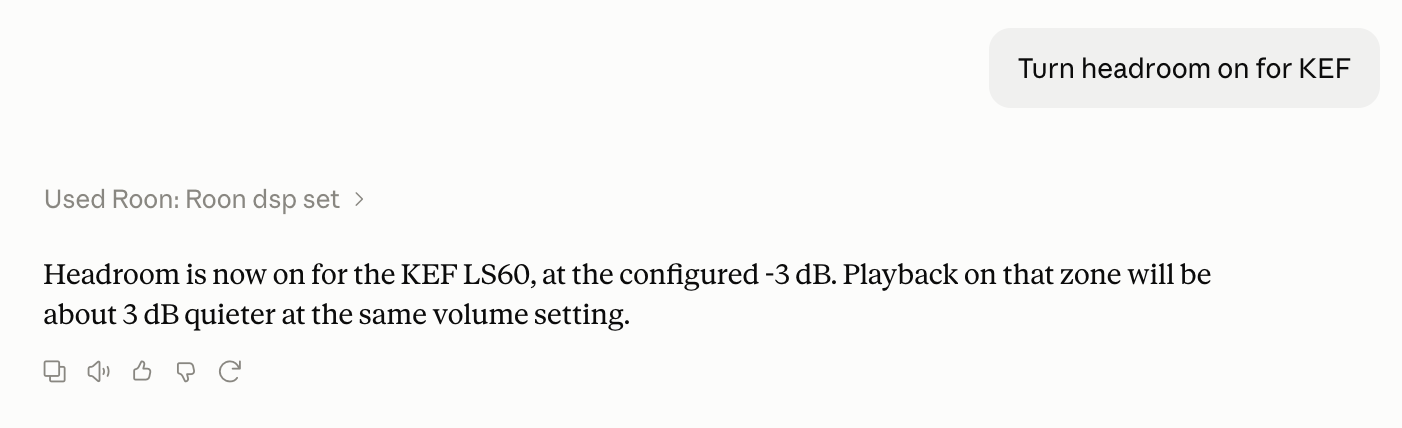
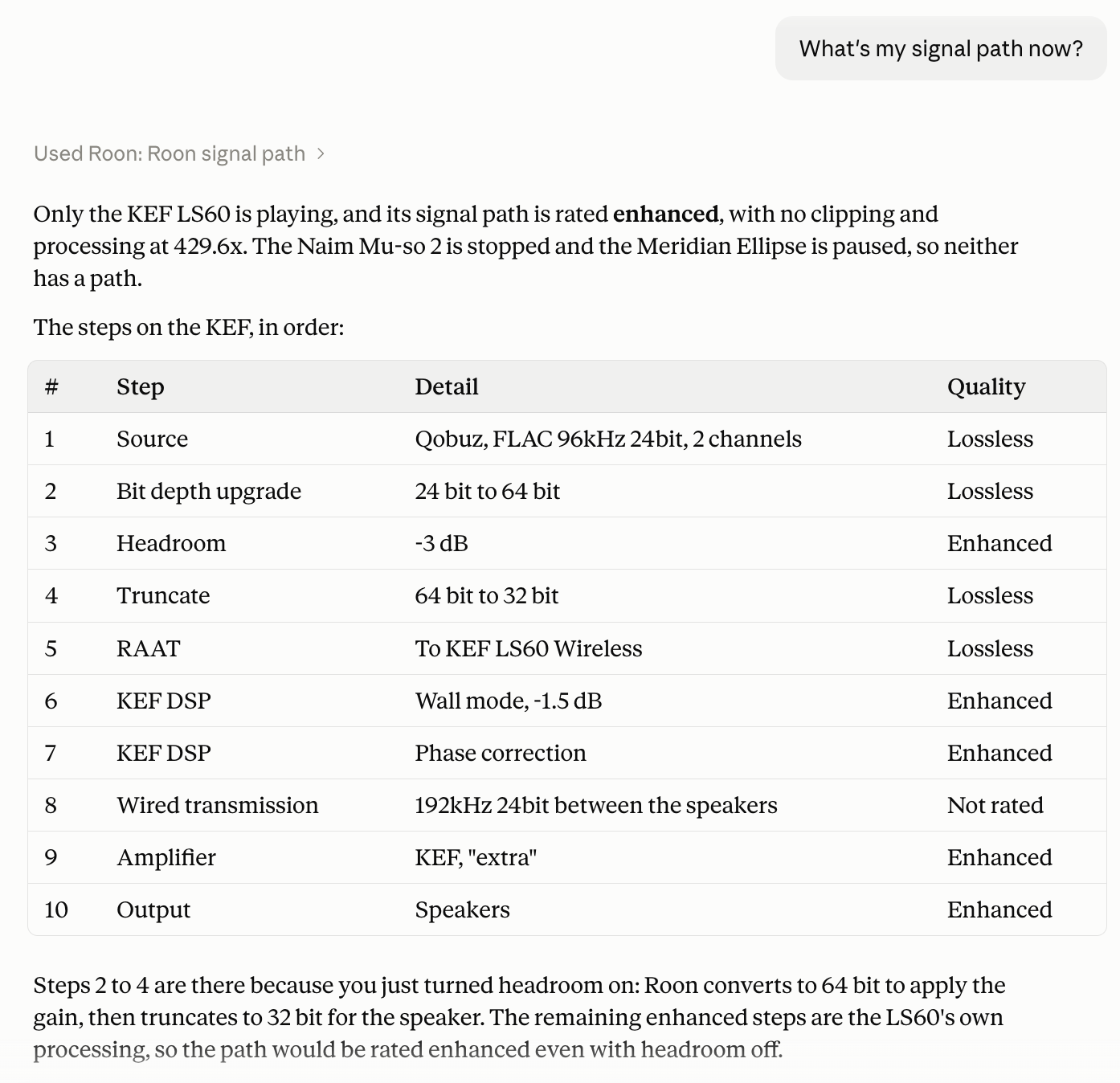
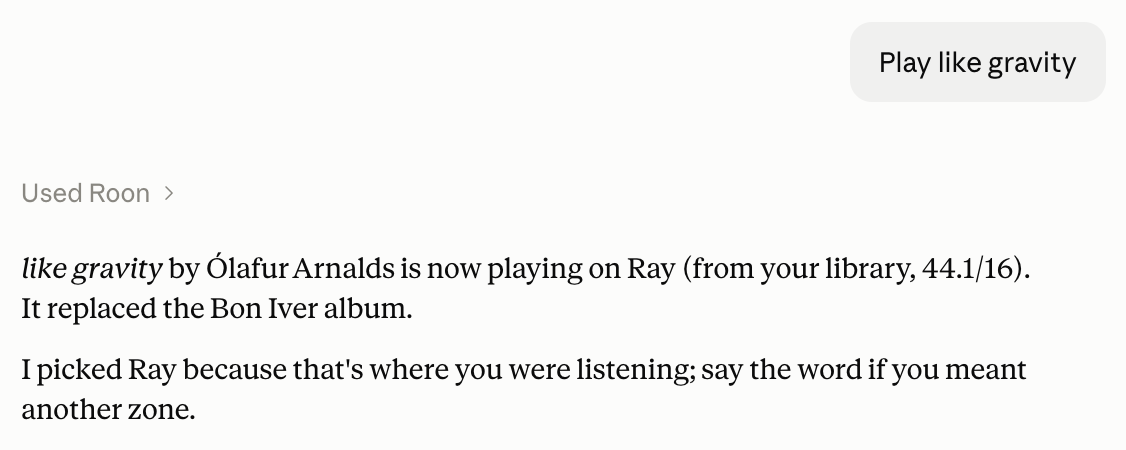
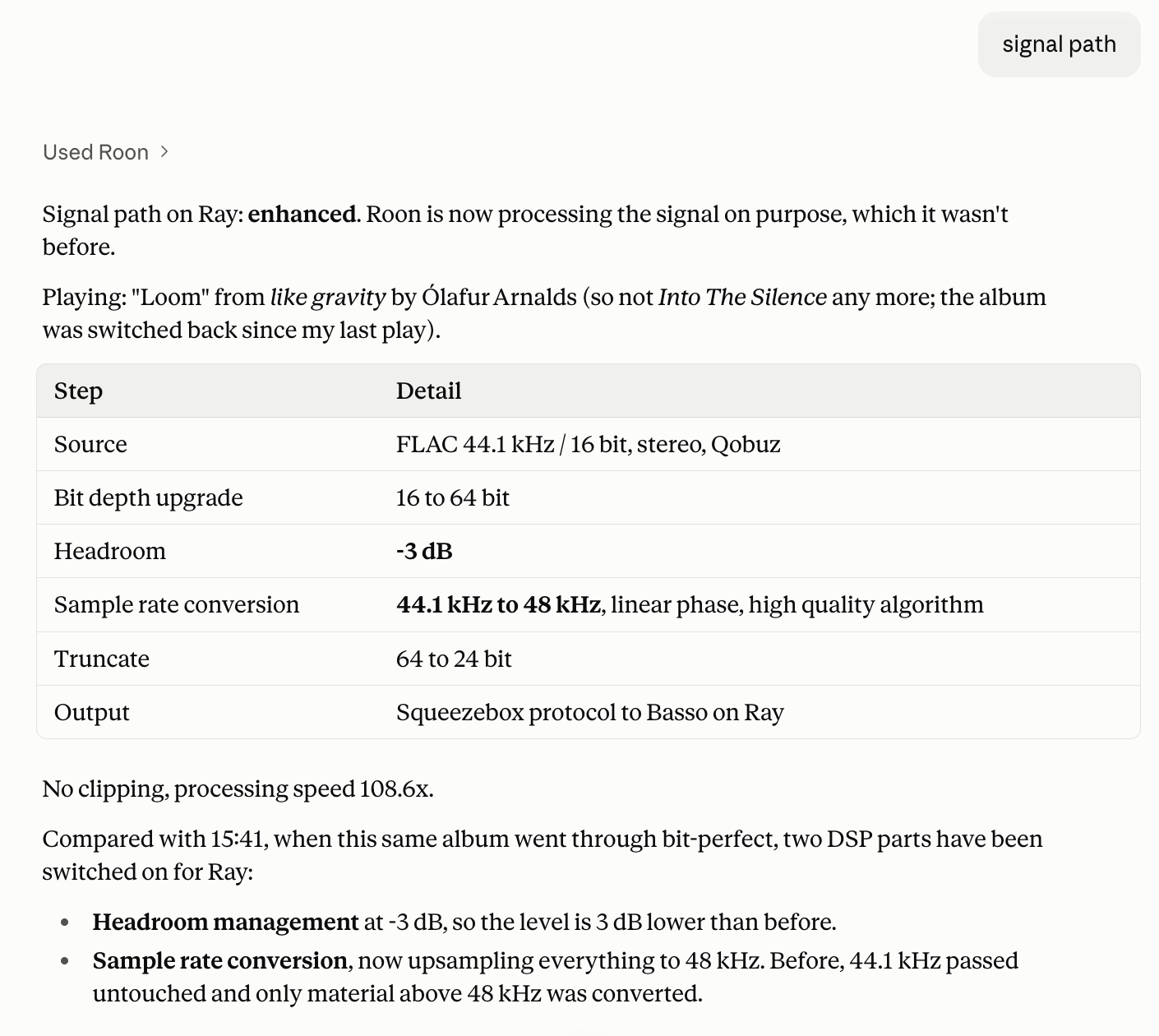
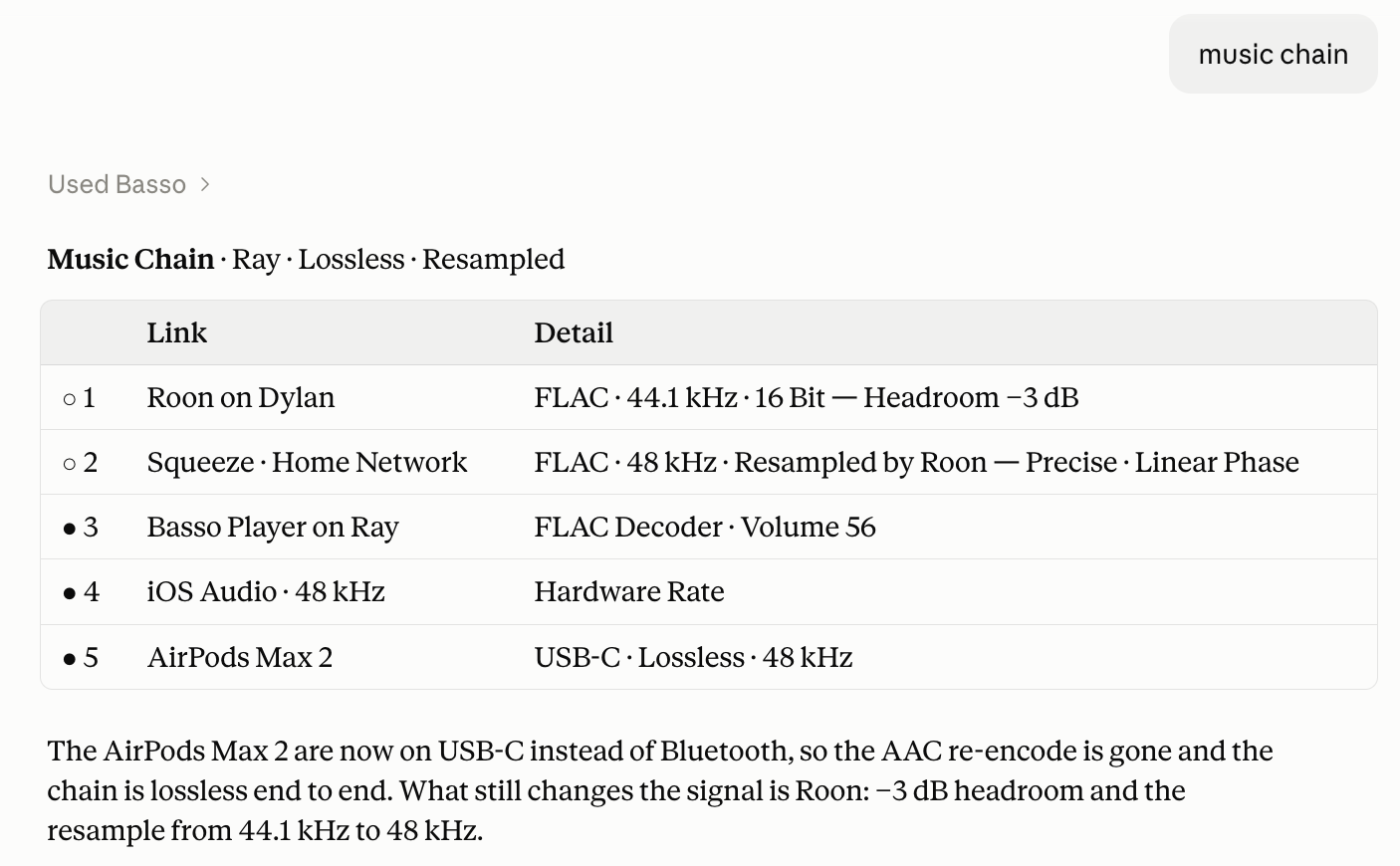
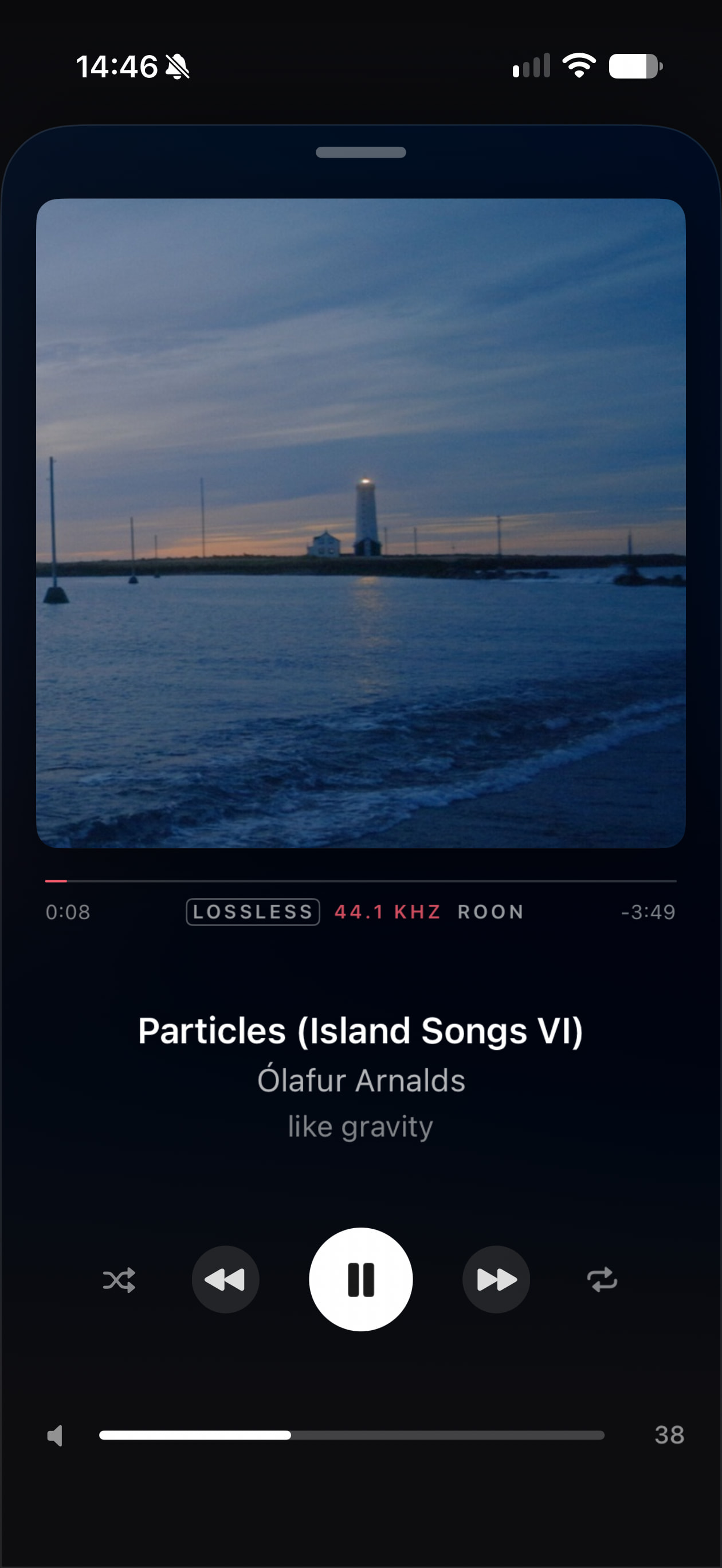
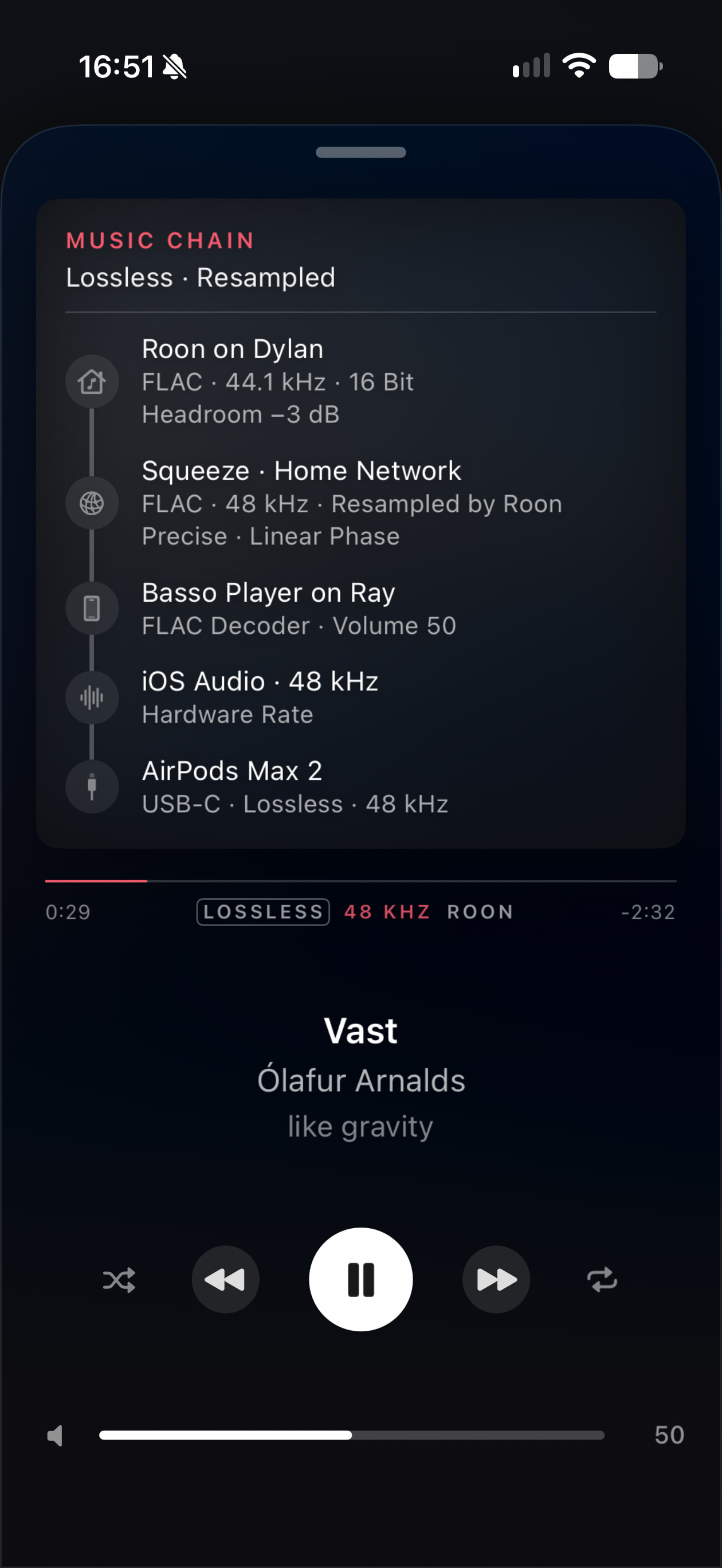
Ever since @Arthur_Soares posted his reverse-engineering project, I have been itching to put it to task. As today my wife and daughter were out all day – I set out creating an MCP server for Roon that (almost :-)) offers the same functionality as the Roon Remote client – with a lot more flexibility. A few words tell more than a thousand pictures:
[Edit 13/10/26]
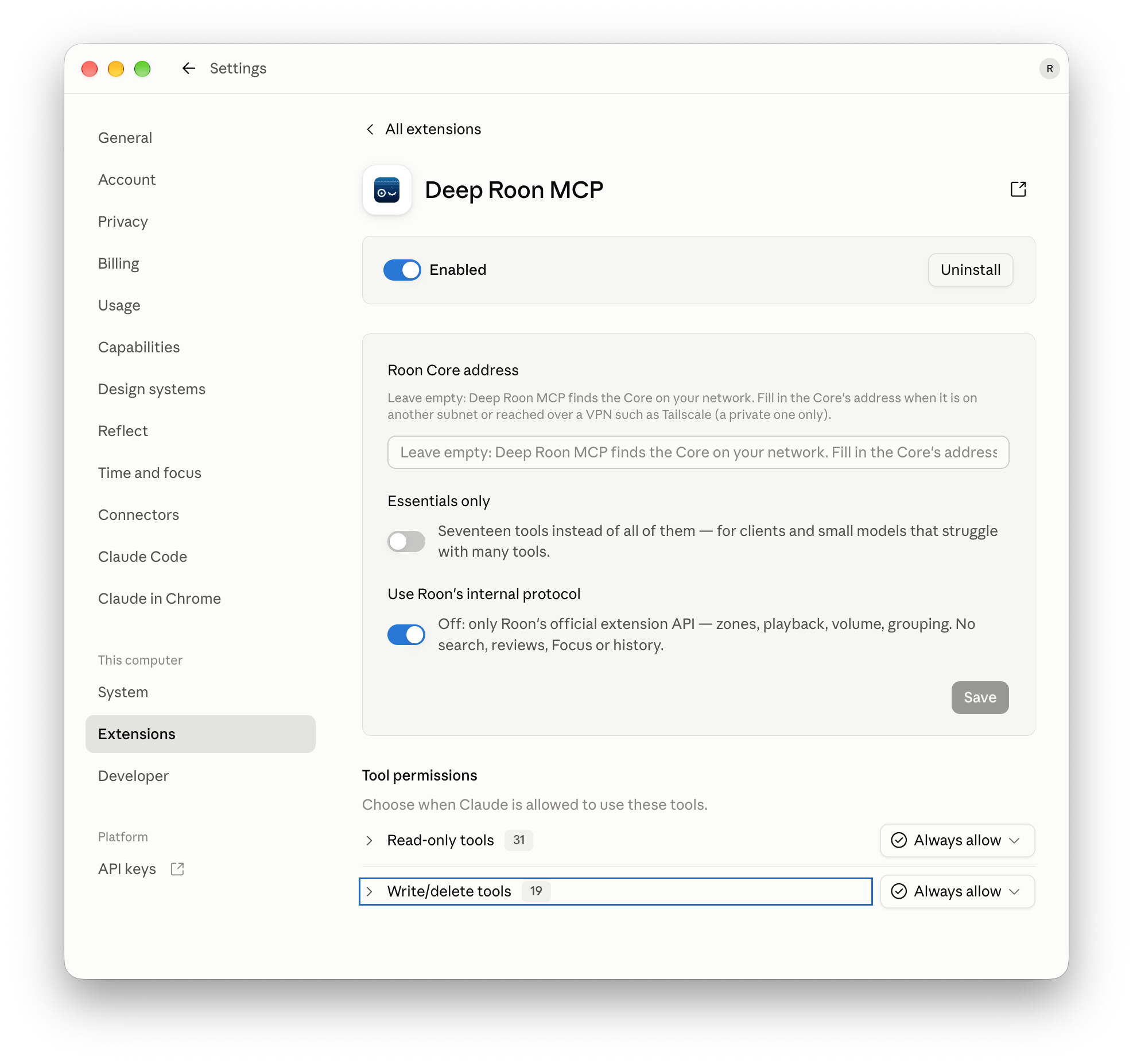
Now released as MCP bundle to run locally with an LLM of your choice:
Full tool list (56 tools and counting):
Reading — changes nothing in Roon:
| Tool | What it does |
|---|---|
roon_search |
Your library, Qobuz and TIDAL at once: albums (with format), artists, tracks — each says where it’s from |
roon_new |
Qobuz’s shelves (new, qobuzissimes, press awards, top, trending, ideal discography) or TIDAL’s (new, recommended, top, rising, masters; albums or tracks) — by genre |
roon_genres |
Qobuz’s genres and their ids, or TIDAL’s genres and moods |
roon_album |
An album’s page: tracks, release dates, label, barcode, credits |
roon_review |
The review Roon shows, in full, with its author |
roon_bio |
The biography Roon shows, in full, with related artists |
roon_artist |
An artist’s discography at Qobuz or TIDAL, oldest first |
roon_status |
How Deep Roon MCP stands: Core, pairing, internal protocol, self-test, newer version |
roon_zones |
Roon’s zones and groups |
roon_now_playing |
What plays in each zone, with the volume |
roon_queue |
A zone’s queue, numbered (1 is what plays) |
roon_cover |
The cover of what plays, as an image |
roon_history |
Roon’s play history, newest first |
roon_top |
Most played albums, artists or tracks over your whole history |
roon_library |
Your library with Roon’s Focus: stars, genre, label, artist, composer, producer, years, hi-res, live … sorted any way |
roon_focus |
The Focus panel: what your library (or part of it) is made of, with counts |
roon_tracks, roon_artists |
Focus on tracks and artists (and composers) |
roon_works, roon_work |
Compositions, and one work with its description and your recordings of it |
roon_daily_picks |
Today’s Daily Picks from Roon’s Home, with why |
roon_new_for_you |
New releases Roon picked for you |
roon_mixes |
Today’s Daily Mixes |
roon_playlists, roon_playlist |
Your playlists, and one playlist’s tracks |
roon_tidal_playlists |
TIDAL’s playlists: its editorial shelves, by genre or mood, and your own TIDAL mixes |
roon_favorites |
Albums with a heart in Roon, or your Qobuz or TIDAL favourites |
roon_listen_later |
Your Listen Later list |
roon_versions |
Other versions of an album: remasters, hi-res, in your library and streaming |
roon_similar |
More like this, for an album or an artist |
roon_signal_path |
Roon’s signal path for what plays: is it bit-perfect, what happens on the way |
roon_dsp |
MUSE: the DSP set up for a zone |
roon_radio |
Live Radio: your own stations, the directory by category and genre |
Playing — only on your request:
| Tool | What it does |
|---|---|
roon_play |
An album on a zone: now, next or at the end of the queue, optionally shuffled |
roon_play_tracks |
Your own running order of tracks |
roon_control |
Pause, play, stop, next, previous |
roon_seek |
A position in the playing track |
roon_volume |
A zone’s volume, mute |
roon_settings |
Shuffle, repeat, Roon Radio |
roon_queue_jump, roon_queue_remove, roon_queue_move |
Jump to an item of the queue, take items out, move one before or after another |
roon_queue_clear |
Clear what comes after the playing track (or everything) |
roon_transfer |
Move what plays, with its queue, to another zone |
roon_group, roon_ungroup |
Group zones, and undo it |
roon_sleep |
A sleep timer |
roon_standby |
Put a device in standby, or wake it |
roon_play_playlist |
A playlist on a zone (also a TIDAL one), optionally shuffled |
roon_play_mix |
One of today’s Daily Mixes |
roon_play_radio |
A Live Radio station on a zone |
Changing your library or sound — only on your request; each one reads the result back and says if Roon didn’t follow:
| Tool | What it does |
|---|---|
roon_favorite |
A heart on an album or track, or off |
roon_listen_later_set |
On or off the Listen Later list |
roon_library_add |
A Qobuz or TIDAL album into your library |
roon_playlist_create |
A new playlist from tracks |
roon_dsp_set |
MUSE on or off, one part on or off, or a preset |

 approval

 Until then – I’m looking into releasing RoonMCP (will need a different name) in a way that can run locally and connects to Roon with its own extension.
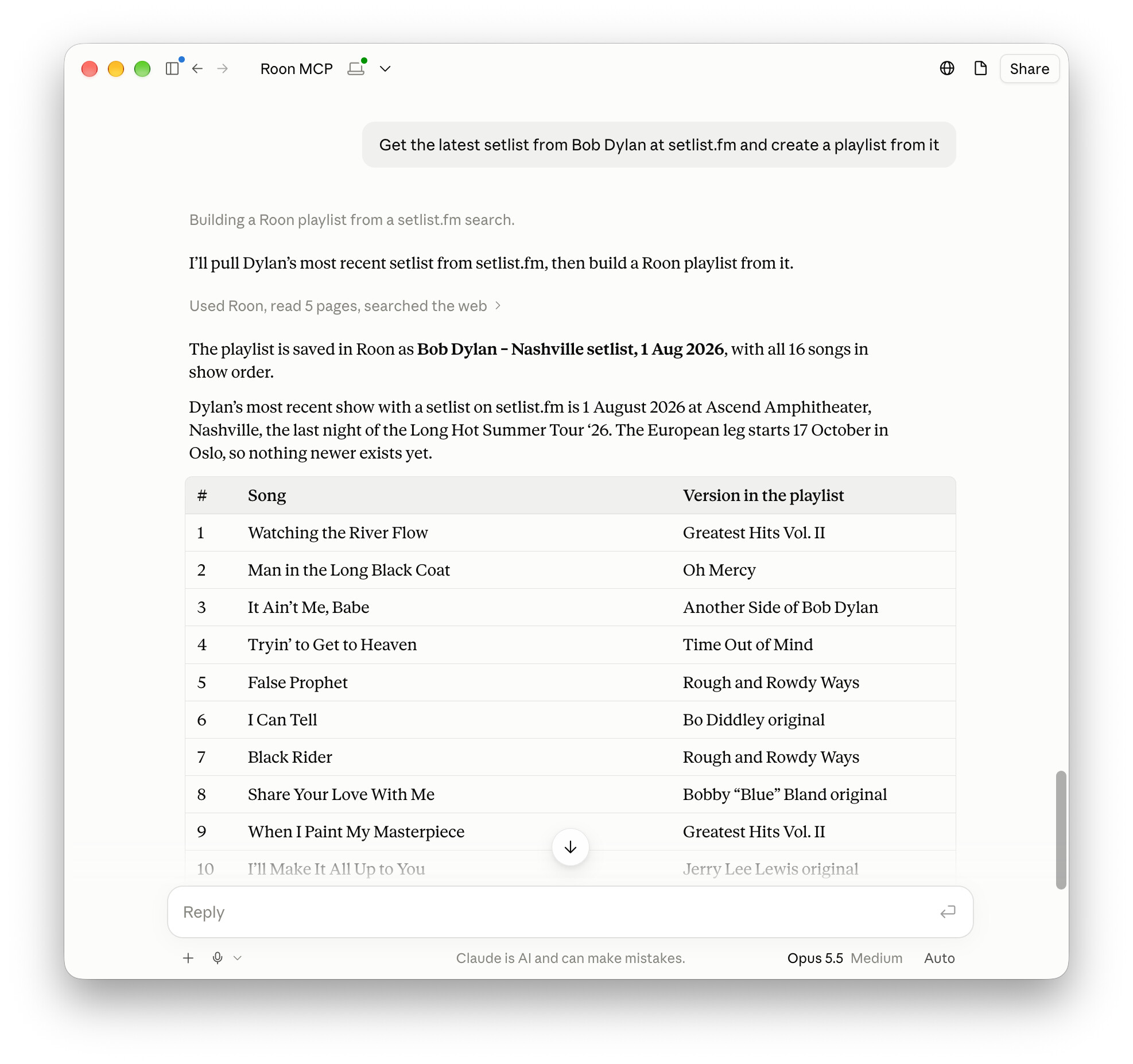

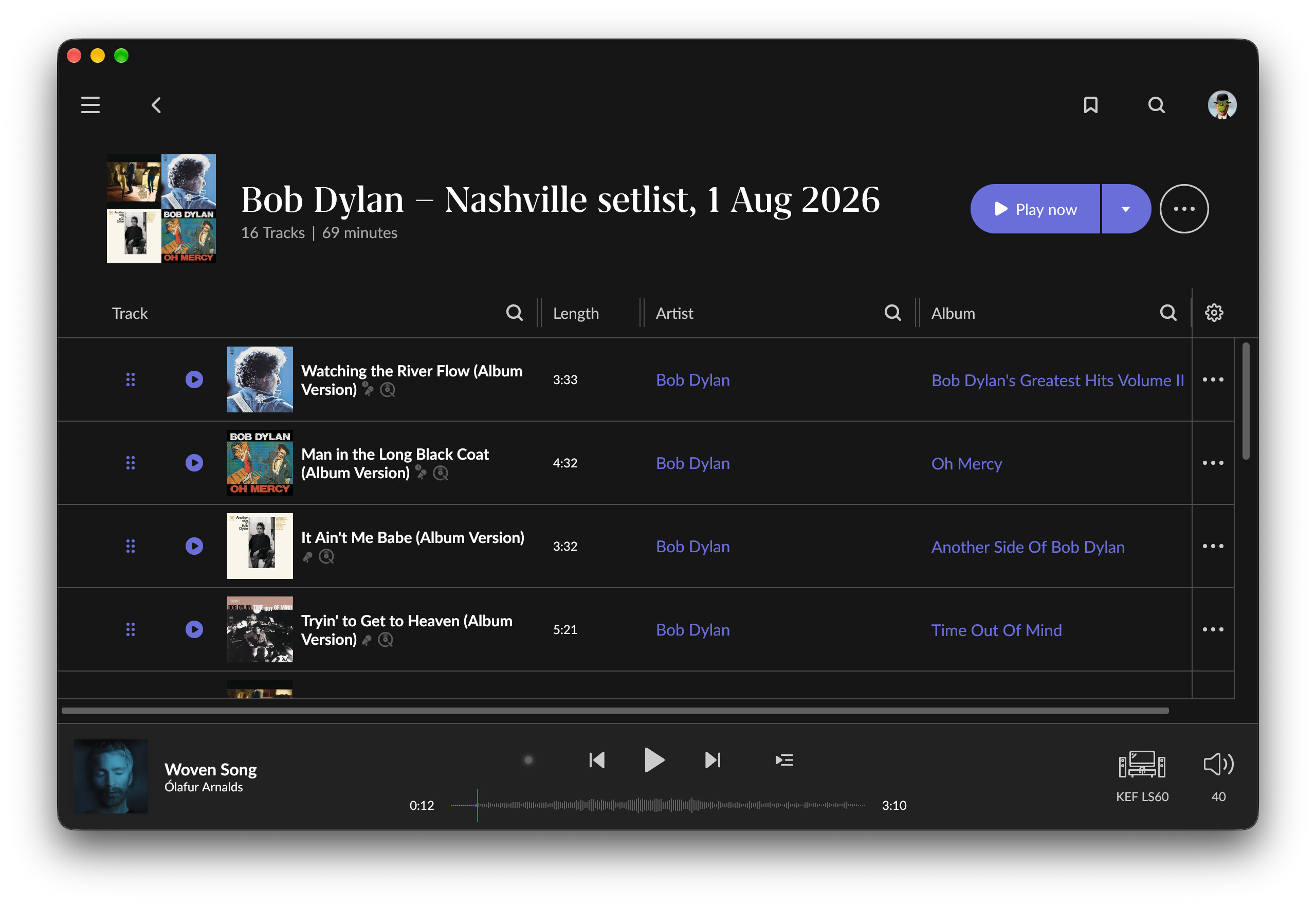

 To be fair it pretty much got my likes and dislikes down perfectly (scarily so!) and it’s recommendations after I got it to save that taste profile as a skill are pretty much spot on. Not only in term of genres, but down to the specific sites, magazines or reviewers I am likely to align with in terms of recommendations of new music.