Hey Everyone,
In this Early Access release, we’re addressing some key issues to enhance your Roon experience. We fixed a bug which prevented RoonServer macOS from restarting correctly after an update. On Android Auto, playlists in Recently Played now display their cover images correctly, making navigation more intuitive. Lastly, we’ve improved the look of the shuffle and repeat buttons on CarPlay with the latest iOS, making those controls easier to use while driving.
However, the main feature we want to highlight in this release is the long-awaited improvement to Multi-Disc Albums.
Box sets and Multi-Disc Albums
For years, the Roon user base has asked for better support for box sets, including disc-level images and titles.
Today’s Early Access release overhauls how Roon handles multi-disc albums and box sets, and we’re excited to hear how they work for everyone!
What’s Changed
Starting today, multi-disc albums and box sets will get several new features and improvements. It’s easier to navigate large sets and browse to the exact disc you want. Roon will now automatically retrieve disc titles and images from both our metadata services and your files, and will attempt to show you what each disc actually is.
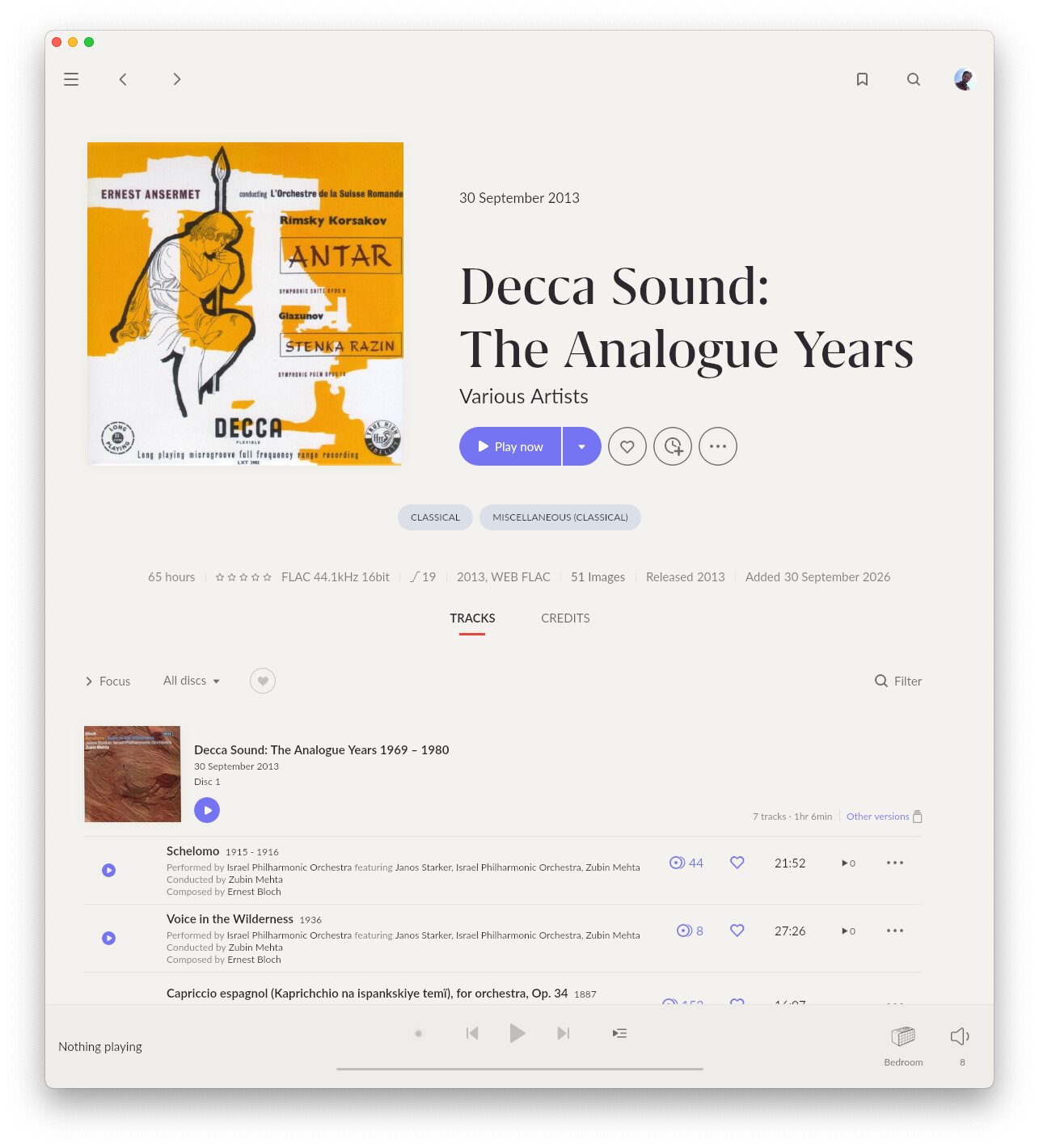
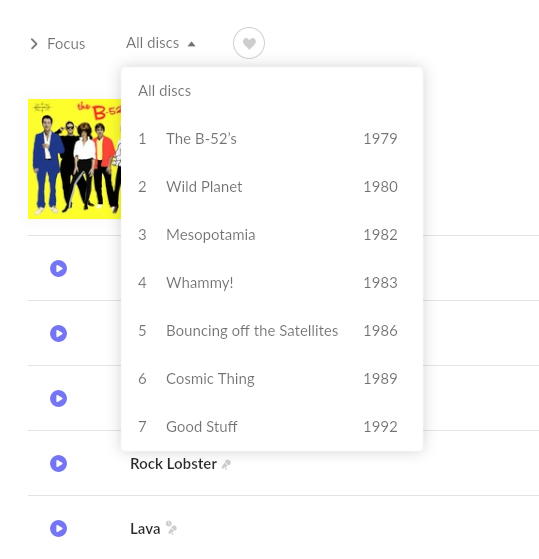
This means each disc can have its own title and cover, and for discs that correspond to a previous release, Roon will show a release date and link to other versions of the album. The B-52s “Complete Studio Album Collection” now reads as seven distinct records, instead of “Disc 1” through “Disc 7.”
Note that Roon will not automatically change how content in your library is “grouped” into albums. If multi-disc sets were previously split into individual albums, you’ll need to select those albums in Roon, then click Edit, then Merge to create a new album.
Navigation
Navigation improvements on the album page make it easy to browse sets with 4 or more discs. As you drag the scrollbar, Roon shows you exactly which album or disc you’re landing on.
On desktop, a ruler runs alongside the track list and acts as a labelled scrollbar — drag it, or click a disc or year to jump there. When every disc has a release year, and the discs are in chronological order, the ruler shows years, and the set reads as a timeline.
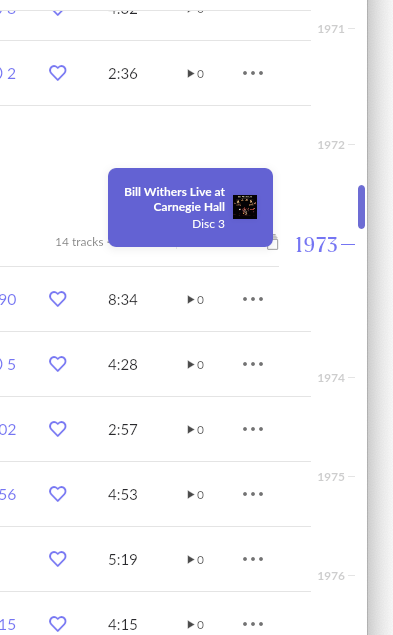
In other cases — missing years, discs out of date order, or every disc sharing the same year — it shows disc numbers instead. The disc filter dropdown shows titles and years when available, and will now be available on ARC as well.
Metadata and Editing
For some box sets — especially classical sets — disc-level data doesn’t exist anywhere, including in Roon’s own metadata. Our team has sourced or reconstructed this data where available, and you’ll get it automatically when we have it.
When the data isn’t available, you’ll see clear placeholders where titles and disc-level covers are missing. We don’t expect every box set to have perfect, complete data on day one. This is a starting point, and it will get better over time.
When a disc doesn’t match a previously released album, we’ve built a new per-disc editor, accessible from Roon’s Album editing screen.
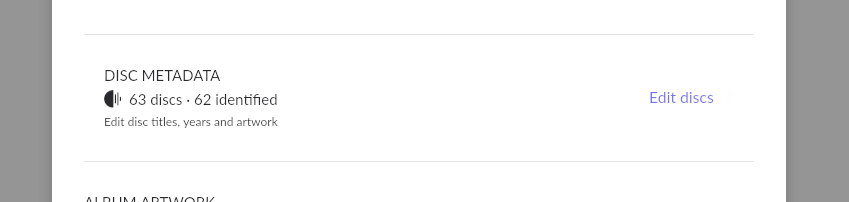
It lets you know the set’s state at a glance (“9 discs, 7 identified”) and lets you fix what we missed. Any disc can be identified against an album in Roon’s catalog — the same flow you use to identify an album — and when you select a match, Roon will pull in that album’s title, cover, and year.
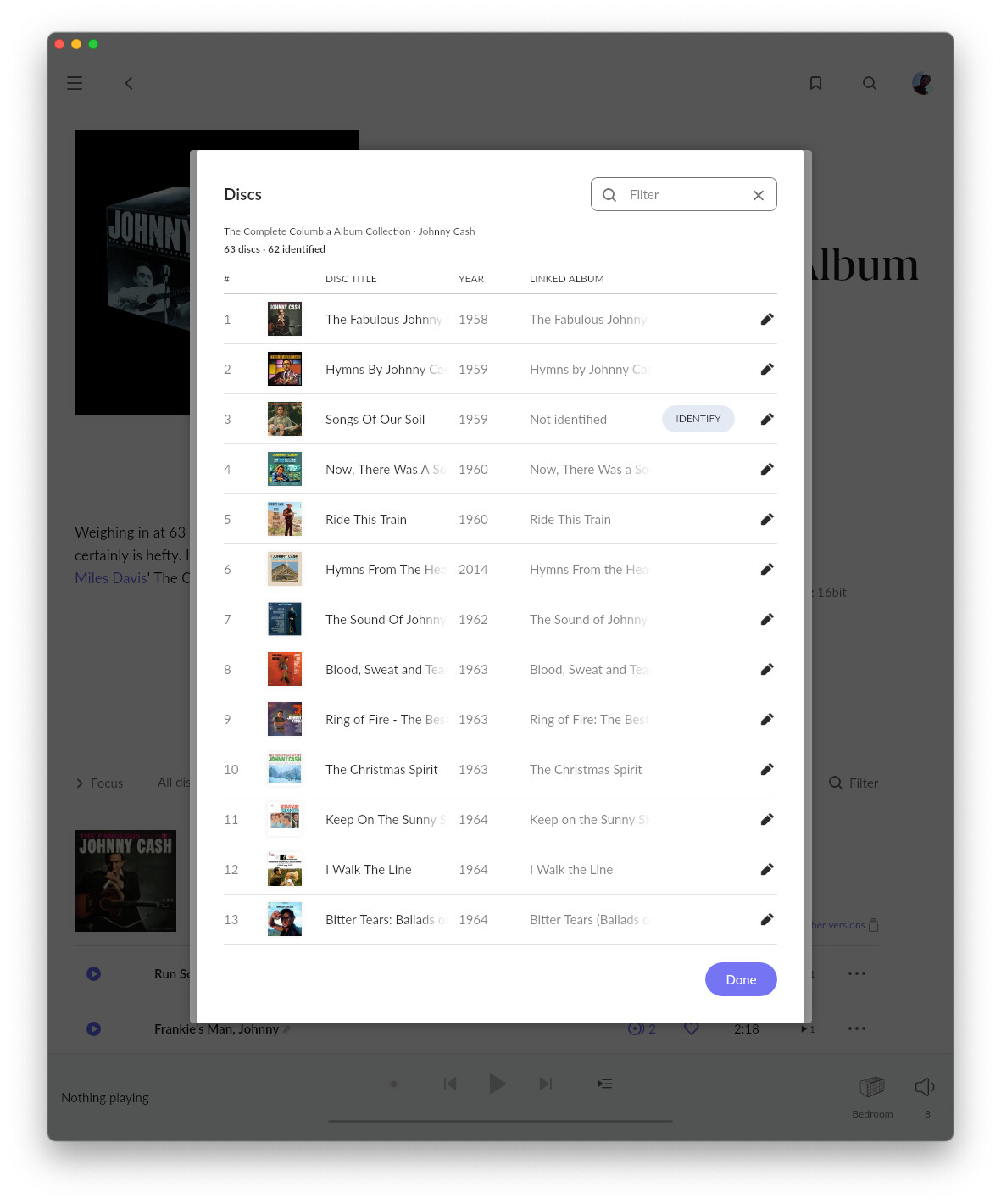
Where nothing matches, you can type a title and year by hand, or take them from your file tags. Editing a disc within a set never changes the track list or track-level data, so your favorites, ratings, tags, and playlists are safe.
Roon now reads disc metadata from your files. We’ve written up some details about the conventions Roon follows here. Roon will attempt to use standard disc-title tags (DISCSUBTITLE and its per-format equivalents), as well as disc names written into the ALBUM tag when appropriate.
As mentioned at the link above, cover images sitting alongside your media are now mapped to discs. This includes a cover.jpg inside each disc’s folder. If your images aren’t picked up, make sure you are following the rules linked above, or let us know if you have feedback on how Roon can better support your media.
Once a disc has a title, year, or cover that information will be shown in the album’s track list. When it’s been matched to a previously released album, you’ll also get a link to other versions of that album — your standalone rip, the Tidal or Qobuz release, or an earlier remaster.

Disc covers also appear as a small inset on the full-screen Now Playing view when we have them. The set’s own cover stays primary everywhere else, so you always know you’re listening to the box.

Feedback
Please tell us what you think! While we know some popular box sets still lack data, we believe these changes deliver the richest box set experience possible. Many users will get great box set data and powerful, intuitive navigation out of the box, and users inclined to match discs or edit data by hand will have the tools to present their music how they like. Let us know what you’re seeing, and how you’d like us to improve this part of Roon in the future!
Thanks for your continued support and testing!
The Team at Roon Labs
Build Numbers
| Application | Build |
|---|---|
| Roon / RoonServer | 2.74 (build 1708) earlyaccess |
| Roon Remote (iOS / Android) | 2.74 (build 1708) earlyaccess |
| Roon ARC | 1.84 (build 432) earlyaccess |
Changes
- Box Sets implementation
- Fixed an issue where RoonServer on macOS failed to restart after an update in a certain case
- Fixed an issue where playlists in Recently played on Android Auto showed placeholder icons instead of cover images
- Fixed an issue where shuffle and repeat buttons appeared too small on CarPlay with iOS 27
- Various fixes and improvements
Installation
| macOS | Roon | |
| Windows | Roon | |
| Linux † | Easy Installer | Full Package |
| Nucleus / ROCK | See Help Center | |
| Android APKs | Roon | Roon ARC |
† Information on loading Roon on Linux can be found here. Please use the files linked here in place of those from the help center article when loading earlyaccess.