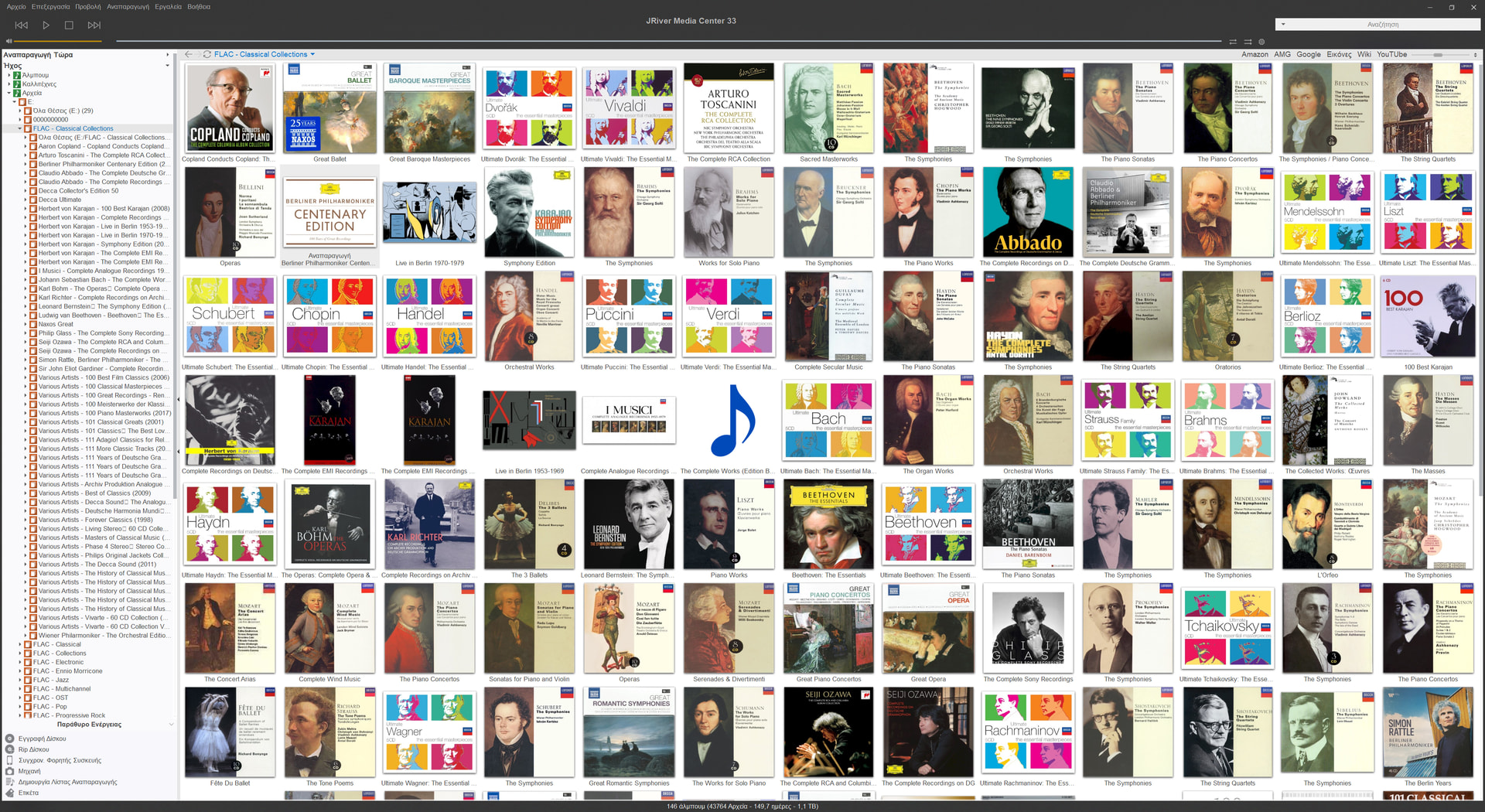
I have many folders for my music. For example FLAC - Rock and MP3 - Rock. Sometimes I’d like to browse a specific folder. It’s not entirely possible because you present the files almost flat and with big labels.
Maybe you can add a tree browser to the sidebar like Jriver or Foobar2000 and when I click there to scan the subfolders and present them as albums and not as folders a flat list.
Now here is the thing. I use Musicbrainz for tagging and that’s it. No extra tags. If I have an unknown album I fill the most important tags and leave it there. From time to time I check with Picard to see if there are updates to these unknown albums and do the changes.
I don’t use extra tags for 2 reasons. First they mess with my search and second because I move my music around very often.
Till recently I added separate folders to Roon. Classical, Pop, Rock etc. But as I said I like to move things around. For example I splitted the Pop-Rock folder to two and I added Progressive Rock and Electronic. So instead of one now I have four folders for that.
For me it’s a hell to browse there If I want to do things or listen to something in particular. I can go through genre browser but it’s not always easy.
That’s why I want that view. Not something fancy but a little more compact. Or at least you could implement the current album view which is far better and more readable than now.
The same thing is with Plex. They have a good product but their folder browser still lacks. Too big items to be usable.
That’s why I have Foobar2000 always open. Because I can jump wherever I want in to my music in seconds.
It needs manual work and tomorrow a change might mess with the actual location. As I explained in my previous message I had a single folder named Pop-Rock. It had almost 1000 albums that I put there in bulk. A few days ago I decided to split that folder in to Pop, Rock, Progressive Rock and Electronic. I moved the albums to their respective location and the rest that had multiple genres to my generic FLAC folder.
Right now that generic folder has almost 3500 FLAC albums and it’s 1,5 TB. For example it contains my Beatles albums because Musicbrainz tags contain Pop, Pop Rock, Ambient, Electronic, Rock, Psychedelic Rock even Classical.
My crazy mind doesn’t want to put them somewhere specific. The same with Pink Floyd. So I keep them there with other albums. Also there I keep albums with no specific category. Techno genre has only 3 small albums with 12 songs in total. Where to put them? Create a single folder just for them?
That’s why I want that browsing theme. To move around with minimal effort so that I can create or remove folders without extra work.
Not exactly. I’m not trying to fight Roon. I know that they don’t want folders. But now that they are here maybe a little tweak to be more useful.
That’s why I don’t mind if they don’t implement my first idea. I’d be happy with a more compact view or a direct show of an album instead of plain files with big icons.
Roon is like a drug. Minimal effort to listen your music. And the filters are superb for search. But sometimes you get lost and you need the plain old filesystem access.
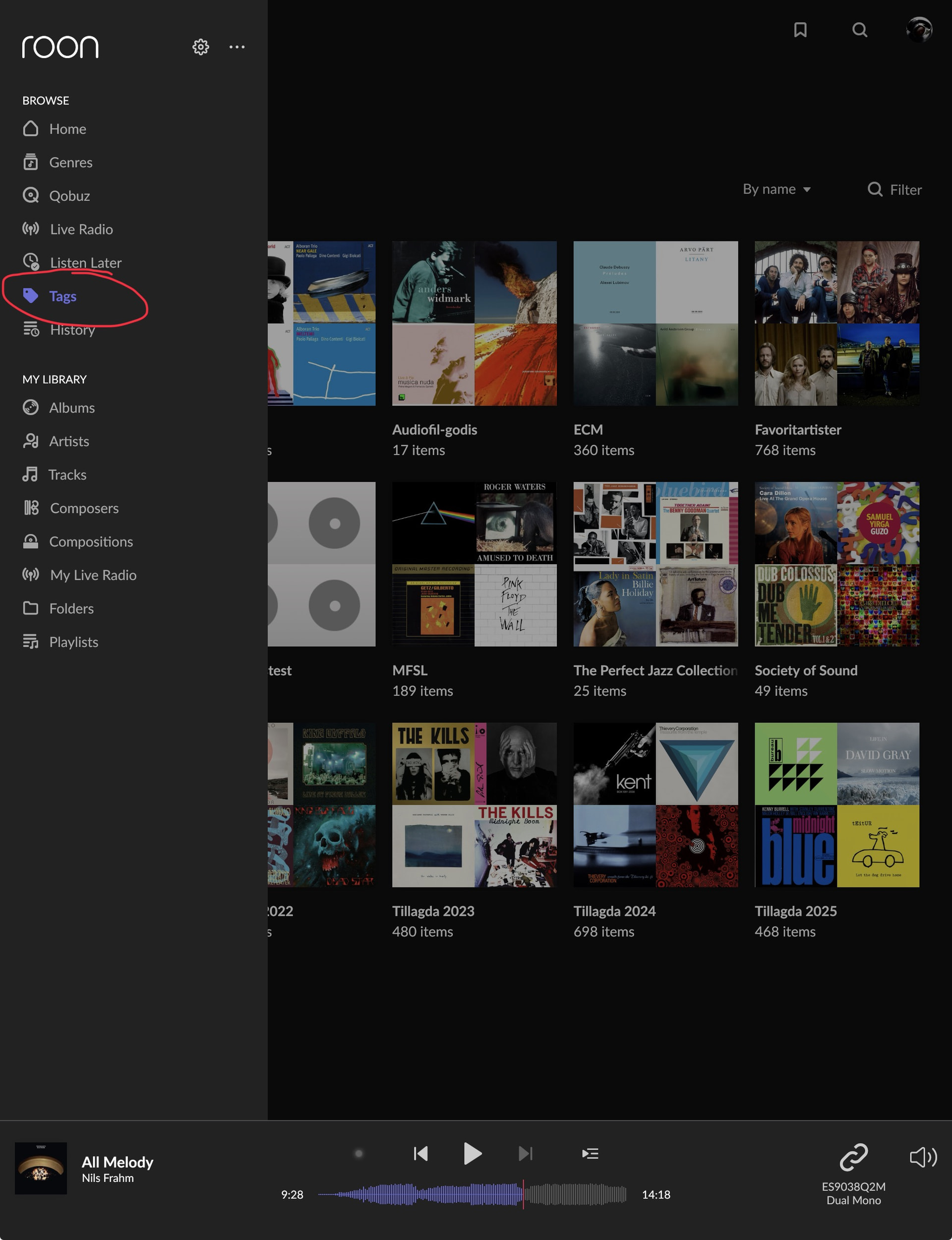
How? A Roon Tag is a virtual pointer that only exists in the Roon database to serve as a grouping function. It doesn’t change any file metadata nor does it make any changes to actual file location.
And you can have any number of Roon Tags on an object. And Roon Tags can be put on any object in the Roon database, track, album, artist, genre, playlist, even other tags.
As I wrote before I have a huge folder with more than 3000 albums. What tag should I put there? Also I mentioned that I split the Pop-Rock folder in four different ones. If I move an album from Rock to Progressive Rock folder the Roon Tag would need an upgrade right? Why should I make double the effort? The filesystem is already there.
Again I don’t want something big. But a simple integrated tree browser and a more compact view. Ideal the current albums like now.
You didn’t understand what I do. I like moving around my music. For example I moved Ennio Morriconne OST’s outside the main OST folder.
If I had tagged them as OST, after the move they would still had that tag. But now they are NOT in the OST folder but in a different one so the tag isn’t right.
Maybe in the future I’d move some albums to a new location. Blues? Some Greek music? Who knows? Why tag them when I can access them directly?
Tags work with all the other Roon views that have Focus options. Albums, Artists, Tracks, etc. There is no way to focus by Tags in the Folder View since Folder View lacks any Focus abilities. So, any Tag comments assume the Album view.
So, you probably aren’t going to want to use them, although I think you should step out of your personalized methodology and try something different for a bit.
That being said…
That depends on how you want it. Take the 3000 Pop-ROCK folder with 4 sub-folders, example Progressive ROCK. I would add a Top Level Pop-Rock tag, then I add a Prog Rock tag to everything in that folder so there would be two tags. This way I can click on the one tag to get everything, or click on a sub tag to get just that folder. You can add a tag via a folder location, so tagging all those albums would be minutes at most.
If you move one, you can as you say, remove the one tag and add the new one. Takes seconds.
Two comments.
If you want to play around with my suggestion. Don’t create tags which are the same name as Genre Tags, So I’d use PopRck, or ProgRck.
Roon does not like files moved while the area is being watched in real time. The proper procedure is to shut off the RoonServer, make your moves, and then turn it back on. Everytime you move something while the server is on and watching there is a chance for data corruption; especially when done at volume.
I don’t think that you have understand what exactly I want.
I’d like a more compact way to show the actual files in the folder browser. If the software can show the items with the “Roon Way” with all the metadata and links it would be perfect.
Why you insist on the tagging feature? It’s not what I want and I explained why. I like messing around with my music. I showed my actual root folder with the various genres. Tagging won’t work for me and I’m not going to change my way to do so. Roon and Musicbrainz do a very good job for searching and general browsing. That’s why I use Roon all these years.
BUT sometimes I’d like a traditional folder browsing without opening Foobar2000. Jriver and Audirvana do that compact view BUT no rich metadata like Roon. Obviously i they did it I’d go there because they are much cheaper. But Roon is FAR BETTER.