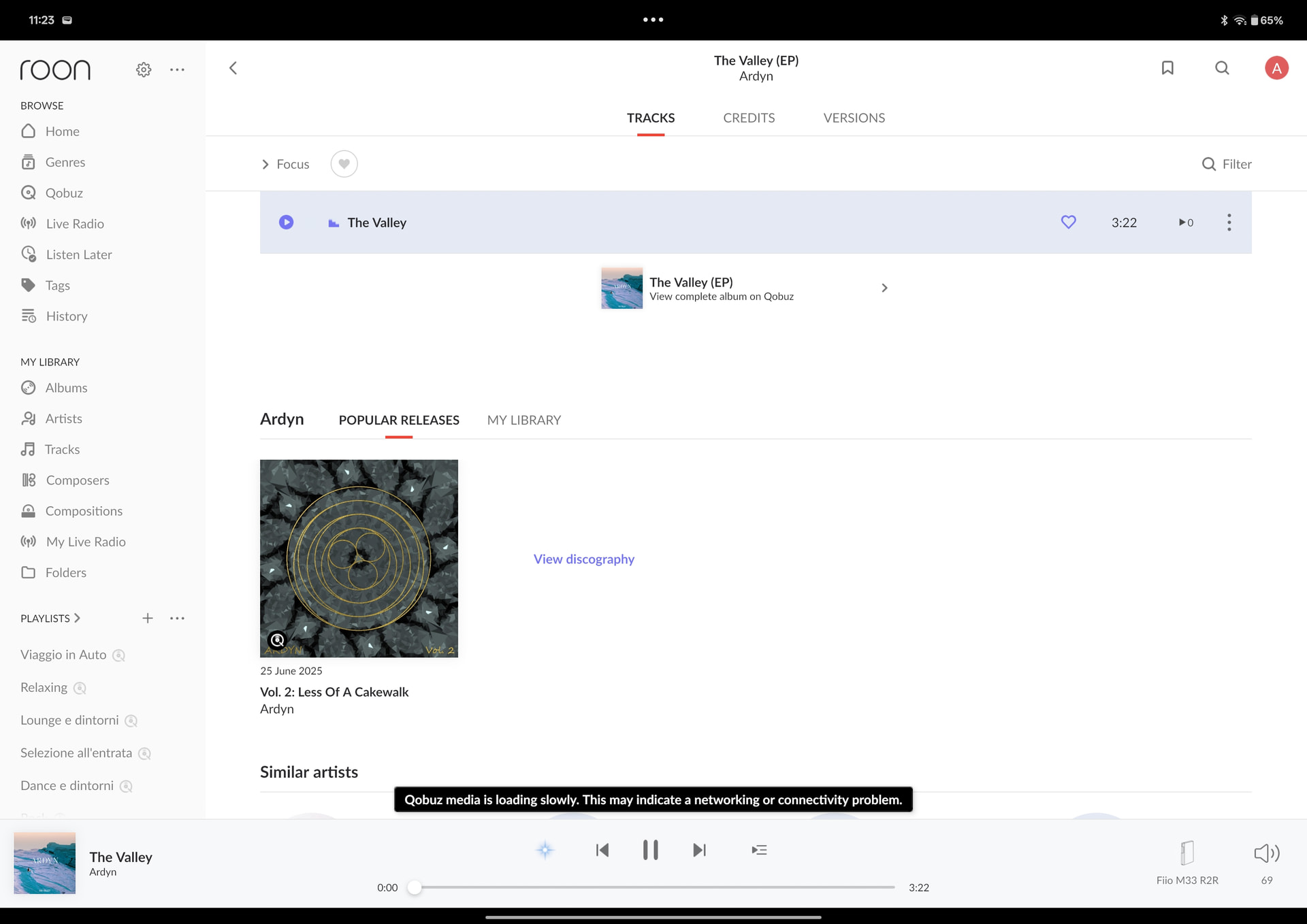
· I got Rock server running on a NUC. I bought a Fiio M33 R2R but I can't use it with Roon Remote. Arc is working properly on the device but it won't play over 48khz quality. When I try to see the Fiio in the Audio settings of Roon remote the device keeps to appear/disappear from the list but I can see it in the list of music playing zones of the music player. Although, Fiio won't play any song when I hit the play button. The WiFi network is the same for the Rock, the Roon remote on a pc or an Android tab, and the same goes with the Fiio. Thank you in advance.
Thanks for the details and for writing it! Here’s what fresh Roon Server logs show.
You’re right that the M33 R2R isn’t certified Roon Ready. Its FiiO Roon app presents itself to Roon Server as a FiiO M11 Plus, which is why it showed up under that name. The connection problem, though, is on the M33 side:
FiiO Roon app: your Roon Server reaches the M33, but the connection never finishes setting up. Since October 22 it has timed out every time. When you press play, Roon waits 15 seconds for the device, gives up, and stops the track.
Roon Remote on the M33: it connects and drops roughly every 10 seconds. That’s why the device keeps appearing and disappearing in Audio settings, and why the app stays on the “connecting” screen.
Your other devices on the same Eero network, including your tablet, PC and Sonos, stay connected without trouble. That points to something on the M33 itself, not your network or Roon Server.
Please try these and let us know how it goes:
On the M33, go to Settings > Apps. Set battery usage to Unrestricted for both FiiO Roon and Roon, and turn off any Wi-Fi sleep or power-saving options.
Check for and install any FiiO firmware updates.
In the Eero app, reserve an IP address for the M33.
Restart the M33. Open FiiO Roon first, then Roon, and try playing with the M33 close to an Eero node.
On ARC topping out at 48 kHz: Roon’s audio on the M33 goes through Android’s own audio processing, which can resample to 48 kHz. That’s separate from the issue above, and we’re happy to look at it once local playback is working.
Unfortunately it did not work. After that I installed Tailscale on the Fiio and it connected immediately!
But…no way, the music plays for only 2 or 3 seconds then an error about laggy connection appear (see the attached screenshot). Now I can find the Fiio stable in the settings but there just one more last thing to fix, I think. Can you help me, please?
I found that I had an exception in the Eero app for the ROCK and the Fiio as well. When I canceled both the exceptions, disconnected and reconnected Tailscale, closed and reopened Roon, the playback magically started flawlessly.
But I frankly don’t know the process, and technical things off these changes.
Glad it’s playing now, and thanks for sharing the fix!
With the exceptions gone, you shouldn’t need Tailscale at home. Try turning it off on the M33 and playing again. If it works, a direct local connection is the most reliable setup. If it starts dropping again, let us know.
We’re also happy to look at the 48 kHz limit in ARC whenever you’re ready.
I just want to chime in that I’m also experiencing 48khz max on ARC on the M33. I think I have a vague idea on why but expert opinion is definitely needed. In Roon Remote, if you have engaged the FiiO Roon Ready app, you can see two different M33s in the Roon audio picker. (I have renamed the default M11 name to M33 so this might appear different for others.) One shows up under the “this phone” settings, it’s named FiiO M33 R2R. The other shows up in the Roon ready section. It’s named FiiO M33 (although if you look in device set up it’s still called FiiO M11 Plus). Anyway, FiiO M33 R2R shows a max of 24 bits per sample and is missing most of the advanced settings, including max sample rate. FiiO M33 is Roon Ready so it shows all the advanced settings (up to 768 kHz). If you do not engage the FiiO Roon Ready app, only the FiiO M33 R2R version appears. Consider that all background for how I analyzed the ARC issue (or a dissertation you maybe didn’t need)
on ARC, even with FiiO Roon Ready engaged, the only audio choice that appears is the FiiO M33 R2R version- the non Roon Ready item. Looking at the settings for the device through the Muse menu, it shows a max of 48 kHz. ARC doesn’t recognize the Roon Ready version of the device and it doesn’t show up.
Yes, exceptions gone, but no way to use Roon on my Oppo Find X10 Pro Max or on Fiio M33 without starting Tailscale on boot up. Without it, Roon keeps looking for my ROCK forever.
I’m also noting some disconnections while playing music on Roon with the Fiio: the device sometimes disappears from the listed of “enabled” players, so…sometimes it works flawless, sometimes I need patience to re-enable devices, restart apps or devices…I don’t know, really, what’s missing to enjoy music with Roon with a bit of stability.
What about Roon ARC Android resampling at 48 khz maximum frequency? Is there any suggestion about it? It seems that ARC is working with a bit more of stability, I would say.
I assume the 48 kHz maximum sampling rate is due to the fact that ARC cannot yet interface directly with the player’s built-in DAC, meaning the audio path goes through the player’s Android system.
Thanks for the details on the Tailscale workaround, the Fiio disconnects, and the 48 kHz limit in ARC. The 48 kHz sample rate is likely due to Android, and we’re checking with the team to get their thoughts on it.
We also noted the disconnections you’re seeing on the Fiio, including the device dropping out of the enabled players list and the need to re-enable devices, restart apps, or restart devices to get playback going again.
Please record the time + date + track playing should you have additional disconnects. We’ll follow up once we have more information to share.