On my experience 12Gb 4070 Super work for me for most modulators on 512 DSD and limited for DSD1024, but then again it will depend for you listening preferences and sampling rates
Hmm, what kind of filters/modulators and what processing speed do you get?
I can do DSD512/1024 on the CPU alone with default filters.
If the 5070 won’t bring anything meaningful to the table paired with a 9950X3D I can still return it, the issue is that the 5070Ti is already like €400 more, 5080 is €1000 more.
I don’t have all testing results, but I remember using DAC correction most 512x48 filters
For 1024x48 default filters ok but no DAC correction.
CPU i914000
Now I mostly on 256x48 Holo Spring KTE L3
Regards
Of course 5070 also “works”, but how much benefit it gives for 9950X3D is a different question. 12 GB rules out some filter choices for DSD512, but another question is whether that matters or is desirable to begin with.
That’s what puzzles me the most, if a tiny Mac Mini can do DSD512 with default filters, how much more processing is needed for fitlters like sinc + DSD1024, for example?
Which filter to be precise?
For the same modulator, load doubles every time output rate doubles. Then different modulators have different loads, for example with AHM it is quite a bit lighter to do DSD1024 than ASDM.
With filters, the load can vary some orders of magnitude depending on choice. Which filter do you want to use and what rate (there is no filter called “sinc”)?
Sinc-L is the modulator I think. Can’t find any relevant info to be fair, it seems to be a matter of preference in terms of filters and modulators.
healo
sinc l and asdm7ec 512 +fs @ 1024 with dac correction would likely need processing power of 14900k +5090 undervolted and overclocking both or equivalent as this was what it took for me with 48gb ram with 5080 not possible with hqp version 5.17.x and still take 30 sec to initialize
likely possible now with 5080 with v6.x optimizations
browsing with firefox or chrome would sometimes fail to initialize due to memory usage limit and would rec 64gb for those seeking browsing and rendering same time
even so with sinc l with above i only like with certain music i do not usually listen to such as dire straits and prefer poly sinc gauss hires lp and amsdm7ec 512 +fs without dac correction for most music which is acheivable with 14900k igpu alone
1 Like
What puzzles me the most is that even if I use DSD1024 with default filters on the 9950X3D/5070 setup, it will occassionaly hiccup despite Multicore DSP and CUDA offload being enabled and the task manager shows plenty of computing power left.
I tested this in Windows and the CPU was only loaded on 2 threads. The GPU load was around 20% and VRAM load was below 3GB, same story in Ubuntu 26.04.1 LTS.
So why doesn’t it use all of the available CPU/GPU resources and threads? Sorry, I’m stupid, I just don’t understand HQPlayer how this all works apparently. If the machine runs out of compute power I’d expect to see 95%+ load on the hardware, not 20% and 2/32 threads.
I saw similar behavior on the M6 Mini with mostly just 2 threads loaded but the Mini was running out of steam at that point. The big desktop doesn’t have those issues.
If I run default filters and ASDM7EC-fast, 44K DSD to DSD1024 on the 9950X3D CPU alone, I get x1.74 speed. When I enable CUDA offload, I get 1.84x and 1.68x for 48K DSD.
For DSD2048 It’s 0.92x with CUDA enabled.
GPU seems to be useless in this scenario apparently and this rig doesn’t perform much better than a tiny M6 Mac Mini. As I said, I don’t understand why the processing speed drops while neither CPU or GPU load increases and/or more threads get utilized more.
Do different modulators present a different level of multi-core load?
1 Like
Let’s say we use sinc-L filter with ASDM7EC-fast to DSD512, you typically need more than 12 GB of GPU RAM. And for DSD1024, with same settings, you need double that.
It does. But for example some things are mathematically such that they cannot be efficiently calculated in parallel, so for those cases you end up having two high loaded cores for stereo. If you have something like 14.2 channel Dolby Atmos system, then you of course get more high loaded cores.
Rest of the stuff is then distributed among rest of the cores and the GPU.
This is why for example the i9-14900KS is nice, because it can run two high loaded cores at 6.2 GHz clock.
1 Like
Thank you Jussi. That’s what I was thinking (afraid?) of, that certain calculations can only load a single core. This would also explain why the GPU utilization stays low when the 2 cores of the CPU are capped at maximum utilization in my setup.
The 9950X3D can be pushed to ~5,95GHz peak boost frequency with PBO + Fmax override, might be worth to look at and add a slight negative Curve Optimizer. SkatterBencher #85: Ryzen 9 9950X3D Overclocked to 5900 MHz - SkatterBencher
One could also then limit the CPU to ~100-150W maximum power as a safeguard, in stereo it shouldn’t come close to it with only 2 cores being fully utilized. That said, I’m very impressed with the Noctua NH-D15G2 LBC aircooler, dead quiet and can handle way over 200W.
14900KS is sadly a dead platform and buying a used one is playing with fire, at first they degraded and broke because of overvoltage error within the microcode so you risk getting a half-broken one when buying used. New 14900KS’es got so expensive they sit between 9950X3D and X3D2 in terms of pricing. Both Intel and AMD are due to release new architectures in 2027.
I wonder if there are FPGA’s that could do the same thing but faster than an x86 or ARM platform, probably not since the heavy FPGA’s like bitcoin miners ran a single agorithm, not a list of different ones.
I’d also have to check something again, I have a Gustard U26+R30 setup and noticed something strange yesterday, DSD1024 with the AHM7 modulator was producing strong white noise like sound in the background.
1 Like
Intel’s Raptor Lake, with its 13th and 14th generations, was the best so far. I’ve always throttled the CPUs in my fanless PCs to a maximum of 4.4 GHz and have never had any issues with performance degradation. I can play DSD2048 with it without any problems—though, of course, only with light modulators and filters.
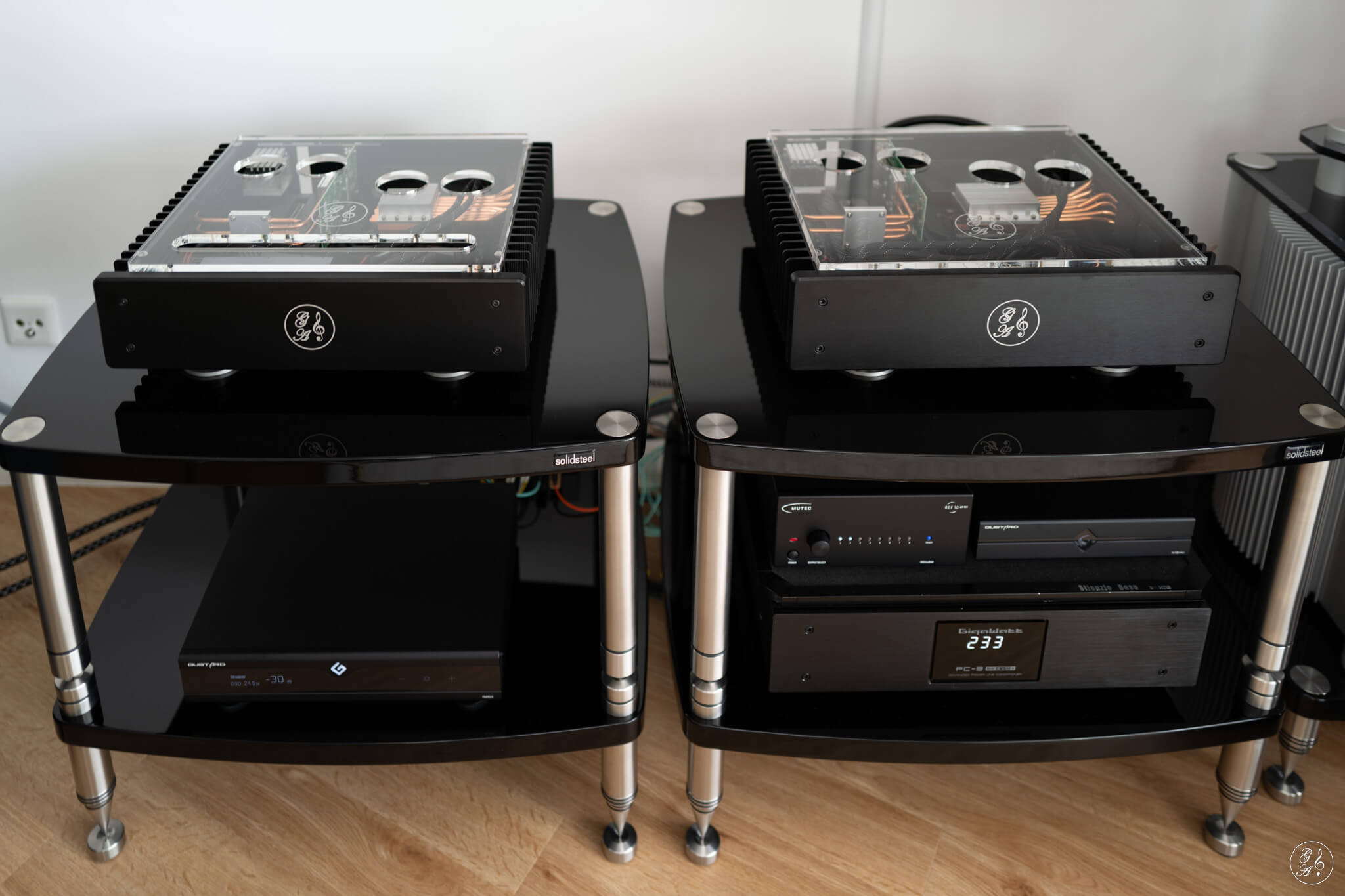
What followed with Arrow Lake was so bad. But there is a glimmer of hope:Intel Nova Lake Release Date Leak: Q1 2027, 52 Cores [2026]
Welcome to the club. I had the same problem with the Gustard DAC-R26II. Since then, I’ve only been playing up to DSD512 at most using the built-in NAA. You can still hear a faint hiss only at very high volumes and with very quiet music. That was never the case with my T+A DACs. It’s a real shame, but Gustard just can’t handle DSD. But aside from that, the sound is really very good.
Gustard themselves would have to give an answer on that, they are discrete R2R DACs with separate DSD path. Could be a design flaw, could be a combination of both and the source material.
At least here it is still well available as new. I’ve been running my 14900K 24/7 as development machine since it came out. Always kicked out to the maximum possible clocks and performance with AIO cooling and 64 GB of DDR-6400 CL32 RAM. No issues with up to date microcode. Powered by 1kW Seasonic Platinum PSU.
Now my new 9950X3D build is using the 1.6kW Platinum PSU although they have now also 2.2kW model. So enough capacity to host also 5090 GPU if necessary, and still likely running just on passive cooling without having to start up the PSU fan.
Last time I looked at those, the ones that could potentially get close, cost $10k per piece as chips, without any of the surrounding electronics that also need to be designed. So the chip alone costs over 10x more, and needs custom hardware design. Plus couple of man years extra effort to translate the code to be useful there. So if you have couple of millions budget, maybe you can get somewhere close for a single target. But then it is difficult to keep up with the development, which keeps intensively going forward. And FPGAs also consume more power than corresponding CPU. Designing a custom chip is an option to save on the power consumption, but then every software update costs millions and people would need to buy new hardware every time (like now with DAC chips).
And we are still talking about just the upsampling part, nothing yet about things like DAC corrections, room/headphone EQ, etc. That will double or quadruple the cost and effort.
You get a hint, since practically nobody uses FPGAs for AI. It is all CPUs and GPUs in datacenters for building the models.
You may get better results with Holo Audio DACs…
2 Likes
Thank you again for the explanation. I also like to invest in a higher end PSU and try to aim for Titanium rating if it has to run for a longer period of time. For the HQPlayer PC I got a 1kW BeQuiet DarkPower Pro 14 1kW unit.
I managed to make my Ubuntu HQP server pretty much headless by autostarting the HQP Desktop as main user and immediately locking the screen. I know some like to run CLI only but that’s not my cup of tea. My only issue to solve is RDP as that doesn’t work anymore since there is already a user logged in.
I like my R30+U26 and I got them cheap. Would have to go to May KTE Kitsune to really beat it.
Does CUDA offload also ‘suffer’ from limited parallelization within the GPU core? In other words - calculation X can only address Y amount of CUDA cores?
In Ubuntu I can’t even get 2 cores to get fully loaded. Strange, enabling/disabling CUDA doesn’t change it.
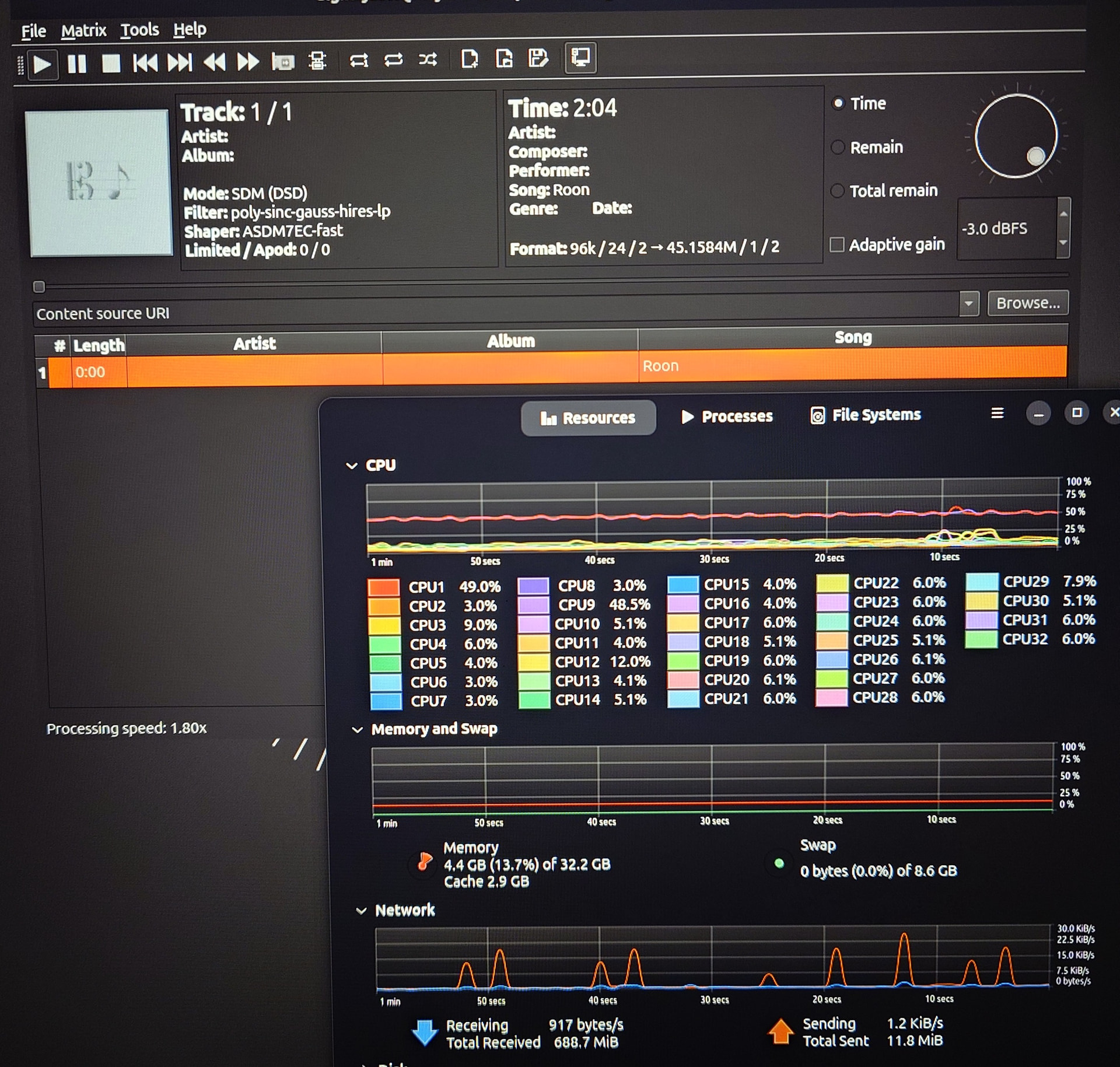
DSD2048 increases the load but still not to full and the sound starts to drop. This is all on the CPU alone.
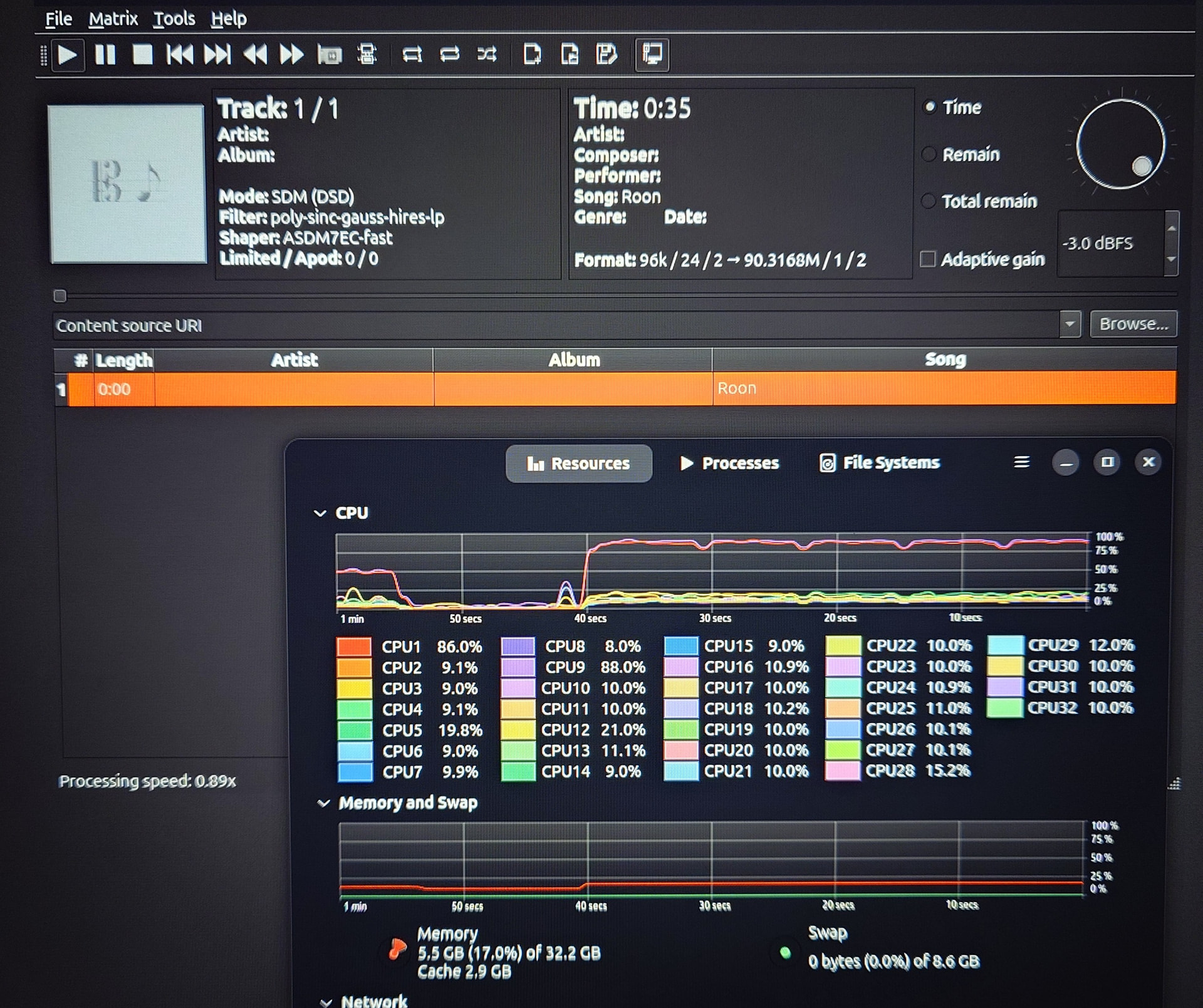
Adding CUDA offload (5070) does almost nothing:
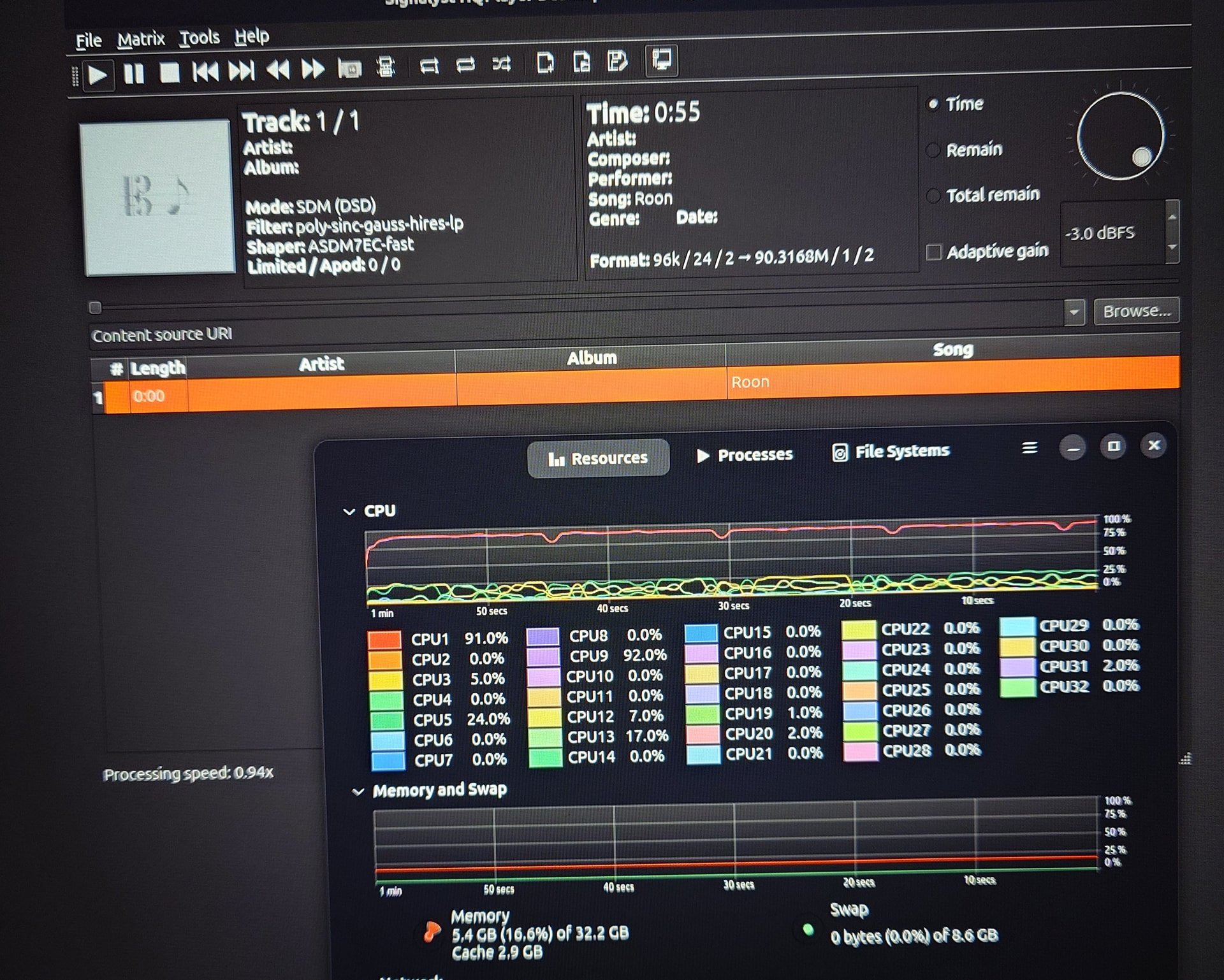
Maybe I should just remove the GPU altogether, its almost a grand and does nothing useful here.
There is no point in putting calculations that cannot be parallelized on a GPU. The entire point of using a GPU is that it has thousands of cores doing calculations. So I only put things there that make sense for the architecture. CPU is much better on things that cannot be parallelized.
Likely memory access latencies… But also the load figures are completely useless when you have dropouts. So first run DSD1024 with the same settings and observe the load on highest loaded cores. Then multiply the load by two to have good estimate what kind of load it would be for DSD2048.
So in order to be able to do DSD2048 without dropouts, your highest loaded cores must be below 50% load when doing DSD1024. In your screenshot you are too close to 50% load to be able to comfortably run DSD2048 with the same settings.
It always depends on what you are doing…
Try for example poly-sinc-gauss-xla from 44.1k or 352.8k to 48k x1024 output…
Also if you run some bigger convolution room corrections + DAC correction from DSD256 source to DSD1024 output you will certainly see some notable GPU load.
But with 9950X3D you can probably do most normal cases without a GPU. Just like with i9-14900K when utilizing the E-cores for offloading as well.
Mac Mini M6 base model can also do the settings you have on your screenshot.
With these settings, I have pretty notable load on GPU as well (this includes headphone EQ + DAC correction):
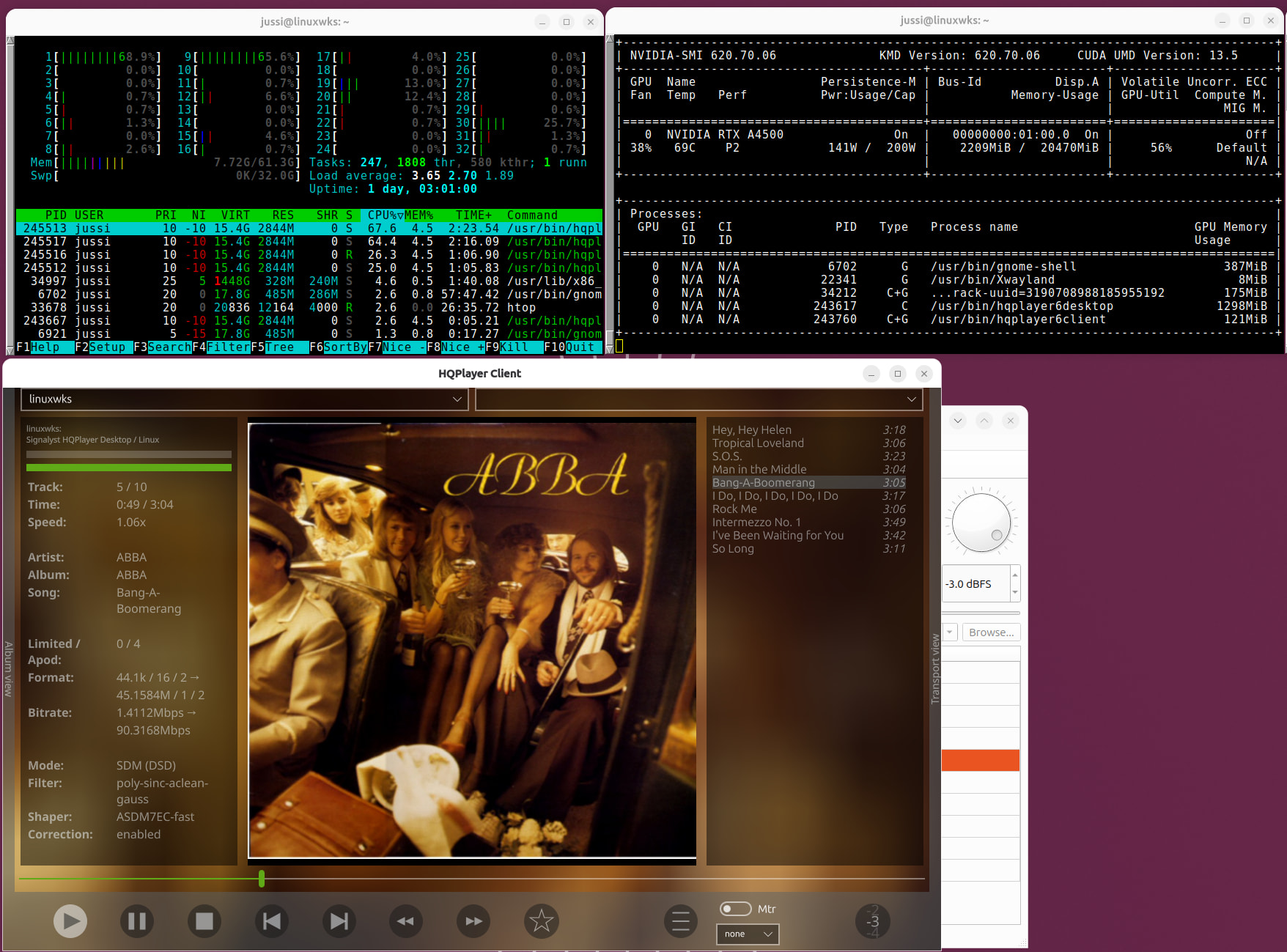
What is the task manager app in the top left corner?