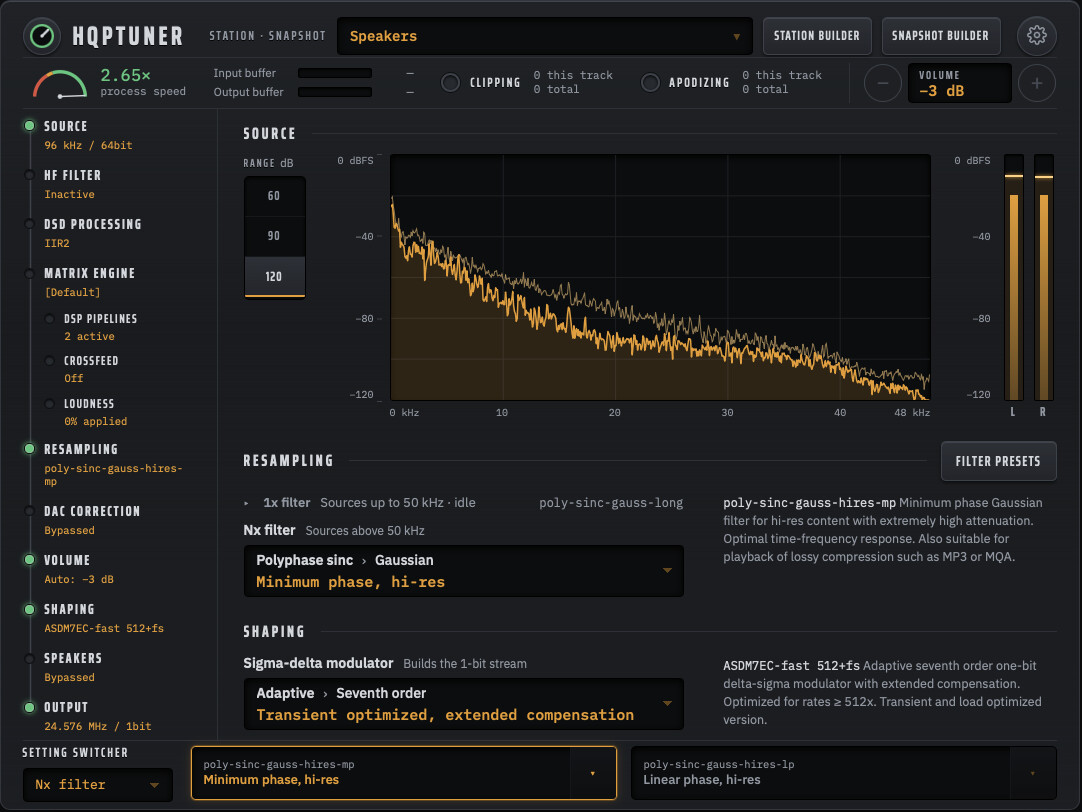
HQPTuner: an improved configuration interface for HQPlayer Embedded

Thank you very helpfull

I am running Ubuntu desktop 24.04 (from my limited understanding the latest one that is compatible with HQPlayer).

I am happy to be a guineapig for a truly uninformed user if you want to test it on someone with truly no Linux skills?

I will have more of a read of your post when I get home from work this evening (In New New Zealand it is already 8.17am on Monday Morning)

Thanks again Andrew

I have an idea, actually… why don’t I start distributing Linux binaries? That is, a plain ol’ installer that you’d run with no need for Docker anywhere.

I haven’t done this yet for Windows or macOS because

  • for Windows, I need to get off my ass and swap motherboards out, get my PC back in action, and get the signed binaries built
  • for macOS, I am still awaiting $40 more in donations before I can afford Apple’s signing certificate (thank you so much again to everyone who has donated :smiley:) EDIT: GOAL MET!!! <3

…but for Linux, there’s no “signing certificates” needed. I can just distribute binaries directly with no fuss. This would be a great trial run for working out kinks before I start distributing Windows binaries as well. And I can test that directly on my Macbook in a Linux VM.

Set up HQPTuner through Docker for now just to get yourself started, and I’ll see what I can do about getting a proper Linux installer out.

FYI, once everything is setup—HQPlayer, Docker, HQPTuner, and ideally Watchtower—it’s basically hands-off except for HQPlayer updates. You shouldn’t have to futz with HQPTuner’s own configuration once it’s running, and Watchtower will keep HQPTuner updated for you. So I wouldn’t worry too much about the effort required; it’s a one-time configuration, and then it should just work going forward (unless I break something :sweat_smile:).

1 Like

Oh my god!!! I’ve met the donation goal for macOS!!

This community is just incredible. I’ll get to work on this right away, concurrently with the v2 implementation. Not sure which will land first.

Linux first, as a test case/trial run, then macOS and Windows to follow shortly.

:heart:

3 Likes

Which installer are you most eager for?

  • Windows
  • macOS
  • Linux
  • I’m happy with Docker
0 voters

Also just to say that there is at least one benefit to sticking with Docker: automatic updates through Watchtower. Binaries need to be re-downloaded and installed with every update…

…although it’s possible I could put the app in the Windows or App stores? Theoretically, anyway. I have no idea what that actually involves.

EDIT: At first glance, winget is doable; brew sets a high popularity bar that I’m currently a long way off from… like I’d need half of my current userbase to star or watch the repo on github, which is unrealistic to say the least. Maybe someday!

1 Like

Does v1.15.4 work with HQPlayer v5.17.2?
It currently works fine with v1.15.2, but it didn’t work with v1.15.3.

Interesting… what specifically isn’t working?

My guess: 1.15.3 is where I updated HQPTuner to accommodate HQPlayer 6.1.0, which has a different modulator set than v6.0. I (incorrectly, I now realize) removed backwards compatibility for the old modulators. Oops.

Then again, 1.15.3 also had some pretty massive refactoring, so it’s entirely possible that a different bug slipped through too.

If you could be more specific about what’s broken, either here or via DM, I can look into it.

Well, that wasn’t so bad!

Version 1.16.0 is now live, which fixes the apod strip’s time axis and adds Linux installers for Fedora and Ubuntu! You can find them on GitHub as rpm and deb respectively here or by clicking “Releases”.

While Windows and macOS will have a tray icon, Linux has none due to the …complicated… desktop environment situation. So it runs in the background once installed. Once it’s ready, open 127.0.0.1:8090 in your favorite browser, enter the server IP and credentials, and click Connect!

Let me know if anyone runs into any issues :slight_smile:

P.S. Version 2 is alive and streaming on my computer!

It’s also horrendously broken. I mean, I expected as much, but… damn :rofl: this is going to take some effort.

If getting macOS and Windows binaries out is anywhere as easy as Linux was, the only real holdups are the certs’ verification processes. Those will definitely come before version 2.

I also don’t know why this didn’t occur to me before, but I can use a VM for Windows… I don’t have to literally physically rebuild my computer.

Stay tuned!

EDIT just popping in to say that the macOS and Windows installers have been built and tested. Now I’m just waiting on the certs to validate and they’ll be downloadable!

Also, v2 now has a feature where you can delay the spectrum to align it with your playback :smiley: mine’s at 1.25 sec.

2 Likes

The cause was that the submodule hadn’t been initialized. Firefox returned a 404 JSON response, which it couldn’t load as JavaScript, resulting in a black screen. I resolved the issue by fetching the submodule.

1 Like

That only works for those who use a Windows account. I only use local accounts only on all my Windows PCs. Anyway, I use Desktop HQPlayer so this is a mute point at the moment.

After some minor hassle, macOS installers are live with v1.17.0 :slight_smile: both Apple silicon and x86_64 (Intel). You can find them under the “Releases” link on the GitHub page.

Windows isn’t far behind, but the verification process for the certificate is a little more involved.

v1.17.0 also adds support for Windows backends ASIO and WASAPI. You won’t see them unless your Embedded version runs on Windows, though; Linux users still see ALSA.

winget should work regardless, though… and anyway, I was just brainstorming ways to get folks automatic updates.

1 Like

I told y’all Windows wasn’t far behind :smiley: check the “Releases” link on GitHub!

This is version 1.18.0, and brings a minor tweak: Apply & Save goes away when you select Auto-save.

You will see some warnings at first; Windows’ system works by reputation. The more people that download and upgrade, the faster those go away.

Thank you all again for making this possible, and enjoy!

2 Likes

I just wanted to give people a quick update on the direction for the future:

Now that HQPTuner is compatible with all major OSes and version 2 is under heavy construction, version 1 is unlikely to see any further updates beyond bug patches. As always, please don’t be shy about reporting any bugs or weirdness.

Version 2 is getting less broken every day as I use it myself, but there’s still a long way to go:

  • The station builder is 100% untested, its logic is flawed, and it’s incomplete. This is one of the most ambitious features of version 2: a guided setup phase for total beginners that takes you from zero to “you can press play now” and something power users can use to tweak without it feeling dumbed down.
  • The spectrum has taken a lot of hand-tuning to balance responsiveness while reducing jittering/jumping and the like.
  • I have put the junk filter auto-pilot algorithm aside for a while, but it will be back with version 2.
  • so. many. bugs. I just tried to use the snapshot builder to capture my “classical” listening settings and all of the dropdowns are unresponsive.
  • Version 2 will come with a guide that I am in the process of writing (myself… 100% human-written).
  • Version 2 will be accompanied by a website that I’m also in the process of building.
  • Working at both the iPad Mini and 13" scale is challenging. Both have to look good and cohesive without just dumping a ton of dead space into the larger format.

Version 2 is really good so far, though. The spectrum on the main page, with the delay that allows you to sync it to your ears, was a terribrilliant idea. I’ve lost a lot of time just watching the spectrum in fascination. I estimate that version 2 will arrive 20% slower than it would have without this feature :rofl:

Stay tuned :slight_smile:

2 Likes

Version 1.19.0 has dropped!

  • Added a state export button to accommodate sonicTransporter users with no other means of accessing state/ for troubleshooting
  • Bug fix: HQPTuner now doesn’t care if you load a preset from HQPlayer itself. Previously, this gave an error.
1 Like

I’m releasing version 1.19.2, which goes further to put error messages in plain English to help debugging efforts, as well as making it possible for auto-detect to find HQPlayer in certain Python environments (sonicTransporter, again). I’ve also removed the warning text about not being tested on 6.1.0, which isn’t true.

Obviously, these aren’t critical upgrades if everything is working. That said, I would encourage Windows users to upgrade on occasion, as this helps build the app/certificate’s reputation and makes the installation warnings go away faster.

1 Like

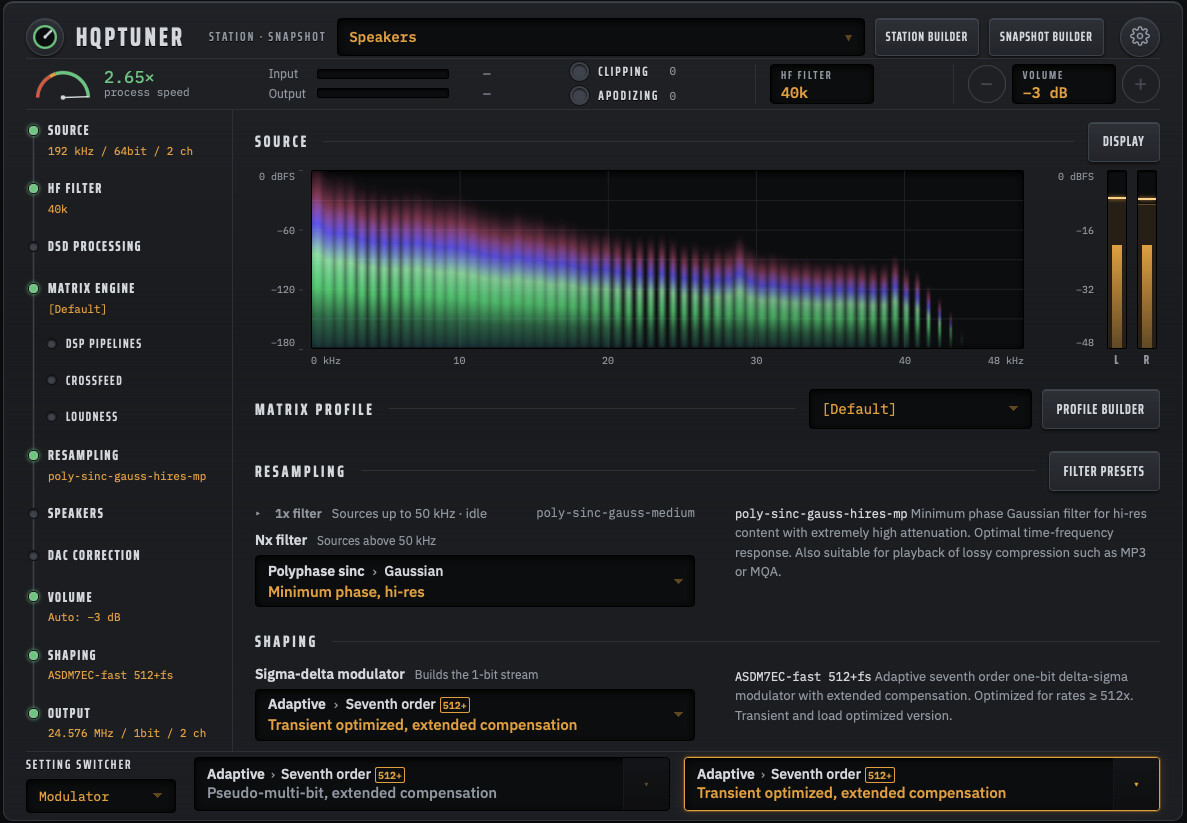
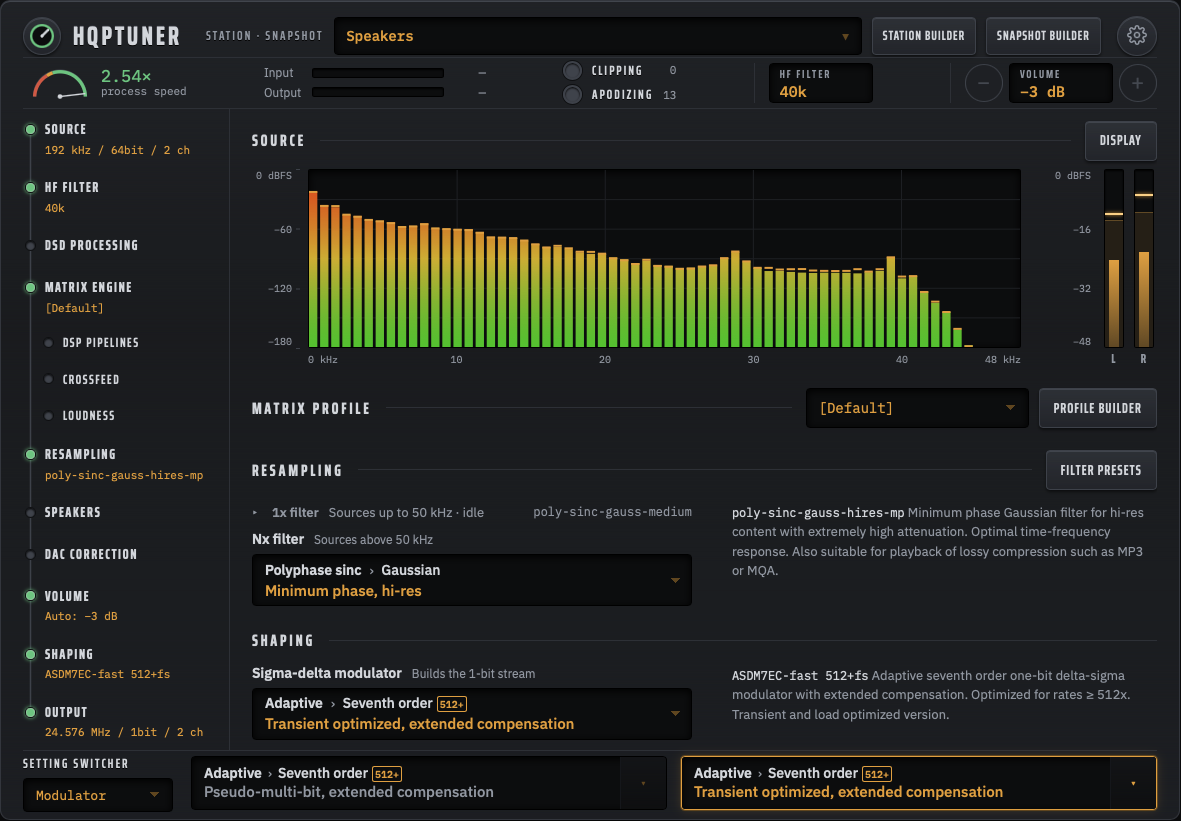
Just a few quick v2 teasers… Aurora borealis visualizer :smiley:

Retro-style as well :slight_smile:

You can also cut the frequency range down to 1/2 or 1/4 so you’re not left with a bunch of dead space for things like fake hi-res. This is genuine 192k material (Lazaretto, Jack White) with a handful of spurs and not much content above 40 kHz, so I put the 40k junk filter on to kill as many spurs as possible, then switched the frequency range to 1/2 so I could actually watch the content.

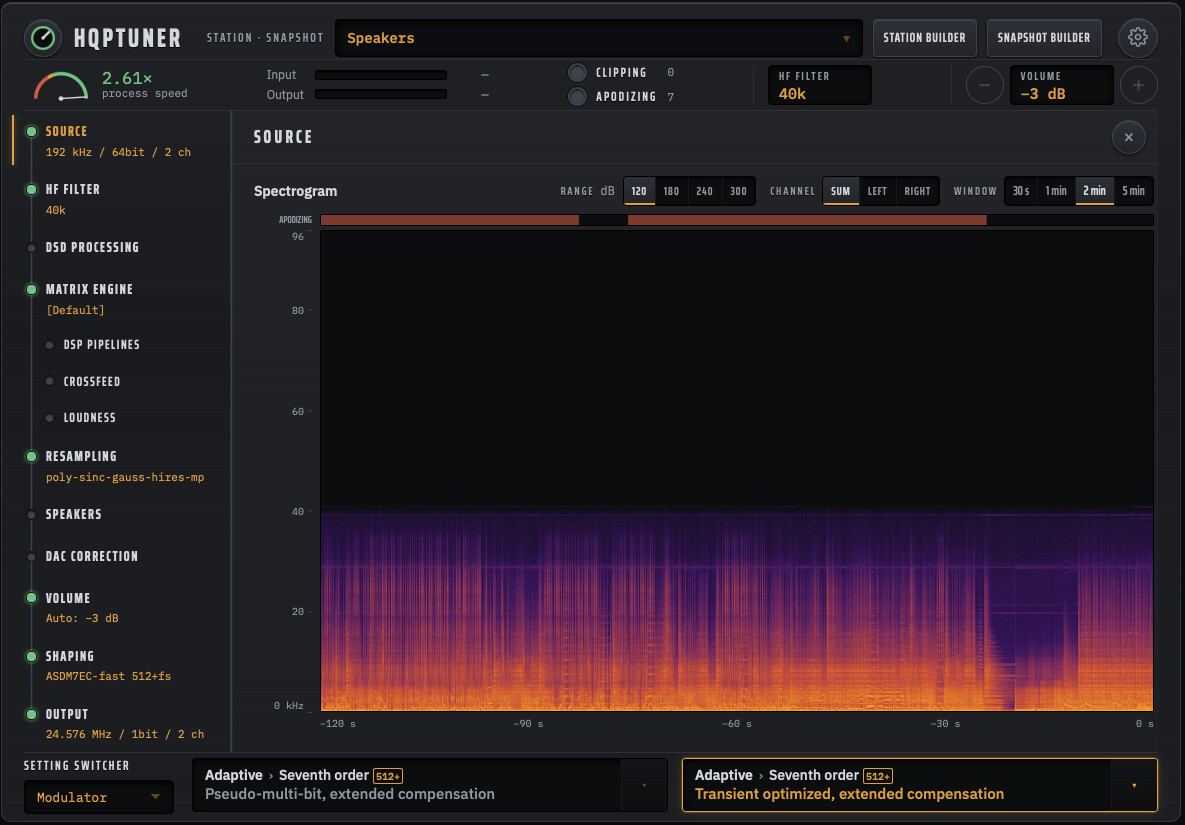
The spectrogram is there, too! It’s under the Source drawer and doesn’t yet have the feature to view 1/2 or 1/4 of the frequency range, but it will.

Version 2’s beta is still weeks out, but we’re getting there bit by bit!

6 Likes

Just another update: junk filter auto-pilot is dead :sob:

TL;DR: The relatively high computational cost of the junk filters, plus the fact that the algorithm can’t see track boundaries or album metadata through Roon, have killed the junk filter auto-pilot concept. The recommendation system, however, is still workable.

Here’s the version for those who like to read…

One of the founding principles of the auto-pilot feature was “never do harm”. In other words, the algorithm should never alter the listener’s experience for the worse (for more than a second or two, anyway… hey, that’s still faster than you are!). It turns out, the concept itself violates that principle for two reasons.

  1. These filters are not free to run in terms of processing power. They could easily push a machine on the edge into the red, leading to stuttering via buffer underruns, with no action on your part… just sitting, enjoying the music, and then it stops, restarts, stops, etc.
  2. Content is too widely variable to guarantee that no harm would be done. I resisted this idea for a long time, telling myself “if my brain can do it, an algorithm can do it.” In this case, that’s false for a few reasons.

Here’s the recording that landed that last idea for me (wonderful performances, by the way)…

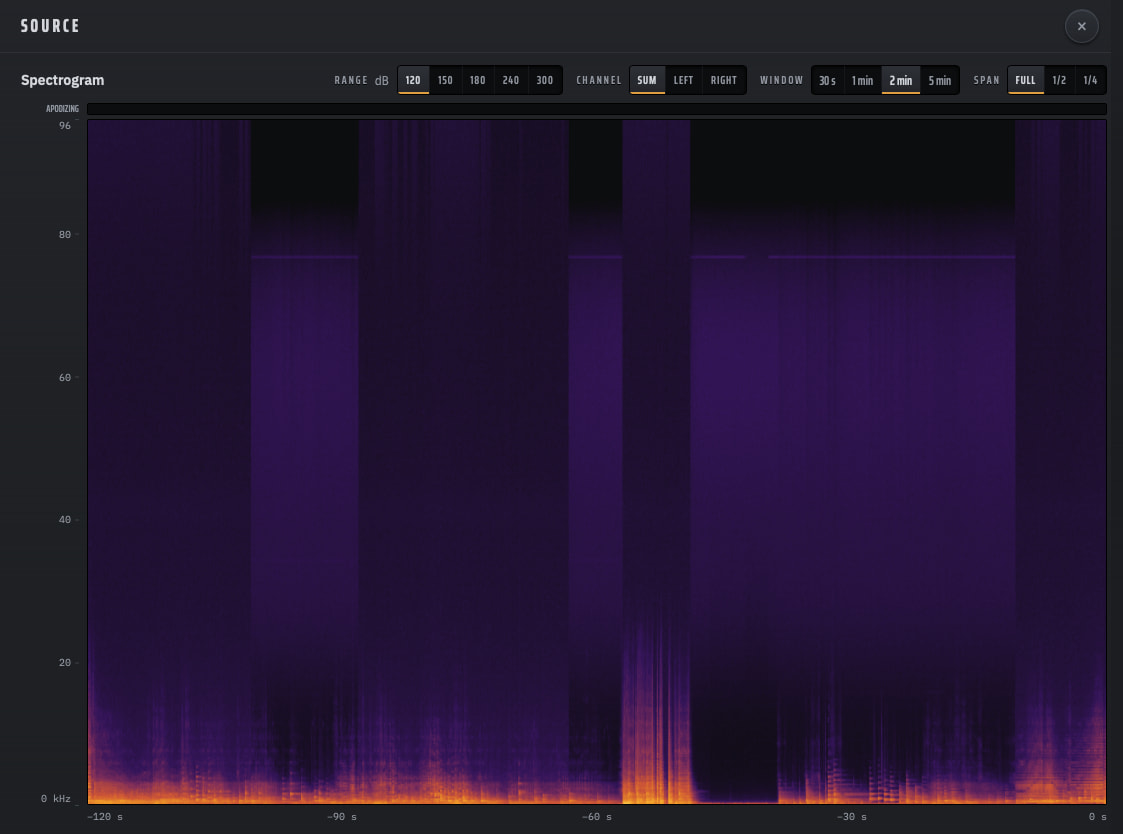
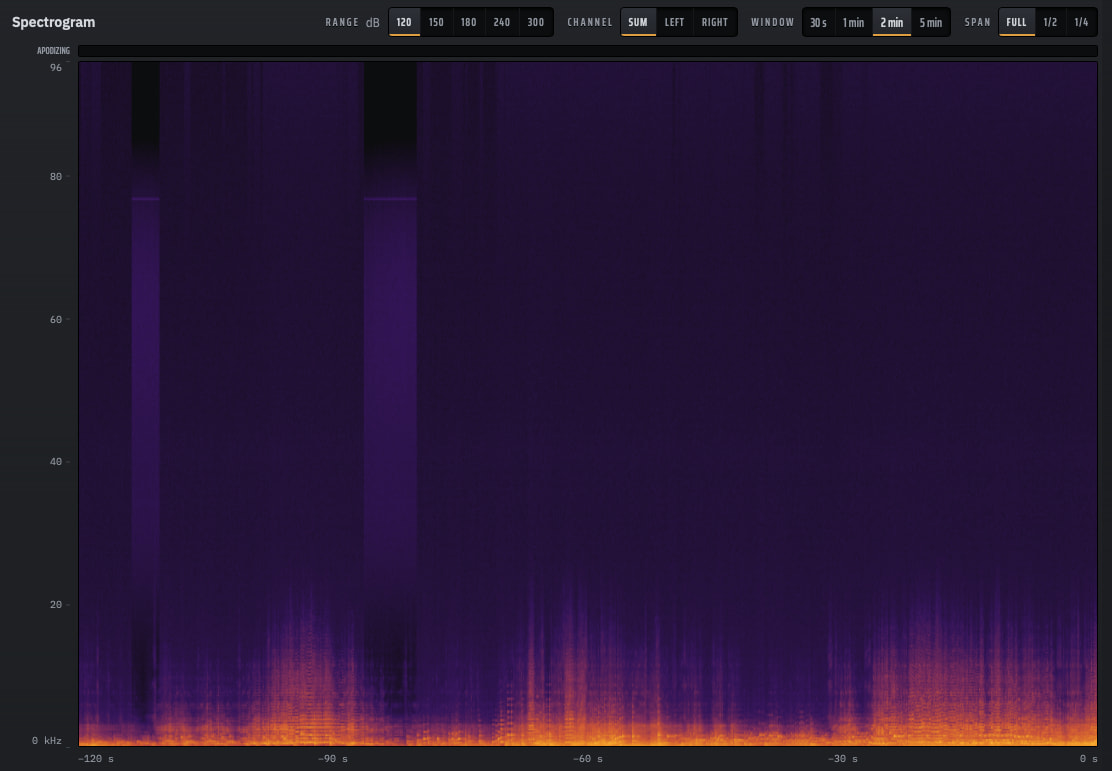
Here are a couple of spectrogram shots:

Whatever tf is going on here, the background alternates between flat-ish and having a hump centered around 50 kHz plus a spur around ~76-78 kHz.

No auto-piloted algorithm could work with this without violating “never do harm”. In fact, the only reason my brain can figure this out is because it has access to a fact that the algorithm doesn’t: this content all comes from a single recording session.

The core problem here is that Roon exposes f@#$all metadata to HQPlayer… no track boundaries, album identifiers, etc. In other words, to the algorithm, the next frame may well be different content altogether. It has no way of knowing until the source format changes. (Even if we had this metadata, e.g. those using HQPlayer Client rather than Roon, algorithms “smart” enough to figure this one out are well outside of what I’d scoped for this concept.)

So we end up in a situation in which the algorithm, going frame-by-frame, is constantly switching on and off to treat that spur. It can’t see itself going back and forth ten times per track because it has no clue what a track is. It can’t see the damage that it’s doing via inconsistency alone.

All that being said, the recommendation system is salvageable because it puts a human brain capable of seeing the whole picture between the algorithm and the changing of the setting.

Recall that one of HQPTuner’s goals is to let the interface do the teaching. I don’t expect users to arrive with an innate understand the junk filters or the hi-res issues they treat, nor do I expect them to trawl the internet researching examples (or worse, asking AI for advice… I have tested this, it is really bad). HQPTuner should then, at the very least, guide users towards the right settings, and explain why when it can be certain so that users can learn to make educated choices when it can’t.

Whew, that was a lot, geez. Thanks for coming to my TED talk, am I right?

4 Likes

HQPTuner version 1.20.0 has been released! This accommodates the three new “adaptive cleaning” filters in HQPlayer Embedded 6.2.0.

Literally five minutes after releasing 1.20.0, I found a bug, so I’m now working on pushing 1.20.1, which allows people running HQPTuner on Windows or macOS to access the interface from other devices on the same network. It should be available shortly.

3 Likes