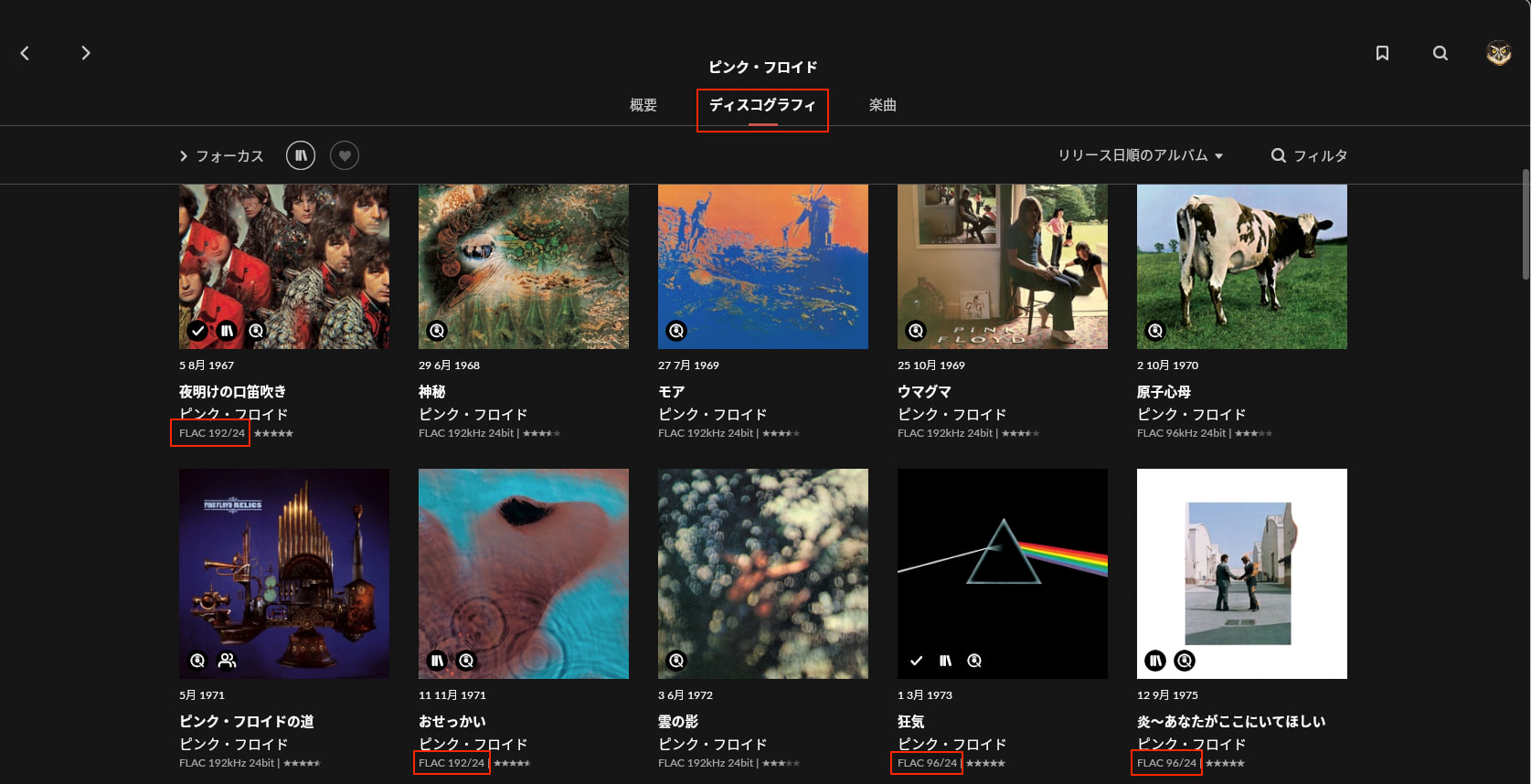
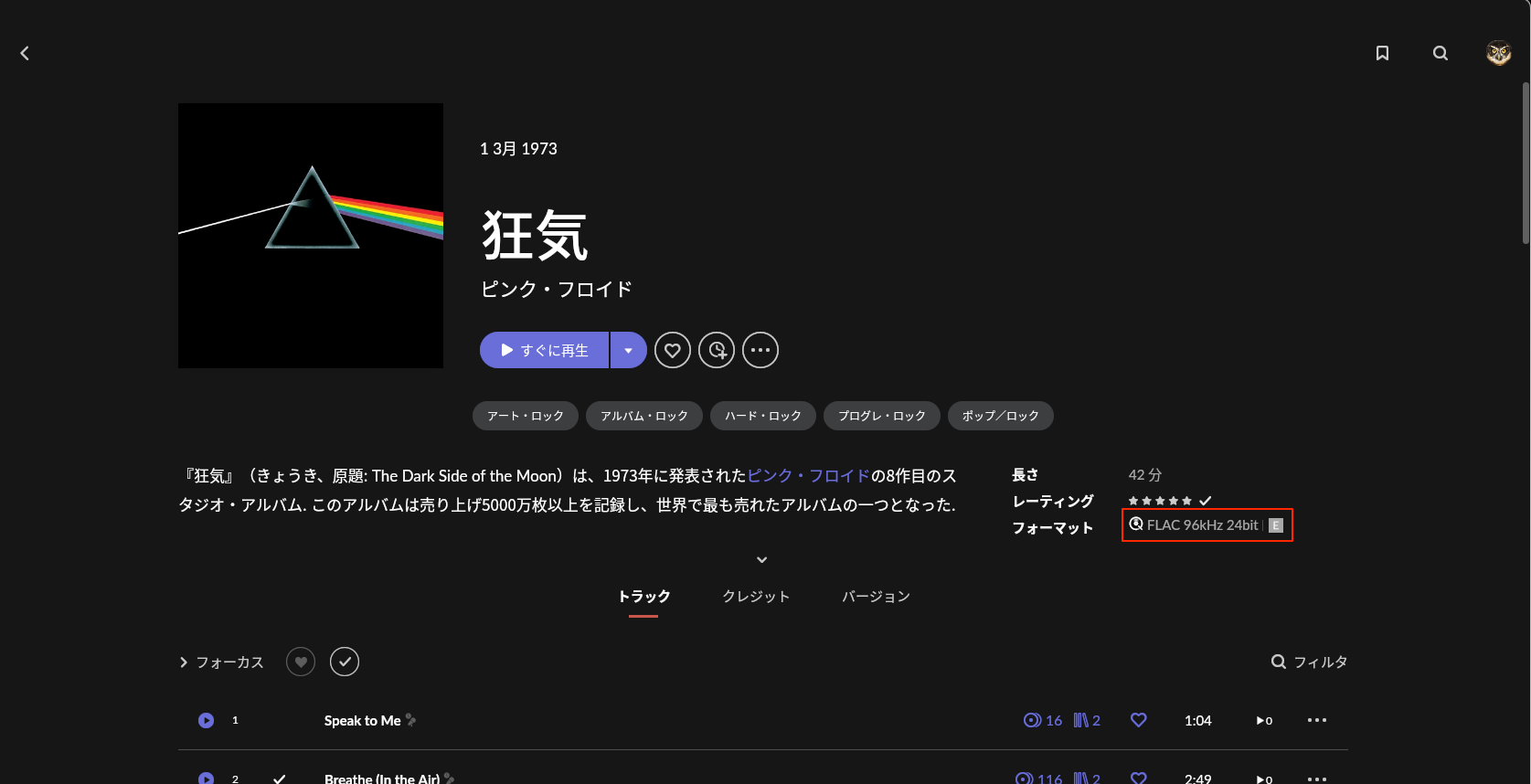
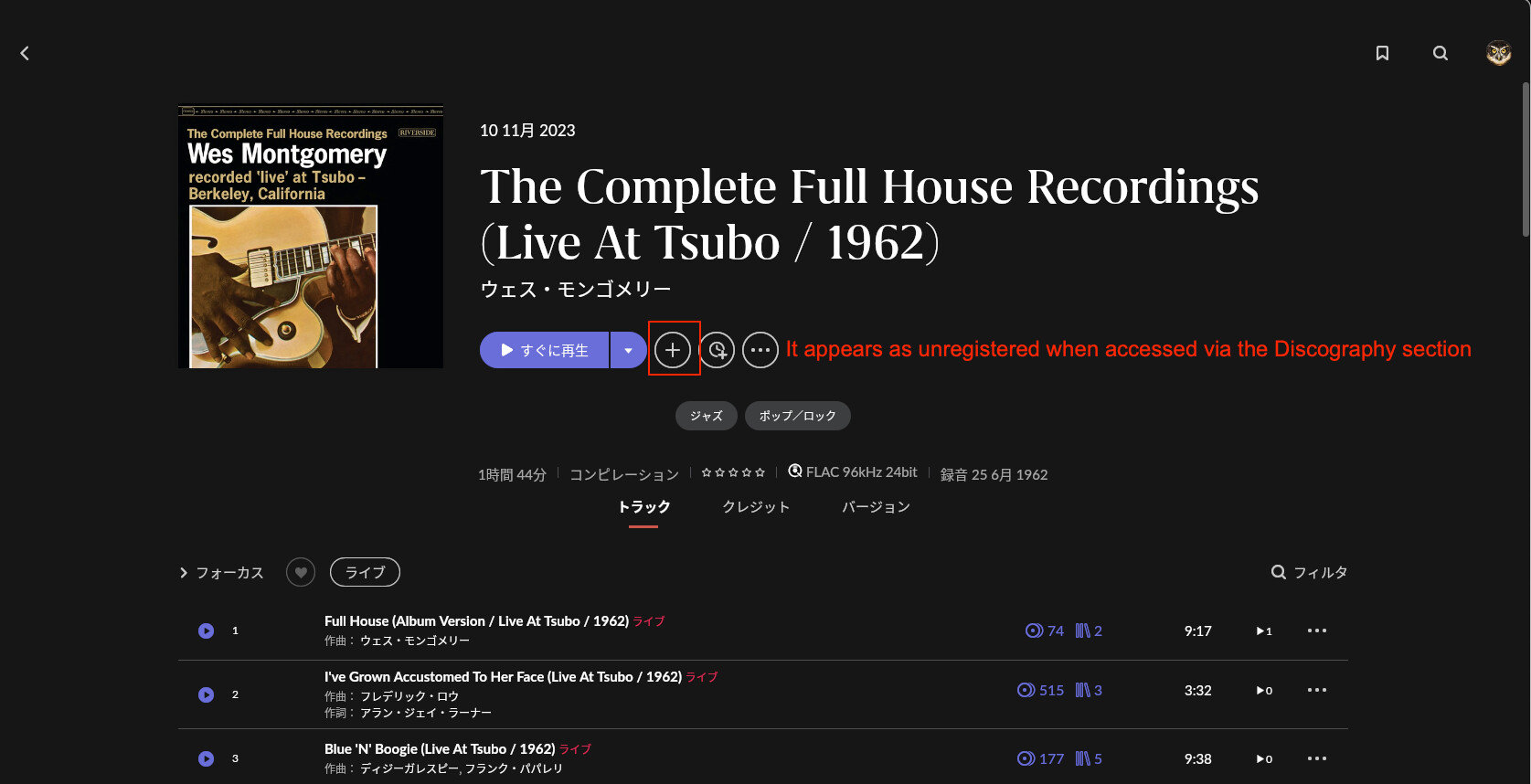
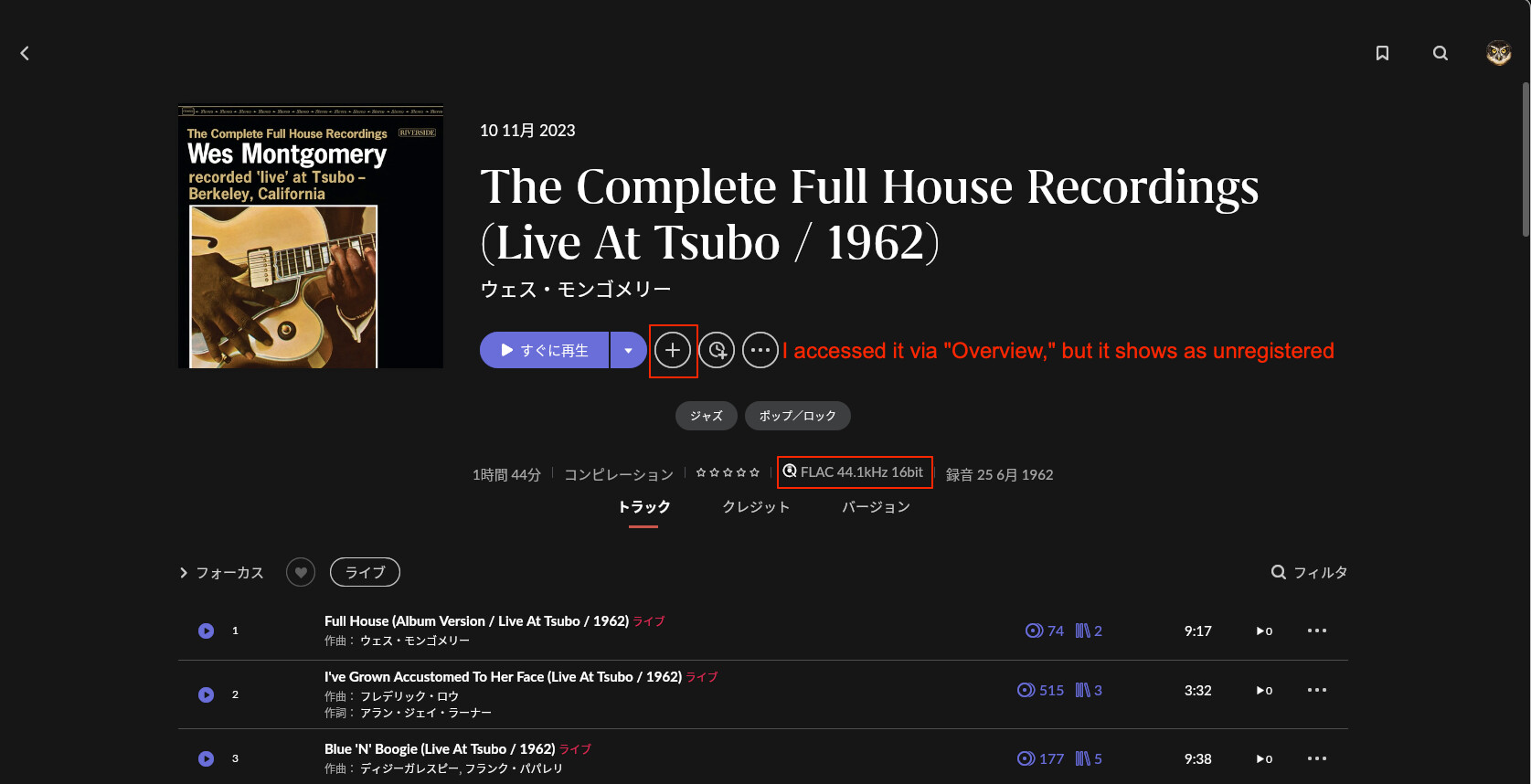
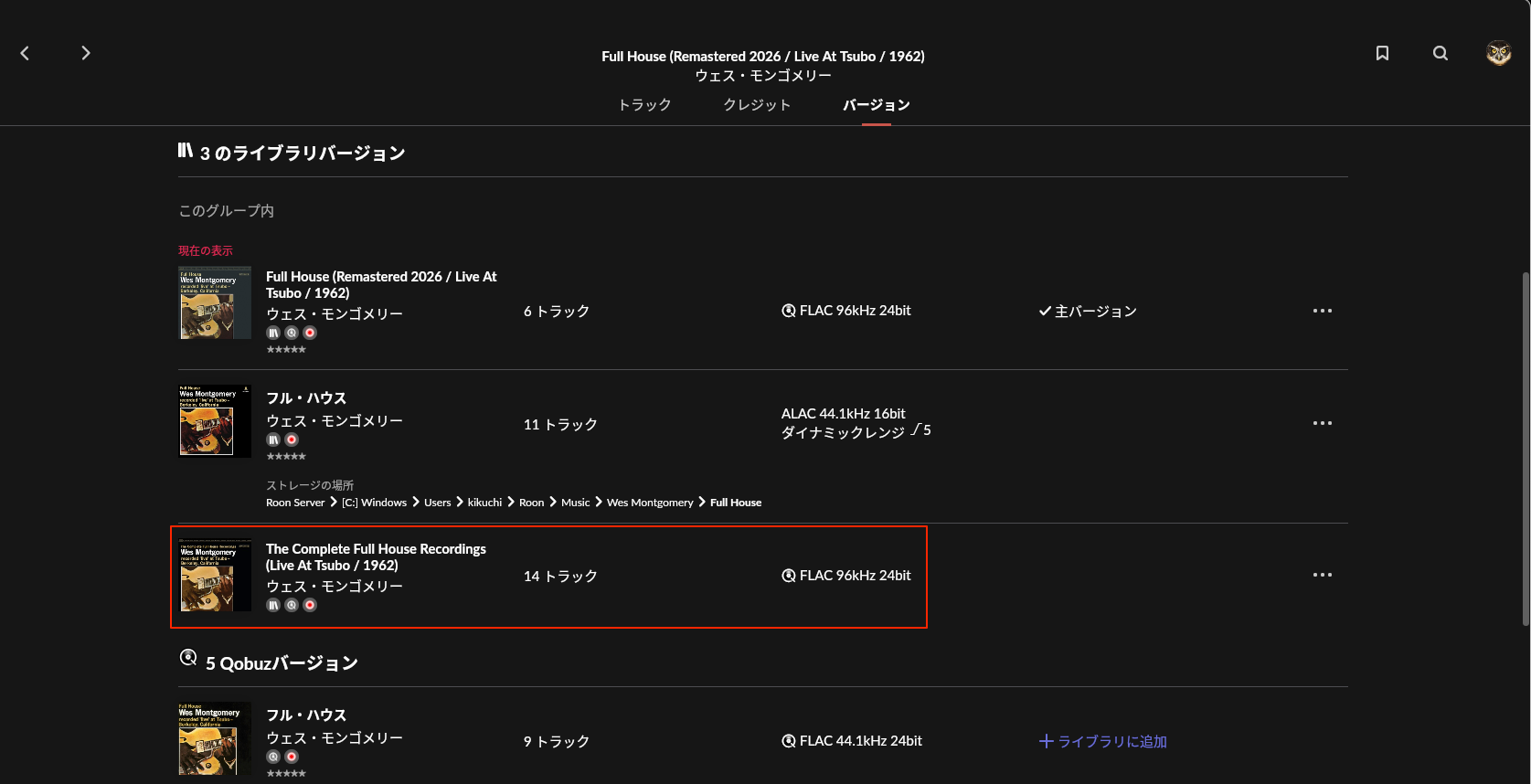
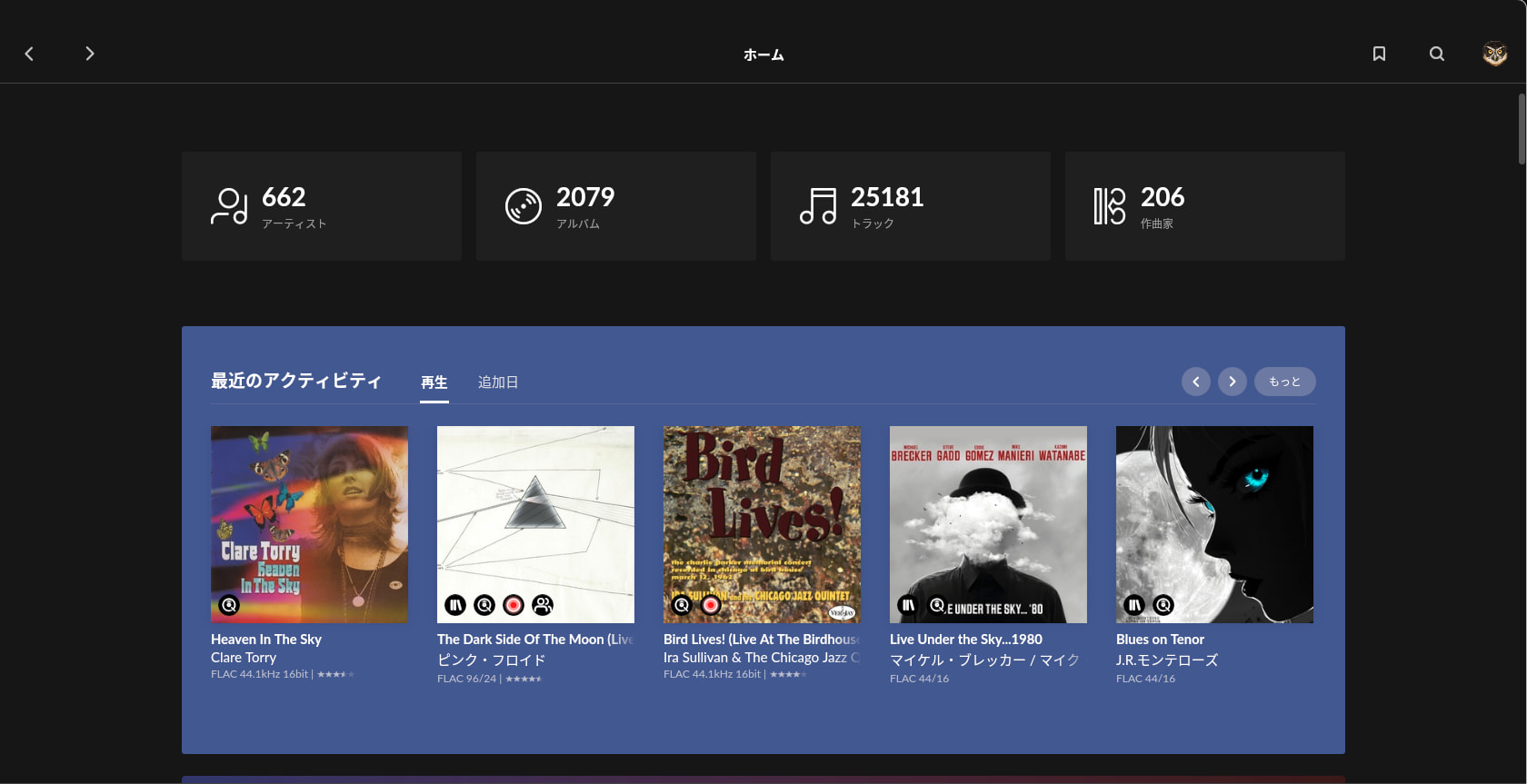
· The format display in the Discography section differs depending on whether an album is added to the library or not
Tell us about your home network
· Wifi Network
I searched through past threads but could not find any mention of this issue, so I am submitting this inquiry. Please treat this as a low-priority item.
As shown below, the format display in the Discography section is inconsistent: format “1” appears on the Overview screen, while format “2” appears on the album view screen.
1. Added to library: 192/24, 44/16
2. Not in library: 192kHz 24bit, 44.1kHz 16bit
Is this intended behavior, or is it a bug? If it is intended, why is the display format different in these cases?
Format “1” is difficult to read; could it be standardized to format “2”?
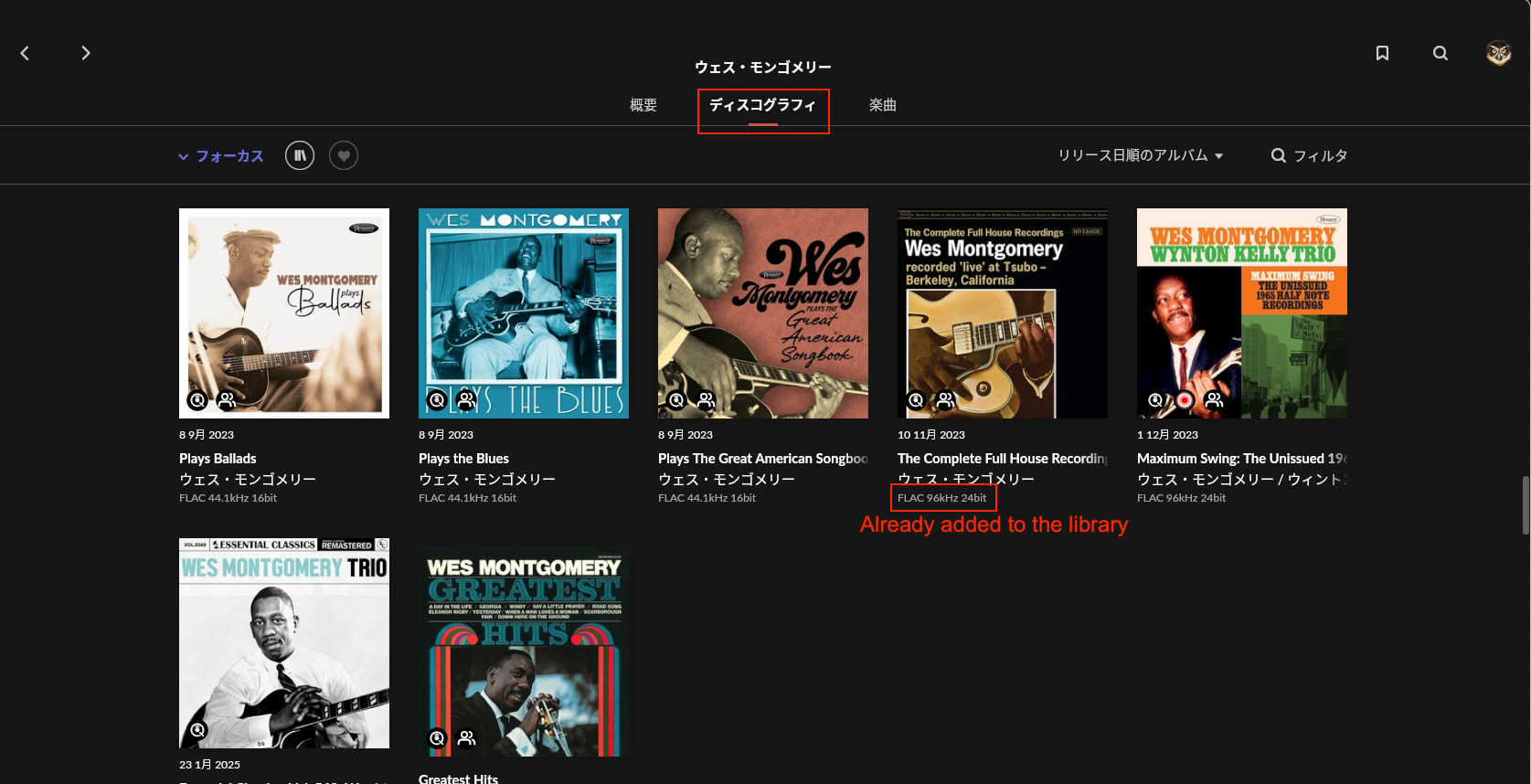
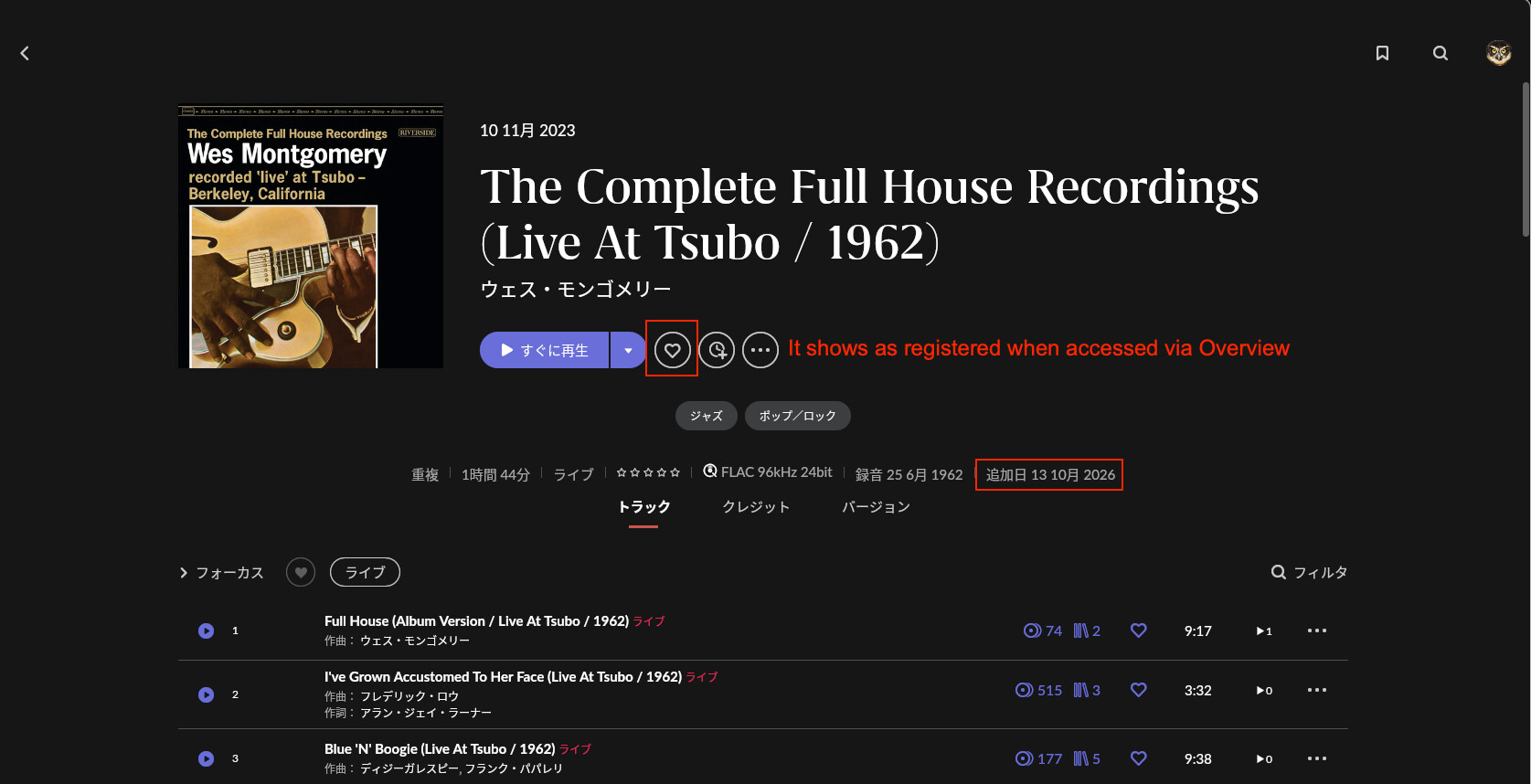
Additionally, there is a separate issue where the library icon fails to appear even though an album has been added to the library (e.g., *Full House* by Wes Montgomery). In this case, it is also displayed using format “2.” (Although Roon incorrectly identifies the album as not being in the library, the display format remains consistent.)
We’ll escalate to the Product team for confirmation.
Can you please share a screenshot of the Album page itself for Full House by Wes Montgomery?
When you add a Qobuz album to your library, it doesn’t remove the Qobuz object from Roon, but adds an additional library version of that object to the database. This distinction between “extinct” streaming service object and library streaming service object has led to UX inconsistencies in Roon in the past. How recently did you add this album to the library? Are you sure you didn’t add the other Qobuz version, at 44.1/16?
We appreciate you taking the time to root out these inconsistencies, and we’ll share updates here once we’ve reviewed with the team.
Thank you for the screenshots. They show two different Qobuz editions of “The Complete Full House Recordings”: opened from Overview, the album page shows FLAC 96kHz 24bit and the library icon, and opened from the Discography it shows FLAC 44.1kHz 16bit with “+”.
To confirm which edition actually plays from each page, could you please:
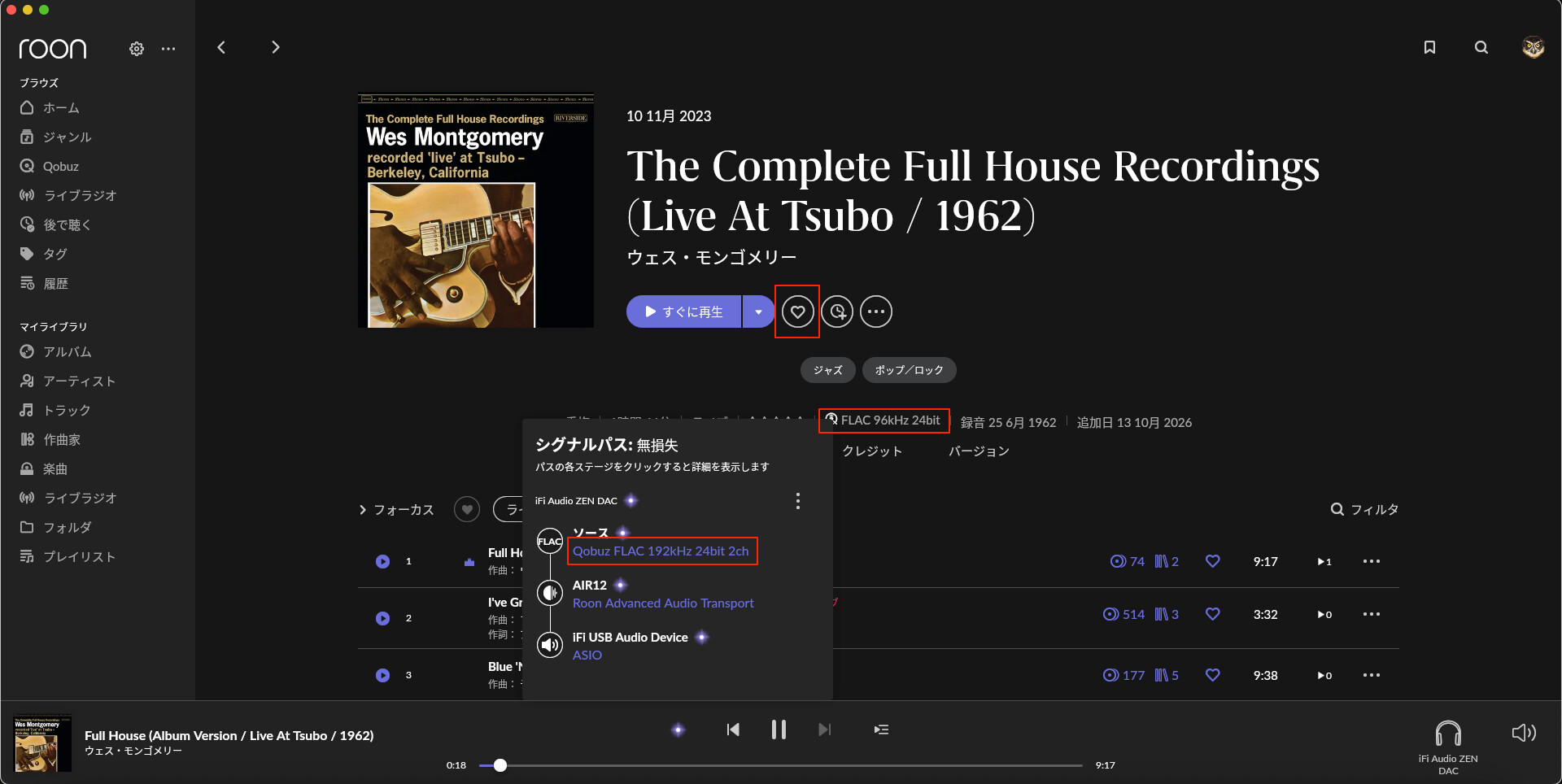
Open the album from Overview, play any track, then click the signal path icon (the small colored dot next to the zone name at the bottom) and take a screenshot.
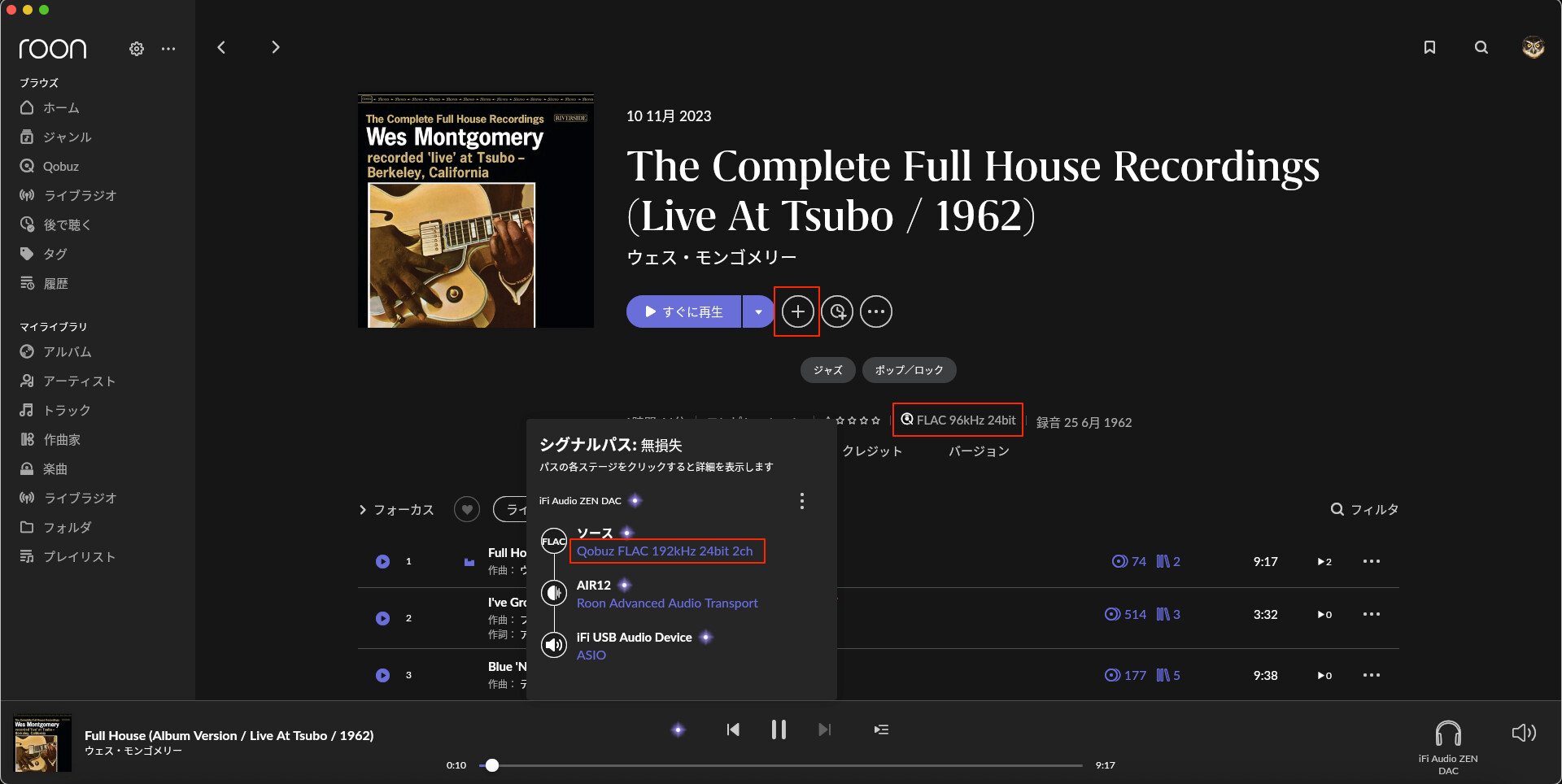
Do the same after opening the album from the Discography and playing the same track.
With both screenshots we can add the exact details to the report for our team.
Also, on KKBOX from your other thread: the Roon 2.74.1 update released on October 27 fixes the KKBOX sign-in problem. Once your Roon Server is on build 1716, signing in to KKBOX should work again.
@vadim, it looks as if you are both talking past each other. The OP’s issue is not the bitrate it is the formatting of the bitrate. On one type of screen the bitrate is presented as 96kHz 24 bit whereas on another type of screen it is presented as 96/24. Similarly, 44.1kHz 16 bit vs 44/16 and 88.2kHz 24bit vs. 88/24.
Thank you for running those tests. They helped a lot.
We’ve gone through your Roon Server logs, and they back up what you’ve been saying:
It’s the same album. The Overview version (with the library icon) and the Discography version (with “+”) are the same Qobuz release. Both played the exact same Qobuz file, so you didn’t add a different edition by mistake. Roon isn’t linking the Discography entry to the album already in your library, which is why the “+” appears.
You’re right about the quality. Both pages played at 192kHz 24bit, but Roon labels the album as 96kHz 24bit. That label is wrong.
The format wording. We’ve also passed along your request to show the full “192kHz 24bit” style everywhere, instead of “192/24” on Overview and Discography.
We’ve given all three points to our Product team, with log details for each. You don’t need to do anything else for now.
Thanks again for your patience and the detailed report.
There’s a ticket in the pipeline to resolve these format display inconsistencies on the Discography page. We’ll share more information as it becomes available. Thank you again for the report.
If it is intentional, why was it designed in such an unnecessarily confusing format? I don’t believe it offers any significant benefit in terms of saving space.
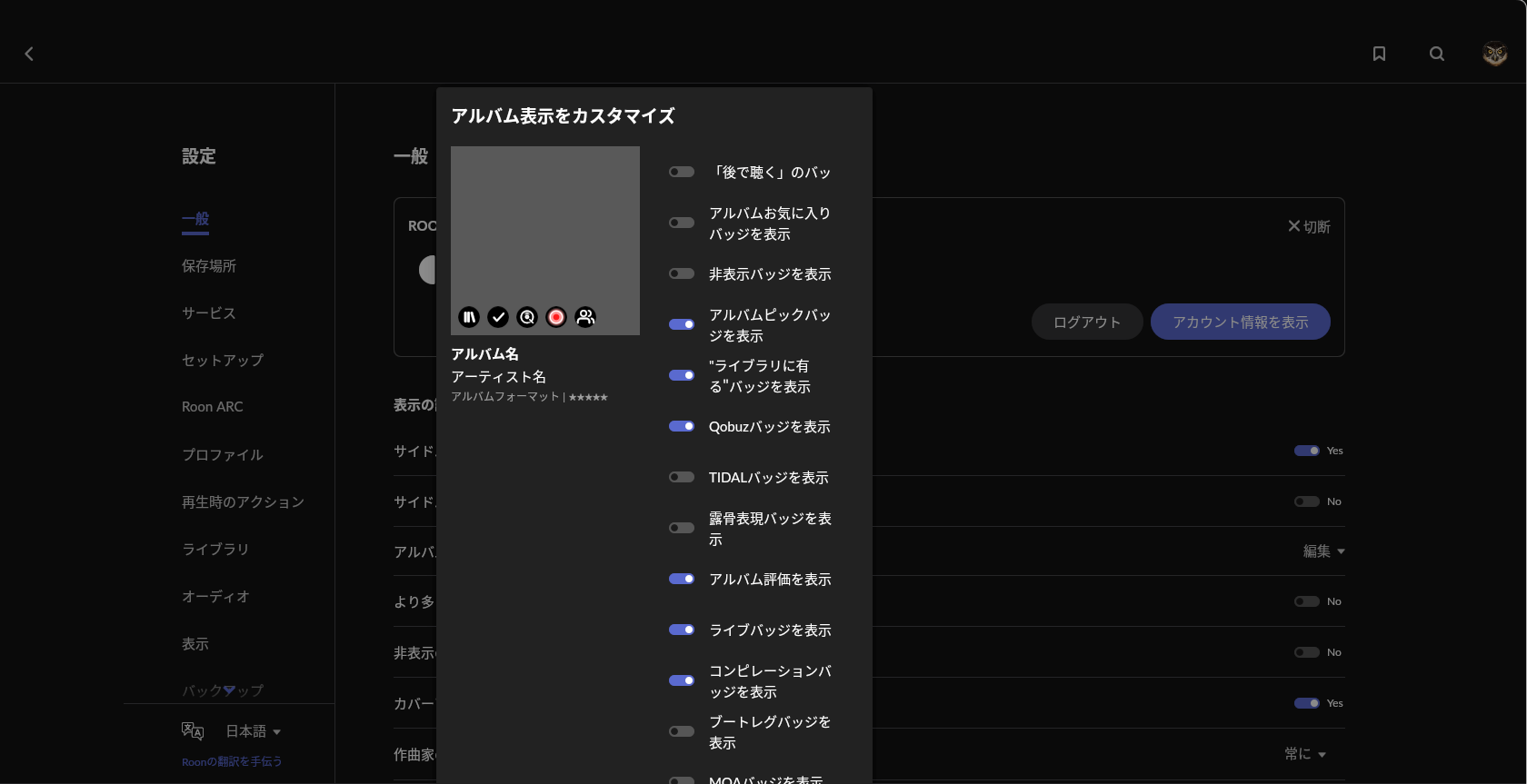
Yes, the ticket associated with this thread is a UI pass to review album appearance across pages when you have the majority of the display options toggled on in Settings → Customize Album Display.
We can identify these settings in logs, but so the full history of this issue is tracked here, can you please share a screenshot of the Customize Album Display dialog window?
A fix is now in the pipeline for both the data inconsistency and the text alignment issue. This should be included in an upcoming Roon release (first Early Access, then a public update).