· When I group my KEF LSX (mk I) speakers to my Sonos speakers using Airplay 2 they are out of sync. If other Sonos speakers are added they stay in sync with each other but the KEF LSX is always out of sync.However, if I use use an Apple device such as my iPhone or iPad as an endpoint and use the Airplay function from that then all speakers are in sync.
Tell us about your home network
· It's a Virgin Hub 5 - KEF LSX (mk I) are wired - Sonos speakers are on wi-fi
This is already known to us and there is an open report on it. Your description lines up with it closely, including the part that matters most: the Sonos speakers hold sync with each other while the KEF LSX does not, and the same speakers stay together when your iPhone or iPad is the AirPlay source instead of Roon. That last detail is the useful one, because it points away from your network and your speakers.
To add your case to the report, we need one specific moment to look at.
Please could you group the KEF LSX with the Sonos speakers, play until the drift is clearly audible, and then reply with:
the date and time it happened, including your timezone
the track that was playing
which zones were in the group at the time
which device is a group leader
We will pull the diagnostics for that window and attach them.
Thanks for your post. The team has a ticket in flight to address this problem.
The Sonos speakers all share the same latency logic, so they’ll match one another in any drift. The KEF doesn’t, and it’s the drifter of the bunch. Adding an iOS controller for Airplay standardizes all the latency to get everything back together. Roon Server should be doing that for Airplay in this case, and it’s not.
We’ll share updates as they become available. Thank you.
It’s been a while, but our team is currently working on the AirPlay issues. Please feel free to follow our release notes for further updates; regrettably, we do not have a timeframe to share.
This is also the case for me with an AudioPro speaker in the kitchen. My Marantz and the AudioPro will loose sync with some tracks. After several reports and years further there is still no solution.
The endpoints you mentioned won’t necessarily share the the same Airplay2 implementation under the hood as KEF and Sonos.
Can you please share a screenshot of the Signal Path or the Grouped Zone configuration that causes problems for you in Roon? We can separate your post into a dedicated thread to ensure we capture the relevant technical details. If there’s a separate bug, we want to make sure we catch it.
We were wondering if you’re still experiencing this issue and whether you would be able to share a screenshot of the Signal Path that illustrates the AirPlay 2 sync problem with the KEF and Sonos speakers?
If you can, please get back to us so we can continue to help; this technical support request may close automatically soon.
If that happens and you still need help, please submit a reopen support request via the form below:
Roon’s Airplay functionality requires certain devices to have backward compatibility between Airplay2 and Airplay1. There were longstanding reports of group playback not functioning correctly in Airplay when groups included devices of different manufacturers or even different generations of the same device.
This ticket part of a large effort to overhaul Roon’s AirPlay functionality to stabilize all of these little kinks and incompatibilities. It took about a year to progress through the pipeline because it required deep investigation and testing. More recently, the team has dedicated significant resources to push it across the finish line.
We expect this fix to be included in an upcoming release at this point, so we’ll mark this thread as ticketed.
Thank you for your patience.
@DPV, the devices you’ve mentioned are connected via protocols other than AirPlay, from diagnostics. It’s likely you’re encountering a completely different issue that is resolvable immediately with some small changes to the setup or settings. If you can share a screenshot of your Signal Path or Zone configuration, we’ll split this into a dedicated troubleshooting thread. Thanks!
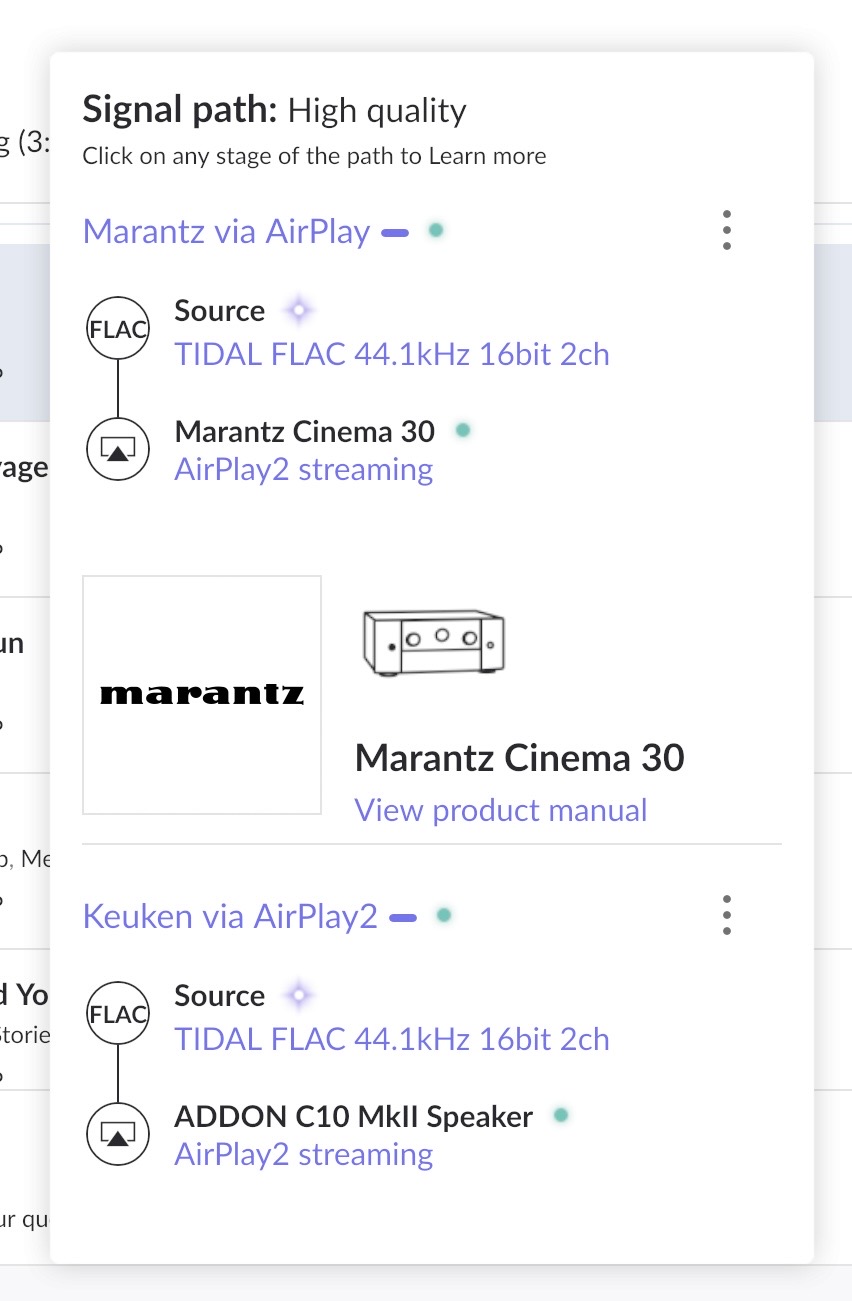
Before I dive in. Is this what you’re looking for? This is a screenshot during the sync issue. After a pause and play everything is in sync again till a next song, not necessarily the next one.
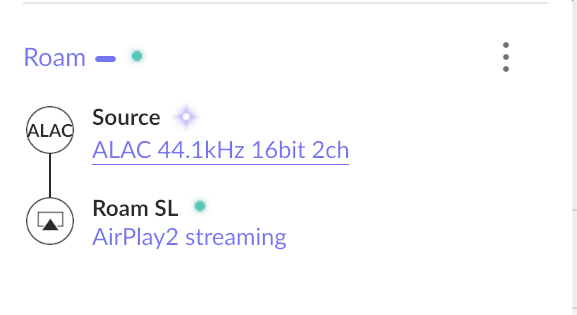
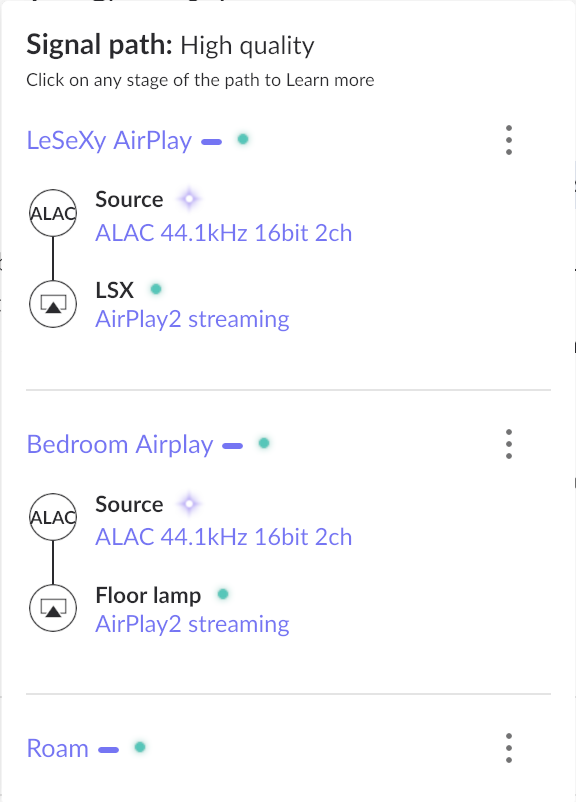
Thank you for the screenshots. They match what’s in the report, and there’s nothing more we need from you for now. The fix is part of the AirPlay work Connor described, and we’ll post here once it’s in a release.
@DPV, thank you for the screenshot. It shows both the Marantz Cinema 30 and the Audio Pro C10 MkII playing over AirPlay 2, so your group is the same situation as MrDenis’s: AirPlay speakers from different makers drifting apart. Pausing and playing brings them back together for a while, which fits that too. You don’t need a separate thread. The same fix should cover your setup, and we’ll update here when it’s available.
Thanks for the kind note back. We have some changes coming in our next Early Access release, and we’d be interested in having you try them and let us know whether they help. If you’re willing, please join the Roon Early Access Program and keep an eye out for the next release notes:
The next Early Access release is now out, please let us know if you can give it a try and let us know your feedback, either here or in the Early Access section of the forum. Thank you!
 for a speedy resolution