Klangbild – a modern Roon remote & now-playing display for Apple TV, iPad & iPhone (public beta)

Hi everyone,

I wanted a modern, good-looking way to control Roon from the couch, so I built Klangbild – a native Apple TV app that connects directly to your Roon Core. It’s now in public beta on TestFlight and I’d really appreciate your feedback.

What it does
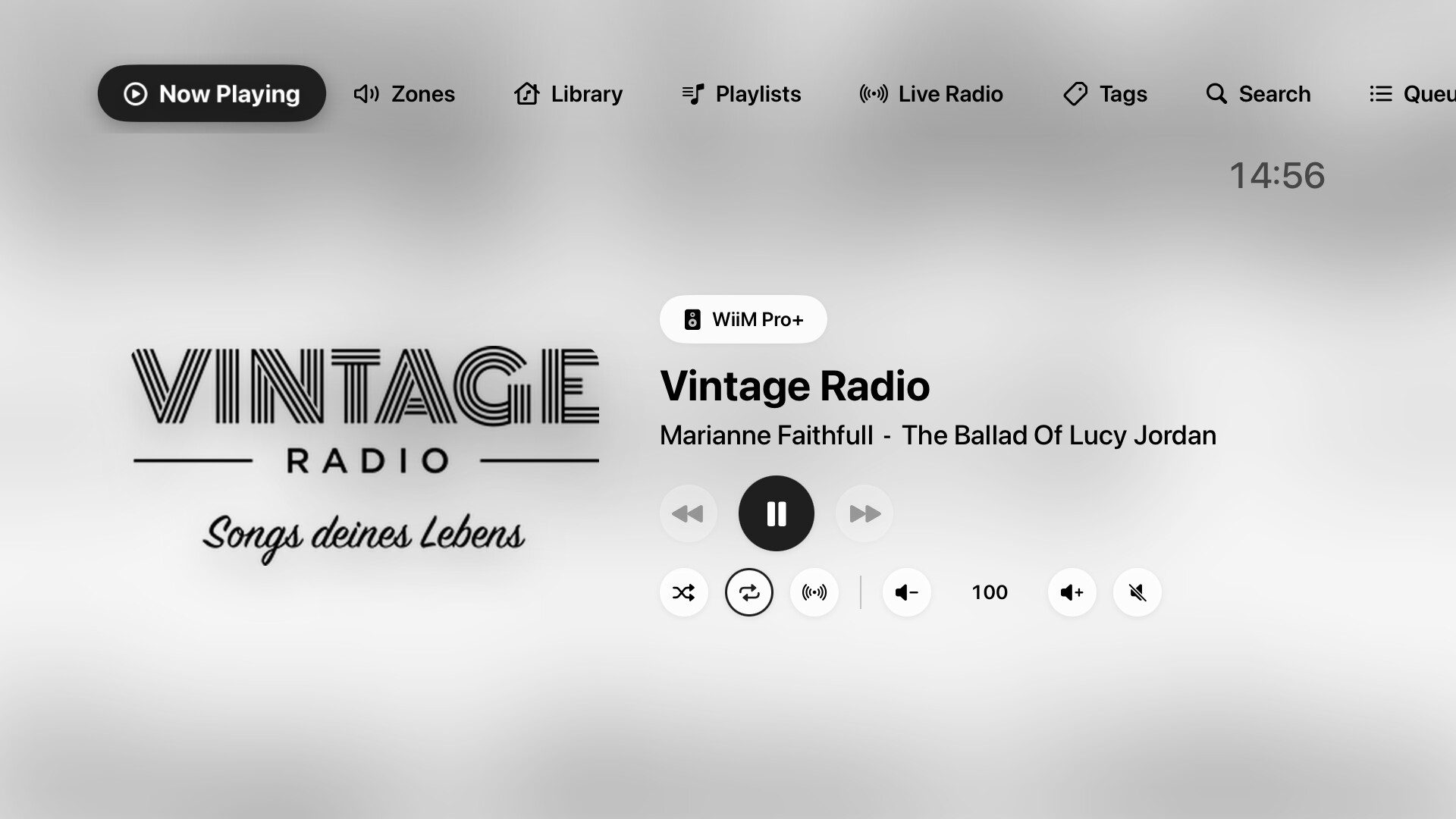
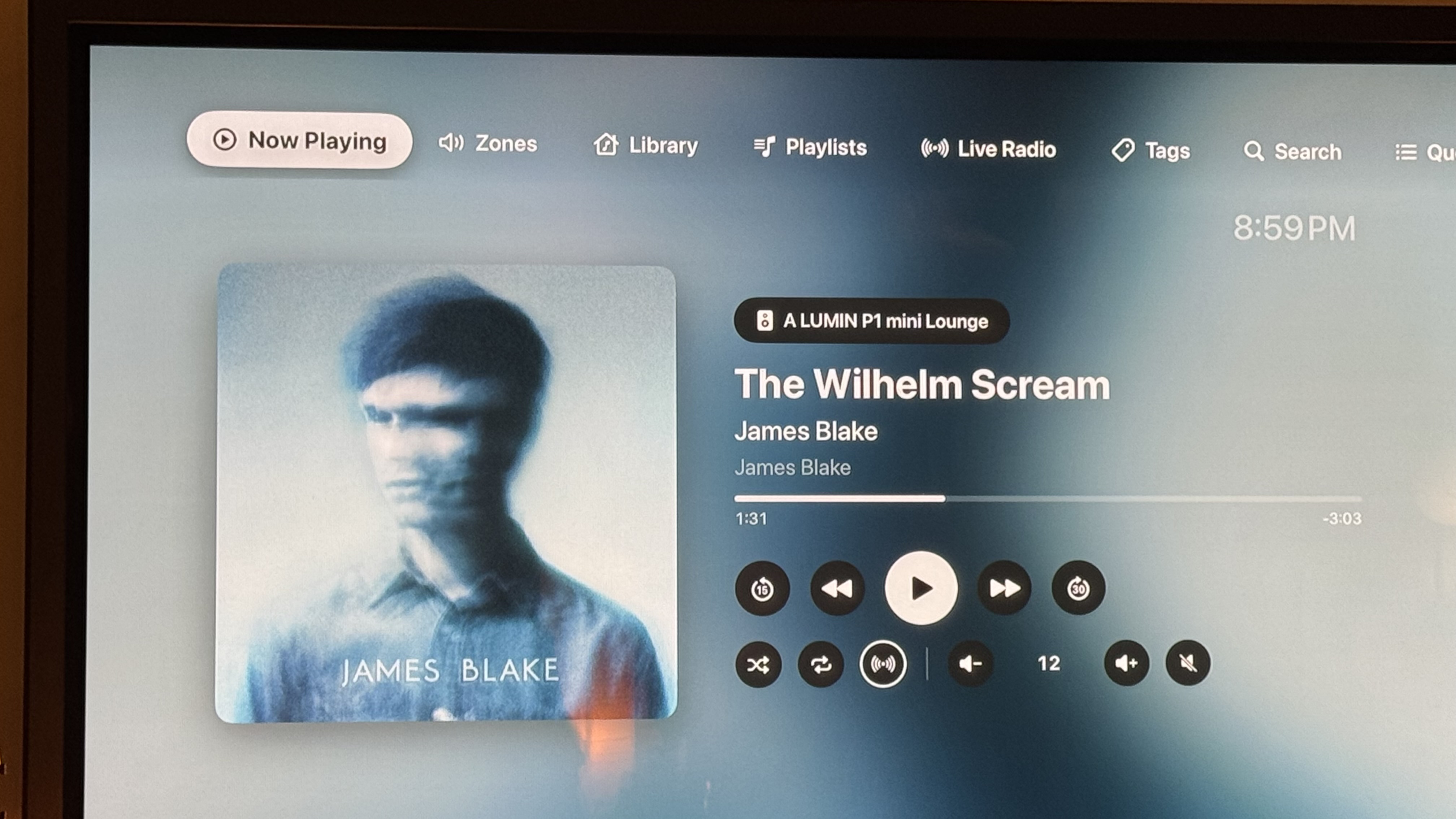
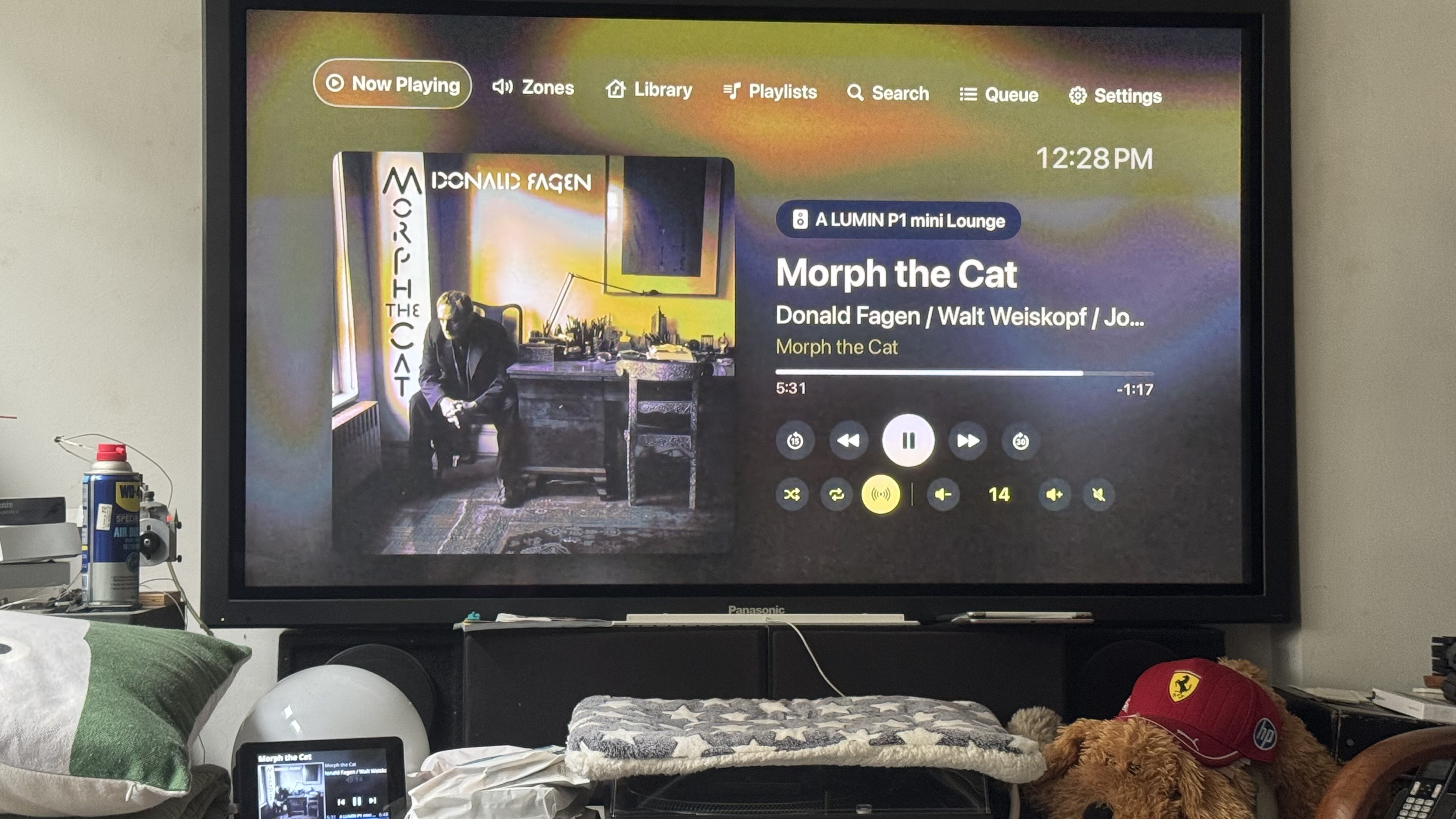
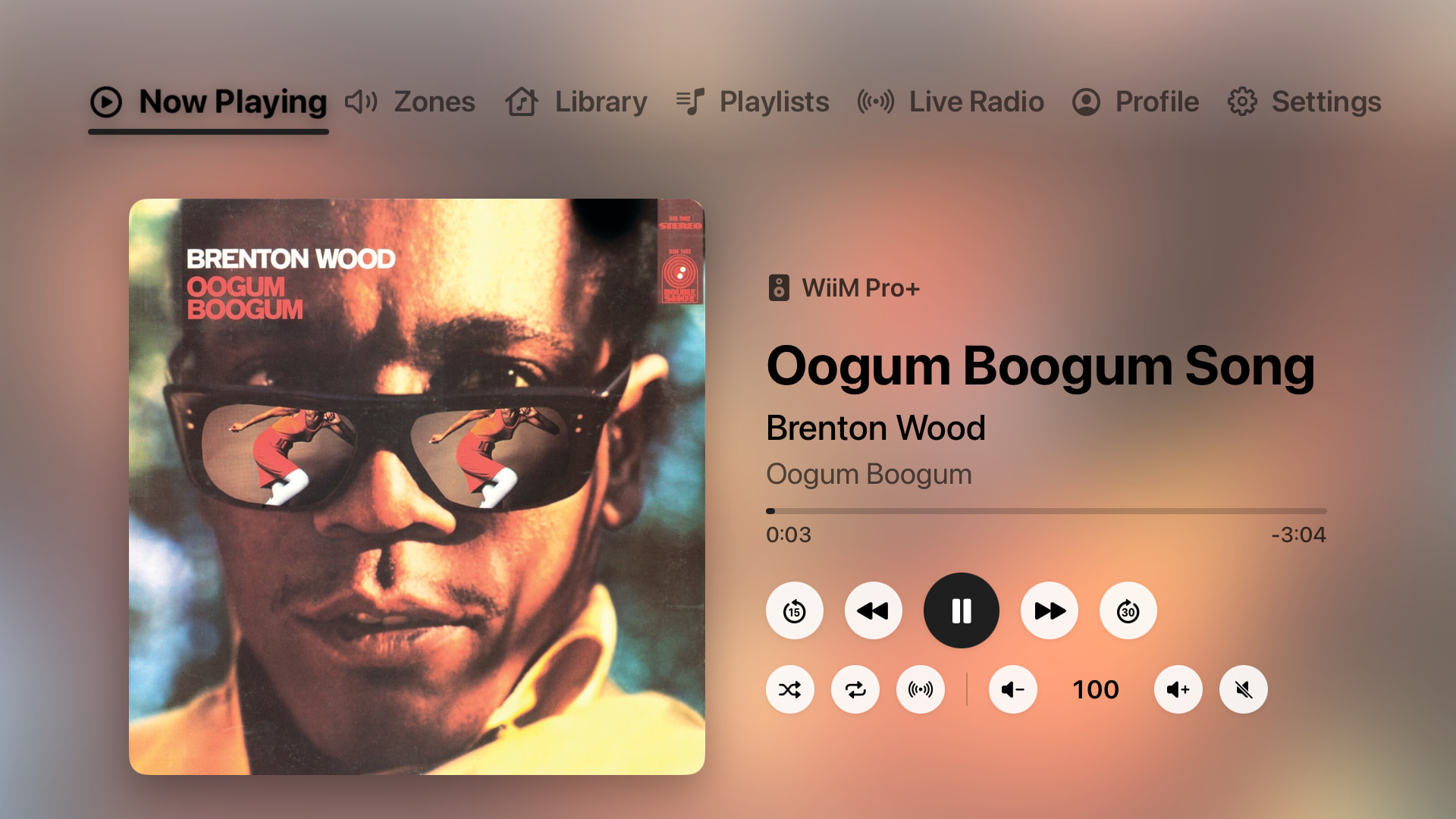
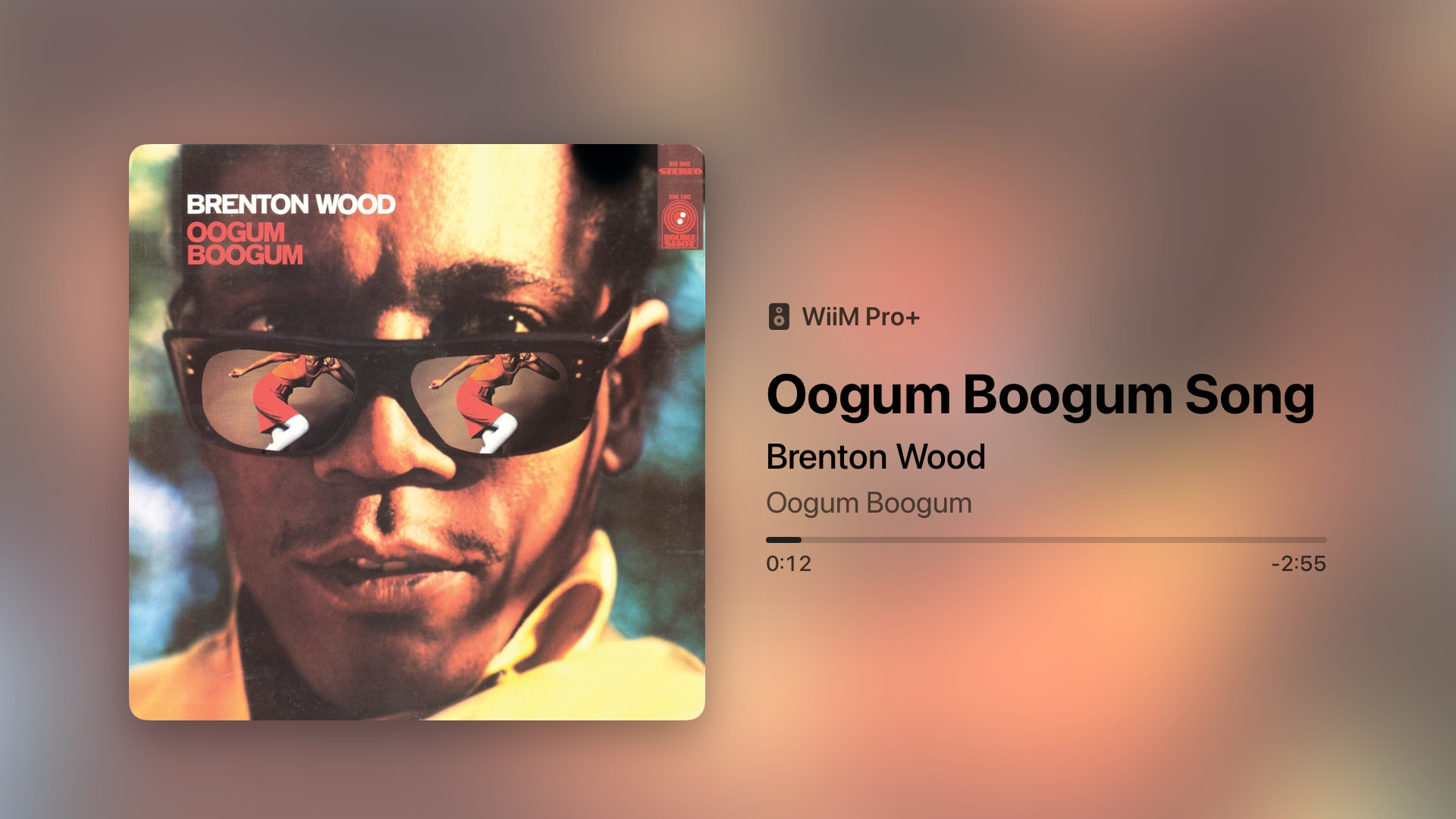
• Now Playing: large cover art, a background that adapts to the album, progress, transport controls, shuffle, repeat, Roon Radio and volume. Play/pause also works with the Siri Remote.
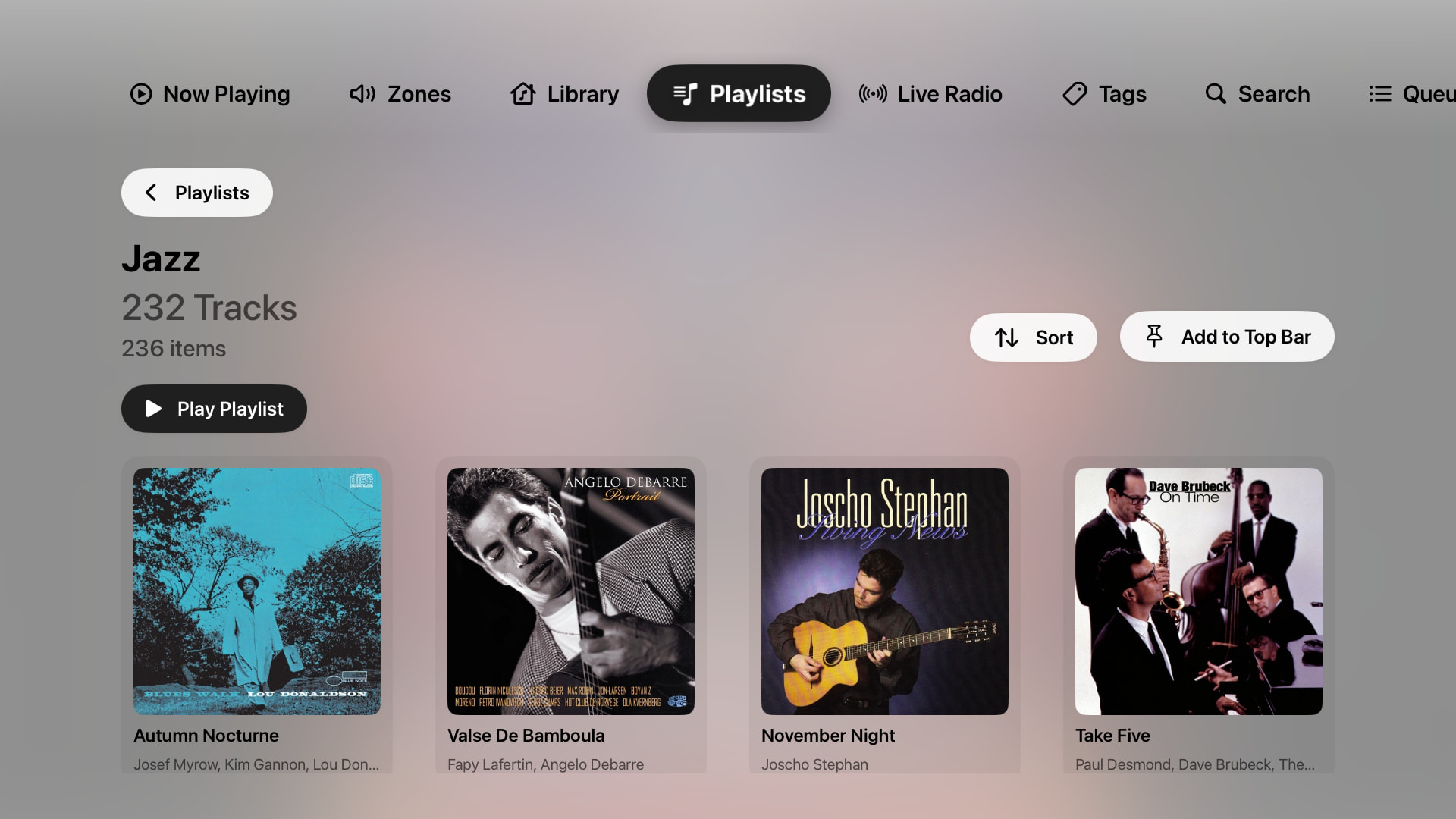
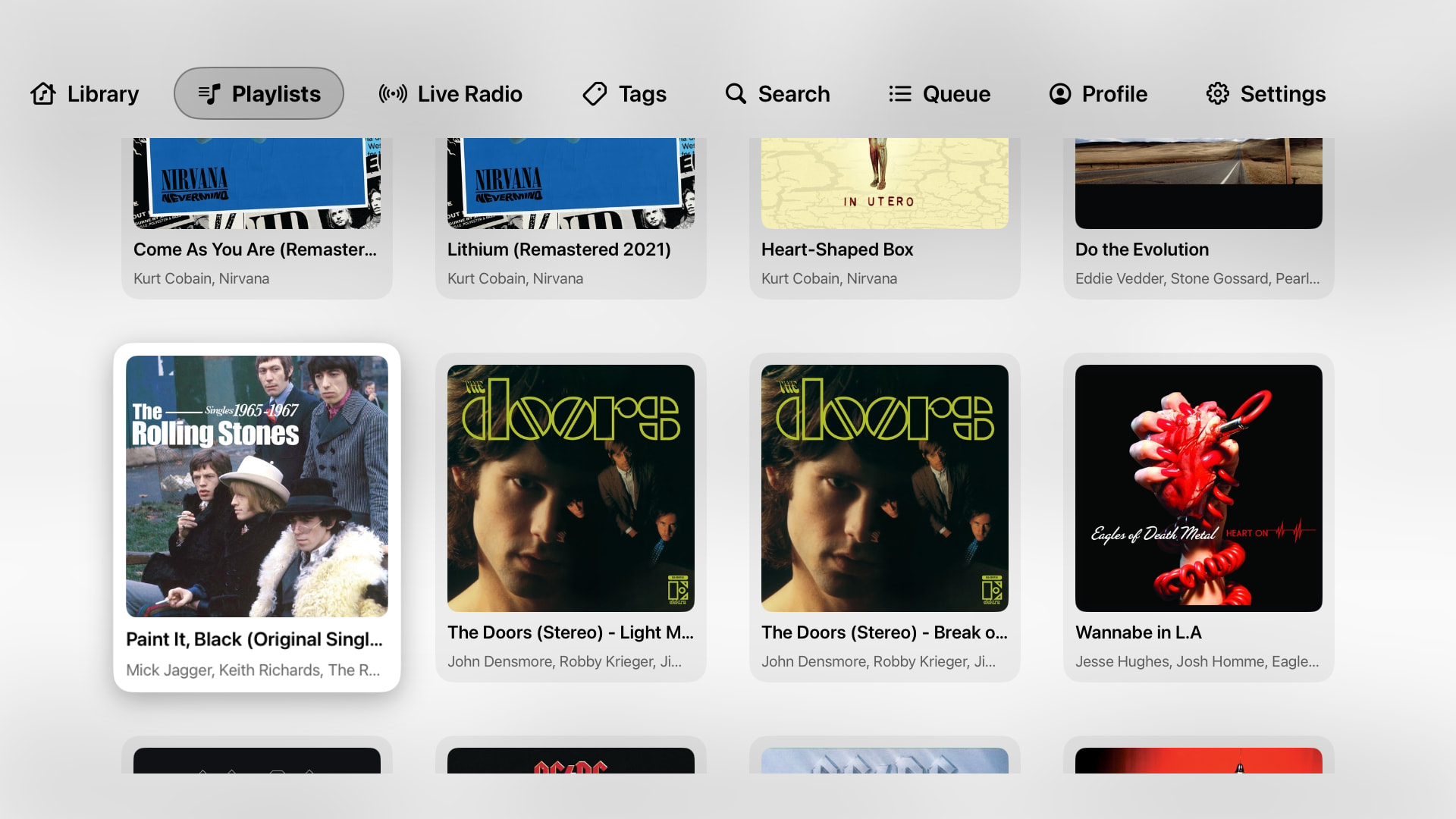
• Browse everything: library, playlists (folders are shown with cover mosaics), Live Radio, tags and search.
• Sort long playlists (newest first, title, artist).
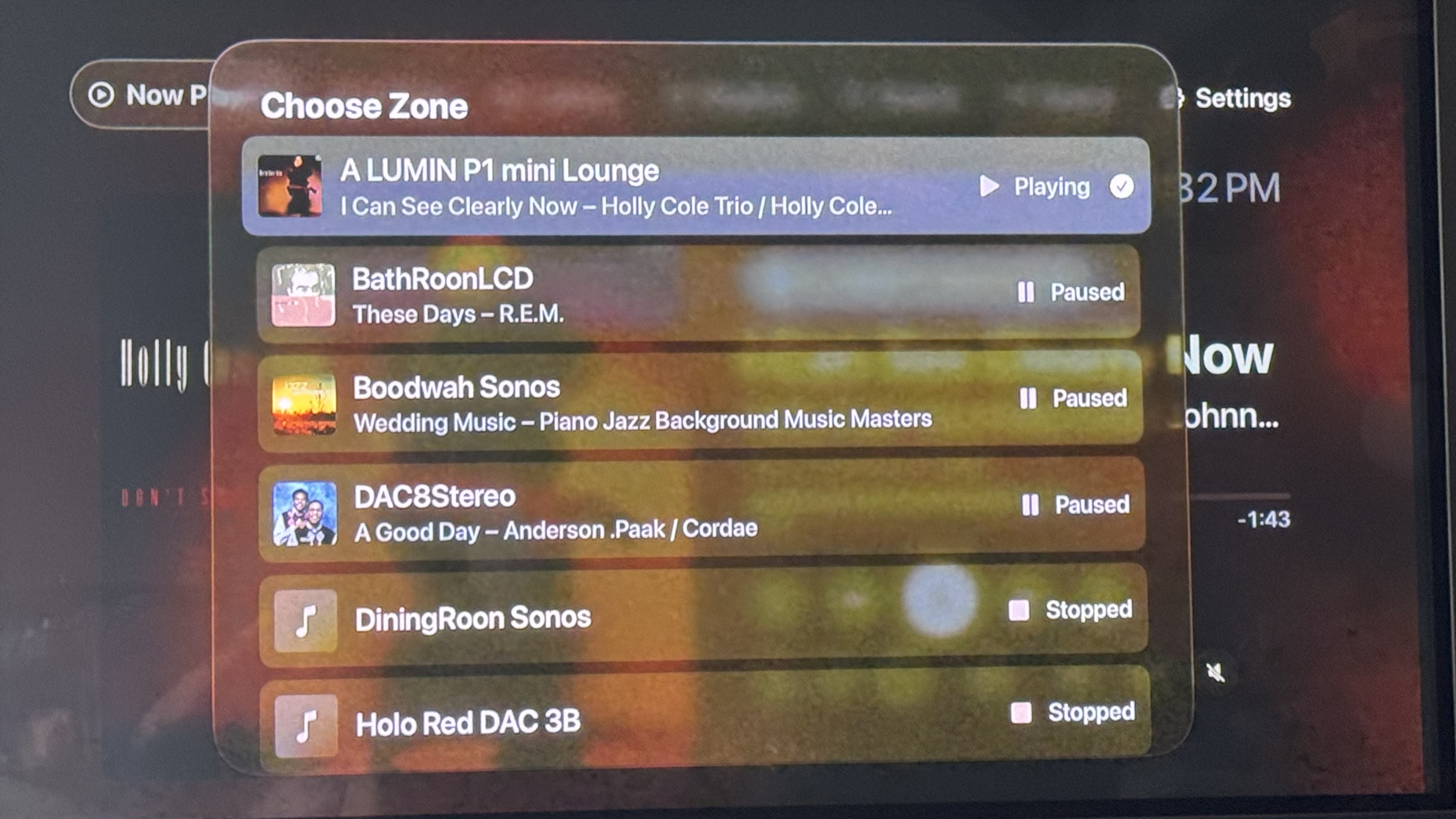
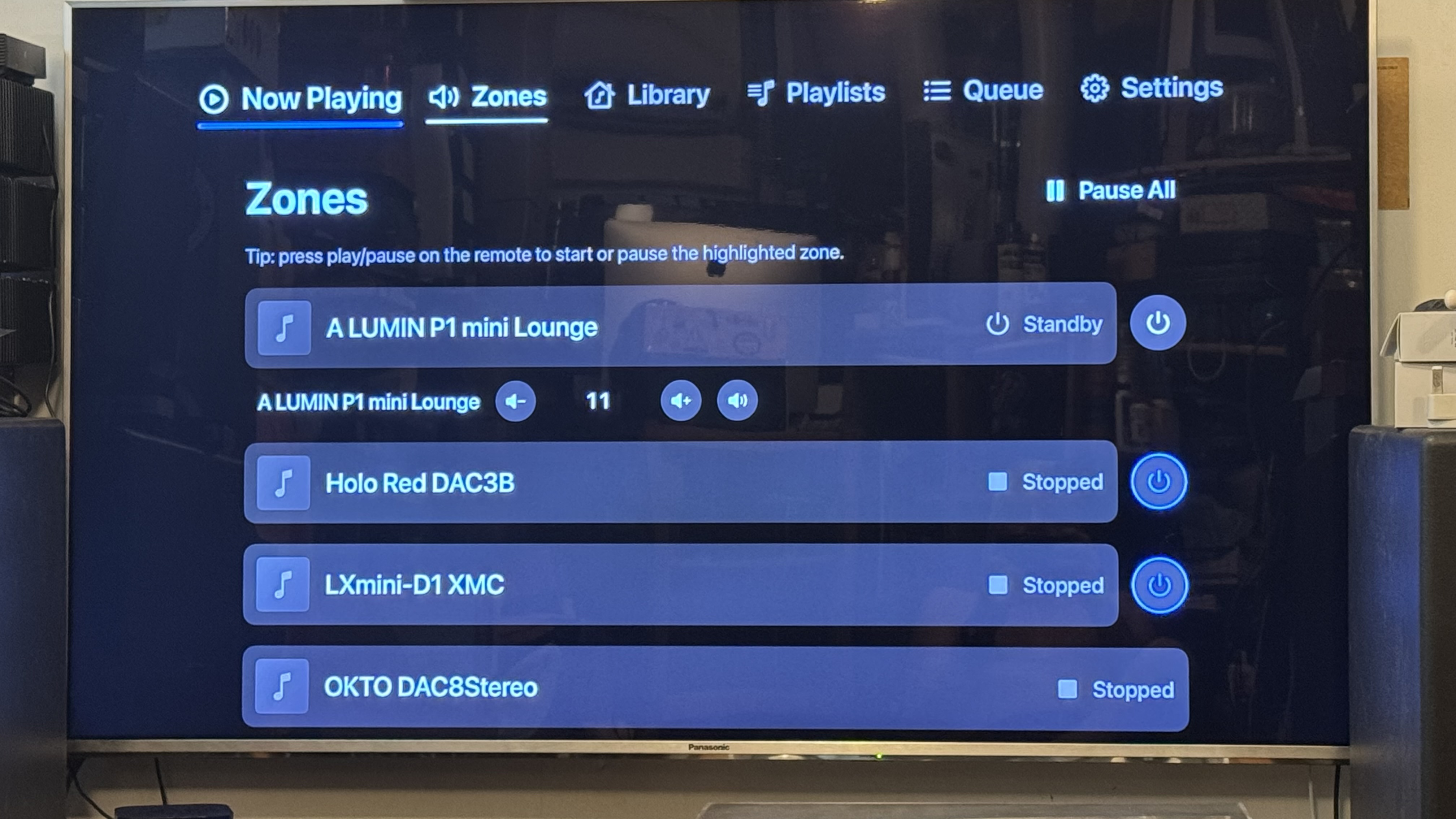
• Zones: switch zones, per-output volume, transfer playback.
• Switch Roon profiles right from the top bar.
• A customizable top bar: hide tabs or pin any Roon folder, e.g. your favourite radio stations.
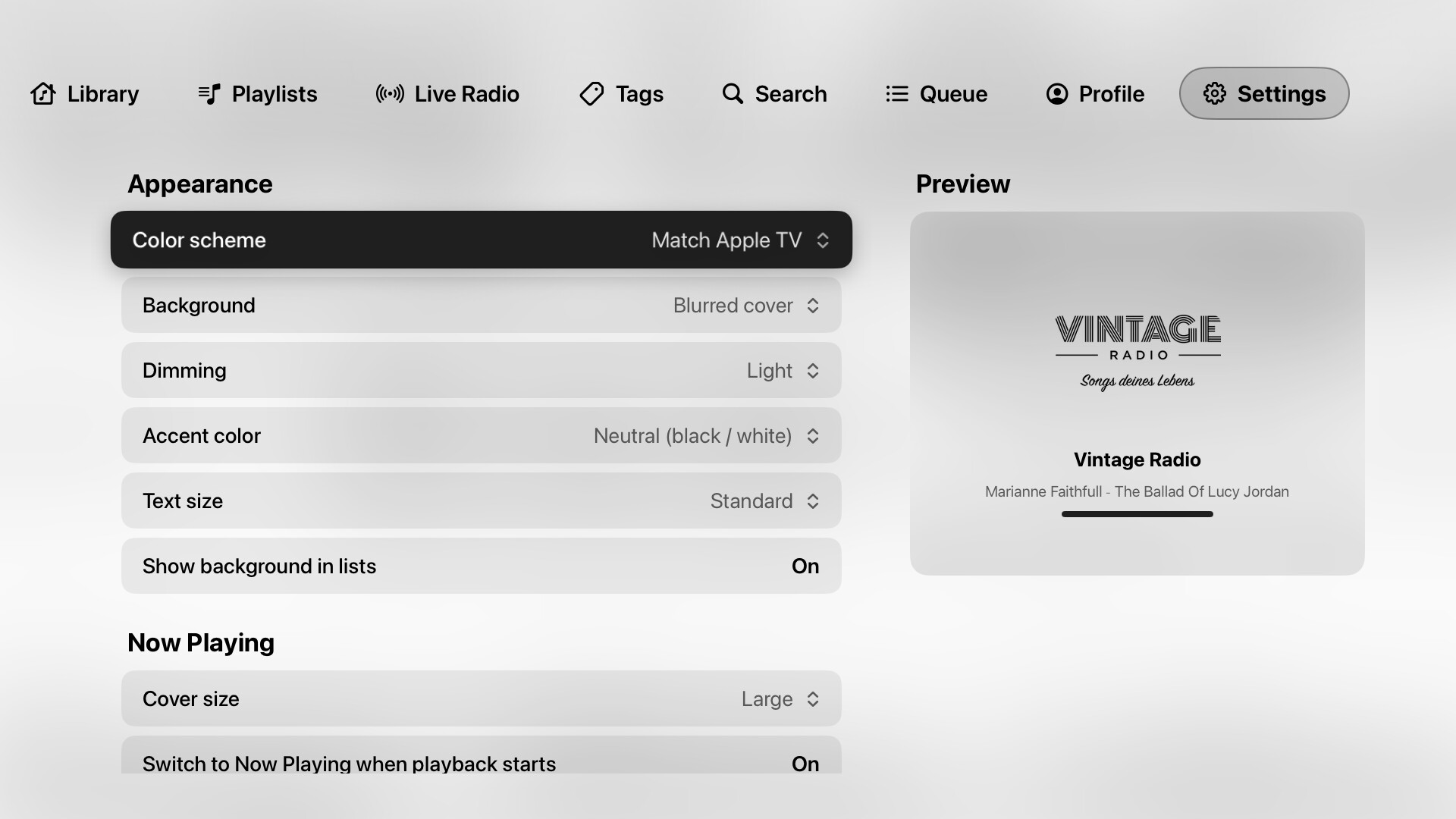
• Appearance options: light/dark, dimming, accent color, text and cover size.

How to join

  1. Install TestFlight on your Apple TV (free in the App Store).
  2. Open this link on your iPhone or Mac and accept the invite: Join the Klangbild beta - TestFlight - Apple
  3. Open Klangbild on the Apple TV, then enable it in Roon under Settings → Extensions.

The beta is limited to 100 testers for now – I’ll open more spots soon.

Requirements: Apple TV with tvOS 17 or later and a Roon Core on the same network.

Klangbild is a remote and display – audio still goes to your Roon endpoints (or to the Apple TV via AirPlay) as usual.

Feedback, bug reports and ideas are very welcome, here or via “Send Feedback” in TestFlight. A photo of the screen and your Roon version help a lot. If something doesn’t work as expected, Settings → Event Log shows what happened.

This is an independent project and not affiliated with Roon Labs.

Thanks for trying it out!
10 Likes

Thank you, I have just installed, I will explore and experiment and come back to you later.

1 Like

Will check it out too

1 Like

@Glimmer @wizardofoz Thanks a lot for giving it a try – really appreciate it!

Any feedback is welcome, big or small. If something looks off or doesn’t work, a photo of the screen and your Roon version help me a lot. Settings → Event Log also shows what happened, if you run into something odd.

Thanks - installed and working as I write this.

1 Like

Build 7 is now available in TestFlight. It fixes a crash some of you may have run into when selecting items in Tags, Live Radio or pinned folders. Thanks for testing – keep the feedback coming!

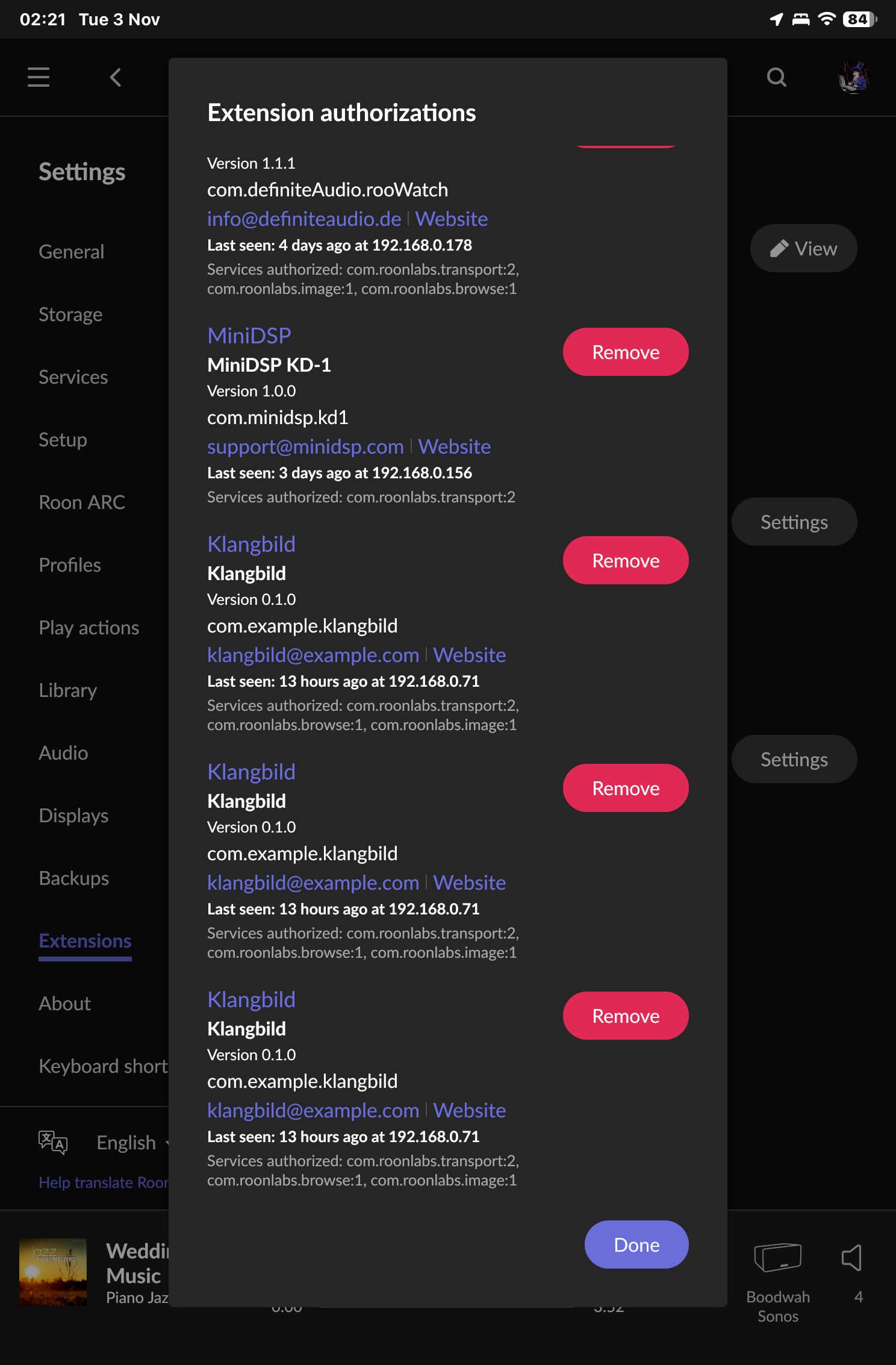
Installed but had 3 entries in the extensions to enable…didn’t note the version so will recheck it tomorrow

1 Like

Thanks, looks pretty good so far. I’ll have a play with it and report back any issues.

1 Like

@wizardofoz Thanks a lot for spotting this and for the screenshots – really helpful!

Build 8 is now available in TestFlight:
• Klangbild now registers only once with Roon – no more duplicate entries under Settings › Extensions.
• The extension now shows proper contact details and a link to this thread.

For everyone: after updating, please enable “Klangbild” (publisher: Piero Ballistreri) once more in Roon › Settings › Extensions, and remove the old “com.example.klangbild” entries.

Thanks for testing!

Build 10 is now available in TestFlight :tada:

What’s new:
• Fixed a crash that could happen when the connection to the Roon Core dropped, for example when the Apple TV went to sleep. Thanks to everyone who kept the app running – the crash reports helped find it.
• The top bar now adapts when you have many tabs: icons, text and spacing get a bit smaller so every tab stays visible.
• Klangbild now has a website: https://klangbild.app – with a FAQ and setup help.
• New support address: support@klangbild.app

TestFlight should offer the update automatically. If not, open TestFlight on your Apple TV and tap Update. If you are still on build 6 or 7, please update – those builds had a crash that has since been fixed.

New testers are welcome: Join the Klangbild beta - TestFlight - Apple

Feedback, ideas and bug reports are very welcome here, via TestFlight or by email. A photo of Settings › Event Log taken right after a problem helps a lot.

Build 10 installed automatically which is nice but the extension needed to be re enabled- no biggie.

Be nice to have a sleep and power off option for zones that support it.

Turning off/on menu items is good. Test size seemed to be good when I selected extra large but when I went to the main screen it seemed to have shrunk down again

Not sure if the remotes play button can initiate play on a zone in the list.

great work so far. Will install on my other appletv’s too later

Nice to see multiple cores supported will try that later too.

1 Like

Thanks a lot for testing and the detailed feedback!

• Re-enabling the extension: that was a one-time thing. You were still on an older build, and since build 8 Klangbild registers with Roon under its final extension ID, so Roon asked once. Future updates keep the authorization.
• Standby: coming in the next build – zones whose devices support standby get a power button in Zones to put them to sleep or wake them.
• Text size: the top bar shrinks so all tabs fit. Next build adds an option in Settings › Top Bar to keep your text size and let the bar scroll instead.
• Play button: next build – in Zones and in the zone picker, the remote’s play/pause button starts or pauses the highlighted zone.

Multiple cores: would love to hear how it goes!

I’ll post here as soon as the next build is available.

1 Like

Build 12 is now available in TestFlight :tada:

Thanks for all the feedback – here’s what’s new:
• Display mode: after 10 seconds without input, the buttons and the top bar fade out and the cover and track info move to the center of the screen. Any click or swipe brings everything back. You can change or turn this off in Settings › Now Playing.
• Play/pause on the Siri Remote now works everywhere in the app; in Zones it controls the highlighted zone (thanks @wizardofoz). Live radio stops properly.
• Sorted playlists play in the order you see them – “Play From Here” in a list sorted by “Newest first” now continues as expected.
• A cleaner, lighter look: tabs and buttons are underlined instead of shown in pills (the pill style is still available in Settings › Appearance).
• Back, Sort and Add to Top Bar are now in one row right above the list – much quicker to reach with the remote.
• Standby: zones whose devices support it get a power button in Zones – I’d love to hear if this works with your gear.
• Option to keep large text in the top bar, scrolling artist/album names, and labels on the small Now Playing buttons.

Keep the feedback coming!

1 Like

This is great!

Not sure if already on your radar, but I can’t reorder items on top bar

And I’d love to have the option to sort albums by date. Also where they’re from (local vs streaming) and quality

2 Likes

Thanks a lot, Sergio – glad you like it!

• Reordering the top bar: done for the next build. Settings › Top Bar Order lists all tabs; pick one to move it left/right or to the start/end. Works for the built-in tabs and pinned folders.
• Sorting albums by date, and showing source (local vs. streaming) and quality: I’d love that too, but unfortunately Roon’s extension API doesn’t provide release dates, source or quality for albums – only title, artist and artwork. If Roon adds this in the future, I’ll build it in right away.

1 Like

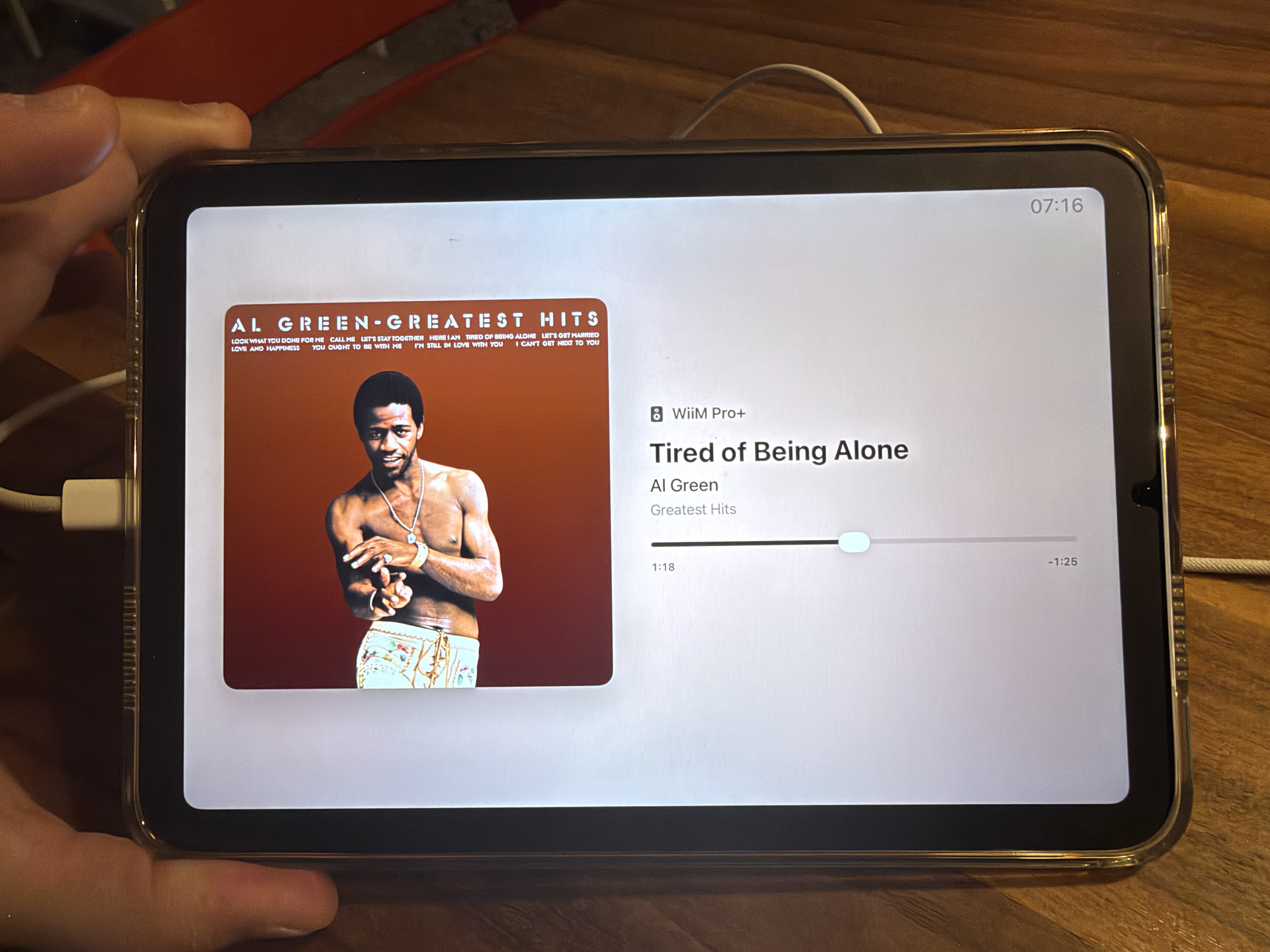
Build 13 is out – and Klangbild is now also available for iPad and iPhone! :tada:

iPad & iPhone (new, same TestFlight link):
• Now Playing with large cover and touch sliders for position and volume
• Display mode: put the iPad on the wall or sideboard – after a few seconds the controls fade out and only the music stays. Tap to bring them back.
• All tabs from the Apple TV app, arrangeable, plus folders as tabs
• It shows up in Roon as “Klangbild for iPad & iPhone” – enable it once under Settings › Extensions

Apple TV:
• Reorder the top bar (thanks @sete)
• “Match cover” color scheme: white text on dark covers, dark text on bright ones
• Standby wake now works

Feedback welcome as always!

1 Like

Quick note: the iPad/iPhone version is still in Apple’s beta review (usually a few hours, at most a day). As soon as it’s approved, TestFlight will notify you and Klangbild will show up in TestFlight on your iPad or iPhone – same link, nothing else to do. The Apple TV build 13 is available right away.

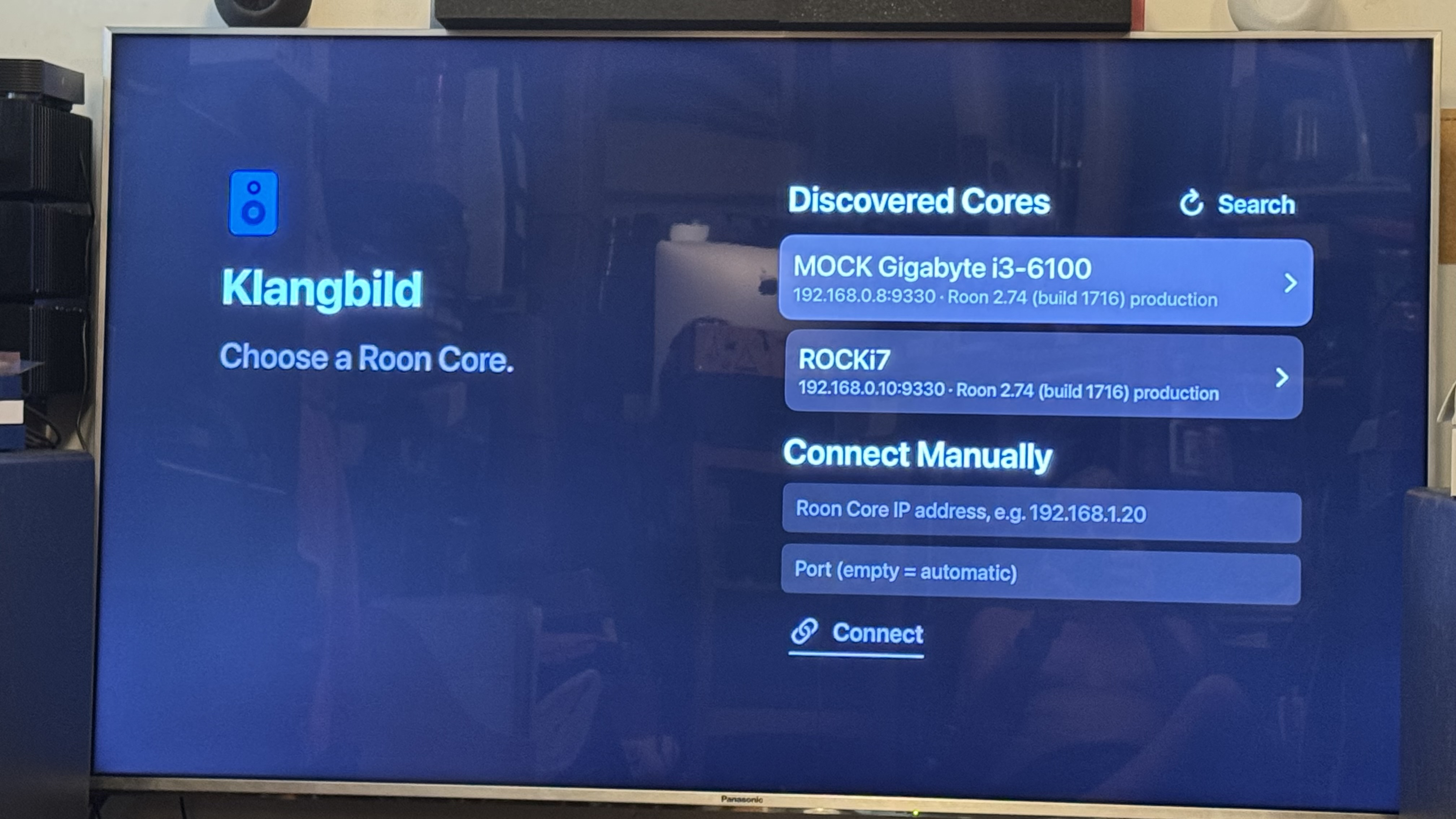
Swapping cores and discovery works

power options showing and confirmed working (for Lumin at least :+1: ) please ignore my topless torso :stuck_out_tongue:

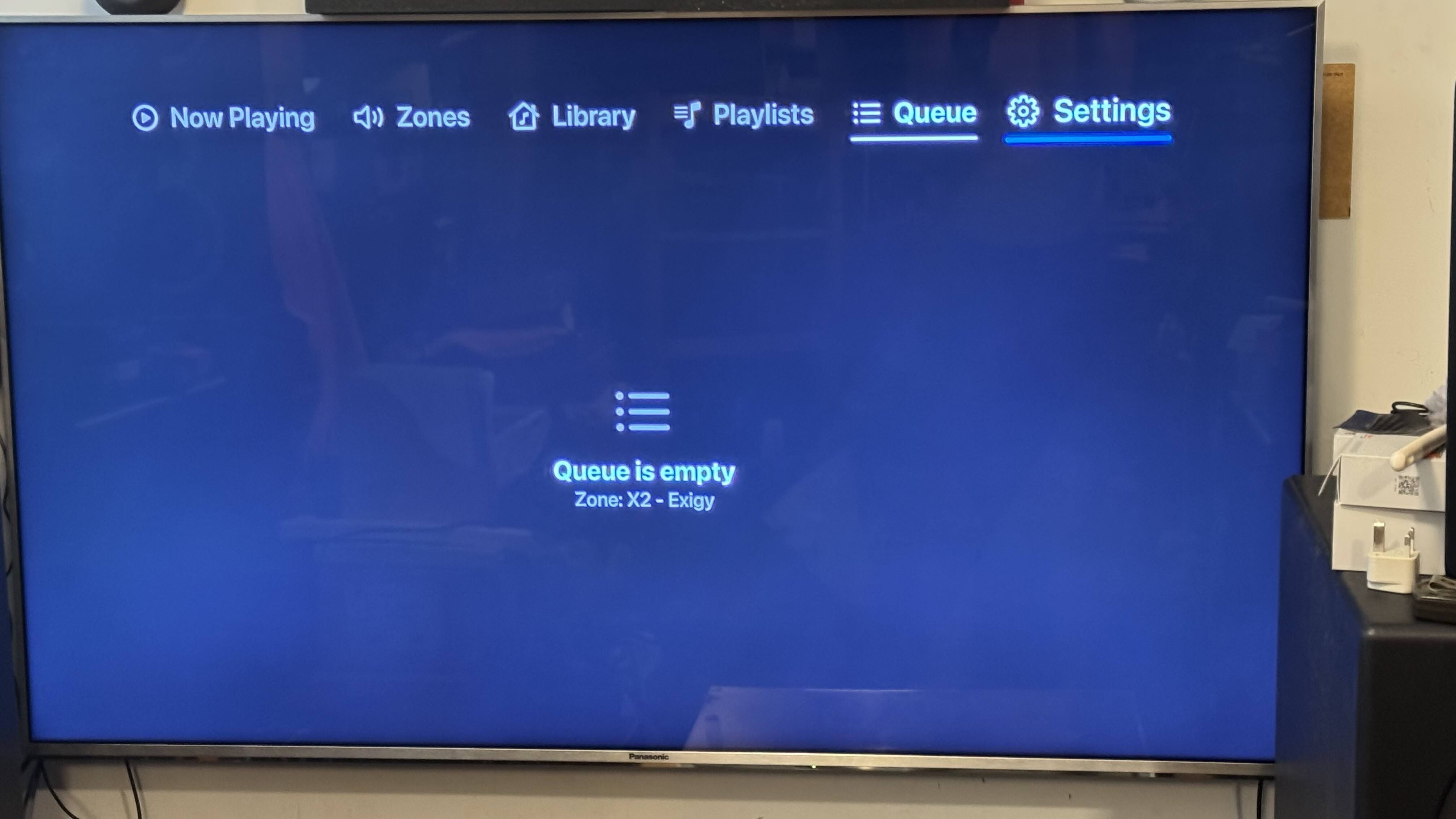
Queue display seems to be broken on streaming (tidal) shows in Roon queue but empty in ATV

its a 93hour list so maybe a timing/timeout issue

UPDATE redid this and it worked fine…maybe some glitch

suggestions

there used to a screen saving feature of some player (I cant recall which) that swapped the left 1/2 of the screen with the right 1/2 periodically to avoid burnin…maybe an optional thing?

scrolling of long titles - maybe its in there but ive not encountered yet.

some way to immediately get to the menu area? perhaps Apple Remote related on my old remote

Observations

Volume buttons on the ATV remote still don’t work

Event Log scrolls correctly now :folded_hands:

1 Like

Thanks a lot for the detailed testing – great to hear that core switching, discovery and the LUMIN standby work!

• Empty queue: found it – it wasn’t the long list. If Klangbild remembered your zone from last time, it asked for the queue before Roon had sent the zones, and didn’t try again. Fixed for the next build (it also re-subscribes if the queue connection drops).
• Burn-in protection: added as an option (Settings › Now Playing). In display mode, cover and text swap sides every 5 minutes.
• Long titles: artist and album lines scroll; the title wraps onto two lines and shrinks a little if needed.
• Quick way to the menu: the Back/Menu button jumps straight to the top bar from any tab (inside folders it first goes back level by level).
• Volume buttons: unfortunately tvOS never passes them to apps – they always control the TV/receiver. Use the volume buttons in Now Playing or Zones for Roon’s volume.

1 Like

Pity about the volume buttons.

Glad I helped with the queue bug :smiling_face_with_sunglasses:

I’m waiting for the new 4th gen atv remote to ship. Maybe some better button options than the ones on my older one

So glad on the development you are making most things optionally setup.

looking forward to the iph/ipad versions too. Any thoughts on Apple Watch? Then I can maybe drop roowatch and save a RPi :joy:

1 Like