· I can not access Roon on my Mac. I’m using a Sonic Transporter. Oddly, I can connect to Roon using my iPhone so my WiFi isn’t the issue. I’m using a UniFi Express 7 as my router. I do not want to make my Mac my server. My Sonic Transporter has always been my server. I don’t know if this has to do with my IP Address or not. It’s frustrating. I can’t troubleshoot the problem myself.
Tell us about your home network
· I'm using a Unifi Express 7 > Sonic Transporter > Mac OS. I am not using a VPN or switches or extenders.
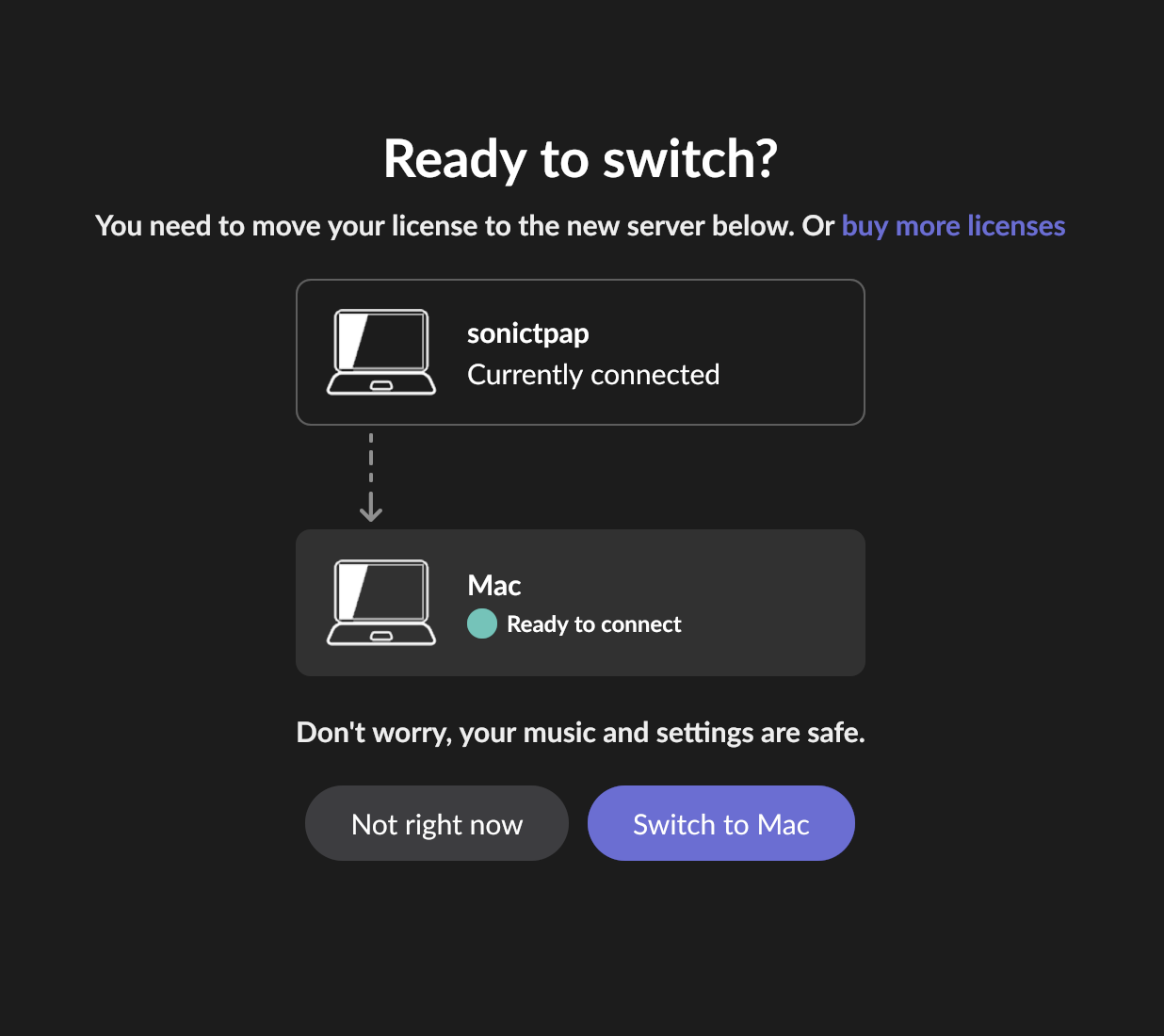
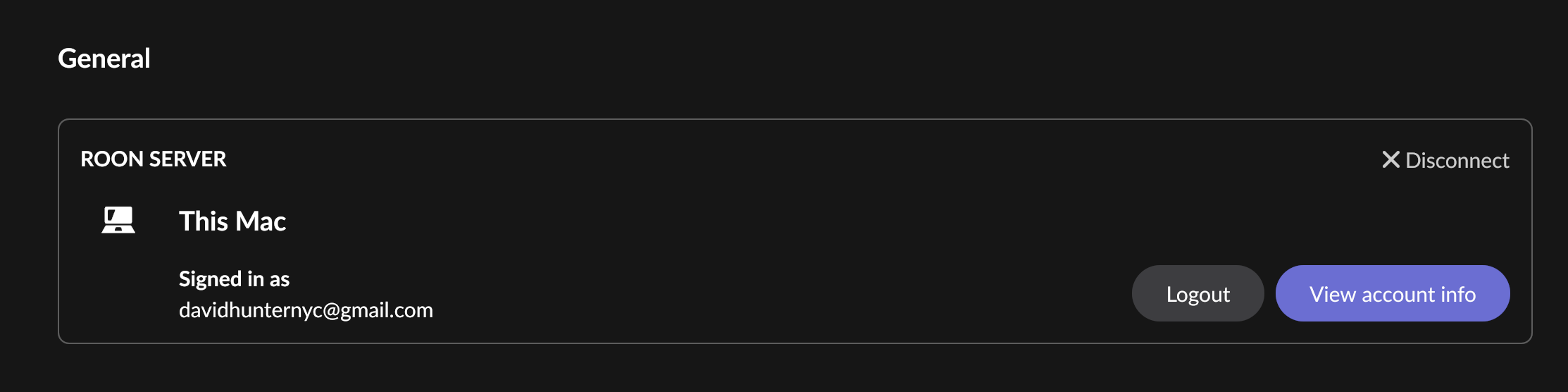
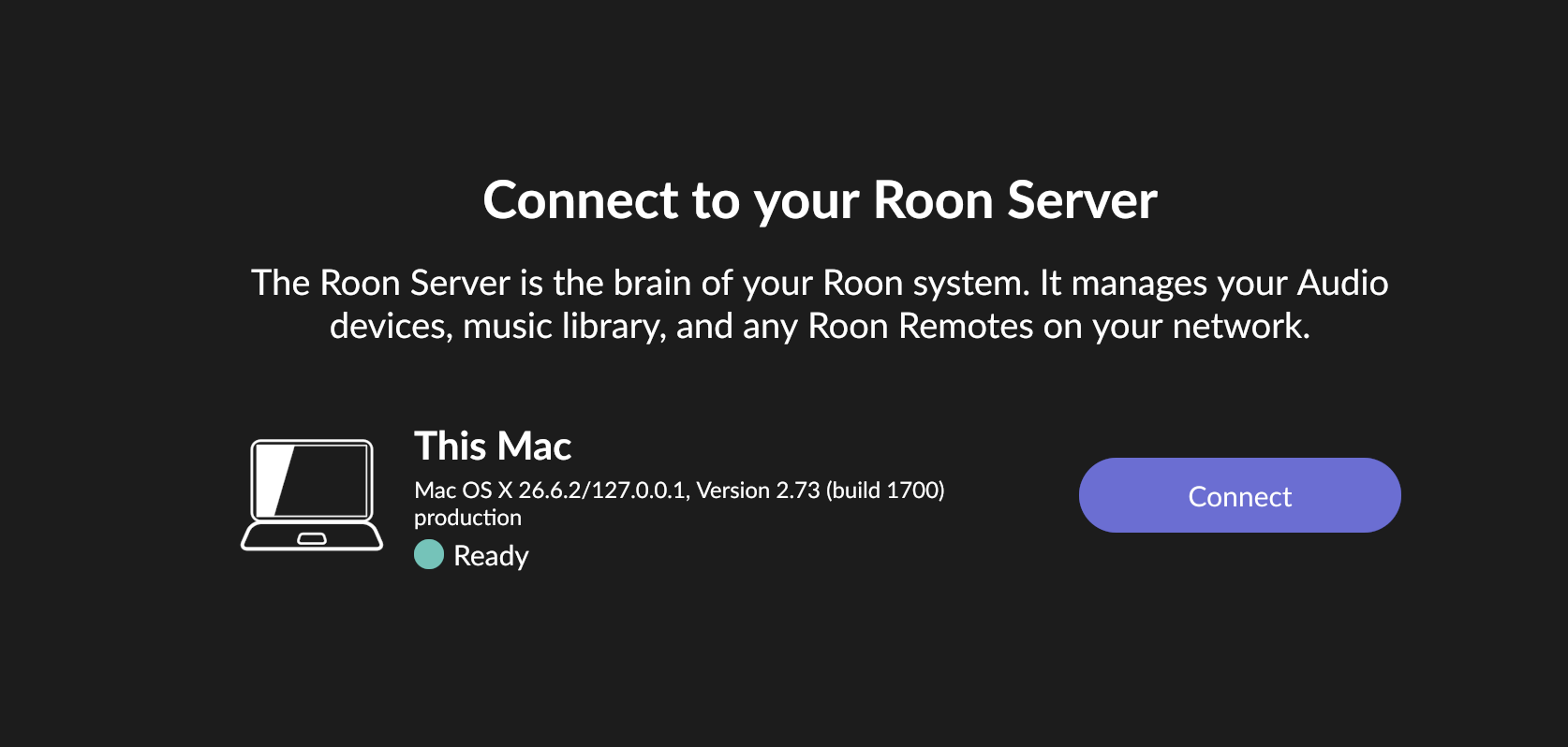
Your first screenshot indicates that Roon on your Mac is trying to move the server from your SonicTransporter to the Mac. You don’t want that, I guess. I assume you only want to use your Mac as a device to control Roon, just like you use Roon on your phone.
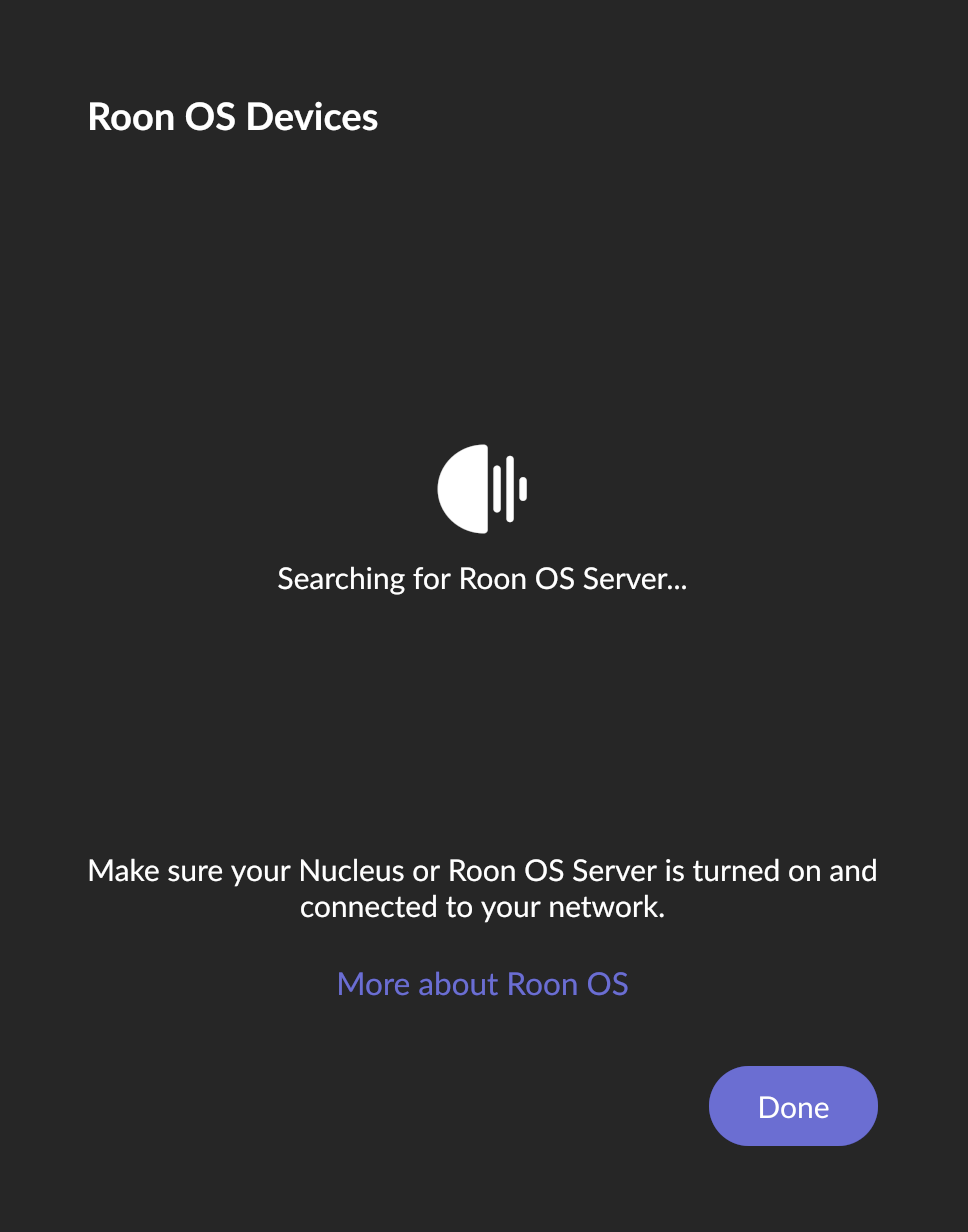
The second screenshot is only relevant for people with a Nucleus or Rock. It’s an attempt to search for Roon’s custom operating system, but that’s not relevant for you.
i have no knowledge of Mac computers, but what you should not try, is to run Roon server on it, in your situation.
Well, I accidentally switched to my Mac and now on lost my entire library on my SonicTransporter. Now I can’t access Roon on my Mac nor phone. It said I was currently connected to sonicapap and now it’s lost. I’m screwed.
Sorry this has been such a rough turn, but yes, the SonicTransporter library should still be accessible. Please follow the instructions @Arlen linked (also copied here for easy reference:
Yes you can certainly set up another PC as a Roon Core server but not an iPad.
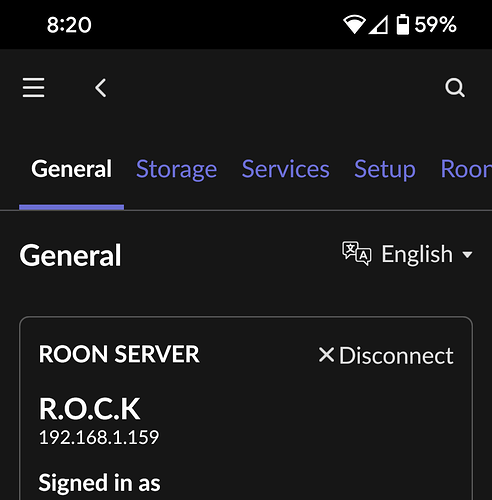
Once you have set up Roon server on another PC go to settings: general and select disconnect.
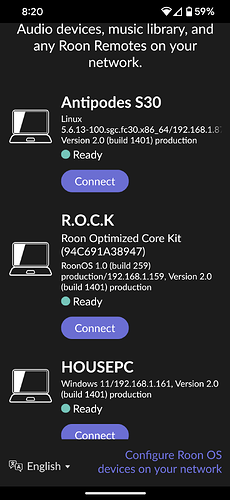
Then it will show you any other possible Roon servers on your network that you can now connect to.
After you restore access to the SonicTransporter, it would also be a good idea to create a Backup of your database for safekeeping. Let us know how that goes.
Our cloud diagnostic servers haven’t seen any activity on the Sonic Transporter server in at least four days, although the second server hosted on the Mac has been online since you last posted. We’re not confident this issue was resolved behind the scenes over the weekend.
Please double-check that the unit is online; double-check the web interface that @Arlen has linked above.
Circling back on this, we haven’t seen any new activity from the Sonic Transporter server for several days. Were you able to confirm that unit is online and check the web interface @Arlen linked, so we can see whether the server is still up and reachable? If you can reply with what you see there, we can take the next step from that.
Please note, if we don’t hear back from you this thread may close automatically soon. If the thread auto-closes and you need further assistance, please submit a reopen support request via the technical support help form below and specify that the issue should be reopened. Thank you.
Noris, thank you. No, Roon is not back online. Just last night I was able to get my modem and router running properly but it took a team from Ubiquity to troubleshoot over Zoom. I thought that Roon would reconnect but today it still has not. Ugh.
Glad your modem and router are running again, that was the hard part. Your library is still on the Sonic Transporter, it just needs to come back onto the network. Please try these steps in order:
Restart the Sonic Transporter. Since the router was reconfigured, it may not have reconnected. Turn it off, wait about 30 seconds, and turn it back on. Give it a few minutes to start up.
Check that it’s on the network. On your Mac, open a browser and go to sonicorbiter.com. It should list your Sonic Transporter. Click it to open its setup page, and make sure Roon Server is shown as running there. If it’s stopped, start it.
Connect your Mac to it. In Roon on the Mac, go to Settings > General, click Disconnect, and choose the Sonic Transporter from the list.
Stop the Mac from acting as a server. If you see a Roon Server icon in the Mac’s menu bar, click it and choose Quit, and turn off “Launch at login” there, so the Mac doesn’t take over as the server again.
If the Sonic Transporter doesn’t appear on
in step 2, let us know. That would mean it isn’t reaching your network yet, and we’ll go from there.
Dropping in to see if there are any updates on the Sonic Transporter reconnecting, and whether we can get your Mac talking to it again. Were you able to restart the Sonic Transporter, check
interface to confirm that Roon Server is running, and then disconnect the Mac so it can hand control back to the Sonic Transporter? If the Mac still seems to be taking over, please let us know what you see and we can keep going from there.
Please note, if we don’t hear back from you this thread may close automatically soon. If the thread auto-closes and you need further assistance, please submit a reopen support request via the technical support help form below and specify that the issue should be reopened. Thank you.
I’m so glad you dropped in. Nah, everything is still a mess. Though I got my WiFi fixed, my Bluesound speakers keep getting dropped on the Bluesound app. I pair the speakers to be Express 7 modem and the WiFi connection is correct but they get dropped after a while and no speakers are detected. I need to call Bluesound tomorrow.
We’re sorry things are still unsettled. Rebuilding the network seems to have knocked several devices offline at once. Calling Bluesound makes sense.
When you talk to them, it’s worth mentioning that Bluesound and Roon both use multicast to find devices on the network. That means a single UniFi setting can break both. Ask them, or Ubiquiti, to check that Client Device Isolation is off on your Wi-Fi network and that the multicast/IGMP settings suit streaming audio.
For the Sonic Transporter, when you have a moment:
Make sure it’s plugged into the Express 7 with an Ethernet cable and is powered on.
In the UniFi app, look for the Sonic Transporter in the client list and note its IP address.
On your Mac, go to http://sonicorbiter.com
, or type that IP address into your browser, and check that Roon Server is running.
Please let us know whether it shows up in UniFi and what you see on that page. Your library is still on the Sonic Transporter. Once the unit is back on the network, the Mac steps from our last post (Settings > General > Disconnect, then pick the Sonic Transporter) will reconnect you.
Honestly, you’re being very helpful. Thank you. The problem is, I’m a luddite. Tech makes my head explode. It’s very very confusing and slow going for me. If I had to do this all over again, I wouldn’t. I’d go hardwired everything, but I live in a rental apartment and this isn’t possible.
You’re doing fine! Having this many things go wrong at once would overwhelm anyone. Let’s slow down and take it one small step at a time.
You also don’t need to rewire your apartment. The Sonic Transporter is the only thing that needs a cable, and that cable just runs from it to your Express 7.
For now, just these three things:
Check that the Sonic Transporter’s light is on and that a network cable connects it to the Express 7.
on your Mac and grab a screenshot of what it shows, along with confirming the Sonic Transporter is powered on and cabled to the Express 7? If you send that over, we can pick up from there and tell you the next step.
Please note, if we don’t hear back from you this thread may close automatically soon. If the thread auto-closes and you need further assistance, please submit a reopen support request via the technical support help form below and specify that the issue should be reopened. Thank you.
 Having this many things go wrong at once would overwhelm anyone. Let’s slow down and take it one small step at a time.