· My library isn’t working correctly (local/streaming, importing, or storage access)
Describe the issue
I use a ROON Nucleus A with an internal 1TB SSD. Recently when I try to play music, I am getting a pop-up that says the "Audio file is loading slowly, which may be a software or hardware issue"..I have tried a cold roe-boot of the Nucleus. I also changed the ethernet cable to make sure that the signal was strong from the Nucleus A to my HiFiRose RS250 DAC/Streamer. Prior to this issue, there have been no changes to my system. Another pop-up which happens frequently is "Waiting for your Roon Server" with the circle that eventually dissappears. Thank you,
Describe your network setup
Network Router- Newest FIOS fiber router/modem -ethernet into a 10-Port Switch.( I tried swapping out) - ethernet into HiFiRose RS-250 / ROON Nucleus A -another music server, which is NOT connected to the DAC nor uses ROON. Thank you. Mike Siegel (bill costello. ). [Moderated]
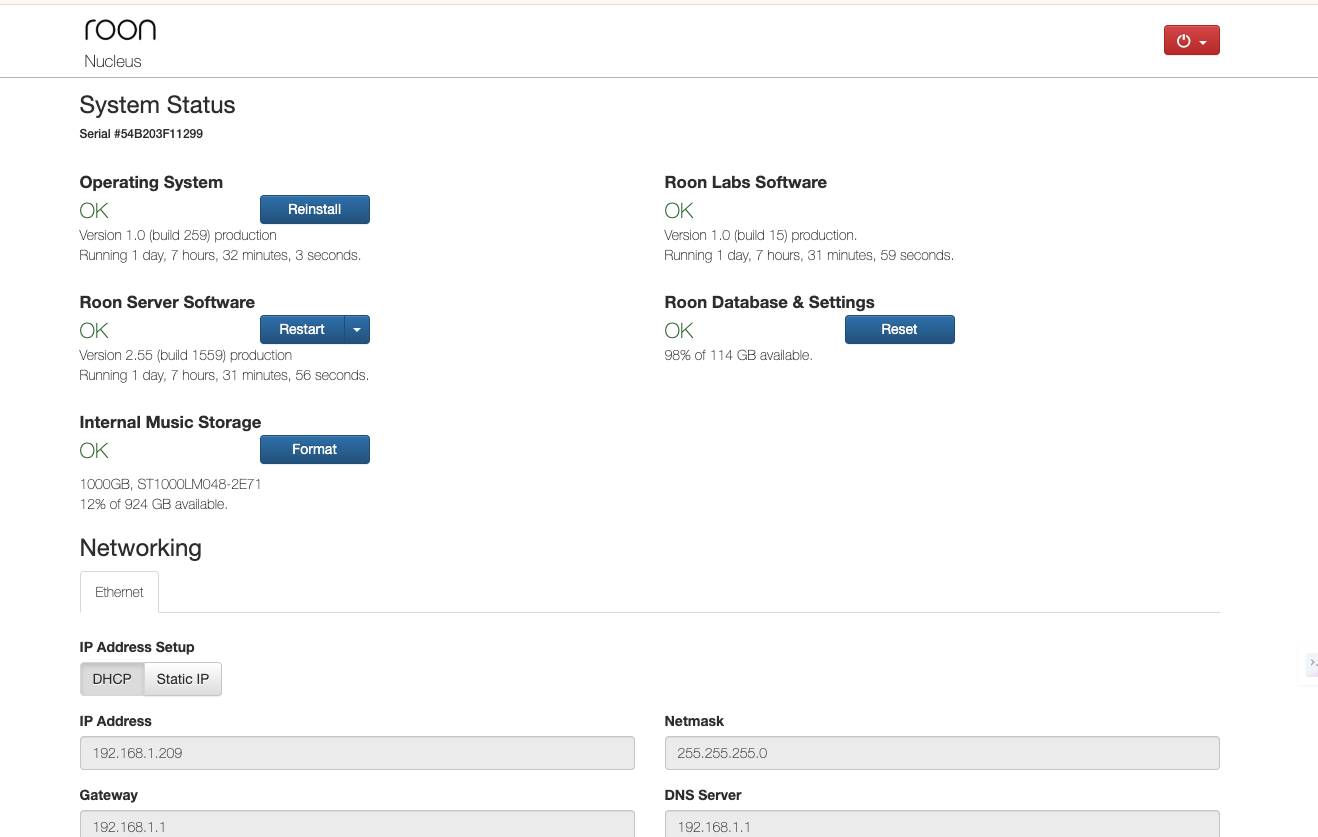
I have attached screenshot of Nucleus GUI as requested-thank you
answering your questions-it doesn’t matter which source I use.
It happens when I choose the local output where the Nucleus and my RS-250 DAC are located.
I did try swapping Switch boxes-n change…I just read a post form 2023, which is to run a direct cable from my Router directly into the Nucleus A server. I will over long ethernet cable tonight and report back ASAP. thank you very much btw ARC seems to work well, although it eventually hung up after a few minutes…
Greetings to Support and Users in this Forum>>
I found the fix to completely solve my Nucleus Server from buffering and constantly looking for the Server. Something in a previous comment by Benjamin, led me to solve my issues. He told another user to basically do a “home run” cable from the Router directly to the Nucleus box. hidden behind a large stack of components, is a Powerline box plugged into my wall. I KNOW that they are NOT a preferred method to run internet signals…but some of us use them because there is no other alternative. The new cable ran directly from my FIOS Router V2 ( new) directly into the local switch that sends signal to my DACs, Streamers, Nucleus, and MacMini. As soon as I connected the cable , I ran to my Imac and opened ROON. The first thing I noticed is that the desktop app responded MUCH faster than before. I tried opening music files, and switched to other files, trying to stress the ROON OS to see if any problems still existed…Everything is working perfectly…Thanks Benjamin !! I have NO idea why the Powerline crapped-out after working properly for 2 years, but at this point..I do not care