Further information: this time I did not restart the Roon server, just left it like is. Trying again now after 3 hours both, Qobuz and local files play well again.
Usually after Roon server restart it works for hours, or even days when I don’t jump between tracks and just let it play along, until the problem arise again.
We were able to review a fresh Roon Server diagnostic report, and observed the following errors around playback stopping:
Trace: [Devialet RAAT] [zoneplayer/raat] too many dropouts. stopping stream
Trace: [Devialet RAAT] [zoneplayer/raat] Endpoint Devialet Expert 220 Pro State Changed: Playing => Prepared
Warn: [zone Devialet RAAT] Track Stopped Due to Slow Media
We’re seeing the Qobuz track buffered at 100% prior to this happening, so the issue seems to be focused around available local network bandwidth between your server and devices.
Are there any other switches or network gear in your current chain?
In the path from Roon server to Devialet are following devices: internet router LAN side used as switch, Fritzbox as Wifi router LAN side used as switch and a small 100Mbit switch before Devialet, as it has problems with highres and Gbit connection.
As far as I remember, only restarting the Roon server always solved the issue, I have tried already everything else including reboot of routers/switches and Devialet. But I will have a look in that again…
Thank you again for your patience. We’d like to try some blunt but effective deductive testing by removing all variable components from the network pathway between the main router → RoonServer → Devialet, and then building back network components one at a time, testing playback from Qobuz at each stage.
Are you able to connect both RoonServer and the the Devialet via ethernet to the same access point or switch? If the physical setup permits, try hardwiring both to the main WiFi router.
During testing, please try playing hi-res content from Qobuz to ensure that we have enough data passing through the network to reveal any vulnerabilities.
I have now disconnected the ethernet cable from the Devialet and run it with WiFi. I had this setup already before and remember the same issue with “loading slow” but to know now where to search for the problem is much better than to search in the dark. I am sure now, that this can be fixed.
Thank you benjamin/Roon support, I should have asked earlier to fix that with you instead of restarting the Roon server hundred times.
Haha, we did write a the same time. As running WiFi on Devialet now the 100Mbit switch is gone. The path is now: Roon server (Win 10 PC) to internet router, from internet router 4 port switch to Fritzbox WiFi router, WiFi to Devialet. In a next step I could hardwire Devialet from internet router 4 port switch. Then Roon server PC and Devialet will both be connected to the internet router.
I will have no WiFi then, so I want to see how it works now before this test.
Thanks for the update! It’s unclear if you tested @connor’s suggestion above:
This would be over ethernet, not wifi. We were able to observe the following errors around playback stoppage - still pointing to local network bandwidth hiccups:
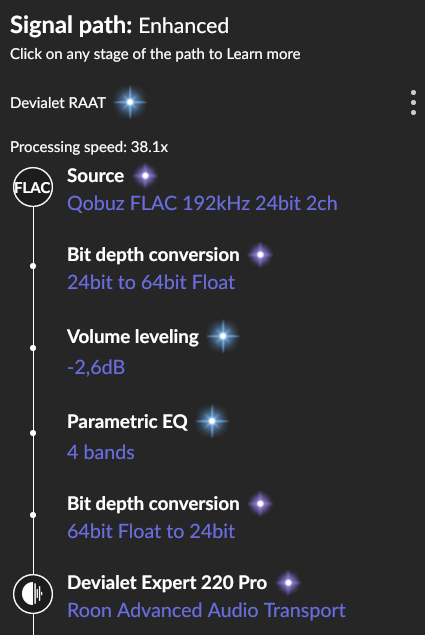
--[ SignalPath ]---------------------------------------------
SignalPath Quality = Enhanced
Elements:
 Source Format=Flac 44100/24/2 Quality=Lossless
 UpgradeBitDepth FromBitsPerSample=24 ToBitsPerSample=64 Quality=Lossless
 VolumeNormaliation GainDb=-7,01 Quality=Enhanced
 ParametricEQ
 Truncate FromBitsPerSample=64 ToBitsPerSample=24 Quality=Lossless
 Raat Device=Devialet Expert 220 Pro
 EQ Subtype=treble Gain=3 Quality=Enhanced
 DSP Subtype=devialet_sam PresetKey=Bella Luna Diam TruePeak= Value=100 StringValue= Model=Expert 220 Pro FromSampleRate= ToSampleRate= Quality=Enhanced PresetDisplayName= ModeDisplayName=
 Output OutputType=Local_Speakers Quality=Lossless SubType= Model=
------------------------------------------------------------
10/05 21:55:17 Trace: [Devialet Expert 220 Pro @ 192.168.0.89:45315] [raatclient] GOT [55] {"status":"Dropout","samples":427770}
10/05 21:55:17 Warn: [Devialet RAAT] [zoneplayer/raat] Too many dropouts (>3s dropped out in the last 30s). Killing stream
10/05 21:55:17 Trace: [Devialet RAAT] [zoneplayer/raat] too many dropouts. stopping stream
10/05 21:55:17 Warn: [zone Devialet RAAT] Track Stopped Due to Slow Media
10/05 21:55:17 Info: [zone Devialet RAAT] OnPlayFeedback StoppedEndOfMediaUnnatural
Next loading slow right now, 8.10. 19:00 „Get It“ from Stanley Turrentine
This was now with Ethernet connection, no WFi. So I would summarise, its not coming from the before used 100MBit switch and its not coming from WiFi.
To be clear, the Roon core is not on the same switch as the Devialet Amp. I can not realize such setting easily, as I would have to install a second ethernet cable where now the connection between the switches is installed. Could it really be, that Roon would need the core and the destination on the same switch? Or is a special kind of switch needed?
However, I could test that with a temporarly cable running through the rooms although I am not sure what to do with a positive result, not really willing to install a second cable, which is not the idea of ethernet either…
I will try without DSP first, as you mentioned, but it would be also not satifying, if I can not use DSP to have no loading slow errors.
Thank you for all the detailed follow-ups and testing — that’s very helpful.
From what we can see, this might be a combination of factors. Your Intel Core i7-2600 (Sandy Bridge, 2nd gen) CPU, while capable, can still be under heavy load with modern DSP processing, especially when handling high-resolution content or multiple DSP operations simultaneously.
Additionally, as per our best practices, WiFi or complex network chains can add latency and instability to playback. Even over Ethernet, if the Core and Devialet are connected through multiple switches, “slow media” or “dropout” events can still occur.
We recommend temporarily disabling all DSP and testing playback again to confirm whether CPU load is contributing to the problem. If playback stabilizes, you could either reduce DSP usage or consider a hardware upgrade for the Core to ensure optimal performance.
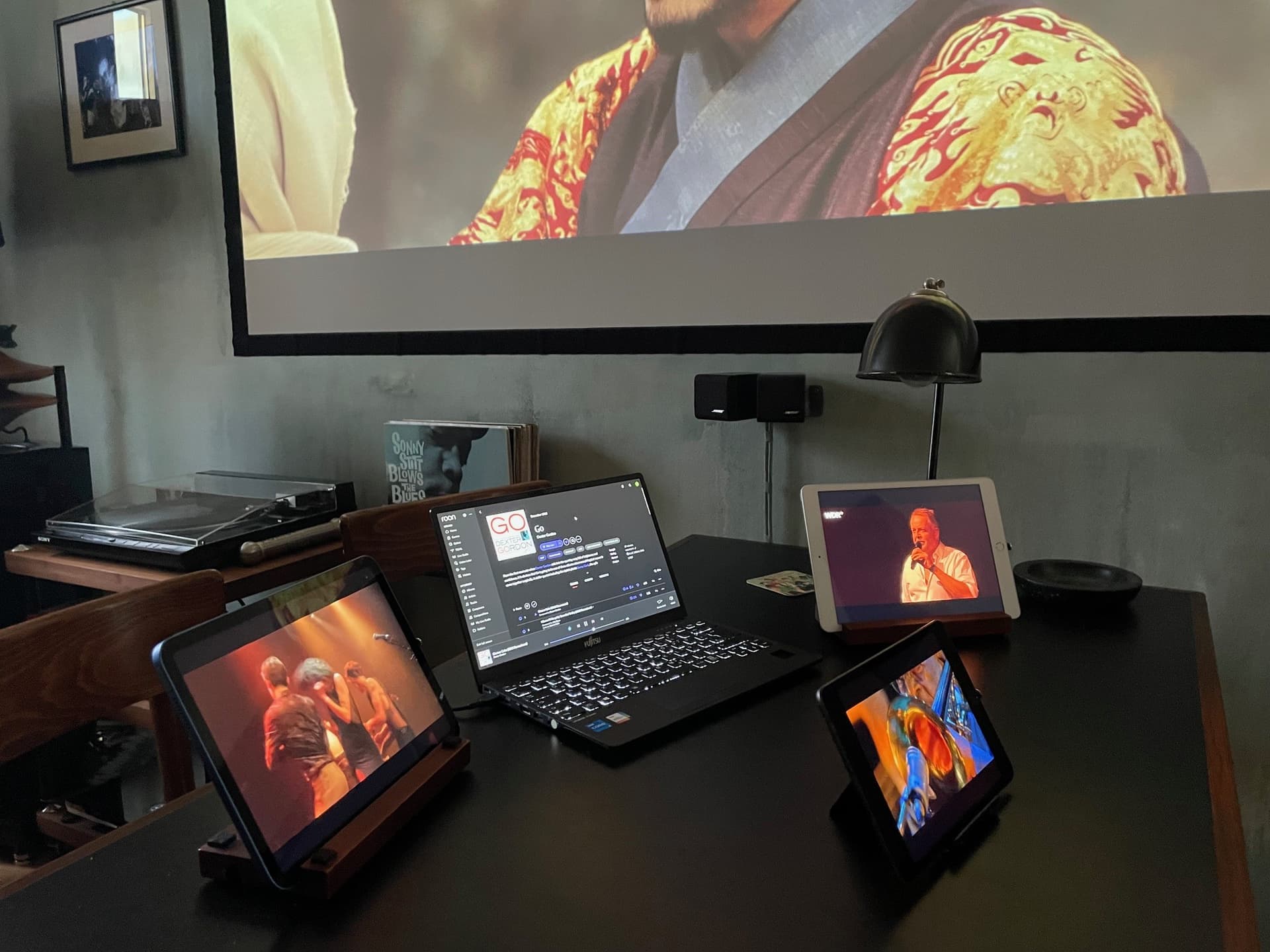
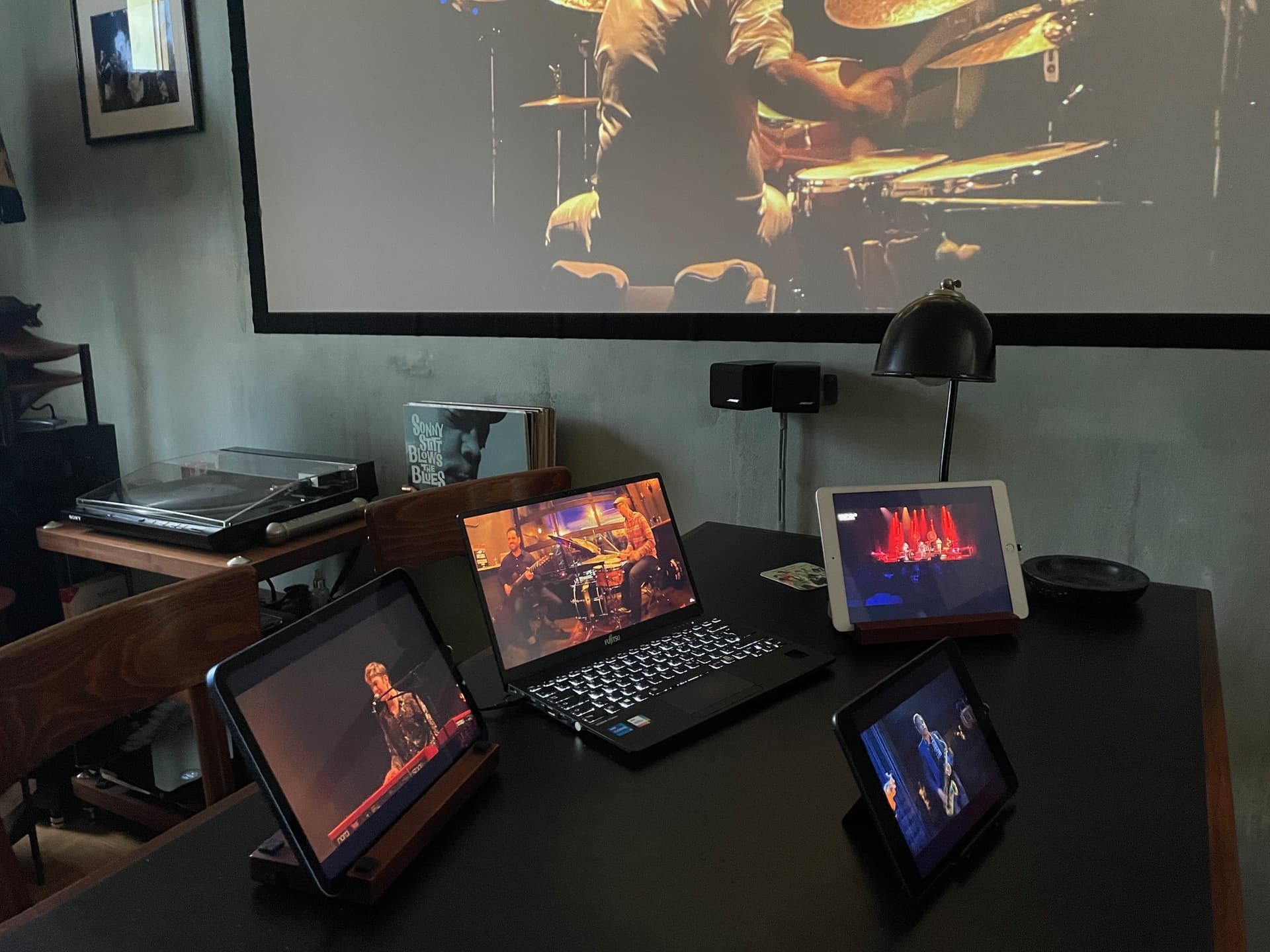
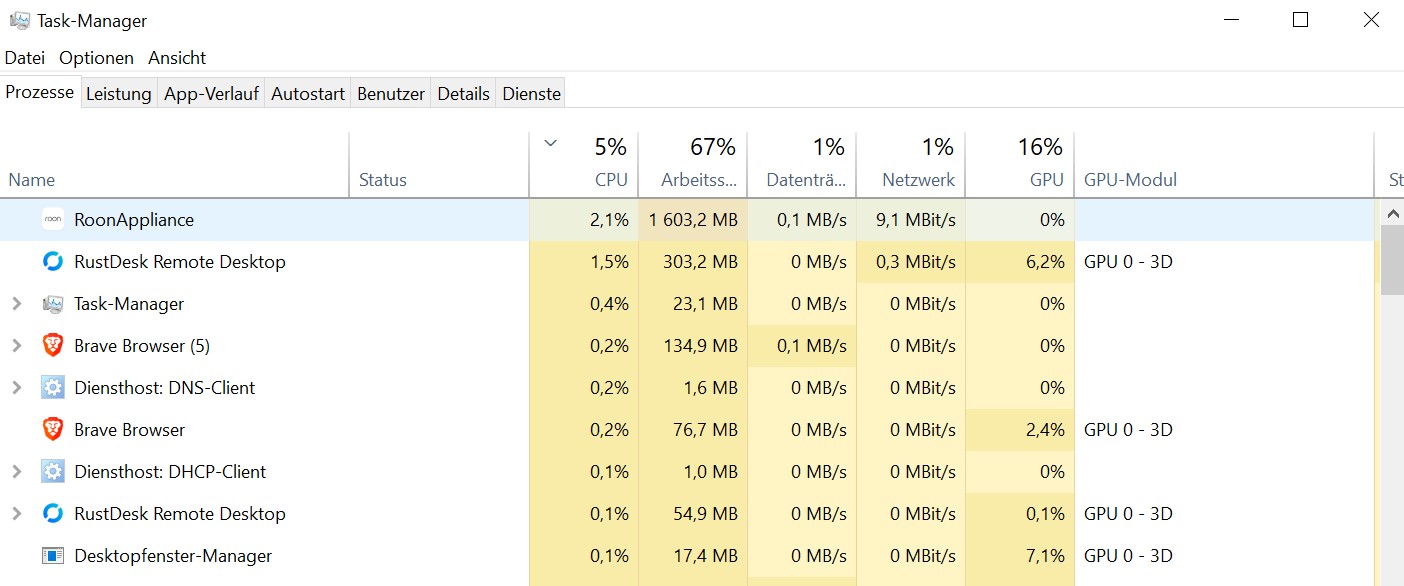
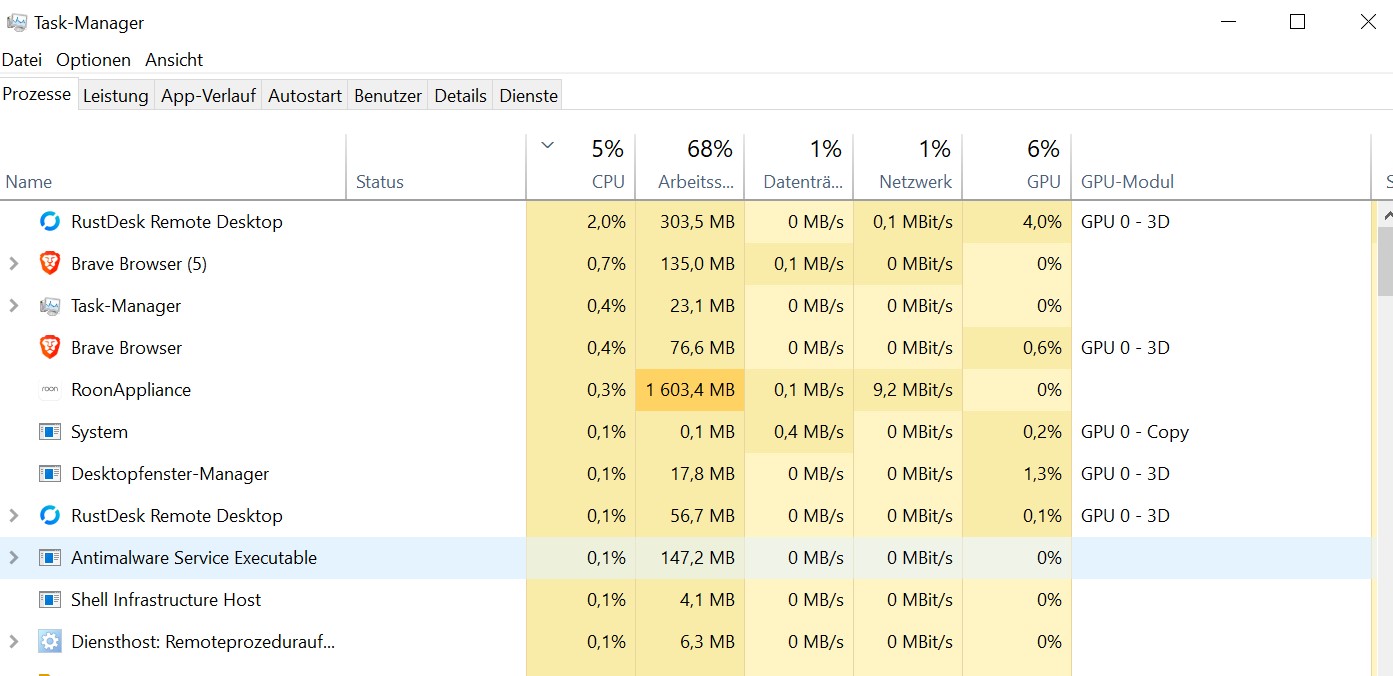
I did some performance testing for investigating the problem further. For this test I switched back to WiFi with my Devialet Amp. As well I turned on the Roon DSP again. I started Roon 192kHz 24bit stream from Qobuz (Dexter Gordon, Go) and started HD video streams at the same time on the Roon Server (cable), on the laptop running Roon remote (WiFi), on 3 iPads (WiFi) and the FireTV Stick (WiFi). This are 6 HD video streams at the same time with running Roon with 192kHz 24bit, and everything played smooth without any hiccups.
Here some screenshots:
Roon remote on laptop with 192kHz 24bit stream, the iPads running HD videos and the beamer video from FireTV Stick:
As far as I can see, there is no performance problem at all, neither on the Roon server nor on the network, even with DSP and WiFi.
To describe the problem more precise:
There are never any problems when Roon is playing, no matter which format or which connection or what else is running at the same time on Roon server or network. The “loading slow” error does only appear when I start an album or song, and it gets more and more likely as longer the uptime of Roon server is.
Edit: or maybe it gets more likely with duration of listening session, not sure as I restarted the Roon server always when occuring.
Since it’s only Qobuz playback causing you issues, I wonder if testing out a different DNS server via your router and Roon Server machine may help.
We have seen users have a better experience in the past if they change their Router’s DNS servers from the ISP provided ones to Cloudflare DNS, Quad9 or Google DNS. Can you please give this a try and let me know if it helps?
as I stated in my initial support ticket and later gave an example with date and time it is not only with qobuz but with local files too.
Joe_underscore
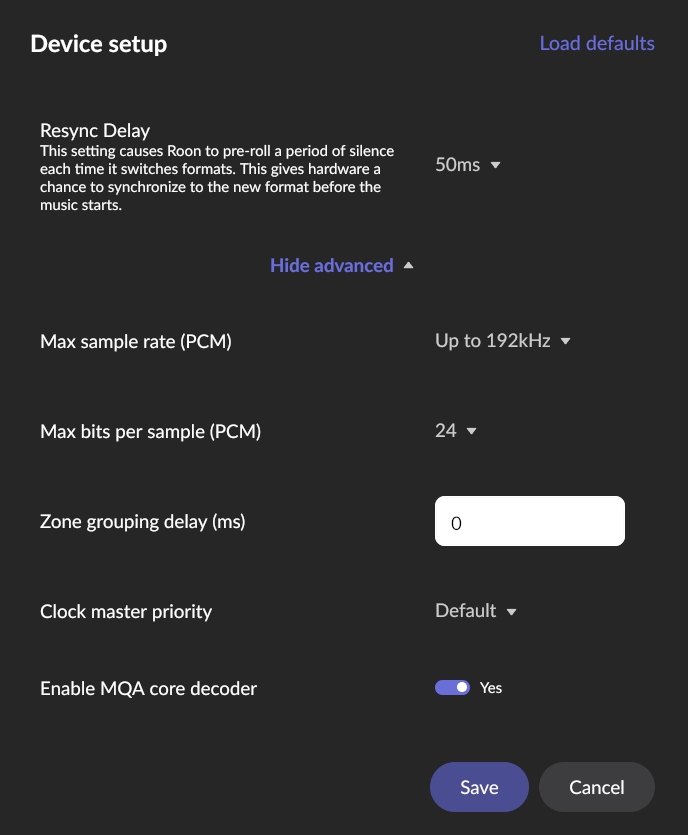
I started the Roon server before the testing and until now after hours of playing there is no problem. Maybe its the Devialet or the Roon ready implementation for it causing the problem. Can something in the device setting (e.g. “Clock master priority”) be relevant?
The specific error, slow media, refers to the file download itself to RoonServer’s buffer (ie. the throughput from Qobuz’s API), whereas the clock settings and Roon Ready both concern transport within your local network.
The other dropouts we see in logs are caused by sample dropouts between RoonServer and the Devialet endpoint.
Based on the setup you described above, you have the RoonServer machine and the Devialet still connected to separate switches.
Even if just for a temporary test, please try connecting RoonServer and the Devialet via ethernet to the same switch, or ideally, the main router. If your physical setup prevents you from being able to hardwire these units to the same router, then please try connecting RoonServer and the Devialet to the same switch temporarily.
Are any of the switches in your setup managed switches? If so, please ensure that any multicast forwarding options have been enabled. Please share the make and model of the switch(es) here.
Lastly, try testing with a Maximum Sample Rate of 48Khz imposed on the Devialet in device setup. Gradually increase the file size until you note dropouts.
The Devialet Amp is now on temporary ethernet cable directly connected to the internet router where the Roon server is connected too. The internet router is a Magenta Fiber Box with 300Mbit internet connection:
Internet Fiber Box Geräteinfo
Konform zur Standardspezifikation
:
DOCSIS 3.0
Hardware Version
:
5.01
Software Version
:
CH7465LG-NCIP-6.15.32p3TM-GA-NOSH
I have degradet the Devialet specification in Roon to 48kHz, I have turned off DSP processing.
This all did not help, still getting loading slow messages, last one: 13.10., 17:32, “Can’t Let Go”
As I start every single track now instead of starting albums or playlists, for testing reason, I get the error much more often.