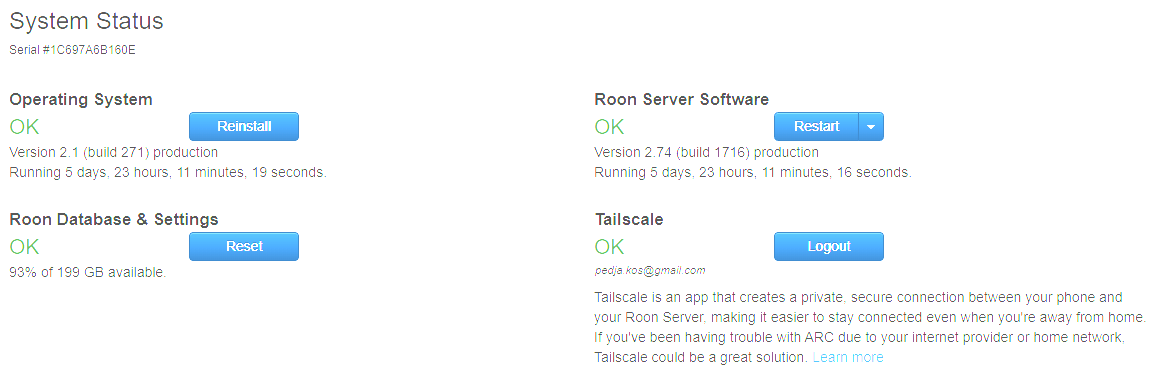
You already have the latest version of the Roon Server application.
The update referred to is probably the update to RoonOS - the operating system installed by ROCk which is used to host the Roon Server application in ROCK installs and Nucleus devices.
You can update to the latest version of RoonOS supported by your NUC by going to the WebUI and selecting ‘Reinstall’. This will either update RoonOS to version 3.0 or, possibly, leave it on version 1.0 (build 259) if your ROCk installation is using BIOS boot (which is not supported by versions of RoonOS after 1.0 build 259.
Be aware that there are currently some issues with RoonOS 3.0 causing boot loops if there is nothing connected on HDMI on some NUCs so you may want to delay any update to RoonOS.
Further updates, when available, to the Roon Server application can continue without issues even if you don’t update RoonOS.
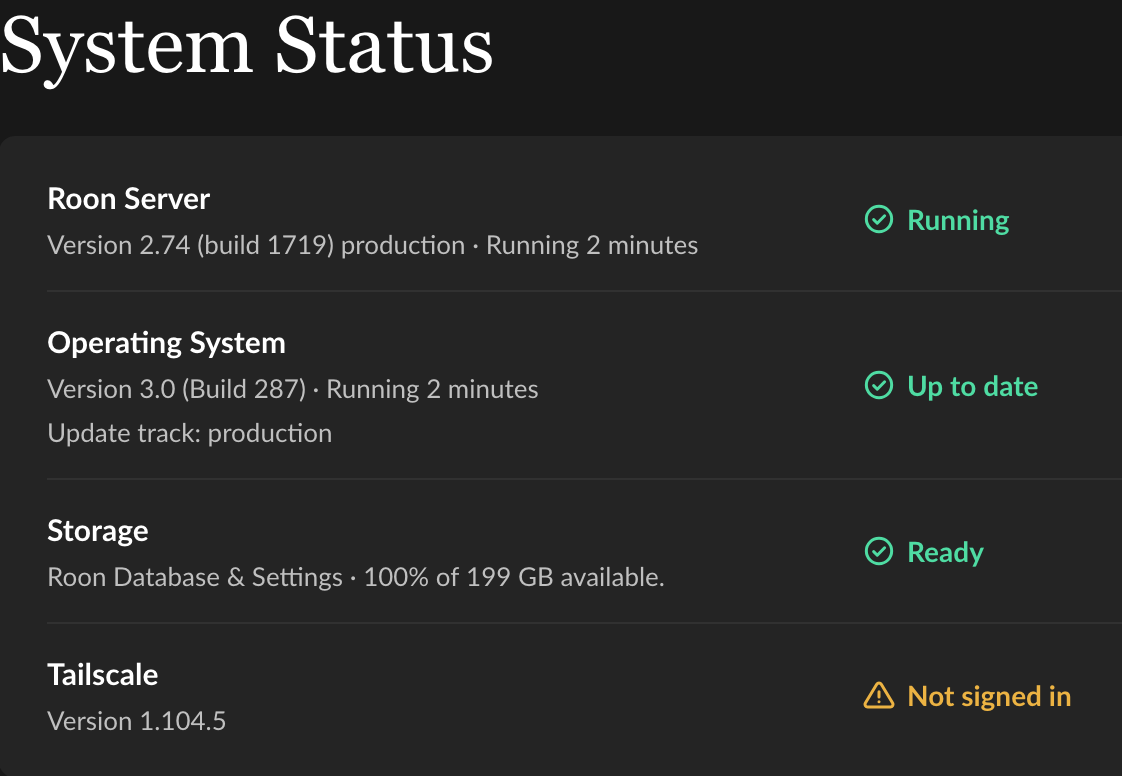
You upgraded the OS (RoonOS) to version 3.0. The Roon Server application would likely already have been at version 2.74 and remained at version 2.74 after the OS update
RoonOS is the Linux based operating system providing services such a disk IO and networking. The Roon Server application is, in principle, separate from the Roon Server application although, in the case of ROCK, they are both installed by the same installation package. Updating the OS does not necessarily update the Roon Server application (although, in the case of RoonOS, they can be) and updating the Roon Server application does not update the OS.
Updating RoonOS is broadly equivalent to updating Windows, MacOS or Linux on Roon Servers hosted on those operating systems.
It is not the BIOS version that determines whether or not you can upgrade RoonOS beyond version 1.0 build 259. It is the BIOS settings with respect to the Boot Mechanism.
If you want RoonOS 3.0, you do not need to update the BIOS but you will need to enter the BIOS setup and:
Enable UEFI boot
Disable Secure Boot
Disable legacy boot.
You can then use the ROCK install image written to a usb drive to reinstall the OS and Roon Server application. Since this will completely reformat your OS drive and thus destroy the Roon Database, you will need to make sure you have a known good Roon Database backup before you start.
Note: I believe the Rock installer will still install RoonOS 259 (or possibly even a bit earlier) and an earlier version of the Roon Server application since this is the last version supported with both legacy (BIOS) boot and UEFI boot. Once it is installed, you can use the ‘Reinstall’ button in the WebUi to update both RoonOS and the Roon Server application to their latest versions (3.0 and 2.74 respectively). You should do this before you restore the Roon Database from your backup.
Apparently some flag is set incorrectly. Can I clear the flag, if so how? If not what will happen when new update(s) are pushed, will it screw up my update?
You are on the latest version of Roon Server, but not the latest version of RoonOS (Roon Operating System).
Typically Roon Server and RoonOS updates are independent of each other.
You can stay on Roon 2.1 if you wish or update it to RoonOS 3.0.
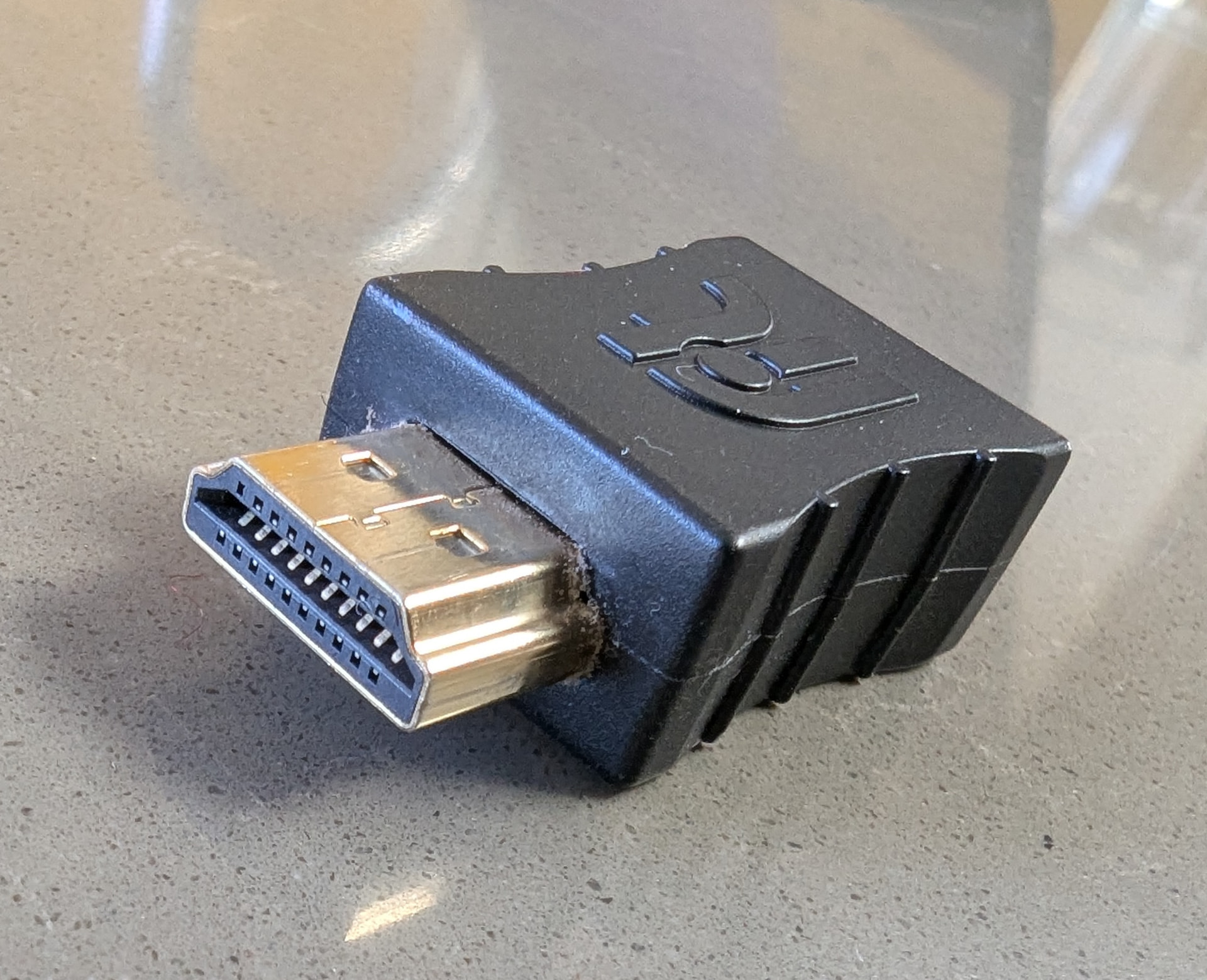
IMPORTANT: If you update you may need to add a HDMI dummy dongle or leave the NUC connected to a real monitor to avoid it crashing, Roon are aware and work on a solution).
If you stay on RoonOS 2.1 you will still be able to update Roon Server as and when future versions of Roon Server are released.
It’s been 18 hours since I updated to RoonOS 3.0 and the HDMI dongle/emulator (posted above) seems to be a solid solution. The NUC has been completely stable.
I’ll wait for fix as I don’t use, nor need HDMI. I’ll also review what else is in the ROCK 3.0 to determine whether it’s worth upgrading or not. As it is with current ROCK version it runs smooth, without problems.