Roon module for Home Assistant

I am having a problem creating an automation. I want to start Roon playing a radio station which is saved in My Live Radio “Rundfunk Berlin-Brandenburg: RBB Radio Eins” at volume 17.

When using the visual editor everything is working fine except the most (to me) important function media_player.play_media. It works exactly one time and then never again.

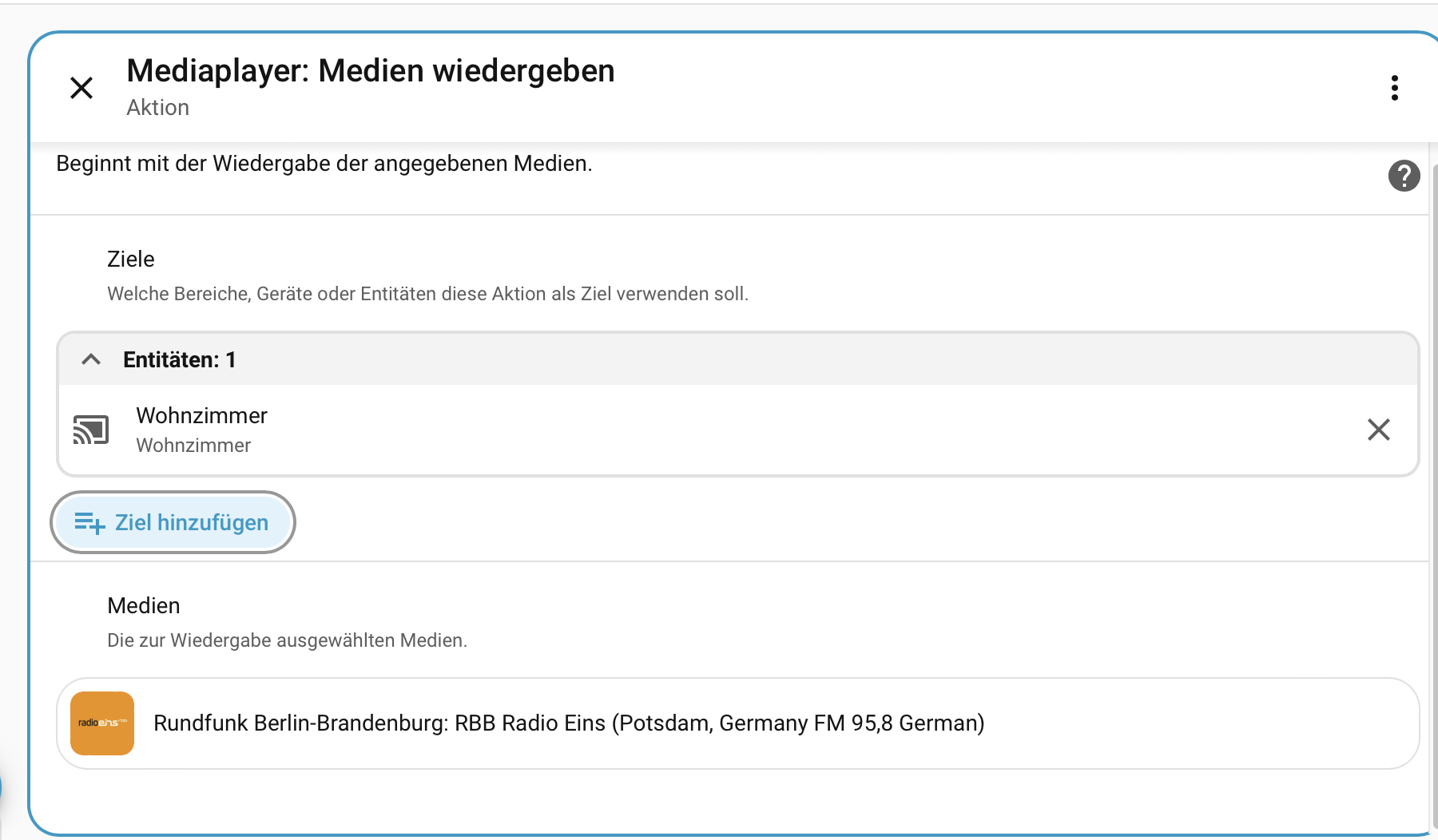
This is the visual editor:

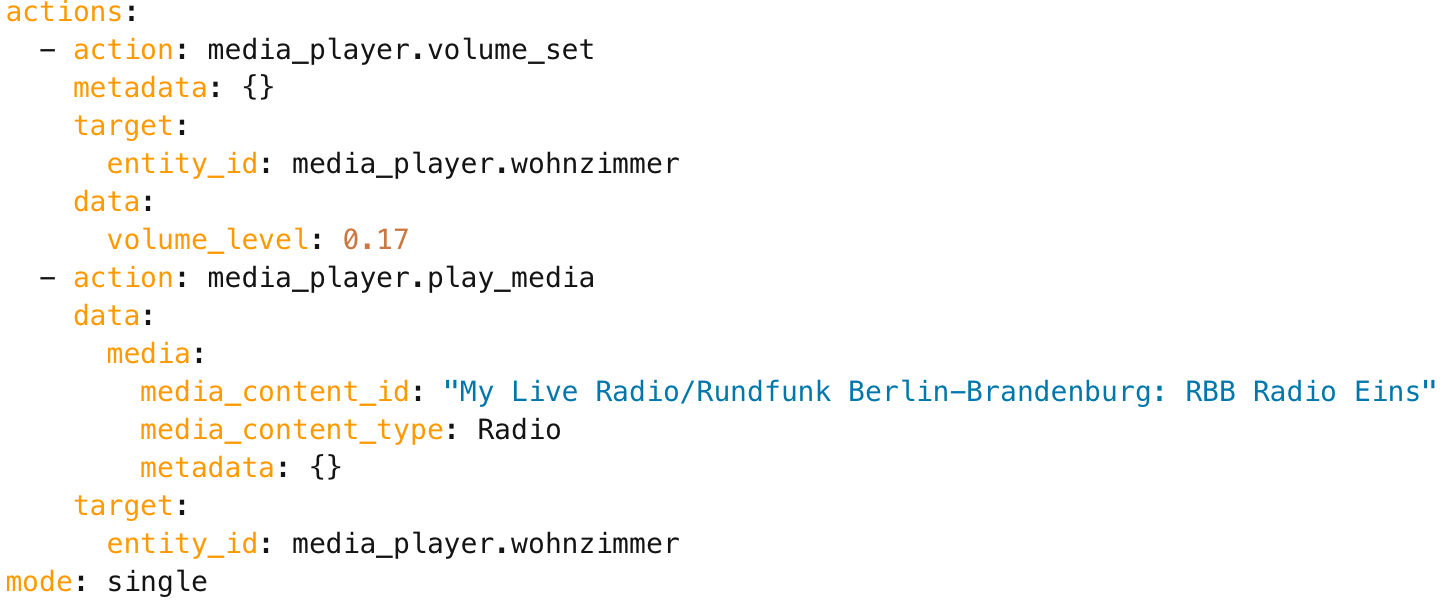
This is the associated yaml as being set through visual editor:

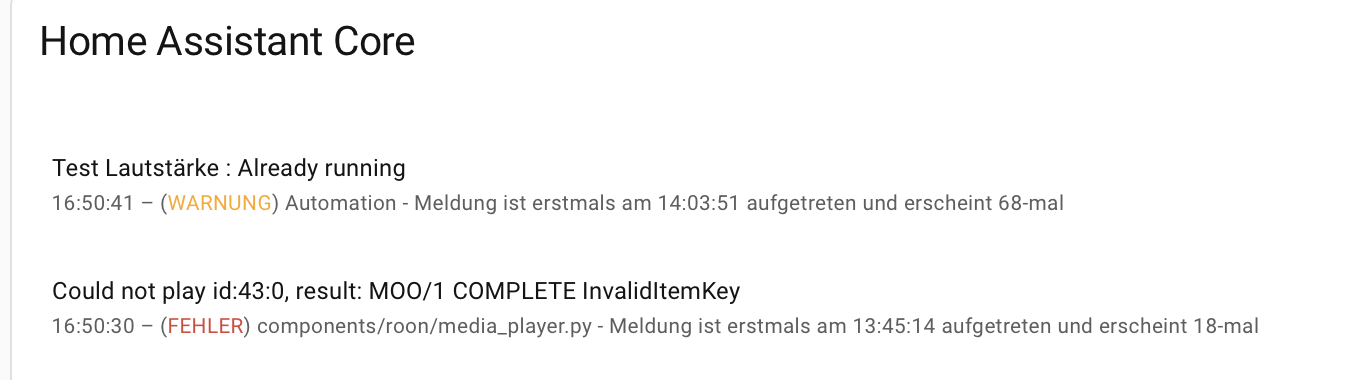
This is the protocol:

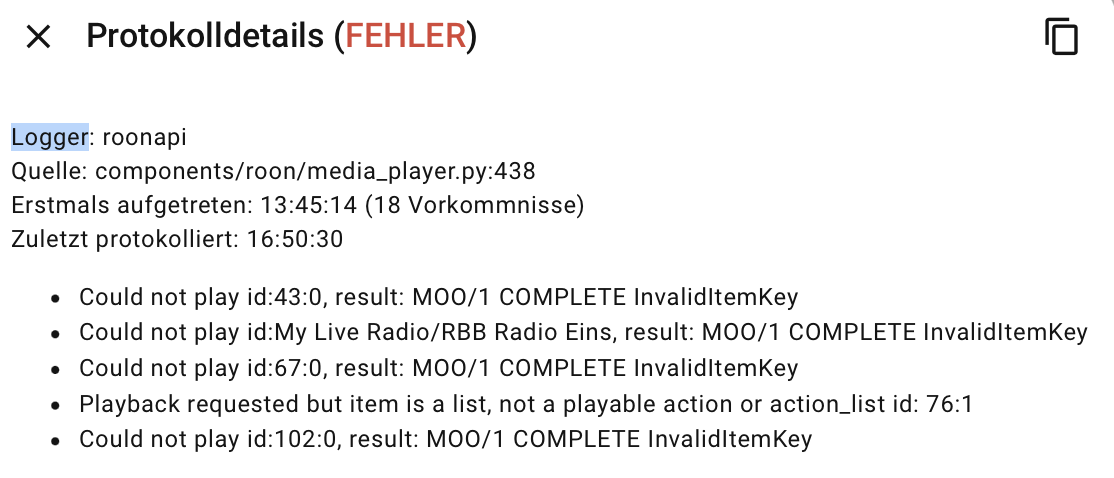
Protocol details:

I was spending several hours trying this and that, googling, asking chatGPT and so on.

Is this a bug affecting media playback? Or do I something wrong? I guess not, because changing volume, stopping and so on work as expected.

Roon media players in home assistant can’t understand the media ids used by other home assistant media players because roon doesn’t use unique media ids

You need to specify a path as described here

(And as usual ChatGpt makes guesses and is wrong!)

I have the RoonLabs music player installed and configured in HA and I have my Roon Core enabled and all the zones setup, including the ones that allow Roon to control the volume. I have tested it with various endpoints, and all is working. My question is what do I need to do next to get a dashboard/UX so that I can make it really useful when using just the HA interface. My ultimate plan is to get Josh.ai configured to send voice or event generated triggers to Roon, so I can control Roon as part of a scene (e.g., different lighting, shades, fireplace, and music selection for different times of day or different moods). But I want to take it a step at a time, so I want to get all of the appropriate controls setup in HA first and let that burn in for a while to make sure they are what I want before moving to the next step. Any advice on next steps?

Dashboards are pretty much a personal preference and I’m almost certain it’ll evolve over time. You’ll see a bunch of examples further up this thread.

I see you’re planning to use other integrations to start music, but I’d say that in general starting music from within HA isn’t great… I use an HA dashboard for everything after browsing and starting my music in Roon.

1 Like

Thanks Greg,

I was finding your explanation a little later after writing my post. I think I was trying 20 different variations, but was not successful. I will give up at this point and I will stay with macro.on. With this Roon extension it‘s absolutely easy to choose a favorite radio station from a dropdown menu and to connect it to Home Assistant via rest_command. Unfortunately the connection of Roon and macro.on is not stable. I have to restart the docker container once a week. This is the reason I wanted to switch to do it in Home Assistant.

Asking Claude.ai was giving the right hint and it is working now.

1 Like

I’m amazed, and willing to eat some humble pie!

Hello everyone. I have also started to play around with HA and Roon.

The first little automation i created is a a simple start playing something when I get back home, using my phone geo location.

I am trying to achieve what I thought would be a simple shuffle all my library, but I can’t figure out how to do that. In Roon I simply go to library Albums and then choose the shuffle option.

With HA since the media ids are unique I don’t know how to do it… Any suggestions?

My attempt to play anything randomly from the entire library just played a single track, so I’m not sure you can do this.

This is pretty close (play randomly from a genre).

sequence:
  - action: media_player.play_media
    data:
      media:
        media_content_id: Genres/Jazz
        media_content_type: music
        metadata: {}
    target:
      entity_id: media_player.bathroom
  - action: media_player.shuffle_set
    metadata: {}
    target:
      entity_id: media_player.bathroom
    data:
      shuffle: true
  - action: media_player.media_next_track
    metadata: {}
    target:
      entity_id: media_player.bathroom
    data: {}
    enabled: true
alias: Jazz Random
description: ""

I think from previous experiments play_media turns off shuffle, so after starting to play, this turns on shuffle, and skips to the next track (so it doesn’t always start with the same track)

Hope this helps.

This will work…

sequence:

action: media_player.shuffle_set
metadata: {}
target:
entity_id: media_player.wiim_pro
data:
shuffle: true

action: media_player.play_media
data:
media:
media_content_id: Genres/Jazz
media_content_type: music
metadata: {}
enqueue: play
target:
entity_id: media_player.wiim_pro

delay: “00:00:02”

action: media_player.repeat_set      # ← aggiunto
target:
entity_id: media_player.wiim_pro
data:
repeat: all
alias: Jazz Random
description: ‘’
mode: single
icon: mdi:music


(Moderator I hope linking to my trade offer is OK, my offer isn’t very commercial - and what I’m offering is likely most useful to the people who read this thread - obviously delete if not appropriate).

I’m offering for trade my IKEA remotes which work well with roon via Home Assistant if anyone is interested.

I’m switching to the Hue Tap Dial controller with a blueprint from @gTunes because my wife prefers them.

1 Like

In case anyone is interested I thought I might add some more detail about switching from my old multi-room system.

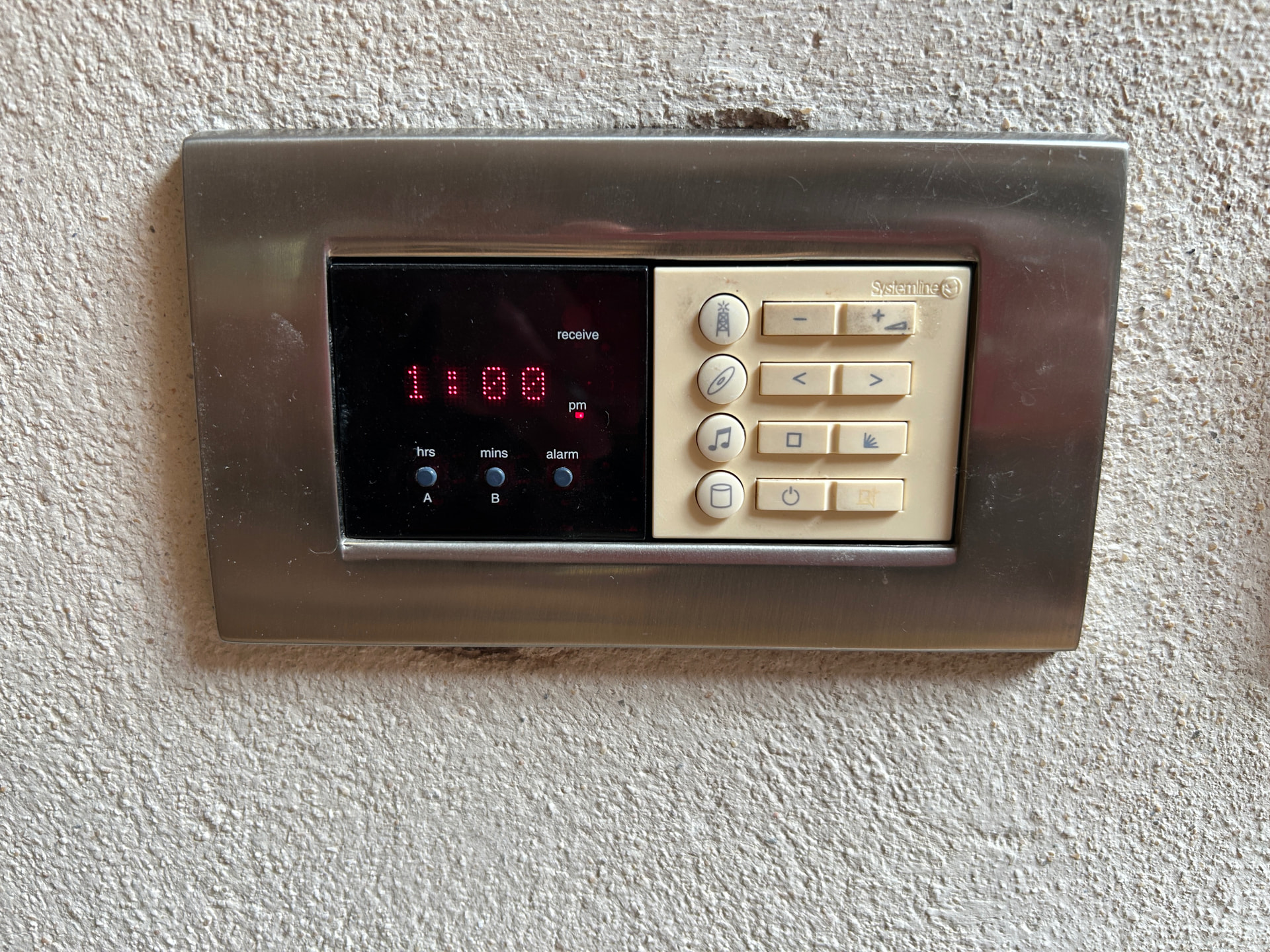
This was installed when we built the house 24 years ago. Speakers in 5 rooms were wired to a single location, with control pads in each room that allowed you to control a CD player and a radio (as well as select 2 other sources).

You can see a controller here

Over the years I used IR remotes and multiple Ropieee zones to turn this into a roon based system. At least partly successfully.

But we’re now planning an extension - and it seemed the time had come to switch to a proper Roon system.

I replaced the old multi-room controller with two 4 zone roon ready Marantz M4s (I need 6 zones including the yet to be build extension).

However there were still two problems to solve.

1 How to replace the on wall controllers

2 How to replace the built in radio alarm

1 Wall Controllers

Home assistant via Zigbee does a pretty decent job of the control actions we needed - but my attempt to use an Ikea Symfonisk controller mounted using a 3D printed wall mount worked, but was very ugly. My wife hated it.

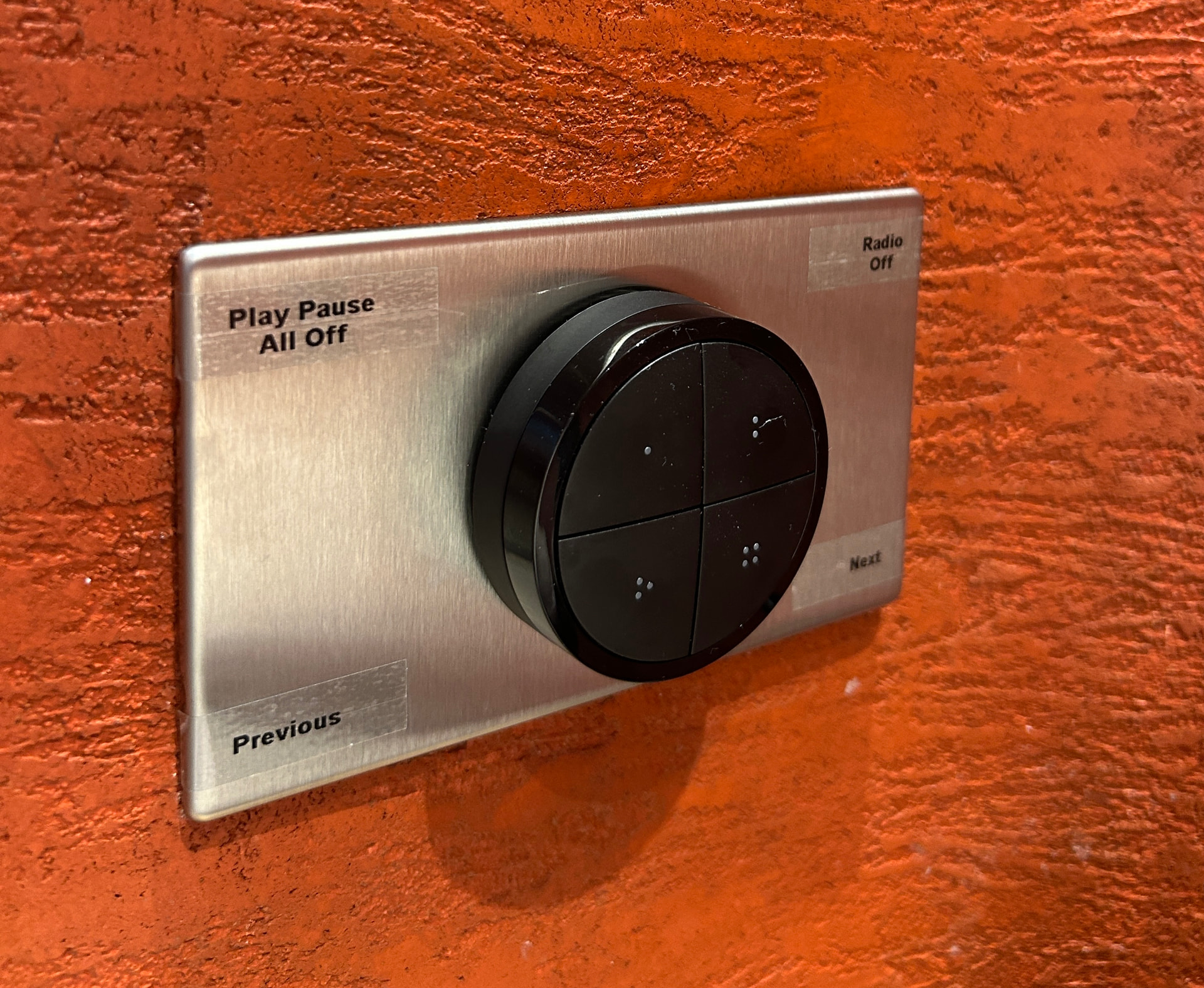
I eventually found a stainless steel blanking plate looked Ok with our wall switches, and we mounted a Philips Hue Tap Switch on it.

It actually looks pretty good

This allows us to play our favourite radio station, change volume, turn off everything etc.

Thanks to @gTunes for the HA blueprint, which is really good.

2 Alarm

I considered all kind of things here (including building a custom HA alarm clock), but finally realised my wife had switched to use her phone as her alarm anyway. So I used an IOS shortcut to trigger a Home Assistant script when the phone alarm went off. This works really well.

it partly matters because one of my longest standing home assistant automations also opens our blind (6 minutes after the alarm goes off) and turns on a light in winter when it’s dark.

So 4 weeks all is good!

I have stripped out a lot of home assistant automation code that was trying to make the old system roon ready!
2 Likes

I’m glad the Blueprint’s working well for you! I do love these little controllers.

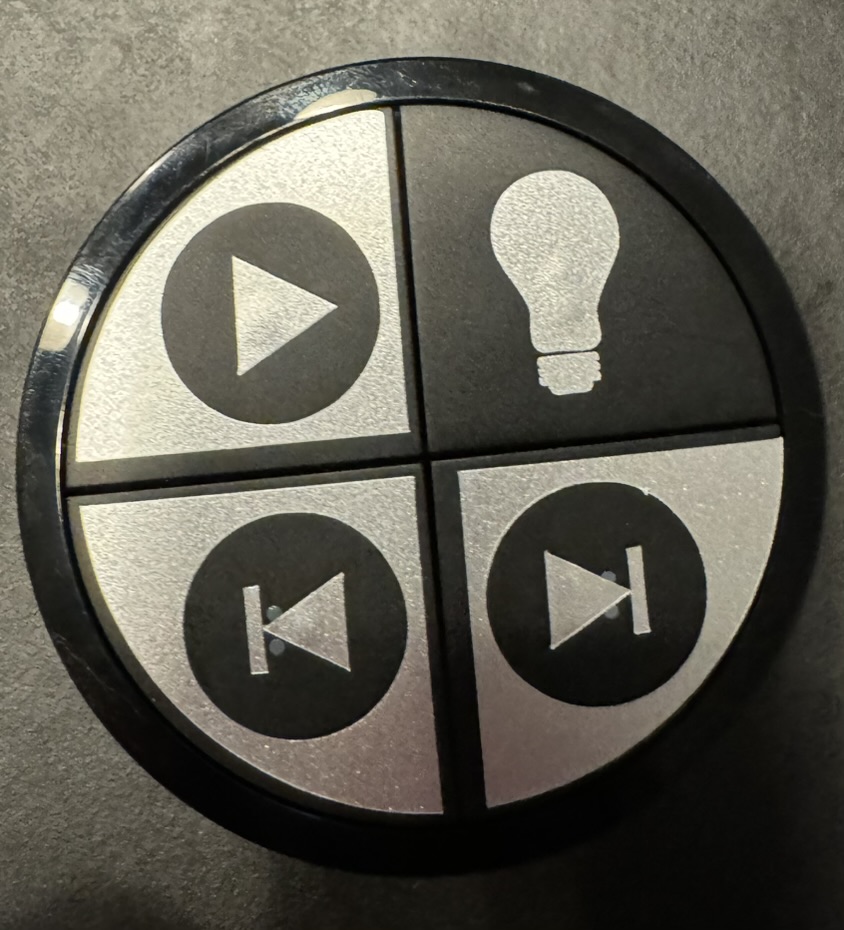
The one outstanding frustration for me is fact that the buttons just have little nubbins on them for identification. I’ve modified mine with stickers that created and print on a Cricut. It’s a pain to apply them but I like the outcome and the stickers have held up now for quite a while.

If you decide you want to play with it, I think I can share the template but you’d need a Cricut.

1 Like

I am having no luck getting ‘Tags’ or ‘Playlists’ (either standard or smart) to work with the Roon module in Home Assistant. I even went as far as going the RoonCommandLine route and that won’t find or play ‘tags’ or ‘playlists’ either. My tags are shared. If I create a playlist in Qobuz - that does work. Zones, albums, radio - that works.

Any help would be greatly appreciated.

Firstly take a look in the HA log, if a play command fails there should be a useful error.

Smart playlists don’t work via the roon api.

I think some playlists are user specific - and by default the HA integration just uses the default user. So that might be the issue.

You could try the HA media browser and see what playlists you can view there.

There is a hack for changing user - you should be able to find it here - but can did out the post if that is the issue.

But first check these logs…

PS RoonCommandLine uses the same underlying python library and so works in a very similar way.