Roon: Toasted: wrap Roon in your own look, weekly discover playlists, now-playing toasts, a taskbar widget and more

Hey everyone,

I’ve been working on a side project for a while and it’s finally ready to share. Roon: Toasted is a free, lightweight Windows app that pops up a now-playing toast whenever the track changes, can put album art and play controls right on your taskbar, and gives you a full player at the press of a hotkey, all without switching to the full Roon app. I know there are already some great apps like this out there. I mainly built Toasted as a companion to Roon: Dialed Up, my Stream Deck plugin, so the two work together seamlessly, but it works just as well on its own.


Here’s what it does:

The Toaster

A small player that opens from the tray or a hotkey (Ctrl+Alt+Z by default) and goes back to the tray when you’re done.
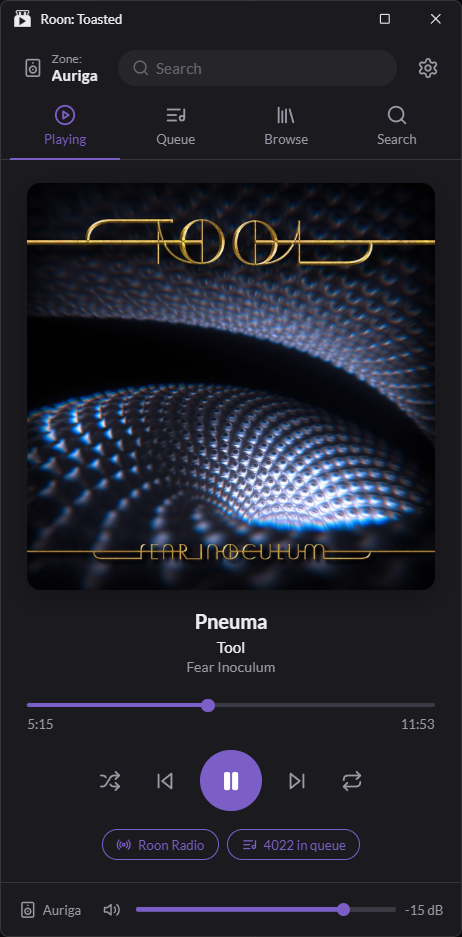
The Toaster|300

  • Playing, Queue, Browse and Search tabs for any zone, with playback, volume, shuffle, repeat, Roon Radio and a zone picker.
  • Quick search: a second hotkey (Ctrl+Alt+S) opens it ready to type.
  • Hearts & Library (experimental): heart the playing track or album, or add a song or album to your library.
  • Audio quality light (experimental): Low Quality, CD Quality or Hi-Res, as Roon receives what’s playing.
  • Auto-Hide: it tucks itself away when you click elsewhere, or stays on the taskbar if you prefer.

Toasts

A “now playing” toast whenever the track changes. Click one to open the Toaster.
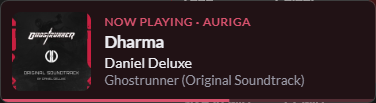
A now-playing toast|376

  • Pick the corner, the monitor and how long it stays (2 to 30 seconds).
  • They stay out of the way of full-screen games.

Taskbar Widget (experimental)

A mini player on your taskbar with album art, title, artist and play controls.

The taskbar widget|319

  • Choose the side, position, width and one or two lines of text.

Everywhere

  • Album Art colors: everything can take its colors from the album that’s playing.
  • Main artist only: tracks with a long list of supporting artists show just the main one.
  • Tray menu with quick switches for the Toaster, the Wrapper, the Taskbar Widget and Toasts.
  • Updates itself: new versions show up in Settings, one click to install.
  • Starts with Windows and finds your Core automatically, with a manual IP and port if your network needs it.

Download: Releases · Vulkandr/roon-toasted · GitHub

I’m also putting together a website soon, and the downloads will be available there too once it’s up.

Stream Deck users: Roon: Dialed Up has two buttons that open the Toaster, either as a player or straight into search. More on the plugin in its own post: Roon: Dialed Up, a Stream Deck plugin for Roon

A few things to know:

  • Windows only for now (tested on Windows 11)
  • It isn’t code signed yet, so SmartScreen may warn you the first time you run the installer
  • Roon’s extension API has its limits, so there’s no signal path or audio quality info, and the queue can’t be reordered
  • The experimental features use parts of Roon that aren’t officially supported, so they could stop working after a Roon update. If they do, they hide themselves rather than break anything

For developers: the hearts and library features come from roon-library-controls, a small open-source TypeScript package (MIT) I made so other Roon apps can heart tracks and add to the library too: GitHub - Vulkandr/roon-library-controls · GitHub. Toasted runs its own Rust version of the same code, so if you want to see what it can do before using it, Toasted is the easiest way to see it in action.

It’s still early days, so there are plenty more updates to come. Feedback, bug reports and feature ideas are all welcome, here or on GitHub, no matter how small. Hope some of you find it useful!
2 Likes

Update: 1.2.0, introducing Roon: Wrapped (experimental)

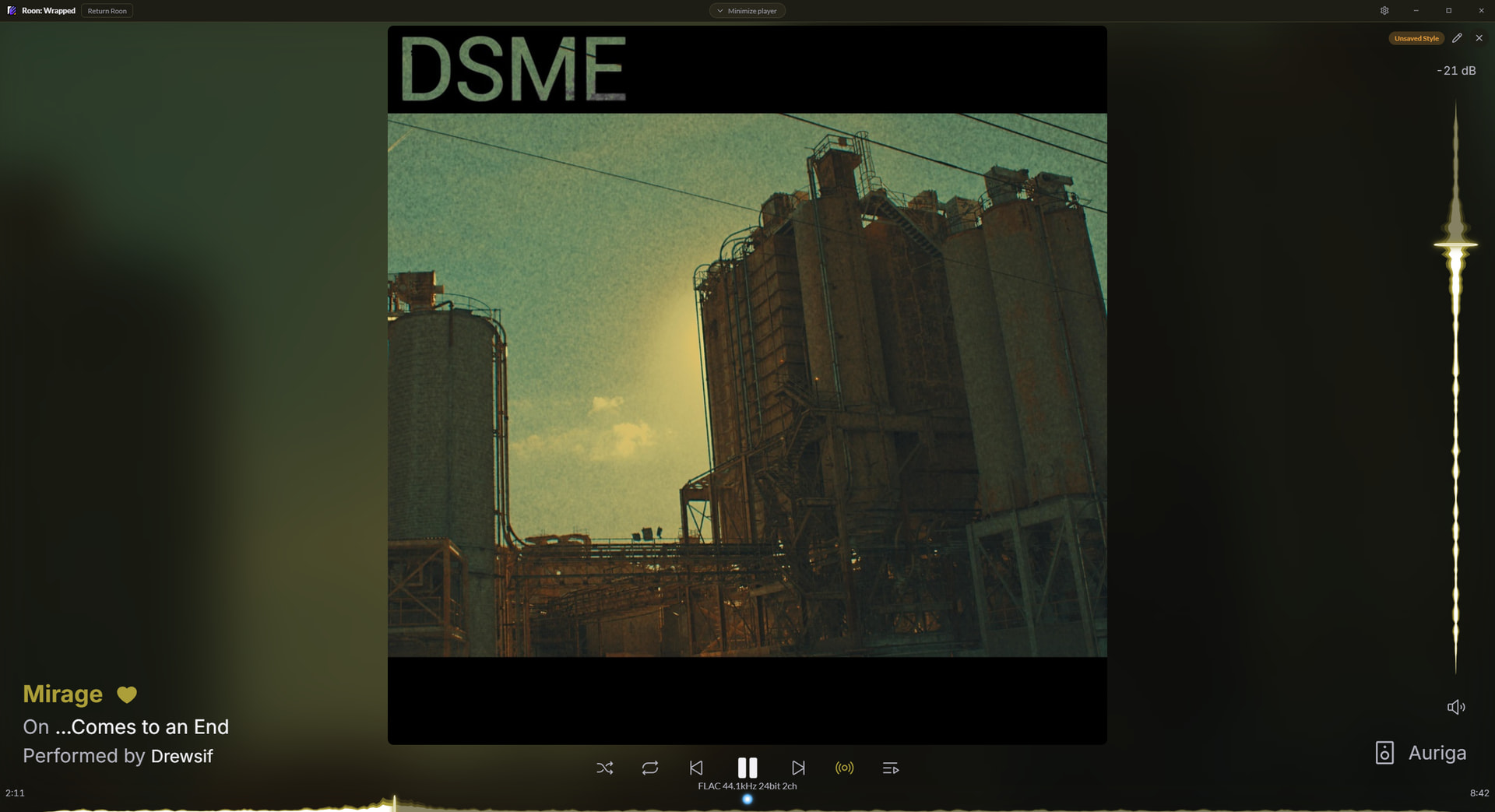
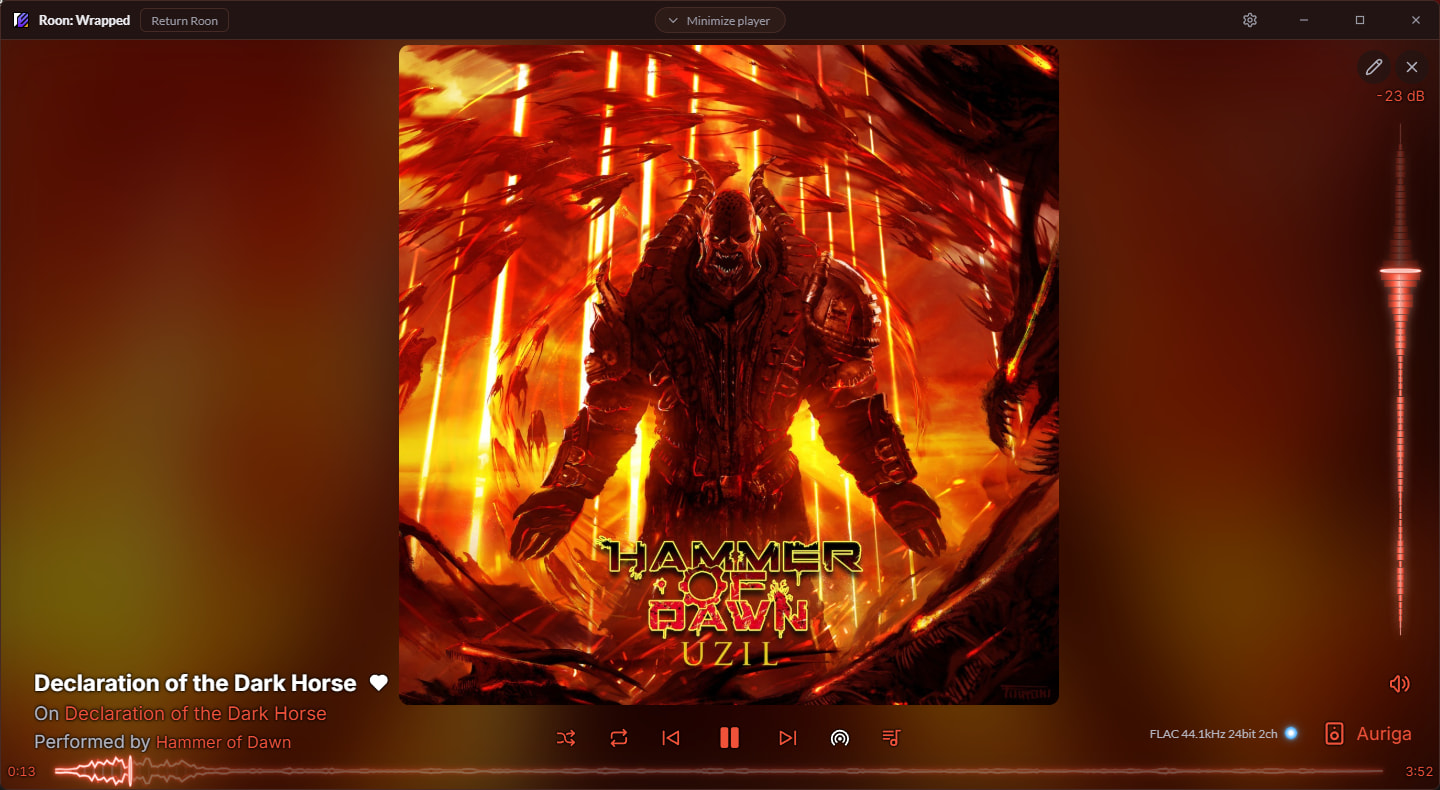
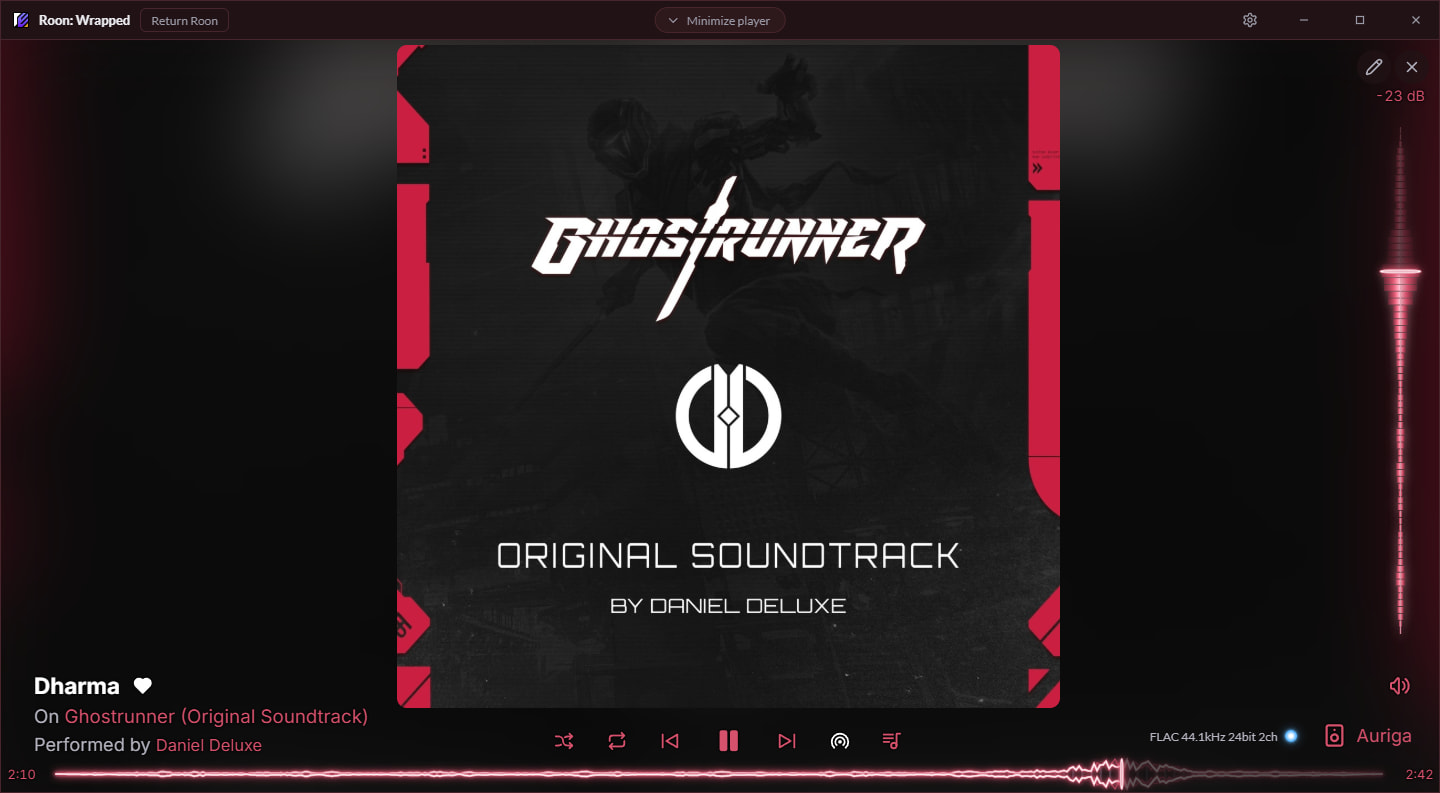
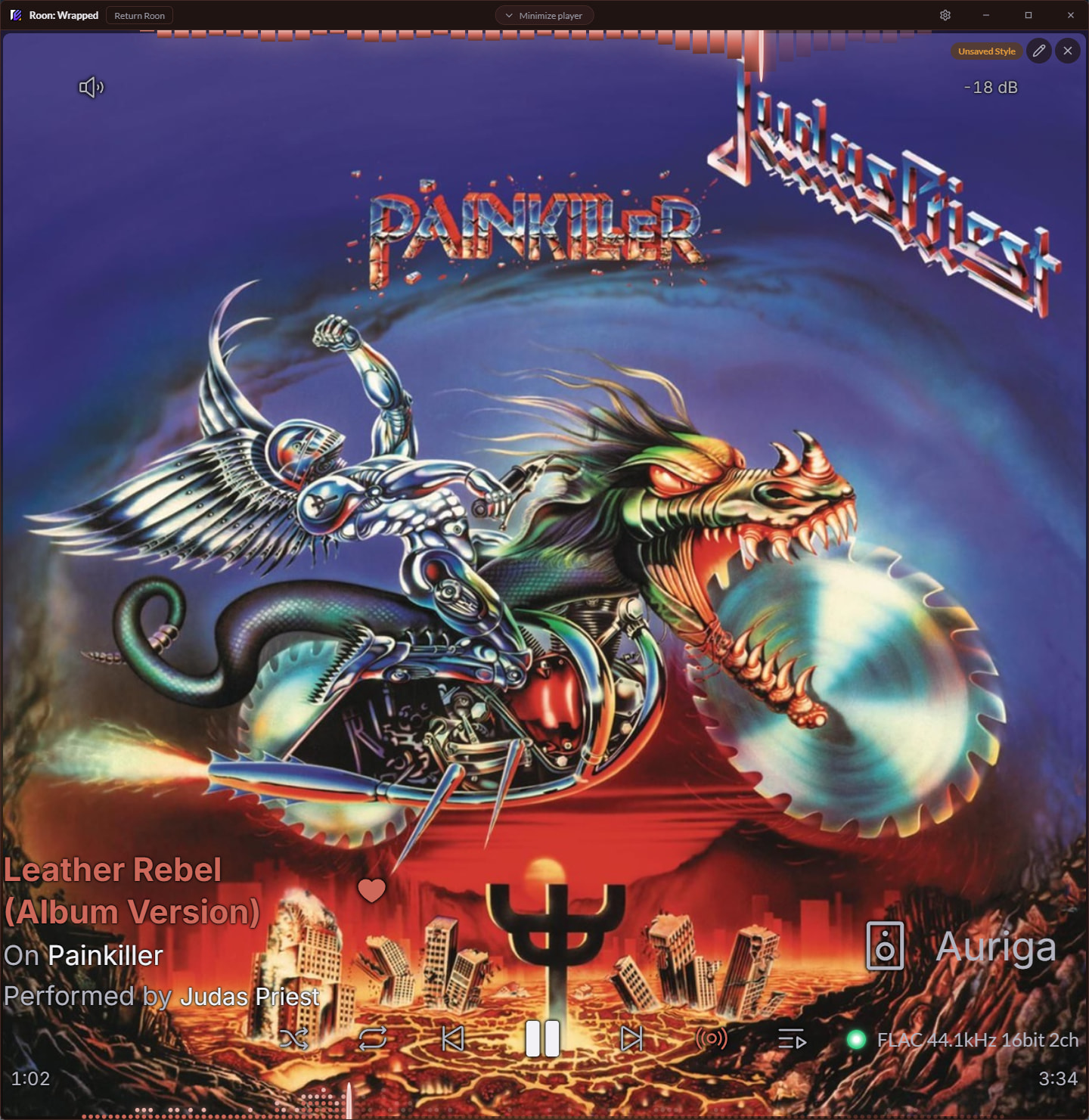
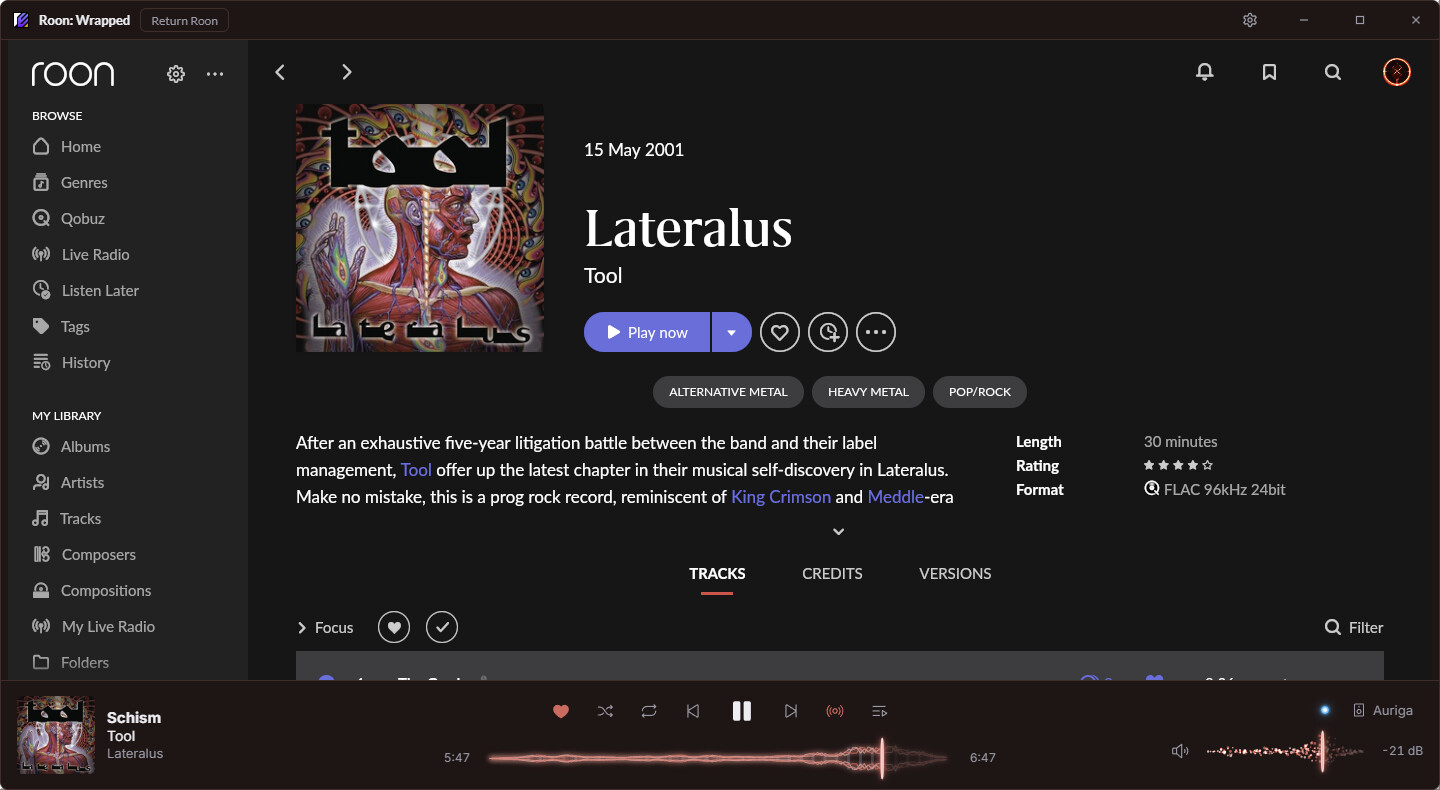
The biggest update yet. Roon: Wrapped puts the Roon desktop app inside a Toasted window, so you use it as Roon itself, but with a look you design.

It isn’t a remote or a stripped-down player. It’s your actual Roon app, running inside. Browse, your library, Qobuz and TIDAL, Roon Radio, DSP, settings: everything Roon does is right there, exactly as you’re used to. What changes is everything around it.

Now Playing, your way

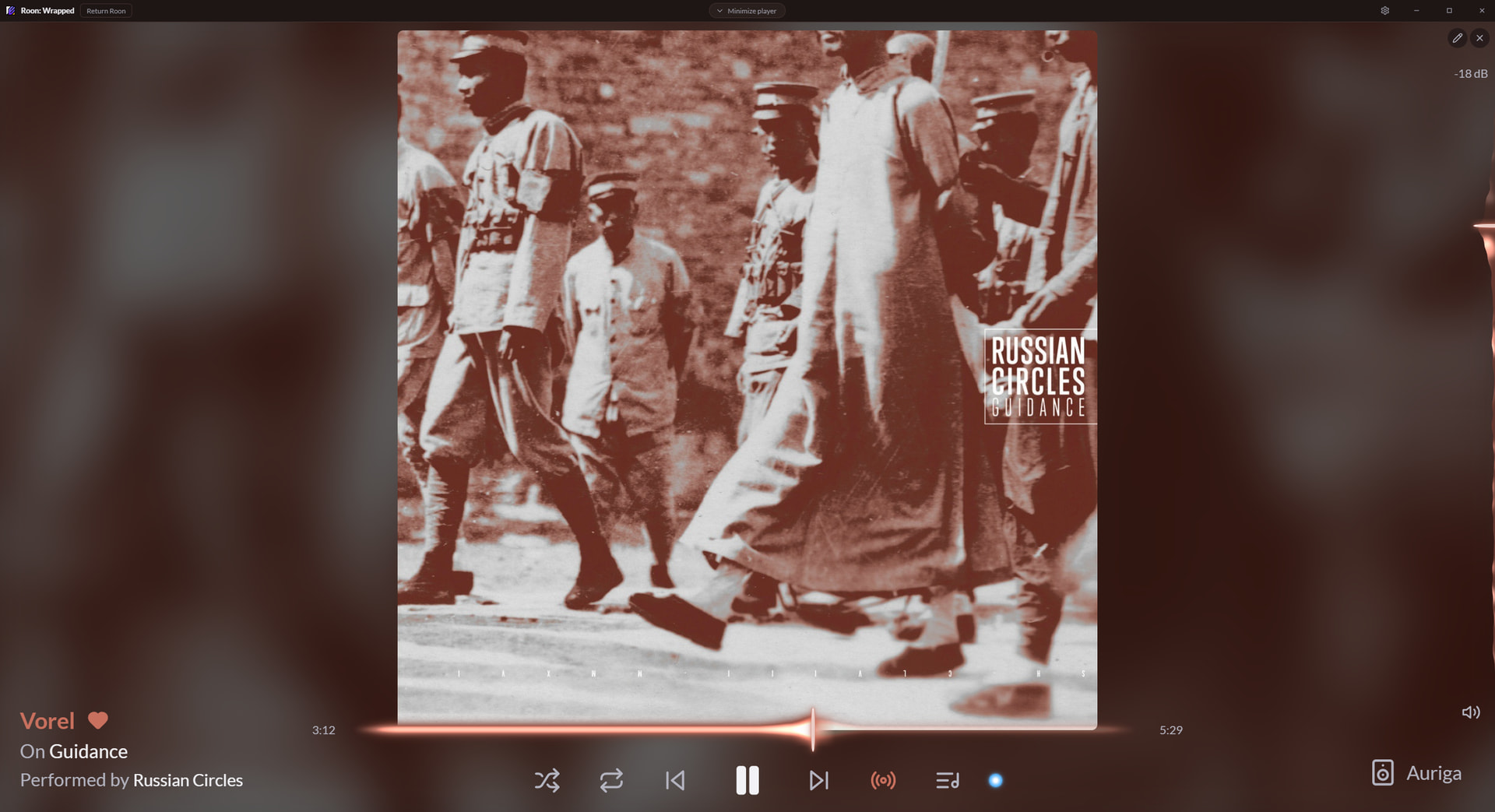
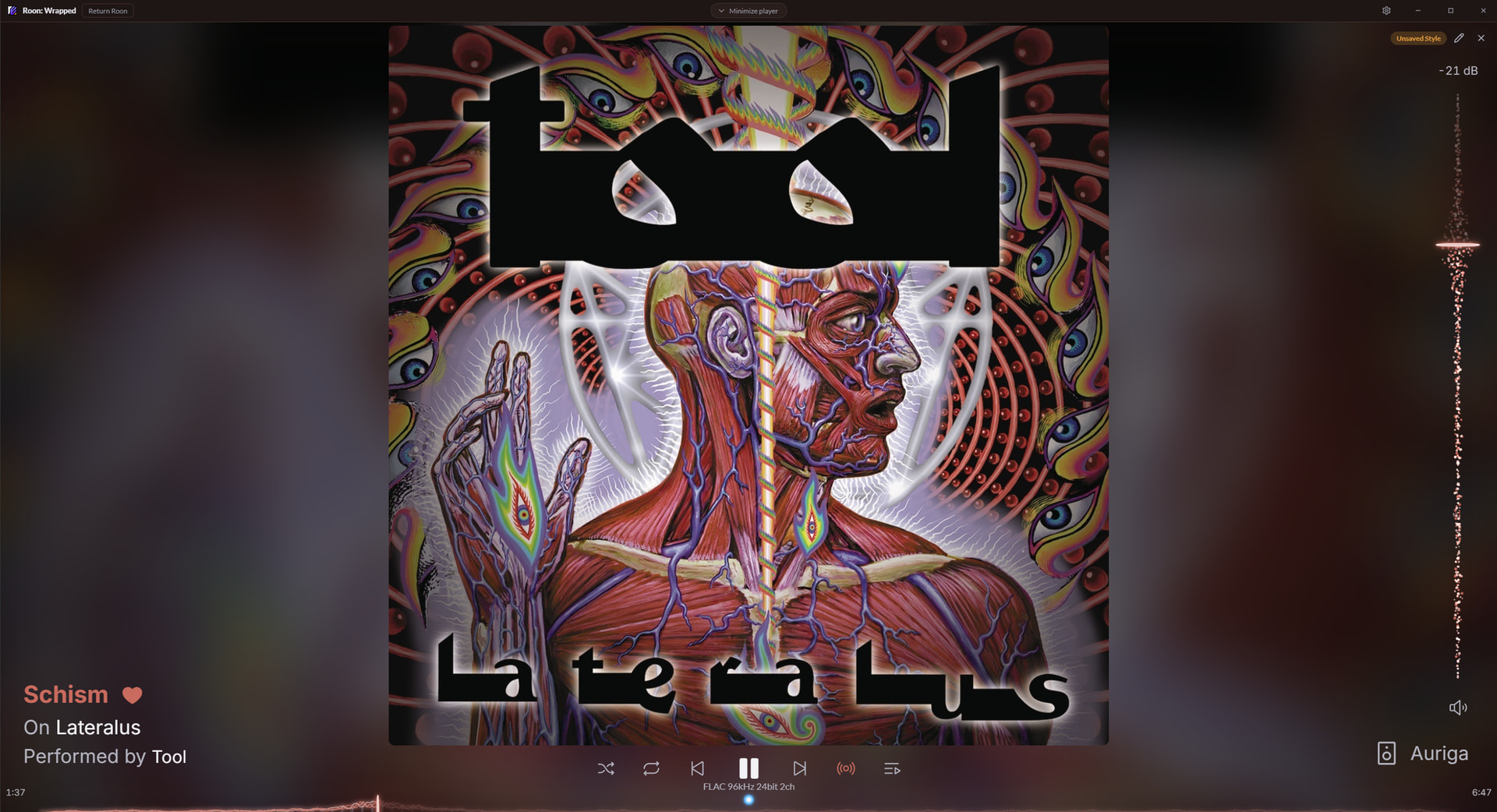
Click the album art in the player bar and Now Playing fills the window. Hit the pencil and it’s yours to design.

[Image: Now Playing, full window]

  • Move and resize every piece: album art, track info, controls, seek bar, volume, zone and the audio quality light, anywhere on the screen.
  • Fonts, icons and colors: a font for each piece (bundled, or any font on your PC), five icon packs, outlines or glows for text and icons, and colors from the app, from the album that’s playing, or your own.
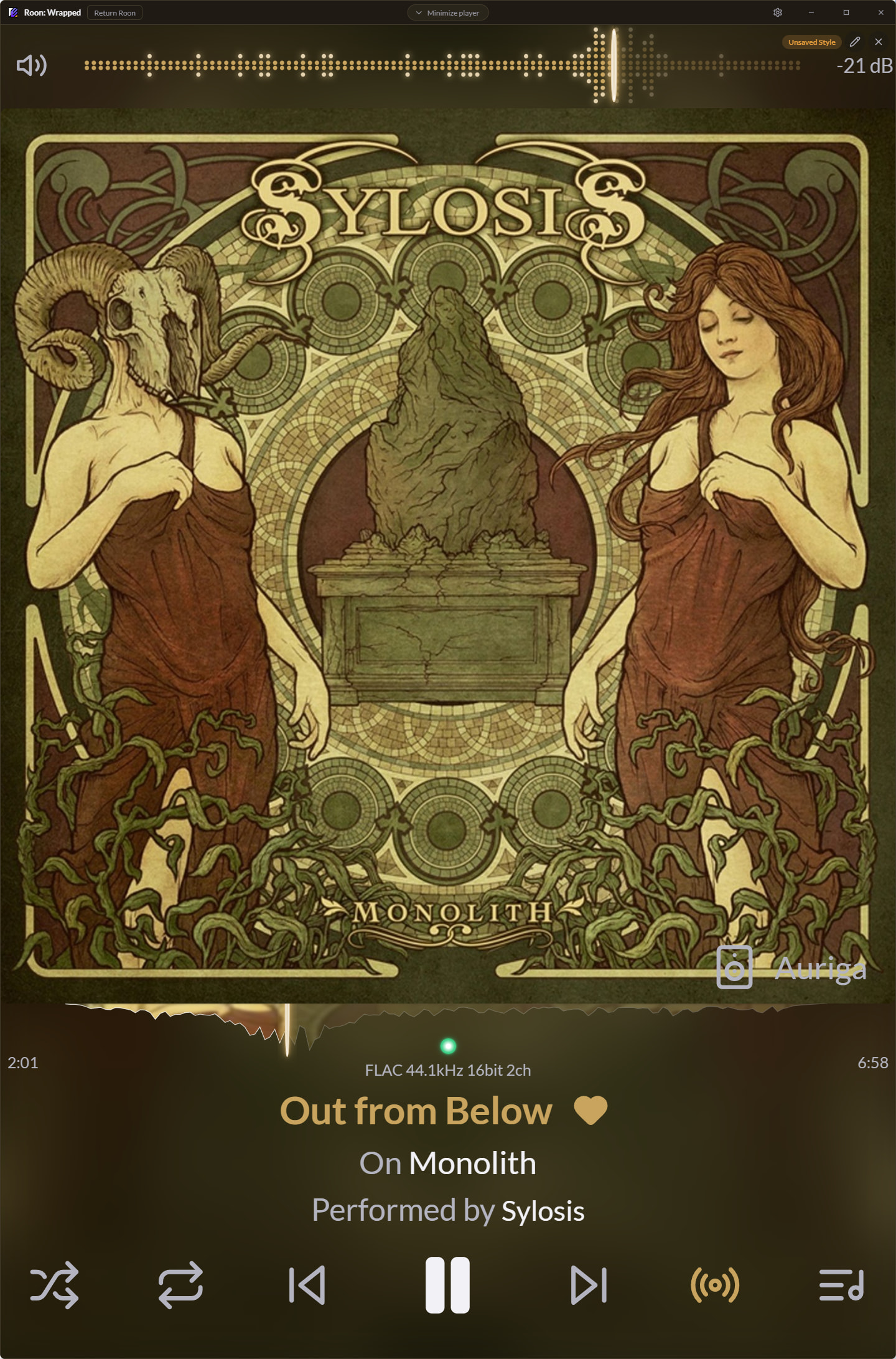
  • Animated bars for seek and volume: Wave, Spectrum, Beam, Glow line, LED meter, Ribbon, Neon tube, Mountains, Particles, Plasma and Album art, plus the classic Line, Thick, Hairline and Segments.
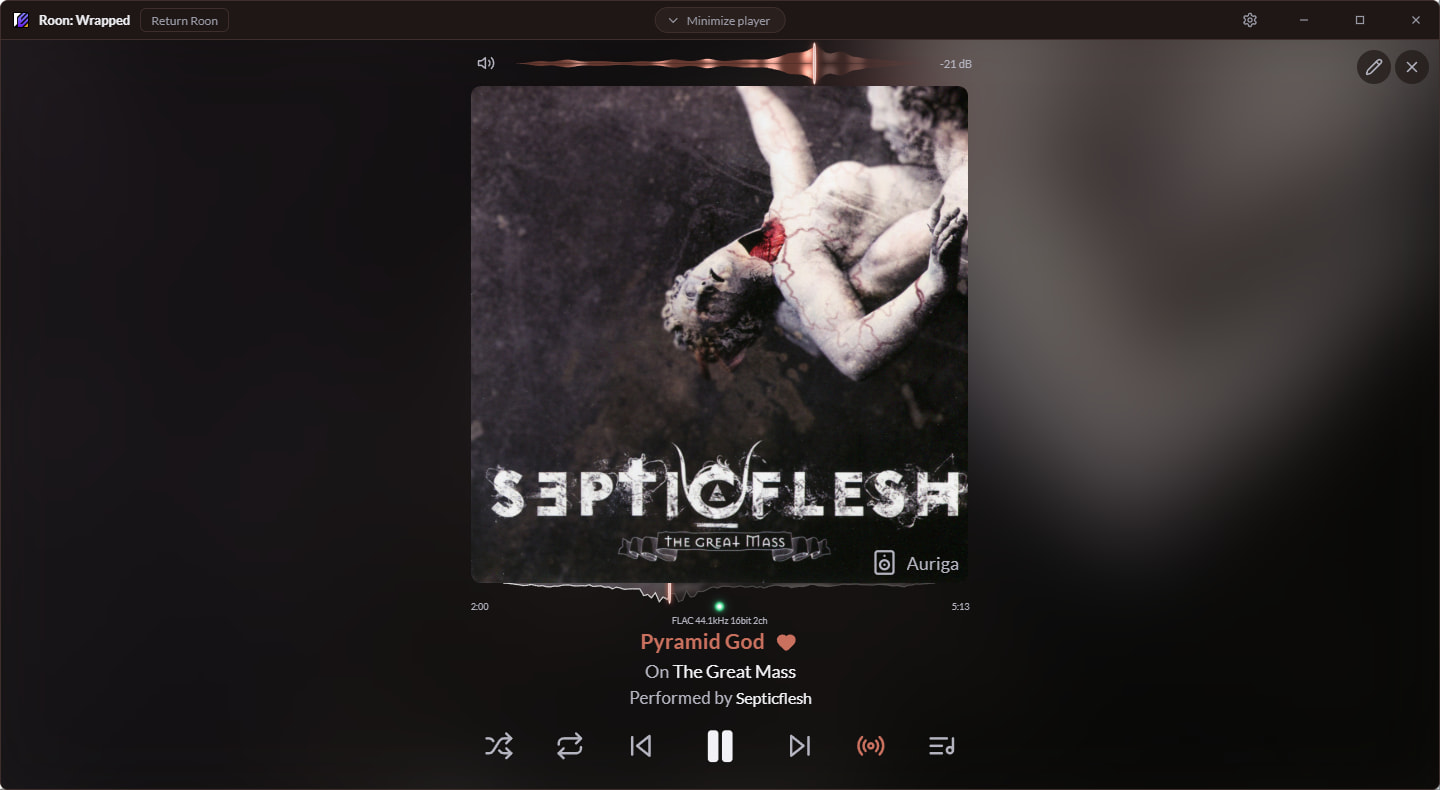
  • Real waveforms: for local files, the seek bar can show the song’s actual waveform from Roon, in six looks, optionally bouncing near the playhead and colored by loudness.
  • Audio quality and file format: a light showing Low Quality, CD Quality or Hi-Res, and the format next to it, like FLAC 96kHz 24bit 2ch.
  • Profiles: save your layouts and switch between them, or start from the presets.

[Image: a couple of different looks or profiles side by side]

How it works

  • Switch it on in Settings > The Wrapper, then open it from the tray, with Ctrl+Alt+W, or from Settings.
  • Closing it keeps Roon running out of sight, so it reopens instantly, and it opens at the size and place you left it.
  • Return Roon gives Roon its own window back anytime, and an Enable Wrapper button in Roon’s title bar wraps it up again.
  • Only want the Wrapper? Switch the Toaster off, and the hotkeys, links and your Stream Deck open the Wrapper instead. Search in Roon makes the Search hotkey open Roon’s own search.

Also in 1.2.0

  • Main artist only: tracks with a long list of supporting artists show just the main one, everywhere.
  • New look: a new Toasted icon, a Roon: Wrapped logo, and a changelog that opens after each update.
  • Tray switches for the Toaster, the Wrapper and the Taskbar Widget.
  • Faster update checks.

Good to know

The Wrapper is experimental. It works with Roon’s own window rather than through an official API, so a Roon update could change how it behaves. If something looks off, Return Roon button at the top left always gives you plain Roon back. Waveforms, the quality light and Hearts & Library use unsupported parts of Roon and are experimental too.

Get it: if you’re on 1.1.0 or later, open Settings > Updates and press Install. Otherwise grab the installer from GitHub Releases.

As always, feedback, bug reports and ideas are welcome here or on GitHub.

Example Images


2 Likes

Man, this looks great! I’m going to try it out and give you some feedback.

Thanks for taking the time to create this!

Hi again mate.

After using the application, a couple of comments:

  1. The widget of the taskbar, it seems that it does not pinne over the bar, not appearing together with it when you discover it (I have it in self-hiding)
  2. When I open roon (wrapped) it seems that it is not able to retain the last windows size, readjusting to a smaller window

The rest great, I’m delighted with the new one, I hope you can add more customization options in the future!

  1. yeah the taskbar widget is funky, it especially doesn’t like auto-hide, unfortunately some intentional decisions from microsoft will forever make it kind of wonky, i can see if theres any further optimizations i can make. if you can kind of describe the series of events with more detail, I might be able to see if i can pin down that specific behavior at least.
  2. that is a feature thats gonna come in the next version. where it grabs where and what size roon wise and appears in its place, so stay tuned for that.

There’s still much planned. Currently I’m working on a suggestions algorithm that should be better than Roons radio feature. Nothing I ever release will ever be required, so if you don’t like any new feature, it will always be disable-able.

1 Like

Hey all, Roon: Toasted 1.3.0 is out, and it’s a big one.

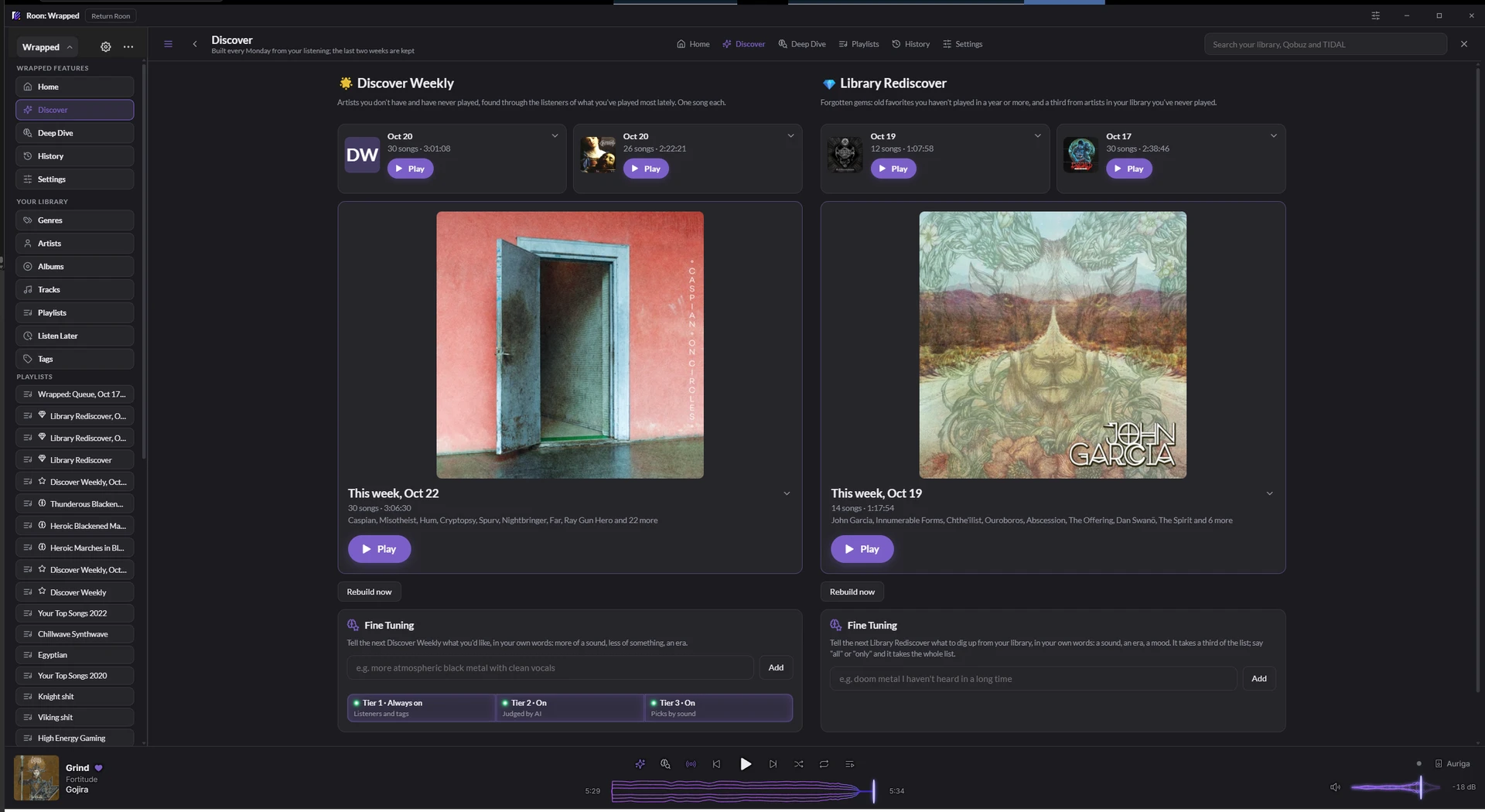
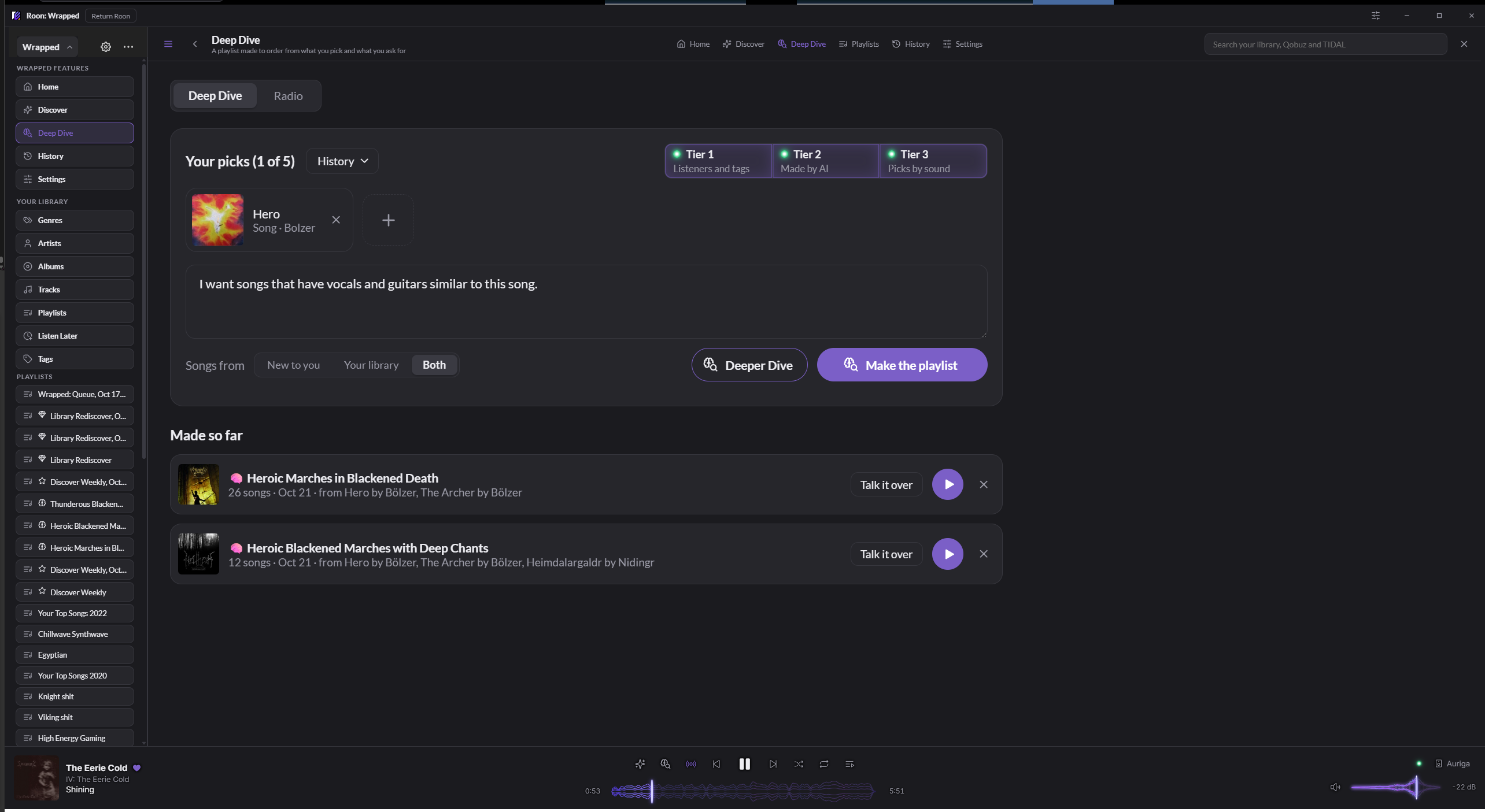
The Wrapper now has pages of its own, which I’m calling Wrapped. The two I’m most excited to release are Discover and Deep Dive.

Discover makes you two playlists every Monday and saves them right into Roon:

  • Discover Weekly is all artists you’ve never played, one song each, found through the listeners of what you’ve been playing lately. Kind of like how Spotify does their Discover Weekly playlists, but smarter.
  • Library Rediscover digs up stuff from your own library you haven’t touched in a year or more.

Rate songs with the thumbs in the player and the next lists learn from it. You can also just tell it what you want in plain words, like “more atmospheric black metal with clean vocals”, and the next list takes that into account.

Deep Dive is the fun one. Pick a song, an album or a few artists, say what you’re after (“songs with vocals and guitars like this one”), and it builds the playlist for you, from new music, your own library or both. Deeper Dive asks you a couple of questions first if you want to steer it more, and Smart Radio skips the talking and just runs with your picks.

Both get smarter the more you set up:

  • Tier 1 just needs a free Last.fm key.
  • Tier 2 adds a language model (Anthropic, OpenAI, Gemini, or Ollama running on your own PC).
  • Tier 3 actually listens to the songs.

All optional, and lights on each page show what’s working.

Ollama for Tier 2 is free, and Wrapped will set it up for you, with a model sized to your graphics card. It only runs when it’s needed and closes a minute after it’s done, so your graphics card gets its memory back.

There’s a bunch more in there too:

  • A Home page built from your listening, including newer albums from your favorite bands you may have missed
  • Your whole play history, with your Last.fm scrobbles, so a more complete listening history than Roon has on its own
  • Library pages for your genres, artists, albums, tracks and playlists
  • New waveform styles for the player
  • Short walkthroughs the first time you open each part

And like always, all of it can be switched off if it’s not your thing.

I’m heavily looking for any input on the Discover and Deep Dive features. Test them out, see how well they do for you. I can only test it on my music preferences, so I definitely would like to hear how well it’s doing for others.

@PROblem, the Wrapper now opens in Roon’s place and at Roon’s size instead of a default size, like I mentioned.

Download: Release Release 1.3.0: Default Menu, live albums switch, missed albums row, player bar rework, faster history reads · Vulkandr/roon-toasted · GitHub
If you’re already on 1.1 or newer, the app will offer the update itself.


I am very much enjoying Toasted. Where can we submit feedback or bugs, here or somewhere else. Thank you.

here or github works, i read both.

Roon: Toasted 1.4.0 is out! This one’s all about making it look the way you want, plus a fix for a Roon annoyance I think a lot of us have run into.

Make it yours

  • Custom colors: Colors now has Default, Album Art and Custom. Pick any accent with the color picker or paste a hex code. The background follows your color, or you can pick that too. The Toaster, the widget, the toasts, Wrapped and Settings all pick it up.
  • Custom backgrounds for Now Playing: a solid color, a gradient (vertical, horizontal, diagonal, reverse diagonal or radial), or your own image. Images can be Fill, Center, Stretch, or placed by hand: drag it around, resize it from any edge or corner, hold Alt to keep its shape. There’s a Blur slider too, and your color fills in wherever the image doesn’t reach.
  • Tint: gives the album art (or your image) a little touch of your accent color.
  • Blur edge: the album art keeps going past its edges, mirrored, and softly fades out. It looks great on covers with a lot going on at the edges.
  • Opacity: every piece of Now Playing can be made see-through, one at a time or all at once.
  • Tertiary color: what used to be Invert colors. Standard, Invert, or Custom with your own two colors.

Skip Stuck Songs

You know when Roon gets to the end of a song and just… sits there, never starting the next one? Toasted now notices when a zone has been stuck on the last second for a few seconds and moves on to the next song for you. It’s on by default, and you can switch it off under General in Settings.

Heads up: it can’t help with Roon ARC. ARC’s playback isn’t shared with apps like Toasted, so there’s nothing for it to watch. (Yes, I went digging.)

Smaller stuff

  • Every switch in Toasted’s Settings is now a pair of buttons, with the On side in your accent color.
  • In Edit layout, Keep shape and Fit to this window moved up next to Show, and the toolbar wraps nicely in smaller windows.
  • Fixed the edit toolbar hiding behind the album art when you selected it.

If you already have Toasted, it’ll offer the update on its own. Otherwise, grab it from GitHub: Releases · Vulkandr/roon-toasted · GitHub

As always, let me know if anything breaks or if there’s something you’d like to see next.

1 Like

I first want to say that I am really enjoying Toasted. I think the Roon GUI needs some help and this definitely does that in interesting ways. I was hoping you would consider a couple of ideas and field a couple of questions. I am using Toasted daily. Mine is Roon on PC with a mix of Qobuz and local files.

  1. Is there any way to select the fields and/or order of columns that are displayed in the Tracks page?
  2. Is there any way to show the Albums or Artists pages as a lists instead of graphics, pehaps a toggle at the top of the page? If not is there any way to adjust the density for each page?
  3. The Artists page seems to be using somewhat different data than default Roon.The Roon Artists page and Toasted don’t match. Is that intentional? Any way to toggle between Roon and Toasted?
  4. On the Genres page, the Toasted tags produced very different results than what I want. Is there any way to remove or turn off the Toasted Artist Tags? Or is there a way to toggle between Roon Artists/Genre tags and Toasted?

Thanks!

Glad you’re enjoying it.

  1. do you mean like add or remove sort columns like “date added”?
  2. that’s something I can add, it’l come with the next version.
  3. It’s using whatever Roons api presents, do you have any examples? The only thing intentionally different is the genres labels, Roons genres are severely lacking, so Toasteds wrapper uses Last.fm as it’s far more comprehensive.
  4. I could probably make a toggle for it in the settings, it already exists in code as an early dev build used the Roon genre tags before I got last.fm tags working.
  1. Yes, I would like to be able to decide which columns are visible. I grew up on Winamp, iTunes, Foobar, MusicBee so my brain has always been viewing my collection (over 130k files) as a list with text, not graphics. I tend to scroll up and down and browse instead of filtering/searching. I believe there are many users out there like me that are struggling to adjust to graphics oreinted interfaces especially when it is a large collection like mine.

    Most critically, Roon screens are just too spread out in general with no way to make them more dense. Even when there is a text oriented view in Roon the density is much too low. The Tracks view, for example, is much too high vertically even if you toggle off album art. You can’t fit much on one screen. This is also true of the graphics oriented screens like genre, artists, and albums. Everything is huge and no way to make it more dense. I understand they have their take on the GUI but it only makes sense to offer some customization as not everyone has the same preferences. This is why your software is very helpful to someone like me.

    So on the Toasted Tracks view, it would be great if you could add/subtract which fields are shown (artist, album, track #, etc.). You can customize which data points you are seeing. Additionally the ability to adjust Left to Right the order of the fields would be absolutely stellar. Instead of track first, can we see from left to right, for example, artist first, then album, then track #, then track name, then length, then year, then genre.

    1. Great!
    2. I think it was the artist artwork beeing missing in some cases on Toasted that was throwing me off. The Names don’t necesarily look different but some artwork isn’t showing up in Toasted
    3. I force Roon to use some custom genres as I really don’t like how they group things. If there is a way for Toasted to toggle between Roon baseline and the Toasted method that would be great.

    Thanks again.

  1. you know, a foober/winamp like ui isnt a bad idea, I used to use those back in the day and I do miss the density sometimes. That won’t come in this version, but I’ll work on an alternate UI that more closely resembles them for a future release. The large design is just very common for modern applications, I think it’s more user friendly to less advanced users. However Roon is a pretty niche product for more advanced users, so I definitely see your argument. My philosophy for anything I make is more customization is always better, as It’s something I’ve always appreciated in software myself. The list view and being able rearrange columns is coming in the newest version.
  2. I see the missing artwork, I didn’t look too hard at mine as I’ve been too deep in designing and testing playlist making features, but yeah I do have some missing, so I’ll try squash that in the coming version. I’ll even try to see if I can pull artwork from an external source for ones that roon doesn’t have anything for.
  3. already built into the newer version that’s coming.

New versions probably coming later today. I’ll work on a more foober/winamp like ui in the next coming weeks. i’ll have to restructure some of the menu to make it work without it feeling cramped compared to the rest of the application, plus it’l need to be customizable like foobar was because what I may prefer as a layout may not be what everyone else prefers. The Wrapped menu wasn’t even an idea when I first started working on wrapped, it was initially just about the player, so I’m changing things as I go lol.