Rouen + HQPWeb

This is really pointing me towards the naming issue of the zone in Roon settings as I mentioned yesterday.

It needs to be exact as discussed.

I’ll look at another way so relying on the name isn’t as important, but if the instructions are followed it works.

Ok, i rename the zone ‘unnamed’ to the name i choose when installed Rouen, and now it seems to see the zone also when away.

And what about LMS? Am i forced to disable it? Or only when i am away?

It’s not a case of being forced to.

If you have everything up and running try enabling LMS again. Is there a conflict ?

@gert_mogensen yes, I found the issue due to the version of ffmpeg I used for codec support. I’ve updated it to another version that supports Opus resampling.

I appreciate your patience in helping test Rouen on Windows.

The update should be available in an hour or so.

:duck:

1 Like

Ok, i will try next time. Now i tried to play some tracks on my car, but most of the times i got only garbages. Maybe because i choose FLAC?

Hotfix released which is mainly aimed at Windows users as it updates ffmpeg to support transcoding to Opus.

A few other changes and fixes for all platforms.

Update via the the apps and browser versions as normal.

A kind note: without log files it’s difficult to gauge any issues anyone encounters using Rouen. If you send me the .txt files it’s much easier for me to go through. I’ll PM those with issues with an email address for you to send the .txt file. I’ll work on improving that process, but it’ll do for now.

1 Like

It seems to be working now on Opus 256 when you are away from home :blush:

Thanks for the hotfix :+1:

1 Like

Thank you for confirming :folded_hands:

1 Like

I have a problem with Search in the Rouen app. It only seems to be working when i am in the Library.

I’ll investigate and report back :+1:

1 Like

Please could you help me narrow it down?

  1. On Home, tap Search and type part of an album you own. What appears exactly: nothing, “No matches for …”, “Building index… N%”, “Waiting for Roon Core…”, or “search error”? A screenshot may help me.

  2. Are you using the Android app, a phone browser, or a computer? Is it the same for all?

  3. In a browser on the same network, open http://<your Rouen address>:3399/api/search?q=a and tell me the number afterindexed:.

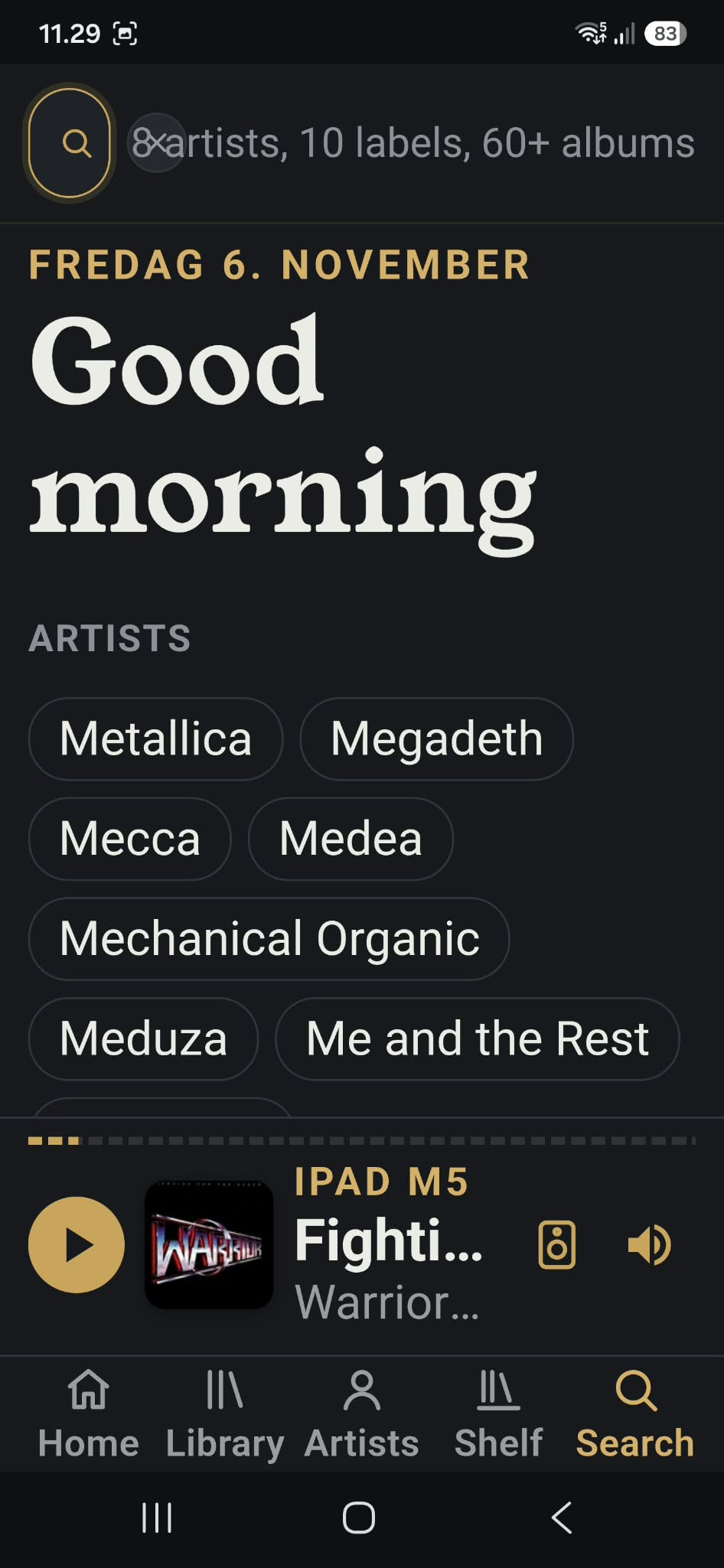
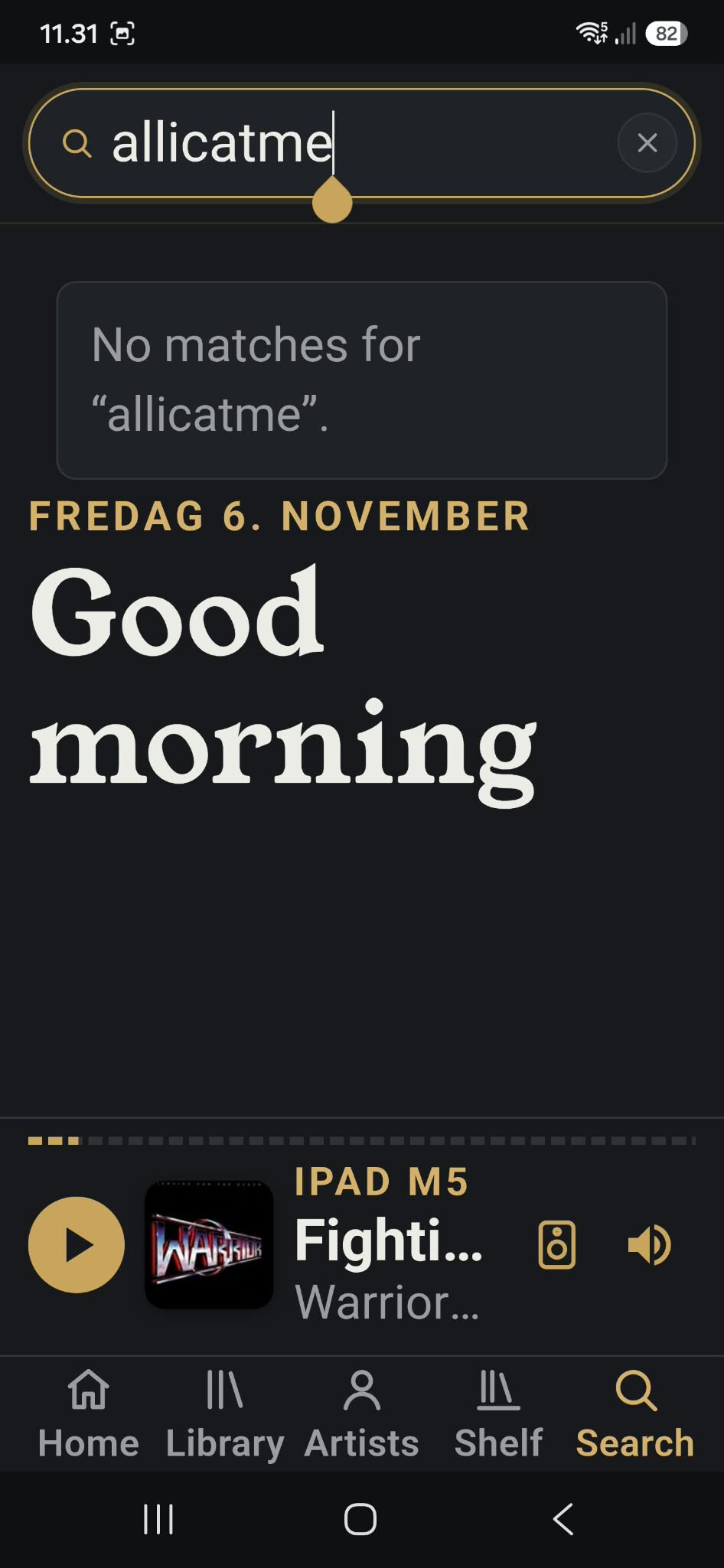
This is what happens when i press the first 2 letters in search for Metallica.

And this is what happens when i write the rest of the letters in Metallica, they all come before.

It only happens in the andriod app and nowhere else

Tried erasing the app and install it again, same problem.

Several things standout here, but I’ll start with; On your Android device have you set the phones UI to enlarge text?

Have you also enlarged the text within the Rouen app UI settings?

On the phone yes, not in the Rouen app. Changed the settings in the phone and now it spells the names correctly. But i still can’t see the first couple of letters i type.

I know exactly that the cause is and also what will fix this.

I also see another issue now you’ve confirmed you increased the phones UI text size.

Do you prefer Roune’s text and UI changes based on your preferences of the phones UI settings?

I have rouen iu settings all set to normal, but as soon i try to enlarge text in the rouen app the search is broken somehow.

The phones iu it set to minimal which is ok

Ok, thanks for confirming

Would you prefer the Rouen app text to be of a normal size or retain sizing based on the phones UI texting sizing?

It’s a bit of work to separate the phones settings from the app, but might be of benefit.

The Rouen app UI settings do allow increasing text size.

I’ll build a test app to separate and test before I decided.

It would be nice to change text to lets say 50% in the rouen app, without changing anything on the phone.

It works in the ipad without any problems

But if it is a big work for you, its ok as it is, at least it spells correctly when things are set to a minimum

I can easily make the changes, it may take a day or two for a public release though.

1 Like