Thanks for the link to the earlier thread. This is a known problem: when Roon cannot remove old backups from the destination, the folder keeps growing until the backup limit is reached and scheduled backups start failing. A fix is with our development team, and we will post an update in this thread as soon as it is released. There is nothing on your side that fixes the root cause.
Until then, the workaround from the earlier thread still applies: please point the scheduled backup at a new, empty folder on the wired (Ethernet) share and let it start clean.
One request for next time: if the Titan stops responding again, please open a support thread before pulling the power. A hard power-off can damage the database, and while the Titan is still in that state we can pull logs from it to see exactly what is hanging.
Thanks, and glad the workaround makes sense. The fix is now being reviewed by our development team. We’ll update this thread as soon as it’s in a release. In the meantime, if scheduled backups start failing again, just switch them to a new empty folder as before.
This fix isn’t included in the recent 2.74 update, but it’s progressing behind the scenes. We’ll share a note here once you can expect a test build to be available in Early Access, and again when the fix is included in a public Roon update.
Thanks for trying to reach us before power-cycling. We understand that wasn’t possible this time. We’ve gone through the logs from your Titan, and here’s what we found:
The freeze wasn’t captured. The Titan’s system logs start fresh at every boot, so pulling the power erased the record of what happened before. The Roon Server logs only go back to Nov 5, so they don’t cover the freeze either.
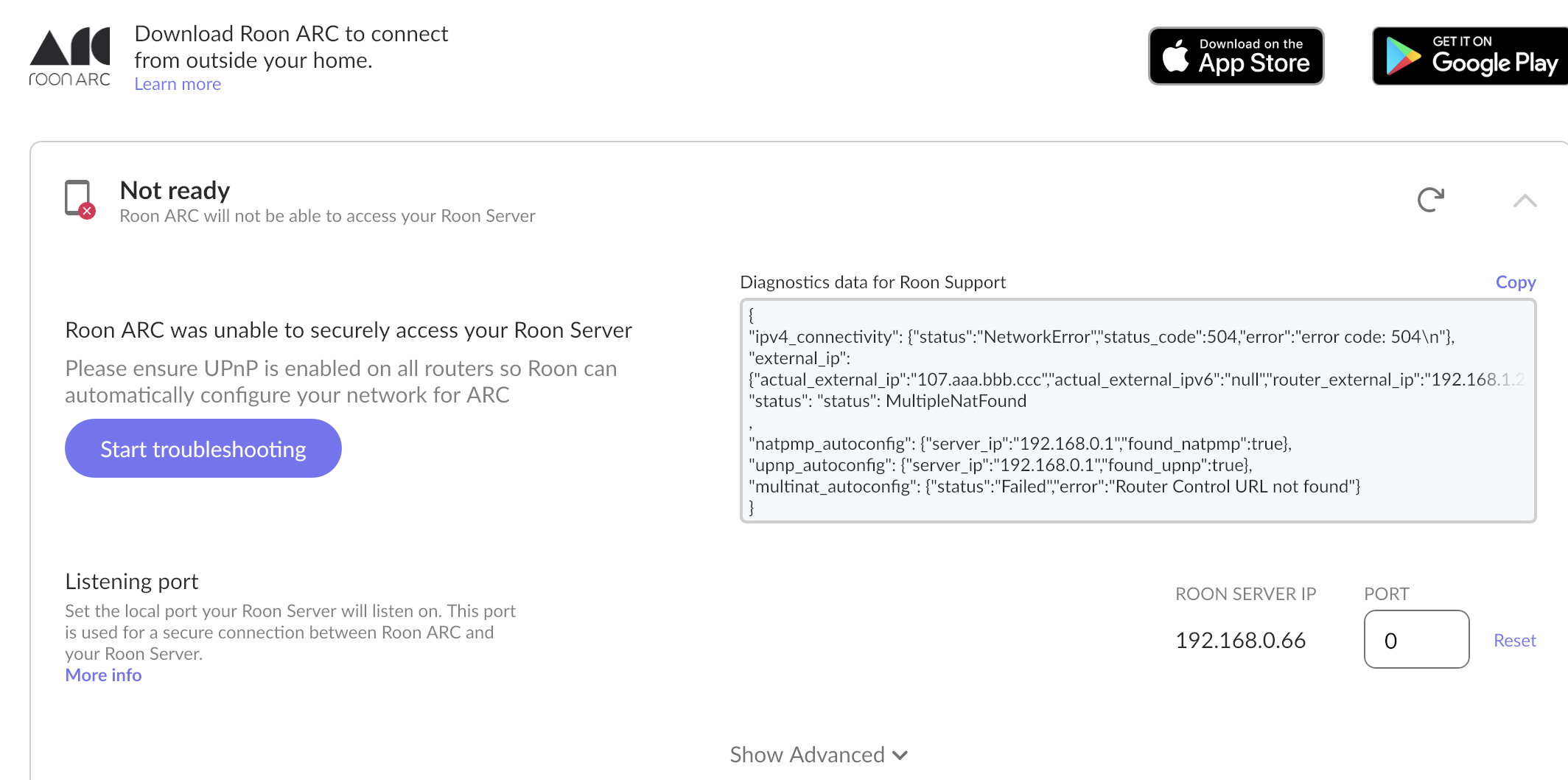
Why the logs are so short. Your network has two routers in a chain. Every four hours, Roon tries to set up Roon ARC remote access through both of them. That fails on the second router and fills the logs with errors, so older history gets overwritten in about a day and a half. To keep a longer history, you can either put your ISP’s router in bridge or IP passthrough mode (or turn on UPnP on it), or turn off Roon ARC if you don’t use it.
Backups. The scheduled backup on Nov 6 started and ended right away without writing anything. That fits the known backup issue, and we’ve passed it to the team. Until the fix ships, please point scheduled backups at a new, empty folder.
Good news. Since the restart, the database and storage look healthy, and we found no signs of corruption.
We also saw that Roon Server was stopped from the Web UI three times between Nov 3 and Nov 6, once for about 19 hours. Did you stop it yourself, or did it stop on its own?
If the Titan stops responding again, please post here before unplugging it so we can pull logs while it’s in that state.
Not being a network expert, not sure what I should do next, please? UPnP is enabled for my primary network. Ideally I’d like to do the simplest and most reliable… how should I disable Arc, please?
Thanks. That’s good. Yes; that was today (Nov 6), wasn’t it. I got the error that music was playing, which was the case. But have re-edited the location back to the same folder (at ~/Music/RoonBackups/Scheduled.
Do I need to delete its contents again now for the next scheduled backup to work, please?
I did. I now always stop the server from the Web GUI when doing a CCC backup. In this case, several manual backups - as referred to (if you or @conor have a moment to explain the situation with .mounts, that’d be helpful, please ) here.
Even though it’d mean I wouldn’t be able to use Roon until you have had chance to review the logs?
If that’s necessary, of course I’ll do so.
But could I manually retrieve the logs you need and upload them to you in the usual way?
Since you don’t use ARC, setting the port to 0 is the simplest fix. Please leave it there and don’t change anything on your routers. The error on that screen is from the two routers in your network, and you can ignore it if you don’t use ARC. What matters is stopping the attempt every four hours that fills up the logs. We’ll check that in your next set of logs.
Backups. Thanks, the note that music was playing helps, and we’ve passed it on. On the folder: ~/Music/RoonBackups/Scheduled is probably still at the backup limit, so pointing back to it will likely fail again. Rather than deleting anything, please create a new, empty folder (for example Scheduled-2) and point scheduled backups there. Keep the old backups as a safety copy.
Stopping Roon Server. That explains it, thanks. Stopping it from the Web UI before a CCC backup is the right way to do it.
If the Titan freezes again. You don’t need to go without Roon while you wait for us:
If the Web UI or the Titan’s Data share still responds, copy the RoonServer/Logs folder and upload it as usual. That’s the most useful thing you can send.
If nothing responds, write down the time it froze, restart it, and post here with that time.
The Roon Server logs survive a restart. With ARC off, they should now go back far enough to cover a freeze even after a hard power-off.
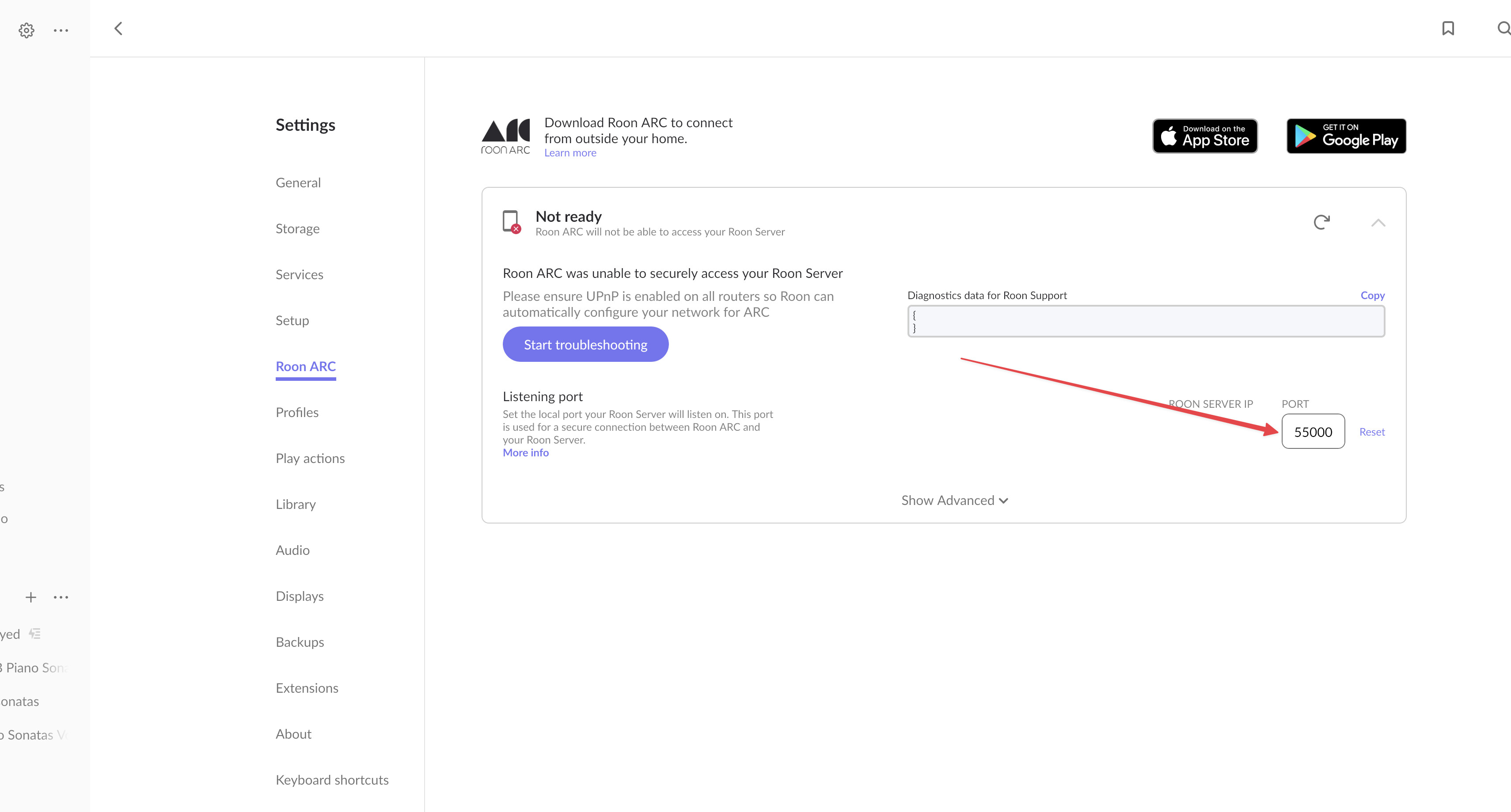
On Arc, that setting of Port 0 doesn’t persist, though
Each quite/relaunch of Arc has it back at 5500.
Understood and following your directions on the backup-limit-reached backup folders.
When I get the Titan condition, the Samba share very rarely responds; so I’ll get the RoonServer/Logs folder to you, together with a timestamp and only then restart it.
First, a quick check that we’re both looking at the same setting. The port lives in the Roon app on your Mac, under Settings > Roon ARC (our ARC Port Forwarding article shows where). It isn’t set from the Roon ARC app on your phone. If you’ve been changing it in the ARC app, please set it to 0 in the Roon app instead.
Using new, empty folders for the backups sounds good. On the freezes, if the Samba share doesn’t respond, don’t worry about the logs. Just note the time of the freeze, restart, and post the time here. With ARC no longer filling the logs, Roon Server’s own logs should still cover the freeze.
 !