Hi,
How can I set-up Roon to automatically choose the streaming album, versus local one, when adding multiple albums?
Thanks
Choosing the streaming album when adding to what? A playlist? The Queue?
Generally, Roon prioritizes items IN your library and then by resolution which it then automatically chooses the highest res as Primary.
So, no there is no automatically choosing the streaming option, the quickest way would be to disable local storage so that there is only streaming albums available
Like I said, versus local album.
As far as I’m aware you’ll need to select each streaming version manually and add it to your library. If it’s a better quality than the local version it could well become primary automatically.
That’s what I think, but for a large upload, I would have liked an automatic option.
Roon picks the best version if both are in the library. If its equal my experience is that Roon picks the local copy. There is no setting that I know of that can force Roon to add the streaming version.
I’m not sure I follow what you’re saying.
He’s saying, as I did in my previous post, that both the local and streaming versions have to be IN your library and then Roon will auto choose the highest resolution between versions IN your library to be the Prime or Preferred version. If they are both the same resolution, then the streaming version needs to be IN your library if you want to manually set it, over the local version, to be the Prime (or Preferred) version.
There is no automated way for Roon to automatically add the streaming version of a local version. However, you can use Soundiiz to do it, i.e. add a copy of your local music as Tidal or Qobuz favorites.
Here is a clip of a google for you
However, you can use Soundiiz to match and import a list of your local song titles into a streaming service’s favorites or library if you convert the list into text or a playlist. [1, 2]
How to Import Local Music as Favorites Using Soundiiz
- Prepare a Text List or CSV: Create a text file or plain text list of your local songs formatted with artist and title (e.g.,
Artist - Title). [1, 2]- Open Soundiiz: Log in to the Soundiiz Web App and connect your destination music streaming service. [1, 2]
- Import as Tracks/Favorites:
- Go to your library area in Soundiiz and select Import Tracks (note that importing directly into favorite-lists typically requires a Soundiiz Premium or Creator plan).
- Paste your plain text list or upload your file.
- Soundiiz will match the song titles and artists against the catalog of your destination streaming service. [1, 2, 3]
Hope that helps.
My question was: if, for example, I add 15 albums locally—albums that are already in my library and streamed from Qobuz—can I choose which version, either the streamed or the local one, should take priority for all 15 albums? The answer is different, and actually, I hadn’t understood you correctly—Roon will choose the higher quality version; if they’re identical, it should default to the local version. That works for me, thanks.
In this scenario it should prefer the local version. If your streaming version is better than local, it will set streaming as primary.
Local = files stored on your hard drive
Streaming = Qobuz
I agree, although my original goal isn’t to duplicate Qobuz, but to have the albums I love when some of them disappear.
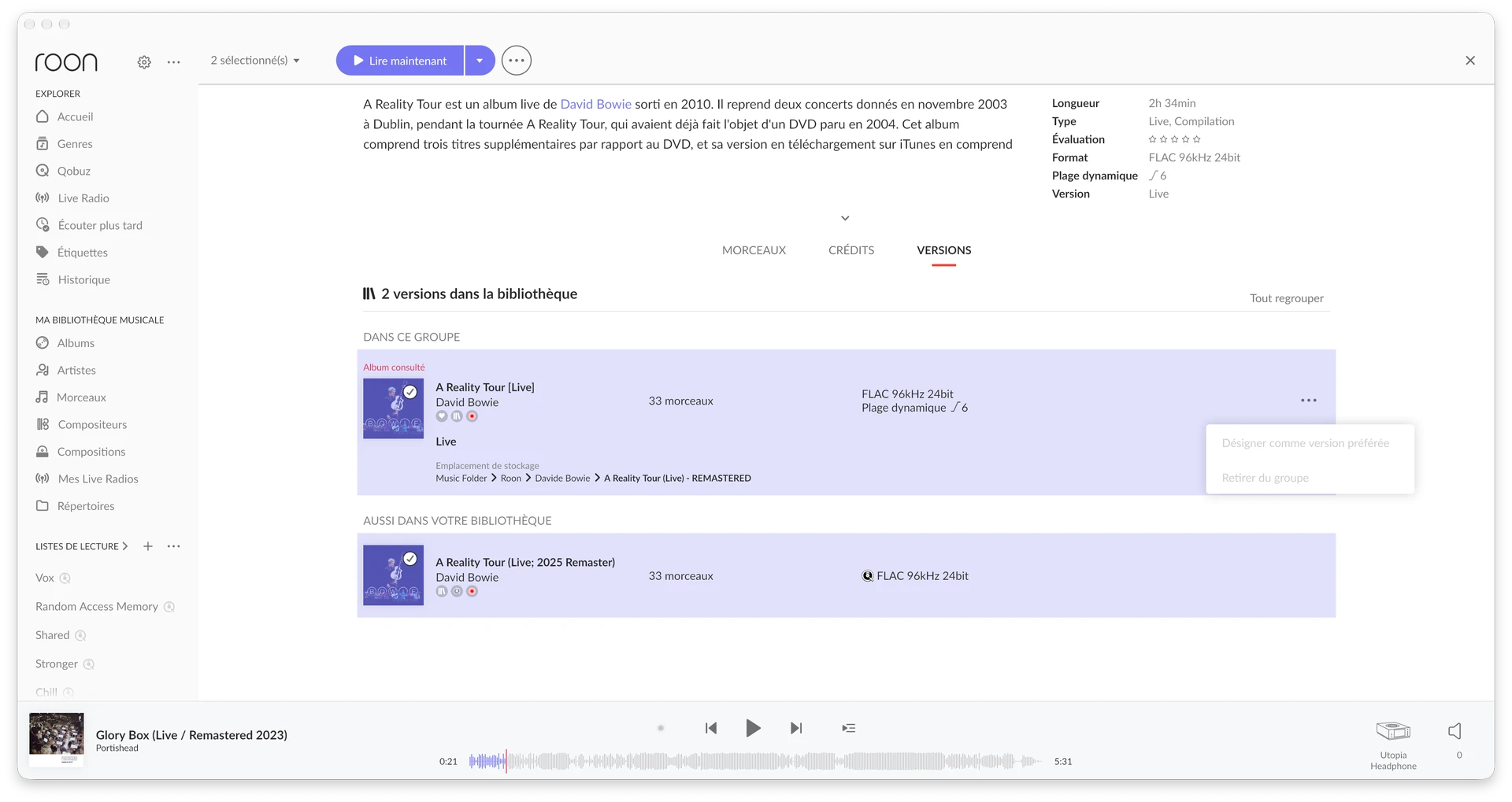
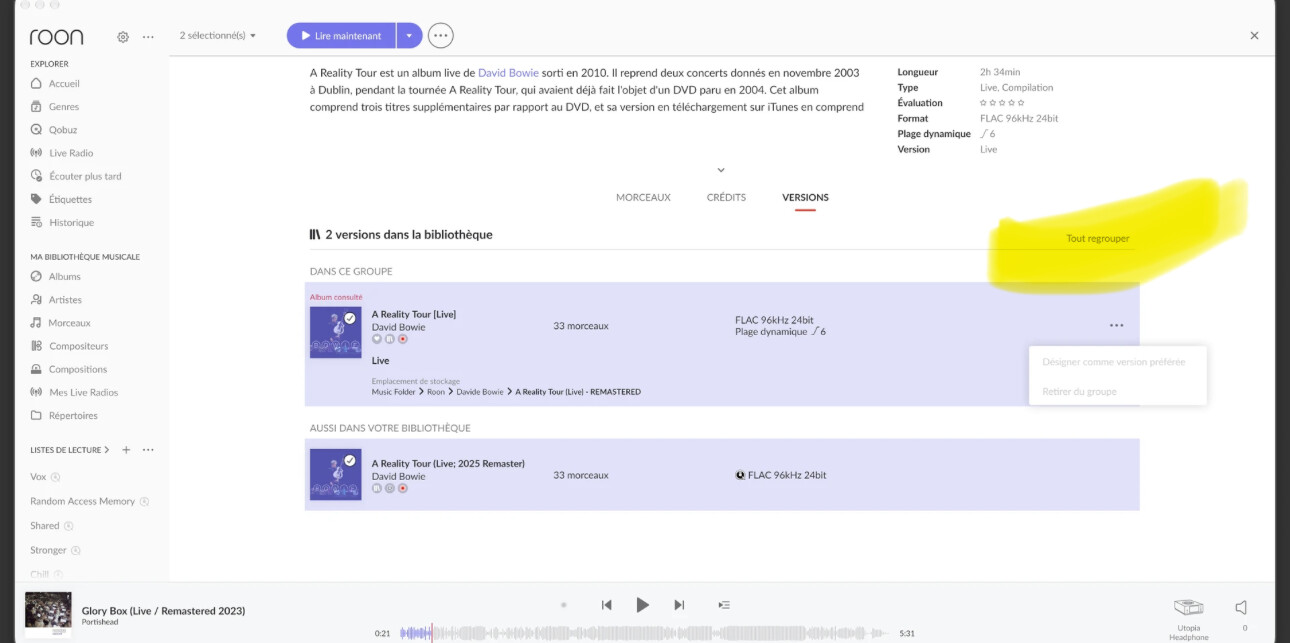
This is because they are similar enough to be displayed together, but they count as separate albums and aren’t grouped as different versions of the same album. This is why it says “Also in your library” for the second one.
Therefore, there is only one version of each album and hence no primary.
Click Tout regrouper to group them, and then you will have a primary choice.
Thanks a lot