Hi. Until recently, I was using a PC as Server (or Core…). I was also using a Macbook as Remote. Then I bought another Macbook, and used the Apple software to transfert in that new Macbook (#2) the content of the first one (#1). I now want to use that Macbook 1 as Server, and the new Macbook (#2) as Remote. I am encountering a bunch of problems. Both Macs define themselves as Server, and it seems impossible to use Macbook 2 as Remote only. I tried to delete Roon completely from Macbook 2 to reinstall it, and it seems not possible to do so. I am unable to access a re-install process that would allow me to choose that Macbook as Remote only. Can someone guide me through a process that could resolve this please? Thank’s in advance. My name is Jacques.
Describe your network setup
Netword setup: modem Harris tm822, router Videotron Helix. No switch, no range extender.
@Jacques_Hardy Apple’s Migration Assistant typically should not be used to migrate Roon between different Macs. Roon uses a unique token for each Roon device on a network, and when Migration Assistant sees identical tokens on different devices, it becomes confused and does not work correctly.
As you have used MA to move your Roon, there is a process to remove the token and allow you to re-install Roon and get everything sorted. The link below explains the process in the 4th message:
Hello. I tried to perform the process you suggested. First problem: did not find a «.rmembid» file in either of my machines, even by using the elaborate research software of the Mac machine. I nevertheless think I succeeded in deleting the other files you mention. But how do I Reinstall the Roon Remote App for the Remote machine. I tried again to download the app from your web site, but I do not have access to either an installation app nor to a Remote app. I’m lost.
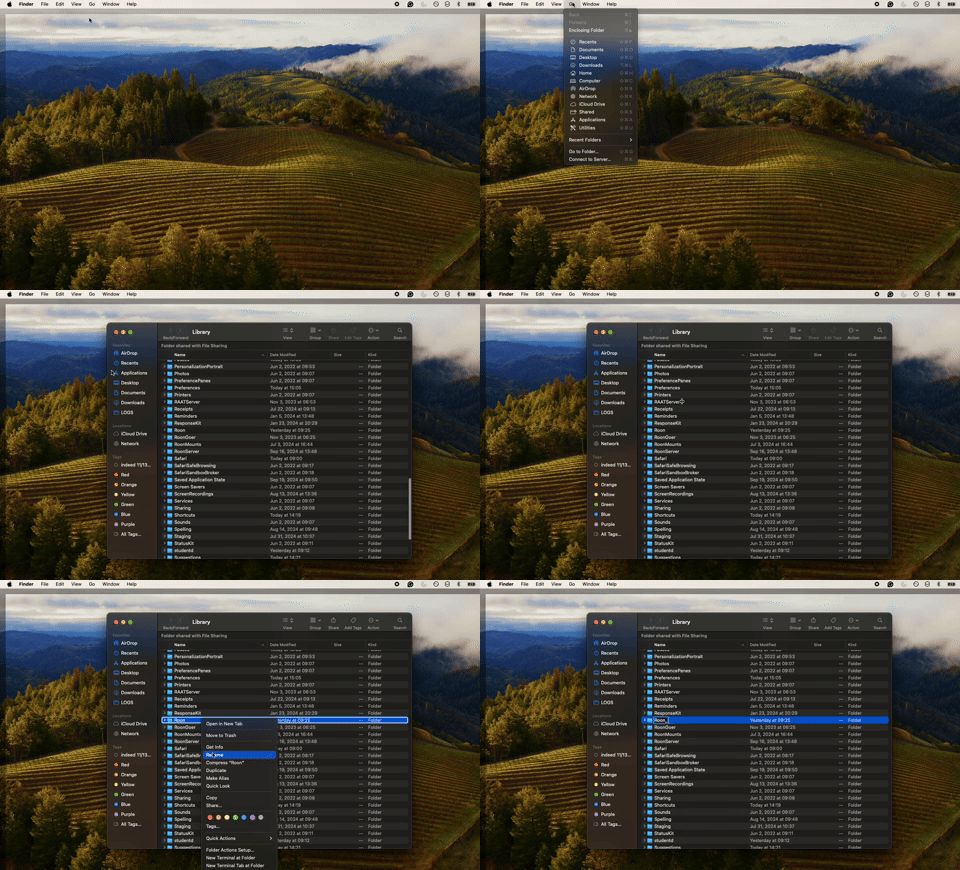
Thank you Benjamin. I have no problem in showing hidden files. I go in my library: home/library… There, I find three Roon folders: «Roon», «Roongoer», «RoonServer». That is the case in both my machines. There is no «.rmembid» in neither of these folders, in either of my computers. Moreover, I use the research engine of the Mac, and it does not find it either, even if I as to search everywhere in the machine. Should we conclude that the folder is not in my machines? I don’t know if it is possible, but it seems so. And, when you tell me «reinstall roon remote», can you tell me how to to that? I tried to redownload Roon many times, and nowhere do I find in that download the «install» app. Moreover, on the AppStore, the Remote app is available only for iPhone and iPad. Thank you for helping…
Note that Roon will always download both the remote and server as one install - you can simply choose the other mac as your Server, and can always confirm Roon Server is not running on your remote Mac by reviewing your Mac task bar on the upper right hand side of your screen - if you don’t see the Roon jellyfish there, Roon Server isn’t running.
On the Mac you’re wanting to use as a remote only, follow the steps below and let me know if it helps:
Hi Benjamin. Finally found some time to fiddle with this again (not my favorite hobby😉). Followed your steps and everything seems to work fine for now. Thank you so much. I will not close this thread for now, just in case. Will inform you a few days from now on how things go. Thanks again !