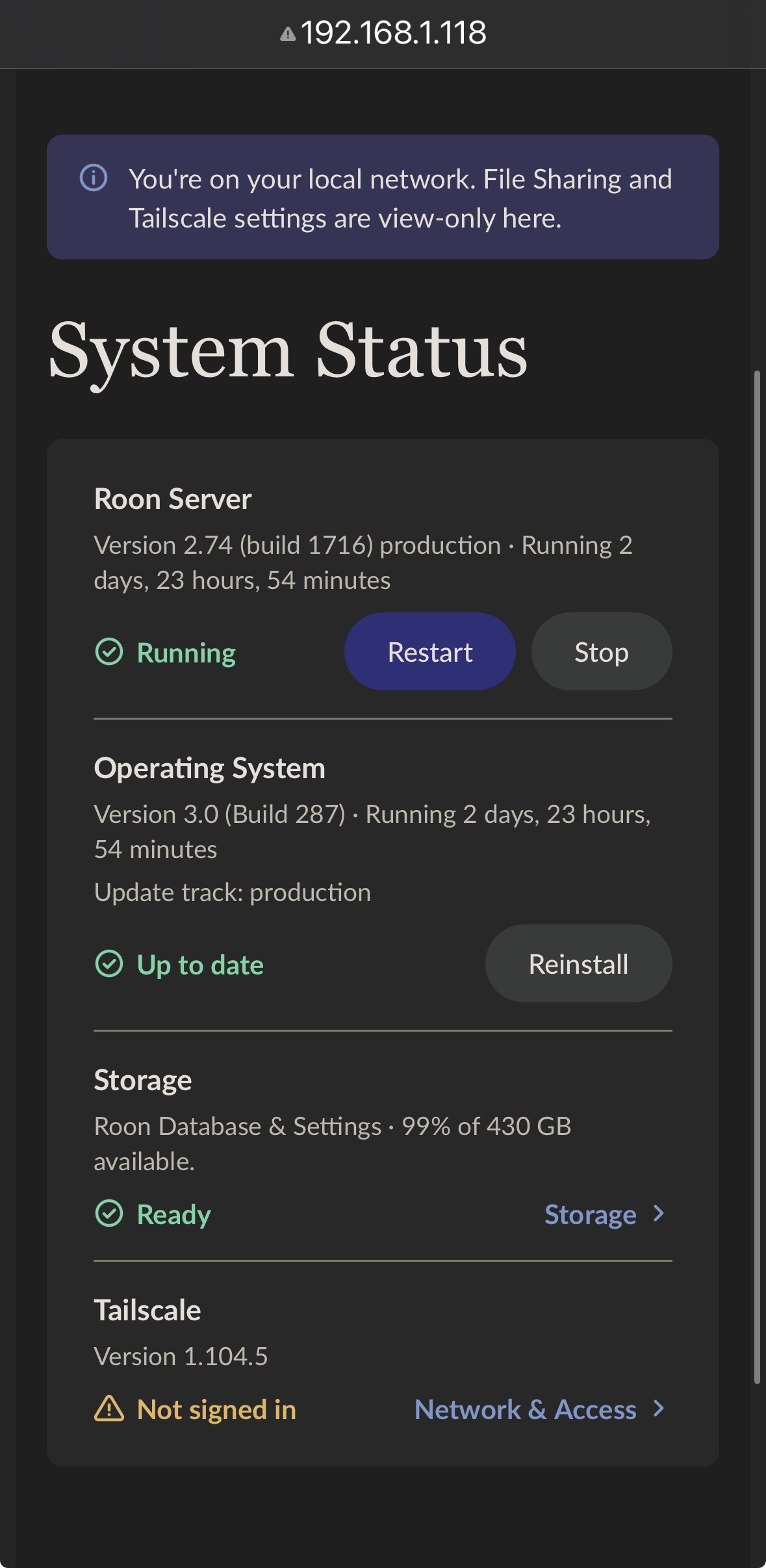
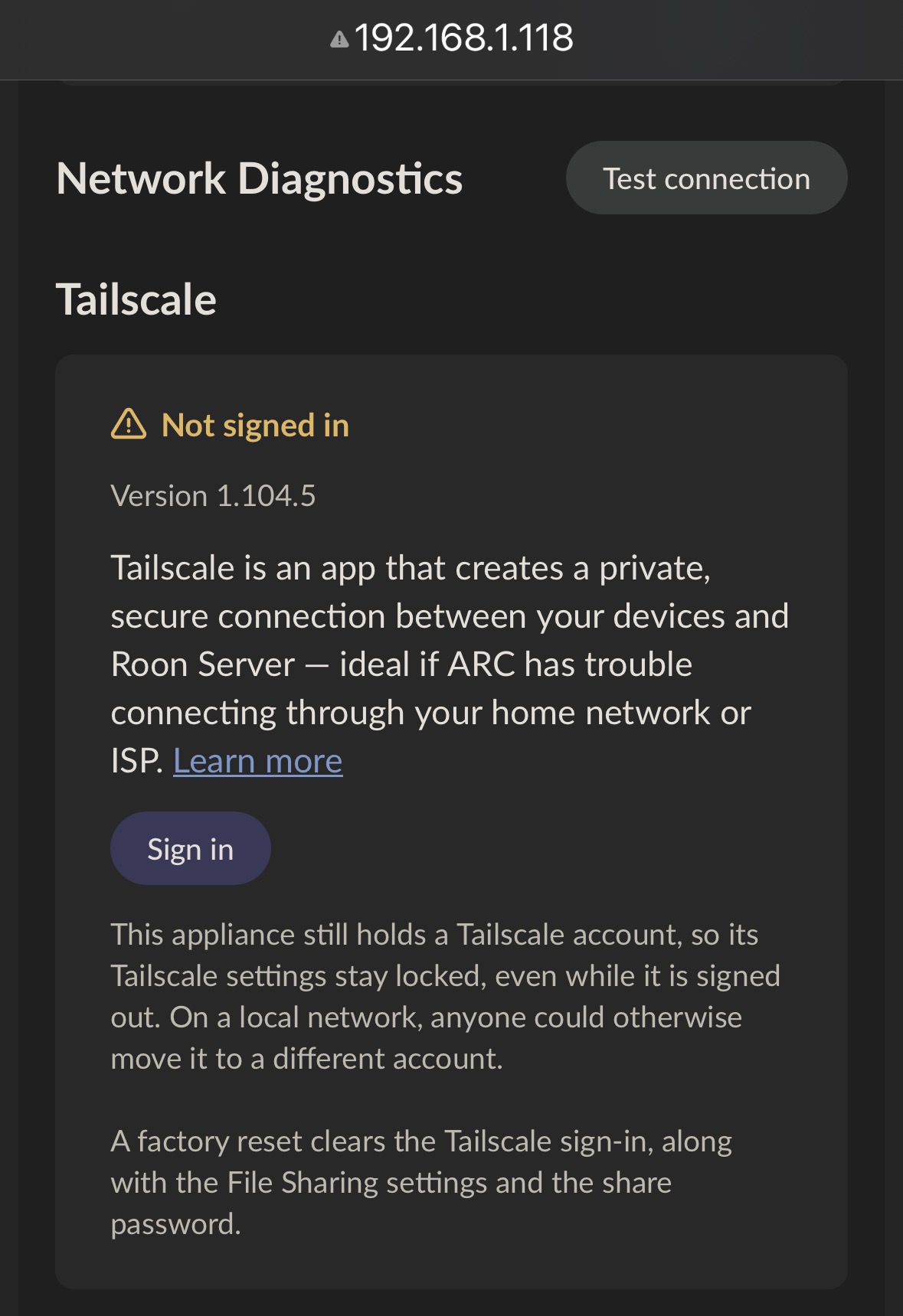
· My Rock updated to 3.0 without me notifying of the consequences. Now unfortunately, Tailscale is locked out and I can’t do anything with it anymore. The Sign In button looks like a savior, but clicking it doesn’t do anything.As these settings are read only when not using Tailscale, this seems like an issue which might be fixed with a hotfix lifting the read only part and letting us sign in.I deleted the node from Tailscale to try and remedy this but I think that made matters worse. Restarting Rock had no effect.
Thanks for laying out what happened after the ROCK update to 3.0. We’ve escalated your report to the team for review and will follow up once we have more information. Thanks for your patience while we look into it.
· Roon upgraded to OS 3.0 without me noticing that it would be a problem. I had been using Tailscale successfully to connect to Arc. Now I, like many others , am locked out of Tailscale and cannot use Arc. I would like clear instructions to help me repair Tailscale functionality.
Tell us about your home network
· Netgear mesh routers. Never had any problems with Roon
Thank you for the update @noris, however as I stated in my first post “I deleted the node from Tailscale to try and remedy this but I think that made matters worse”. So unfortunately there is nothing there for me to try.
Please try the steps @noris just shared above. From RoonOS’s perspective, Tailscale is signed in, but the actual Tailscale session is stale. You need to login to your actual Tailscale account and reauthenticate the Nucleus node. This will be under the Tailscale Machines tab.
@RexManning, since you deleted the Tailscale machine for your RoonOS instance, you’ll have to clear the Tailscale install from within RoonOS itself.
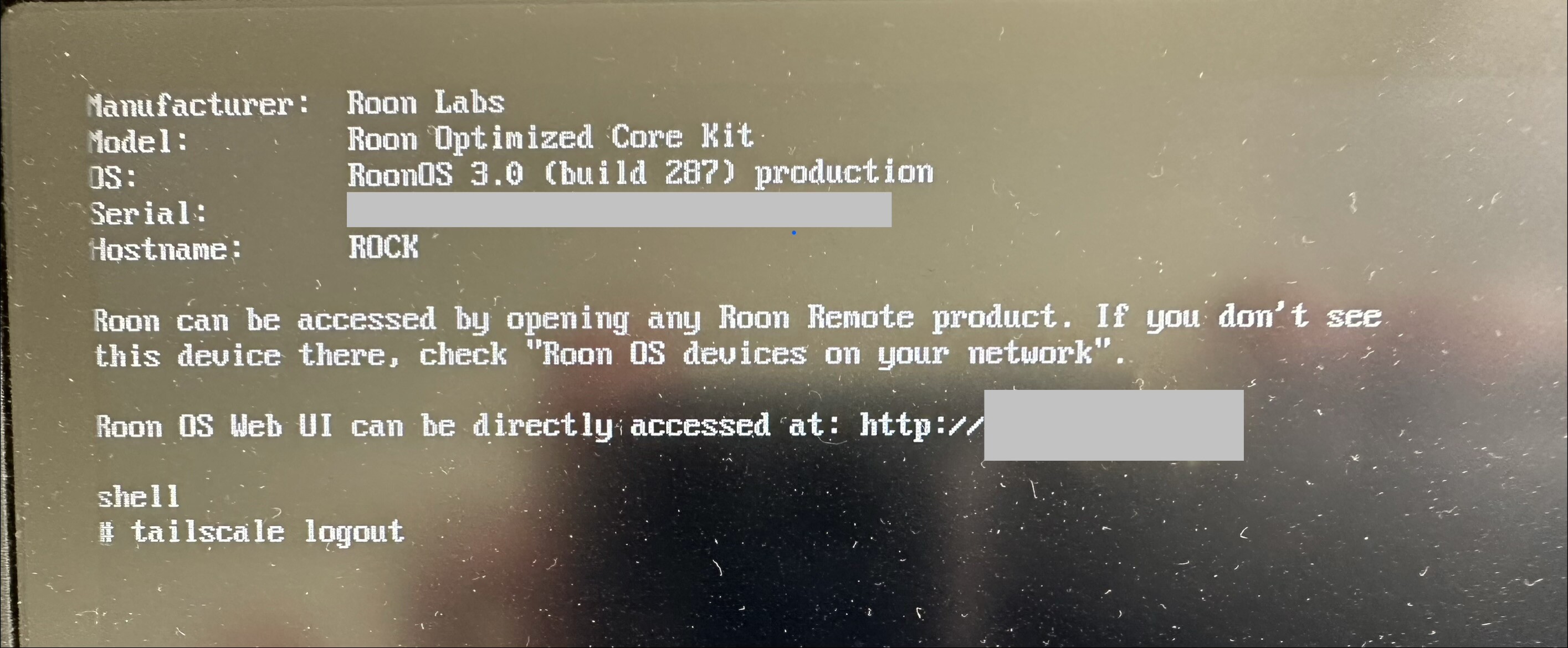
Do you have a USB keyboard? Connect that to the ROCK, along with a monitor. Press Esc, type shell, then ‘tailscale logout’.
Thank you @connor, I will try this proposed solution when I find the time to relocate the rock to a screen and keyboard location. I will get back on this asap. Fingers crossed!
Thank you so much for figuring out this solution, it worked very well for me. Tailscale is logged in again. I will close my network port and will continue to work solely on Tailscale from now on for security reasons.