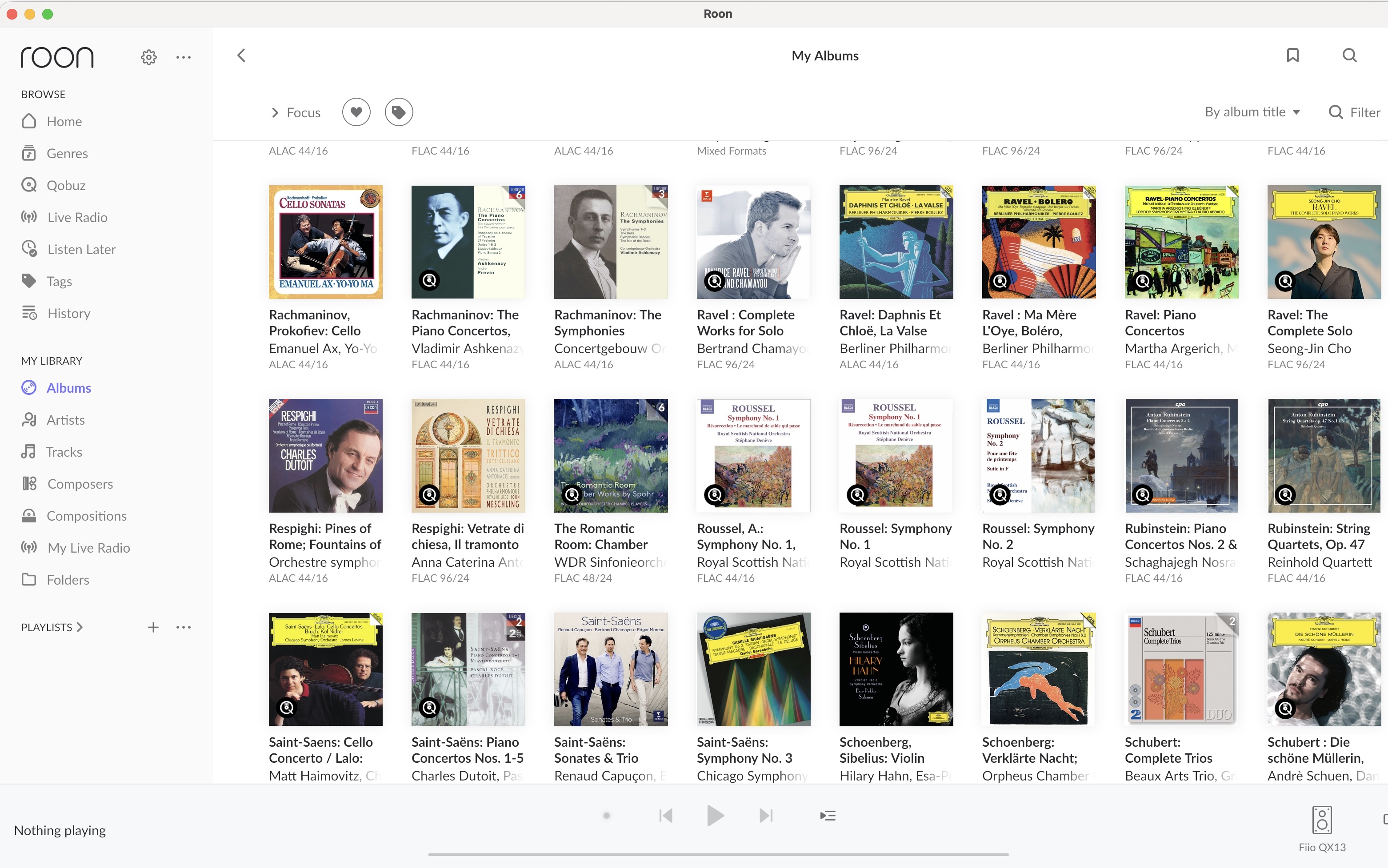
If you look at the screenshot of classical albums below, you’ll see two versions of “Roussel: Symphony No. 1”. The one on the right contains no file format listed below the album cover. (The “Roussel: Symphony No. 2” album next to it is experiencing the same issue).
These albums, despite being unplayable, are un-removable. Removing the album from the library does not work. Selecting “Delete Album” does not work. How can I remove them? Thanks.
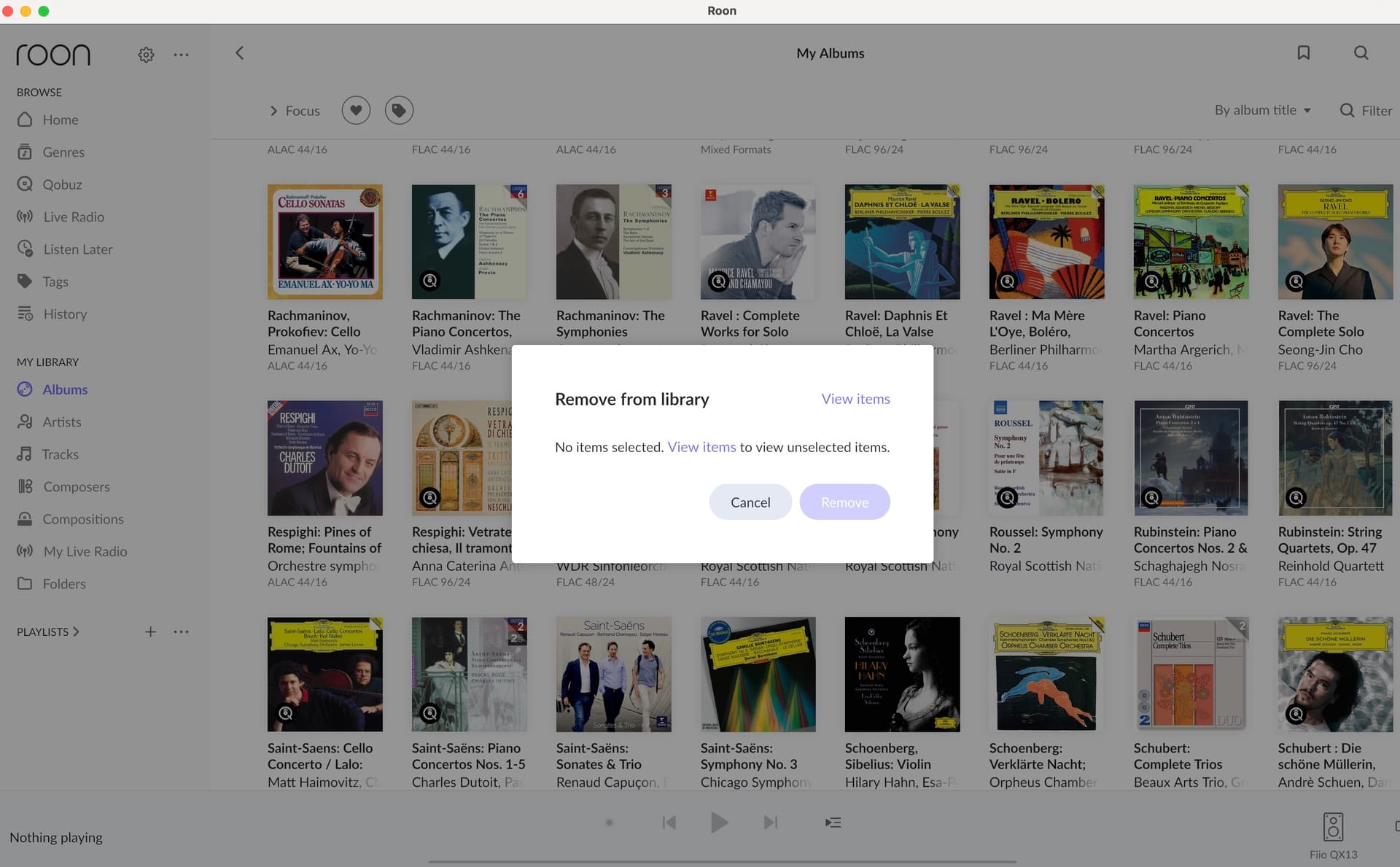
If I attempt to remove the album from the library, I get this screen:
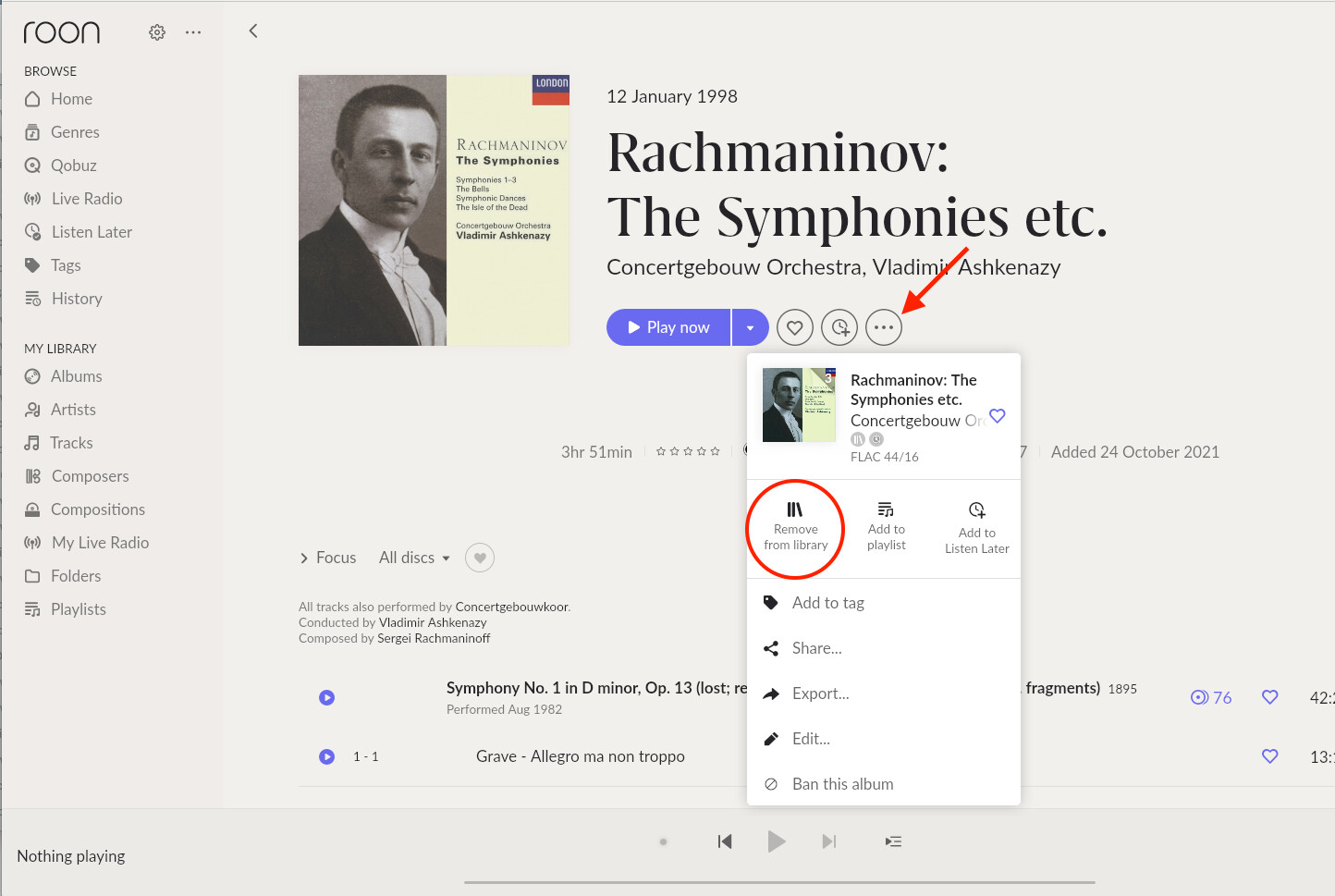
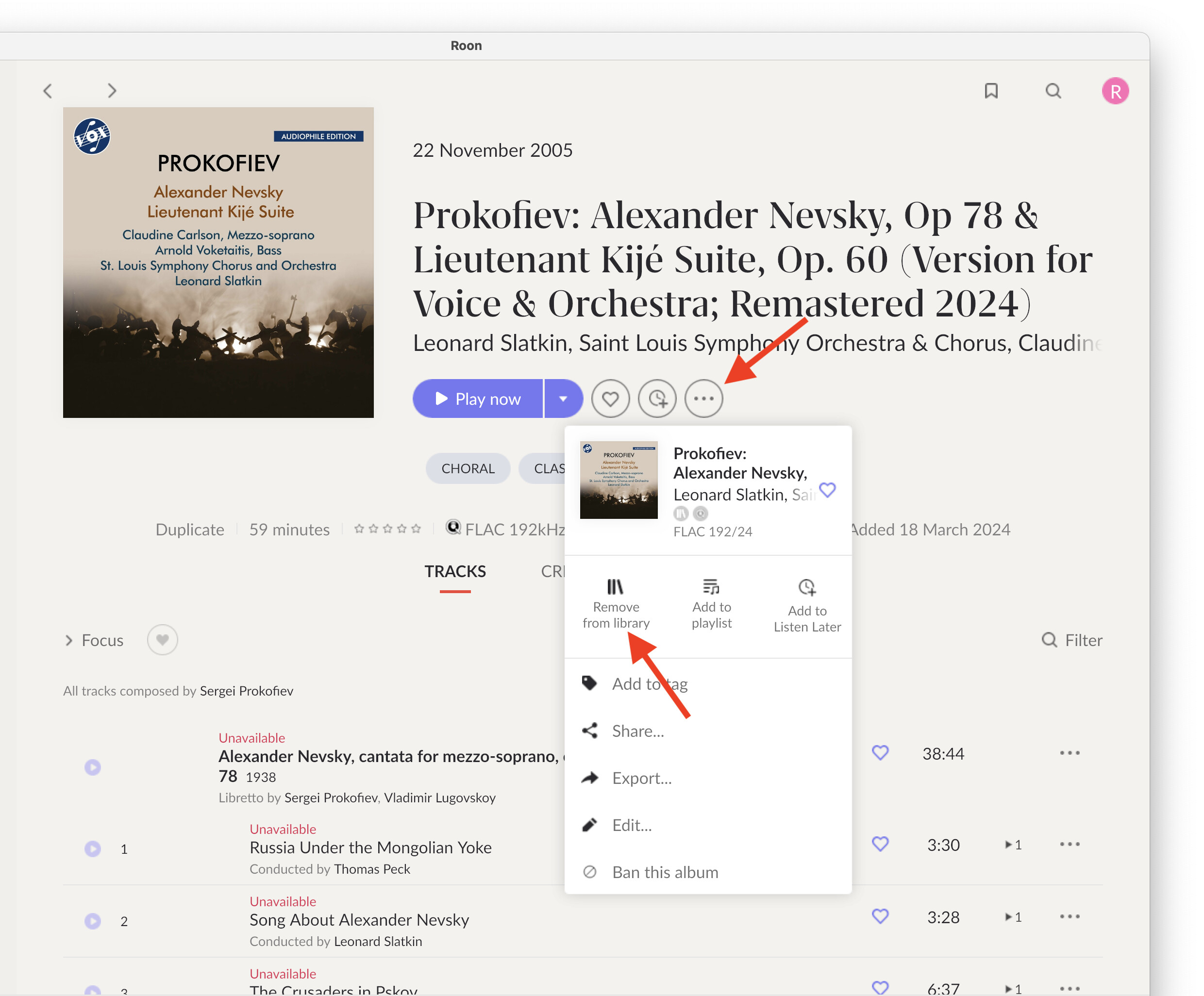
Tap on the 3 dots to the right of Play now. It will open an options panel.
Tap on Remove from library.
The situation happens when the record label replaces an album with a new version, but Roon or Qobuz doesn’t update your library/favorites. Your library still has the old version with a pointer to an album that no longer exists. It’s been discussed in the forum and has happened to me many times and is a big hassle.
I figured that was probably what was happening. I was able to add the “new” album to my library without issue.
Unfortunately that doesn’t work as I’m greeted with that “No items selected” pop up and I am unable to select anything for removal. So the “non-existent album” persists in my library.
What happens when you open the album that won’t play? By “open”, I mean directly left-click on it (don’t right-click), like when you want to play it. Does it not open the full album screen, like in my screenshot?
It opens it, but it shows all tracks as “unavailable”. Fortunately @Dirk_De_Taey had the solution. Even if the tracks are still “unavailable”, when I identified the album, it’s now able to be removed! Thank you for help.
Yes, all tracks would be marked “Unavailable”, but you could still do as I said — just click on the 3 dots and select “Remove from library”.
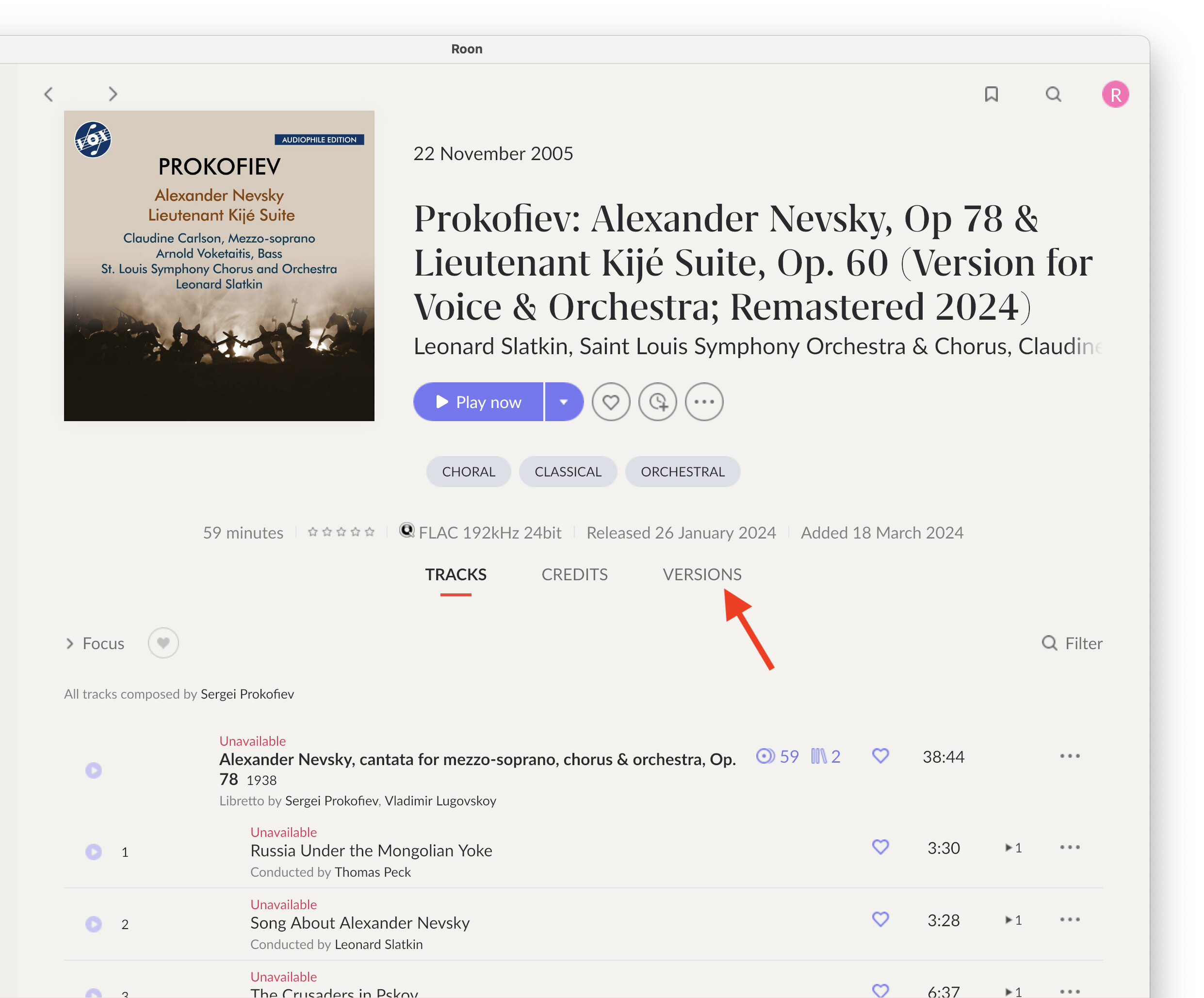
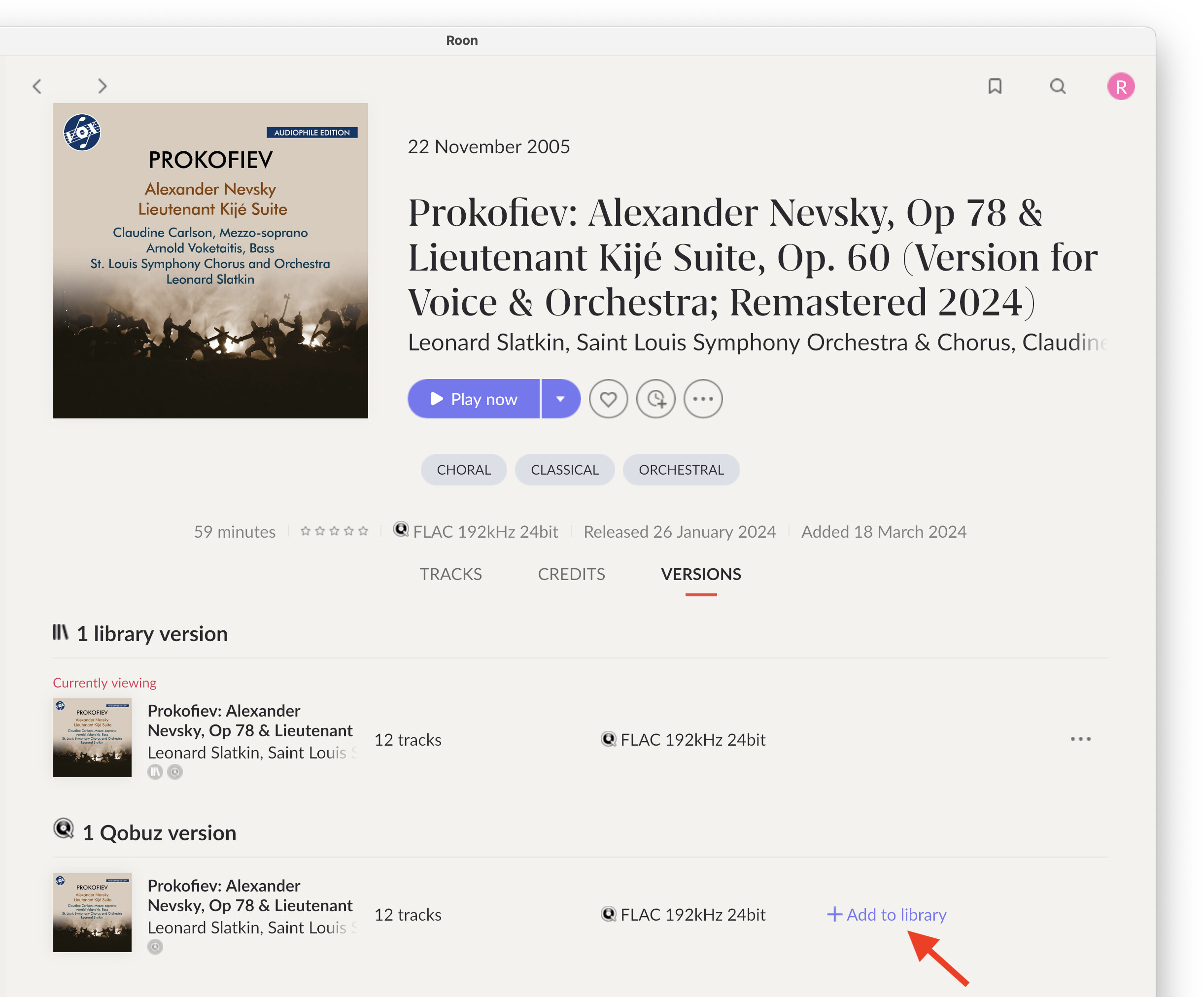
Here’s a tip if you encounter the same situation again. You can add the new version and remove the old version at the same time. Here’s an example with an album I found in my library that I hadn’t converted yet.
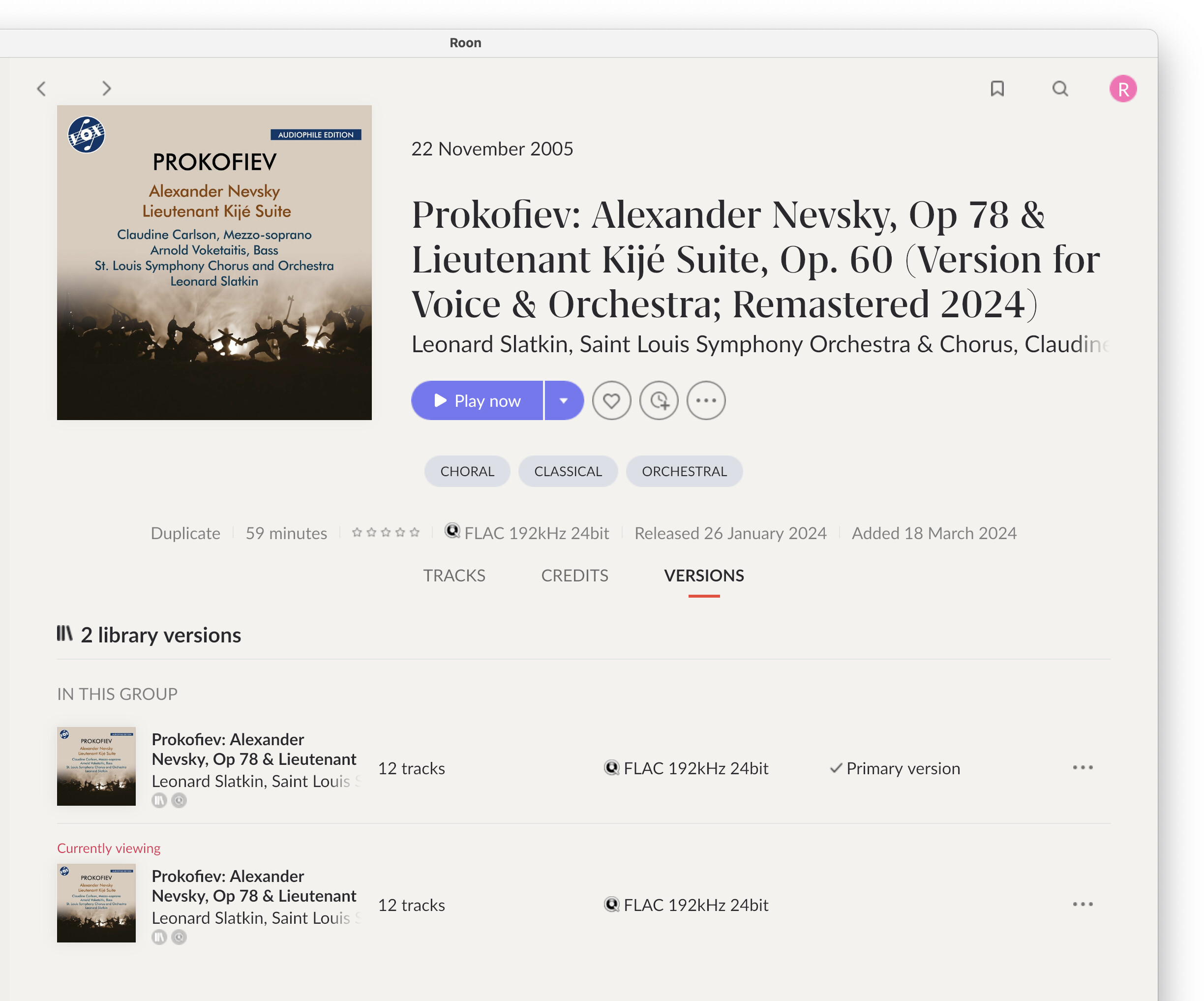
If you open an album and all the tracks are Unavailable, see if there is a VERSIONS tab. If there is, it means that Roon found another version of the same album.
Go back to the TRACKS tab and you will see that you are still open in the old version (tracks are unavailable). You can now tap on the 3 dots and select “Remove from library”.