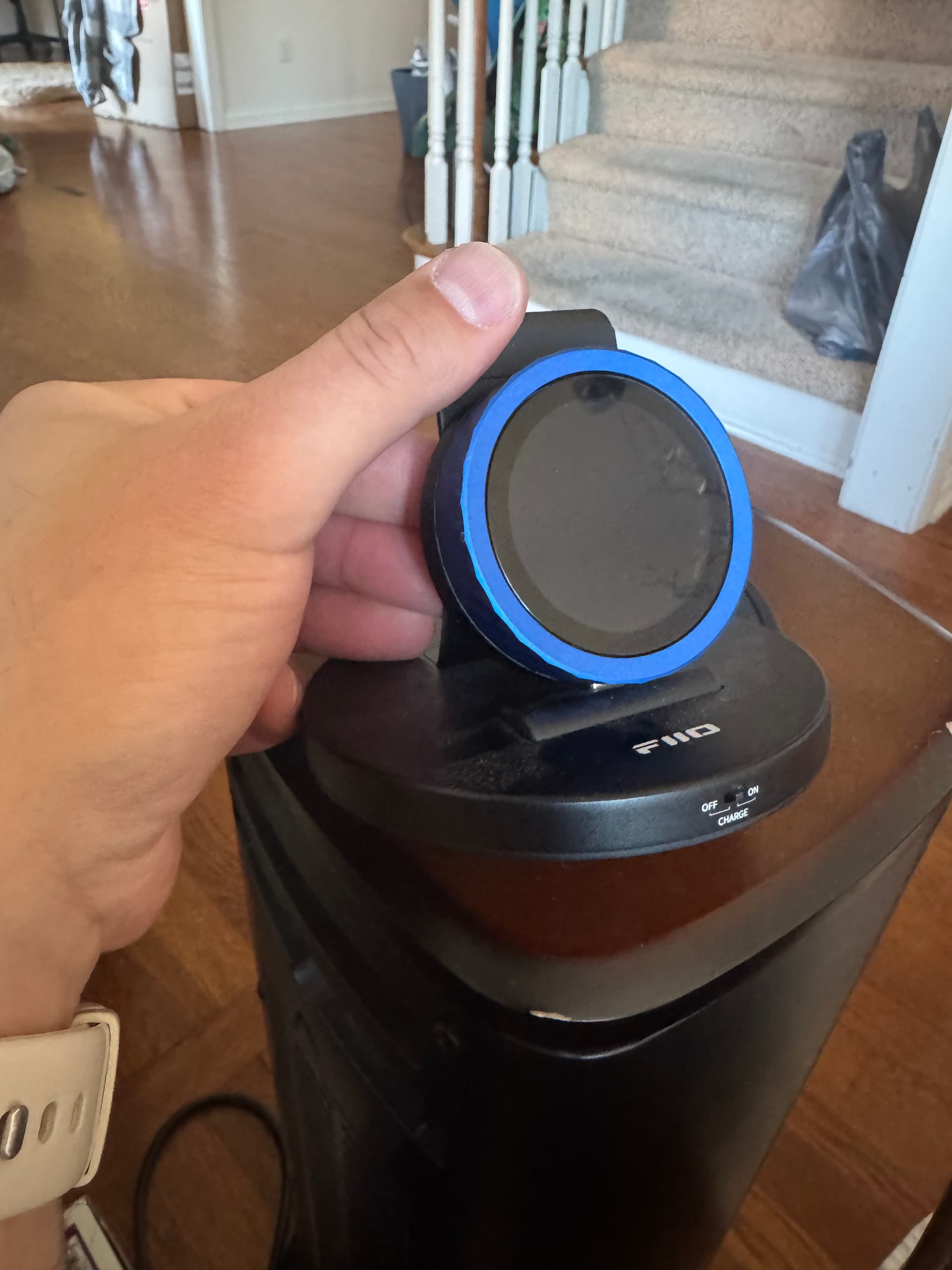
Thanks for sharing this config! The knob is now working 
1 Like
Thanks for working through it. Looking forward to getting your suggestions!
1 Like
Thanks for this amazing project! I’ve just gone through your getting started guide and I’m now happily running a Roon Knob — it’s a great piece of work.
While setting everything up and during my first use, I ran into a couple of questions:
- Is it possible to flip the display orientation? I’m powering the knob via the USB-C port, and with the current orientation the cable has to come out of the bottom. Since the knob will be sitting on my desk, it would be much more convenient if the cable could come out at the top.
- Is there a way to enable an always-on display, at least while music is playing in the selected zone? As the knob is powered via USB, battery life isn’t a concern for me.
Thanks again for this great project, and keep up the excellent work!
1 Like
Will this work to have multiple of these? One for my desktop setup and another for my main 2 channel setup? Great job on this! Looks super cool….
1 Like
Yes! Right now each knob can control all zones. I have an idea of allowing us to deselect zones per knob. Happy to work on that, especially with someone to test and give me feedback as we figure out a UI for it.
Great ideas! Will queue both as feature.
- For rotation, just 180 you think?
- Always on: I was thinking I’d allow time to dim and time to sleep be configurable.
2 Likes
@Foo_Bar, @gTunes , @Guy_Maurier , others : am wondering where to focus effort on configuration options: the knob itself? via the existing settings menu? Or move advanced config to a UI on the bridge (that the knob retrieves from it)? Other ideas?
Thanks for validating that it works for other folks too and the ideas!
1 Like
For my personal setup, a 180° rotation would already be sufficient. That said, I can imagine that having rotation in 90° steps could be useful for some desktop setups as well, depending on how and where the knob is placed.
Regarding the always-on display: making the dim and sleep time configurable sounds like a great approach and would probably cover my use case very well.
I think a configuration UI on the bridge could be a convenient option, at least for settings that are typically configured once and then rarely touched again. From my use cases, those don’t necessarily need to live on the knob itself and add extra complexity to its (rather limited) interface.
Thanks for being so open to feedback!
1 Like
For me this is both a personal Roon controller and a learning platform. The feedback is invaluable for both. UX on a device this constrained is genuinely hard: tiny screen, limited touch targets, battery considerations, embedded system limits, Roon API constraints. Keep it coming!
Hoping to have a release soon with rotation + dimming controls. Will update once up.
1 Like
1.4.0 shipped.
- Bridge now has a section to control config per connected knob: can name them, configure power mode settings (time till art mode, time till dimmed, time till sleep), 180 degree rotation while charging / while on battery.
- Knob picks up configuration from the bridge. It gets the latest config sha with every update. It obviously also supports the settings themselves.

This is also the on dockerhub as latest and 1.4.0. Hopefully that means your Docker update path (manual or automated) should pick it up, and then OTA to the knob too.
Please let me know if you have issues or feedback
1 Like
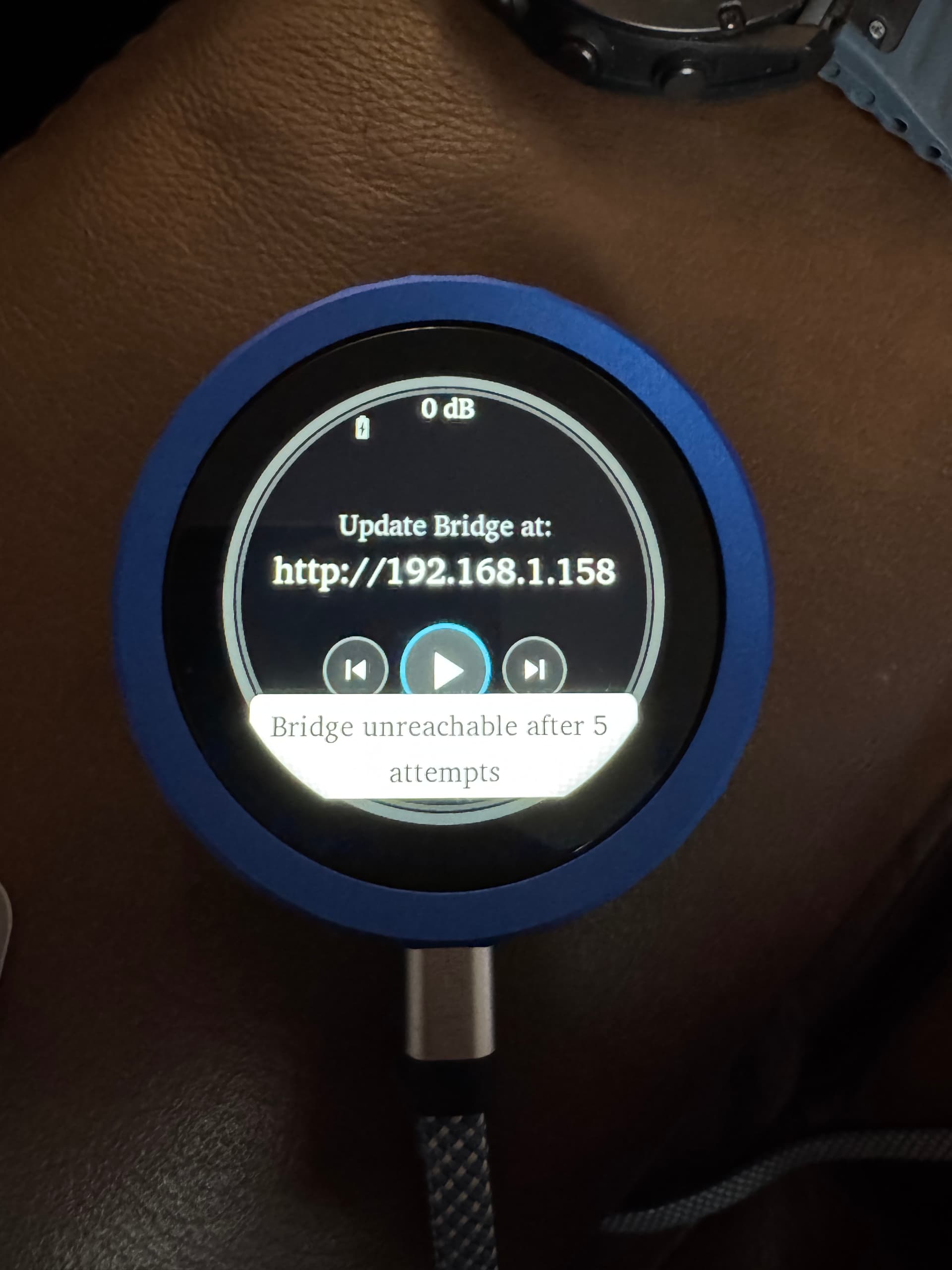
FYI, I improved this so that when the Bridge isn’t accessible the knob displays its own address so you can configure it
2 Likes
In case anyone is curious, I tried 90/270 rotation too. At least the way I implemented it, rotating the frame buffer itself was very slow, barely usable. I decided to back it out.
Wow, that was fast! The update process worked like a charm and everything looks good so far. Thanks a lot! I’ll share feedback after some use
1 Like
Rotating the display is a good change.
You may already know my feedback about how to approach this - it’s to get rid of the extension.
Most of the other knob options for Roon require a bridge because the knobs speak bluetooth and something needs to bridge that to the LAN. This knob has WiFi, and you’re using it, which means that there’s no technical reason (as far as I know) that the knob can’t just act as the Roon extension.
This would be so much simpler if the knob solved for:
- getting on WiFi (captive WiFi or, in my opinion, on-board UI for entering WiFi creds as the OEM firmware does)
- discovering or being told the IP address of the Roon core
The other thing I’m interested in is improving battery life. Dimming the screen is helpful but I think WiFi is the culprit of short battery life now. Possibly investigate an incremental backoff approach to WiFi polling, use, etc. This might be harder if you explore eliminating the bridge but I think that the bridge would make the knob far more accessible to a larger audience and that seems like a good thing.
1 Like
My experience with the ESP memory limits make me doubt that this is feasible at a hardware level. I also don’t see C libraries for the roon api.
I never tried this. Will see if someone has open source implementation published on other ESP as it would be easier for some people as you’ve said.
How much are you getting? I just got a battery and haven’t tested. Wifi is likely the culprit but I’ll see if I can measure or find usage specs. I can crank power down while the selected zone isn’t playing and / or screen is off.
That’s interesting. I wonder how well Claude would do at building a frugal, usable API wrapper in C if you pointed it at one of the other implementations. You don’t need the whole thing but I do understand that you may run into memory issues. I don’t actually know how much RAM these things have.
Something on the order of hours. I haven’t tested extensively because it ran down quickly enough for me to think that just keeping it plugged in is simpler. It’s unfortunate the guys that made the knob didn’t make some sort of charging stand for it. I’d buy one if they did.
Thanks for being open to the feedback!
1 Like
Another hobby of mine is… 3D printing and electronics wiring. I’ve made some cables and a charging only USB-C with an 3D printed enclosure would be so fun to work on.
What do you have in mind?