Box sets - how does this work?

I at least had the advantage of complete metadata

I have been running my legacy system in JRiver using custom tags [Box Set] and [Disc Subtitle] for quite a number of years so each it of grooming was relatively small .

Maybe have a look at Tag & Rename , if your discs have [album] set as the album name , it has a tool that can mass reset the Folder name to CDx - Xth Album. JUST as Roon wants to see it now !!

Its been in my Tool Kt for years, for $30 it is a very valuable tool especially in standardizing names.

Most of my metadata is complete but not quite structured as roon seems to want it. I use MP3TAG for tagging my music and for CDs I used dbPoweramp to determine the structure for CDs and so I think most CDs are ok - apart from the classical which is a mess because of the way the tags and structure from the metadata sites - where for example sometimes the ripping software picked the individual album rather than the boxset. If I decide to fix I suspect it is a fairly major activity. On music that I have downloaded there is a mix of split discs and multidisc albums which are tagged as a single disc. I’ll take a look at tag and rename - thanks for the recommendation.

Yes this is very similar to the way I’d approached this. Several years ago I ripped my way through around 1500 CDs many of which were collections. The metadata was a nightmare. Even discs in the same set were interpreted differently so there were many corrections. Roon cannot expect a specific format of metadata or disc configuration in order to display box sets. It is software after all so it needs to be flexible otherwise the feature isn’t useful. I won’t be re-ripping in order to suit Roon.

I have no plans to re-rip but I can use MP3TAG and/or Tag & Rename to fix tagging… Re-ripping is not something I would want to do (I ripped 6500 discs)… Despite having a 100 disc stacker and using the batch version of dbpoweramp its still alot of work - you have to review the metadata and where the files were put, I guess I didn’t pay enough attention when I ripped the discs.

There is a fine script for Mp3tag:

Unfortunately it works only up to 500 titles box sets.

This is because the MusicBrainz API just isn’t built for huge collections. It’s an ongoing issue that’s been around for years, it could be mitigated through pseudo-releases, but this is now no longer possible.

But from my highly subjective point of view, Roon’s new management just isn’t built for large sets either. On the other hand, for small to medium sets, it’s a huge step forward.

I also use MP3Tag Editor for years. All my Files are matched against Discogs.
Most of my Boxset are already fine, some needed a bit adjustments in the Tags.

Not much to worry. I’m now trying to get the largest Box-Set to fill with the proper posters (some are missing). Contains 31 Discs. Most of the Albumart is shown, but some are unidentified.

A bit of work for some but for the majority it went without issues or work.

I first check with Roon

If the single disc is not listed, then I go check my Tags in the files.

Then I search Discogs for the Release

Then I copy the Release ID from the address bar

grafik

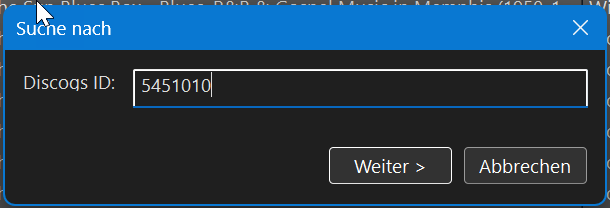
In MP3Tag, I use Search Discogs Release ID:

And then add the Tags

If its still not proper in Roon, then I download the proper poster from discogs, and assign them properly to each disc in MP3Tag.

In my example, even with all the Tags set properly, Roon was still not able to Identify the discs.

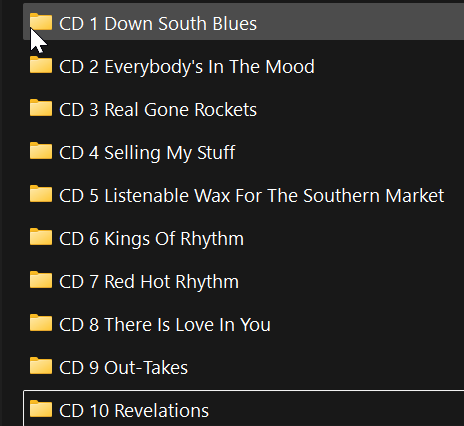
But with Renaming the folders by adding the title of each disc in the foldername, Roon showed the correct Title and the proper albumart.

Only the date is still missing, due to unidentified. But the year could also been showed there, every disc is edited manually.

I’m fine with the result and keep it this way. I only have 25 Box-Set with more than 10 discs - so the amount of work is not that big.

Proper tagging is the key (was always)
Hi all,

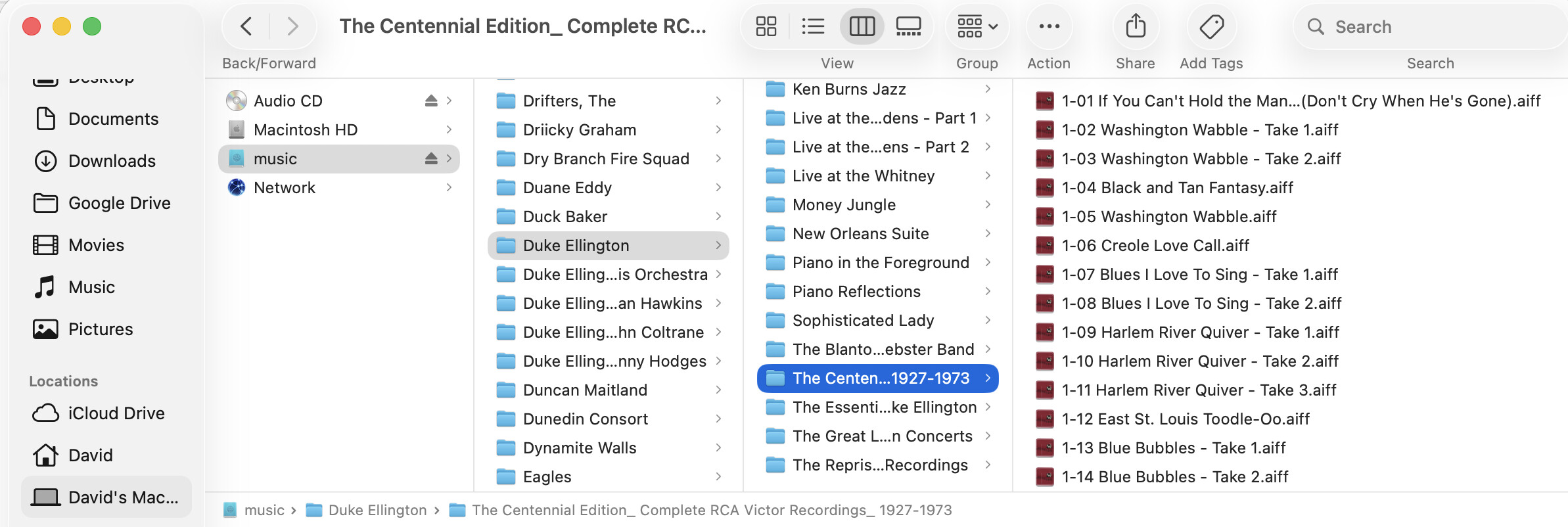
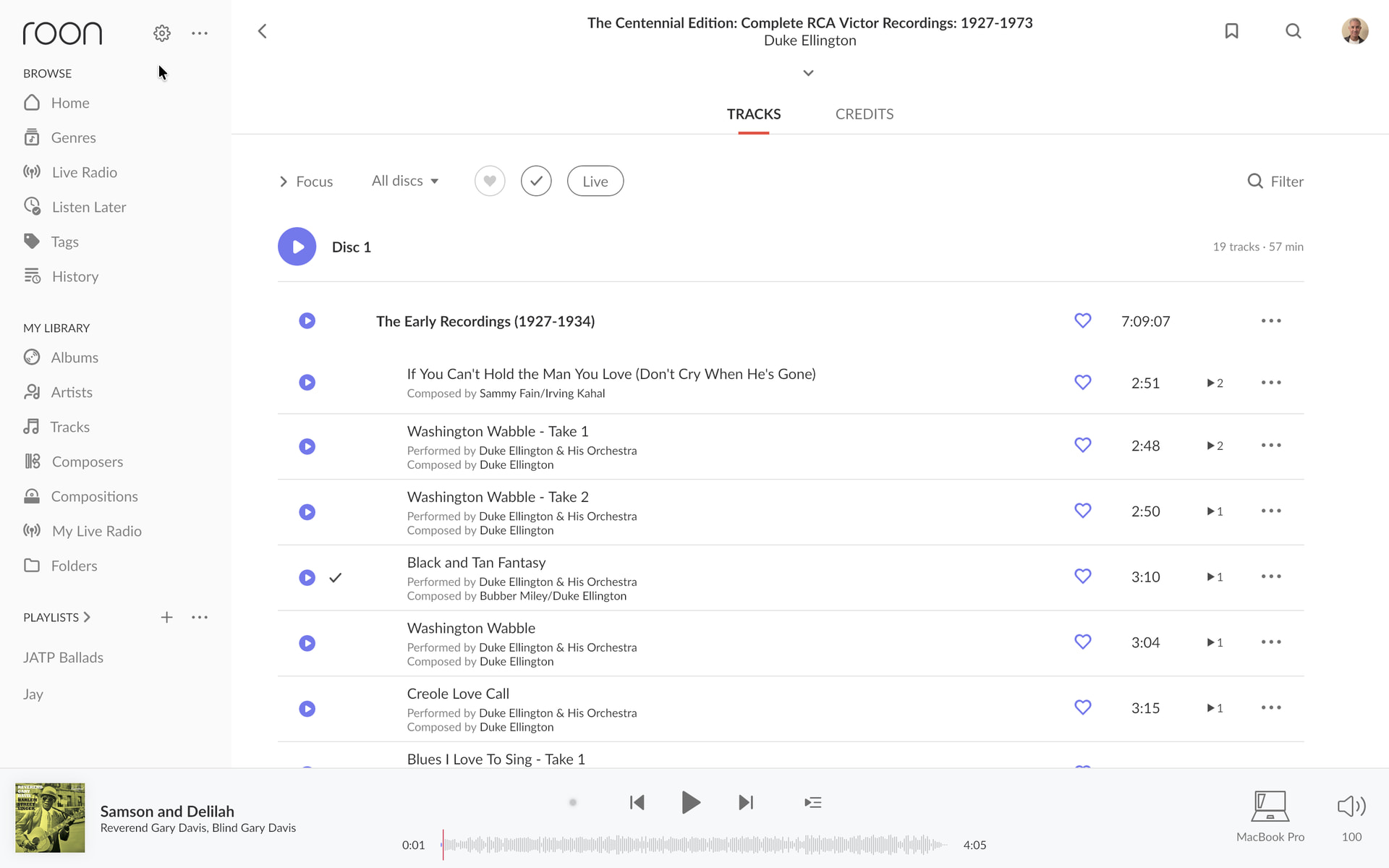
I’m really pleased with the release of the box set functionality. I too am having difficulty in trying to make this work without any undue shuffling of the deck. My current arrangement is to not sort discs as separate folders, but rather create one large folder per album with all of the discs in the box set. I initially did this so the artificial boundary of a disc would not interrupt my listening. In this arrangement, each track has unique track numbering of disk_number-track_number track name. For example: “1-04 Black and Tan Fantasy” and presented as an album in column view:

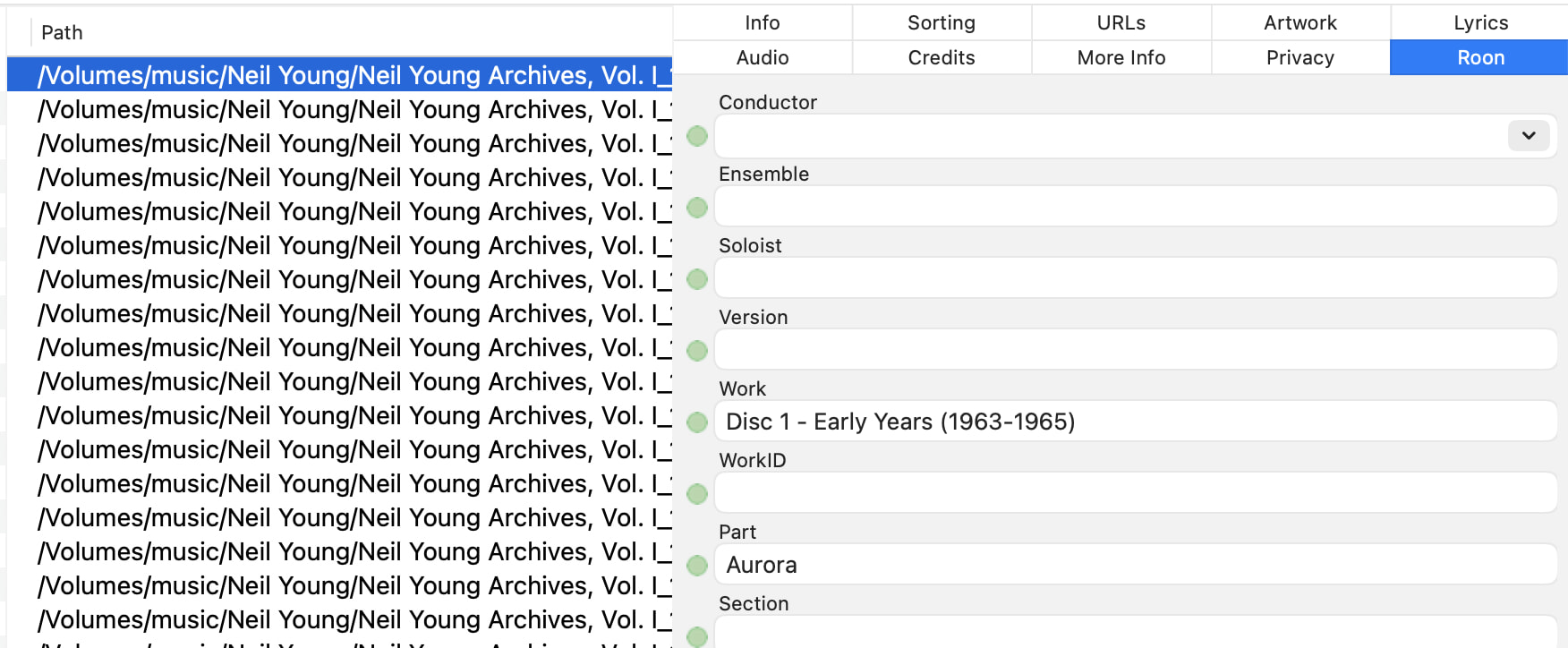
I use Yate as my tag editor (hello Yate fans out there :waving_hand:) where I make extensive use of the work and part fields under the Roon tab:
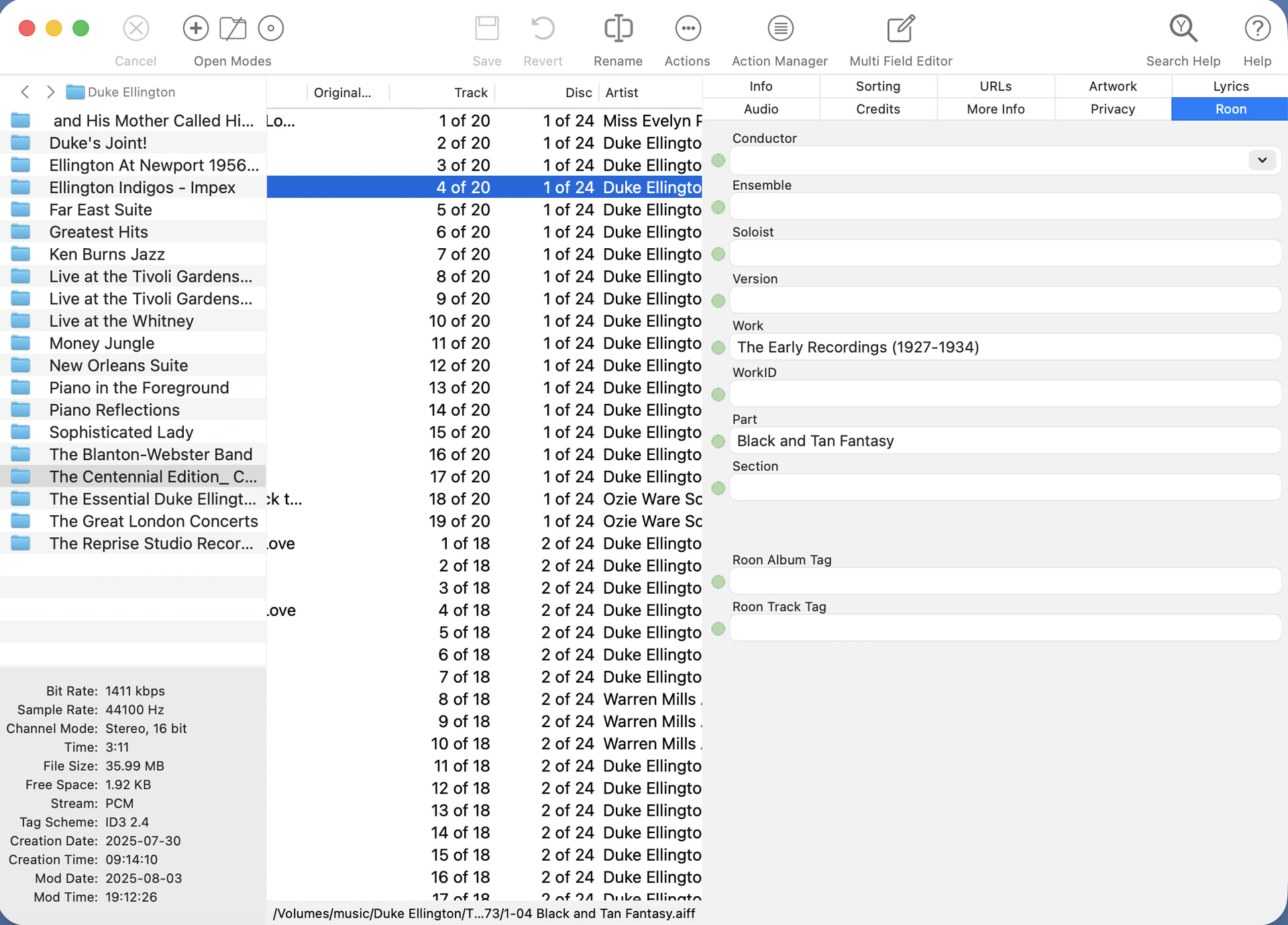
For this Duke Ellington box, there are only a few main sections or “works” within the 24 discs. So the first work is The Early Recordings (1927-1934) which spans discs 1 through 7:

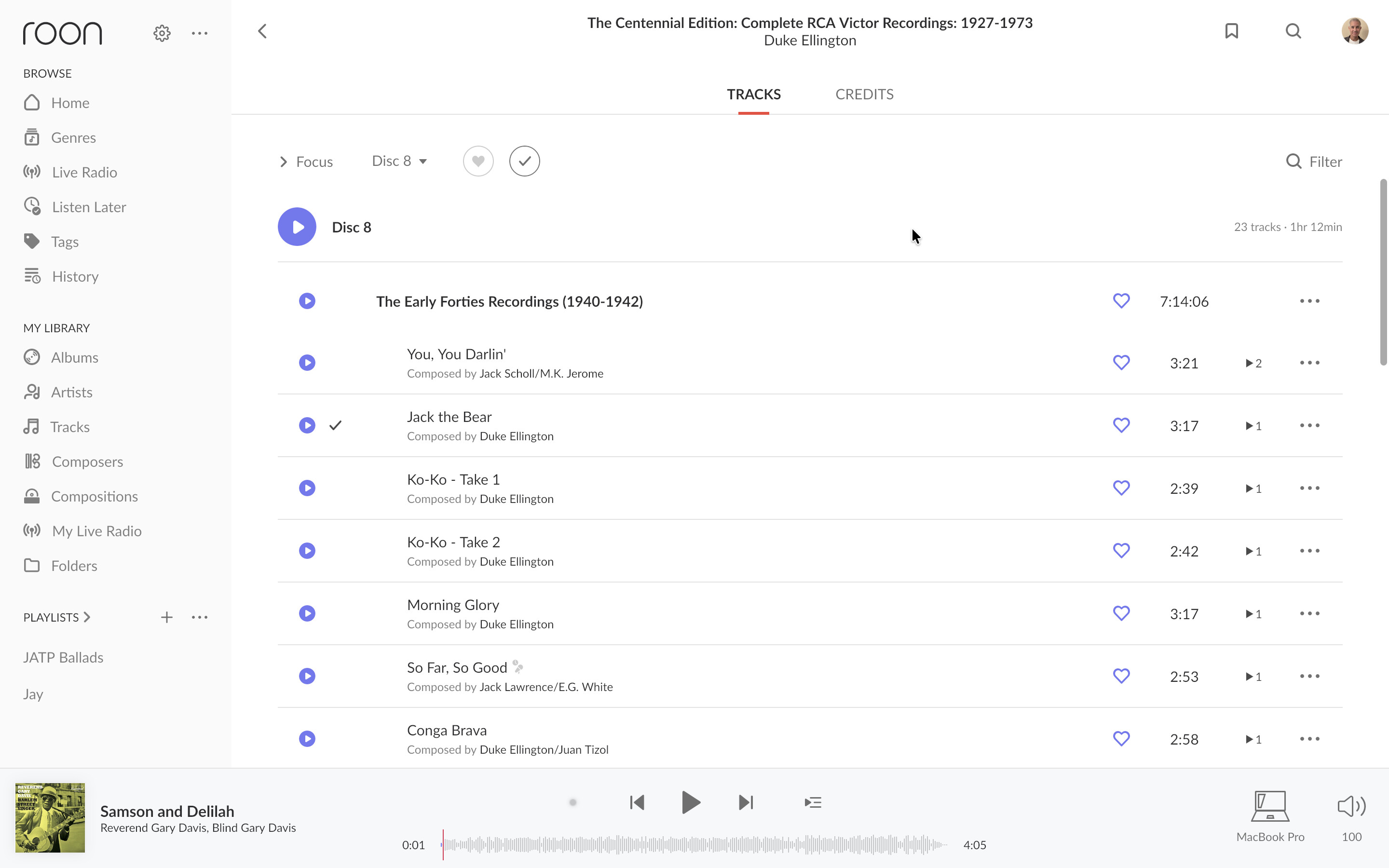
The second is "The Early Forties Recordings (1940-1942) which spans discs 8 through 13:

And so on for the rest of the box set.

I think what is new since the update is in the two previosu illustrations with the disc “name”. In this case, with no work on my part, I now see Disc 1, Disc 2, etc., where this was not previsouly there:

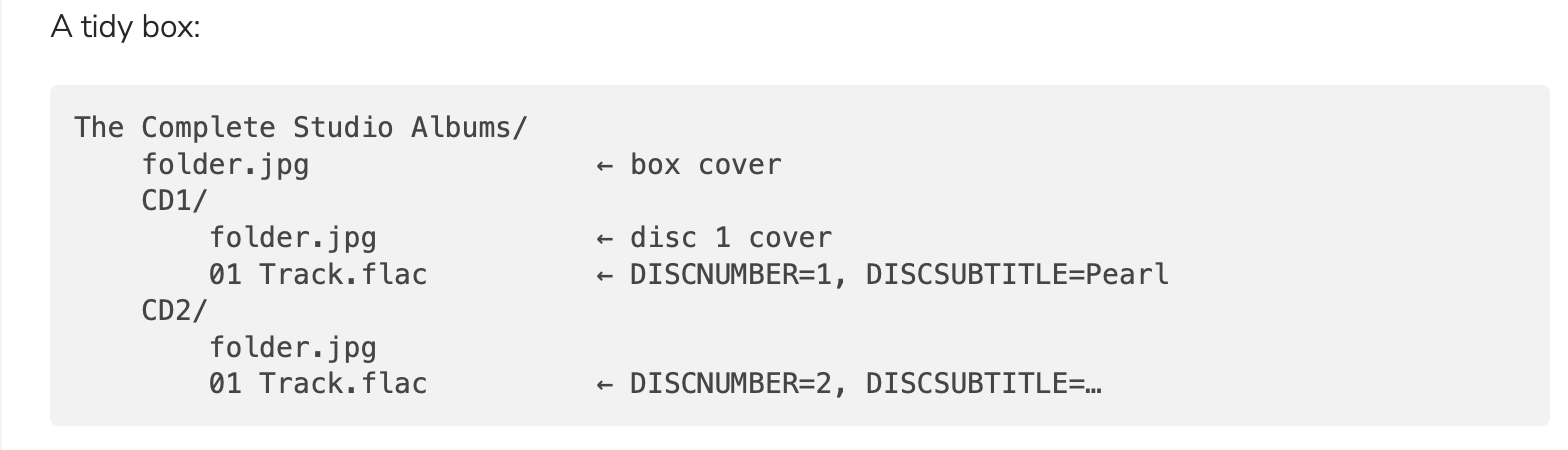
The Roon guidance under the tidy box states:

Is that needed here? What am I losing if I don’t do that arrangement? One thing comes to mind is the disc-level art work. Are there others?

And to the Yate users out there, any tips on how to automate any needed changes to take advantage of this new functionality?

Thanks!

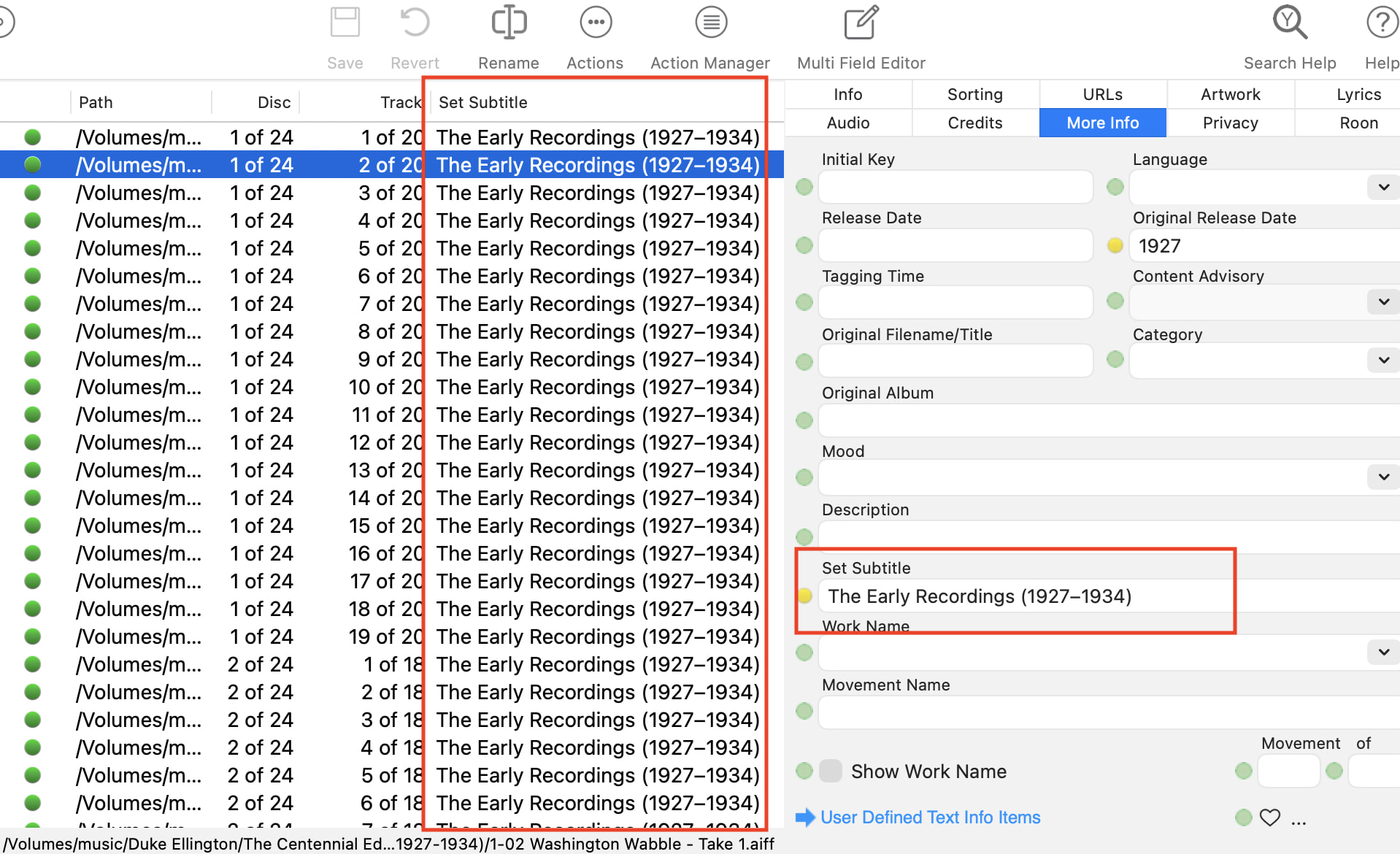
Yate uses Set Subtitle as the Yate field name. For FLAC and MPEG-4 files you can map the field to DISCSUBTITLE in the FLAC/OGG and Audio-MPEG-4 settings. ID3 based files used the recommended TSST frame.

If you’re using the Create Move Action wizard to generate an action to move your files to the desired structure there might be a small gotcha in the current release. The wizard requires a space between CD, Disc and #. This requirement is removed in v10.1 which will be out in a few days. I’m not sure if CD # will be parsed correctly by Roon … it may be fine. I’ll release a rename template to use for box sets which can be used with the wizard at the same time as v10.1 is released.

there are 2 advantages to the new feature

  • Individual Disc Name
  • Individual Disc Art

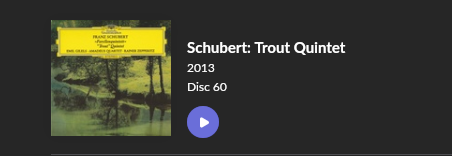
Once a disc is name and “arted” the header will look like and not just Disc 60 as in your example.

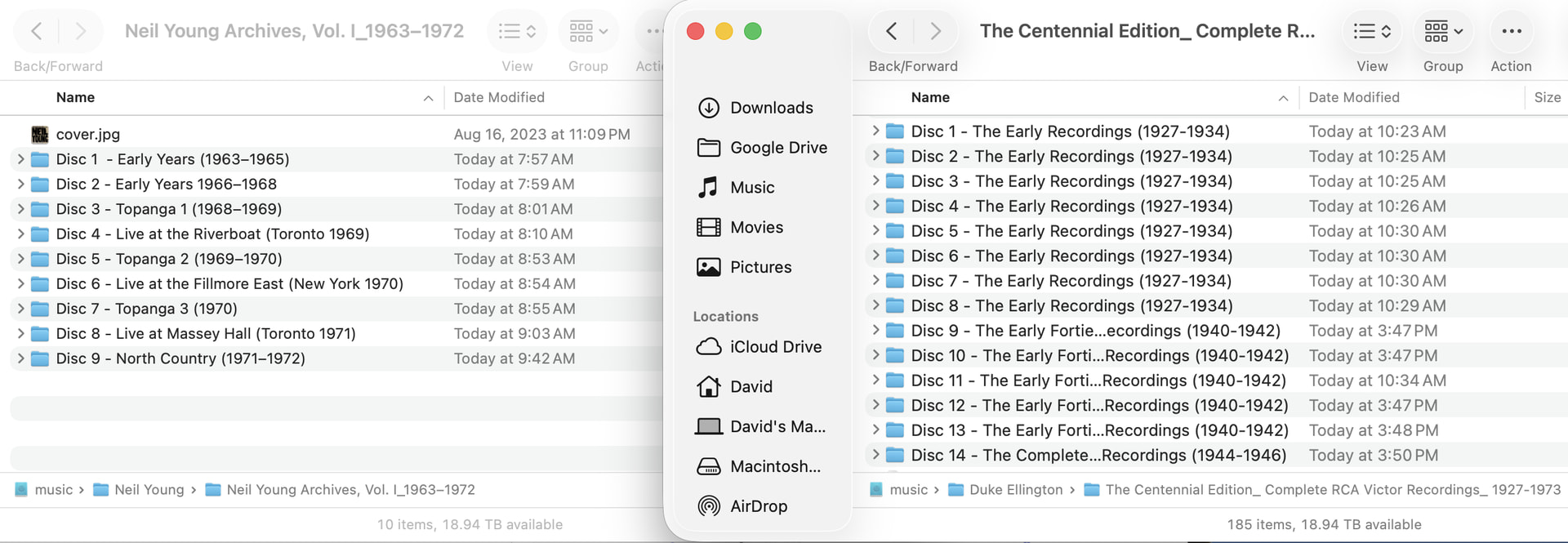
The design however requires that in a Box each CD is held in it’s own folder. Think of a Master and subfolder structure, the Box Artwork is a file folder.jpg in the master folder, the individual disc artwork is a folder.jpg in the sub folder

Disc name is easy as Set Subtitle was added as an alternative to DISCSUBTITLE directly at the request of @Barry_2MR2 at the EA stage especially for Yate users

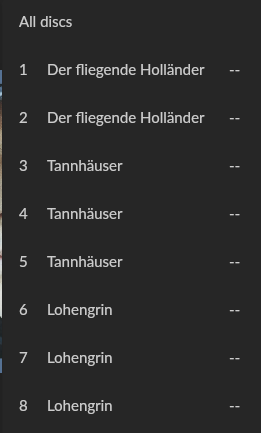
Alternatively you can pass it as a part of the sub folder name eg. CD6 - Lohengrin etc, the text is extracted to Disc Subtile

The original idea was to attempt to show a Box as a series of Discs , each named and with artwork so navigation was more like looking through a box for a specific disc.

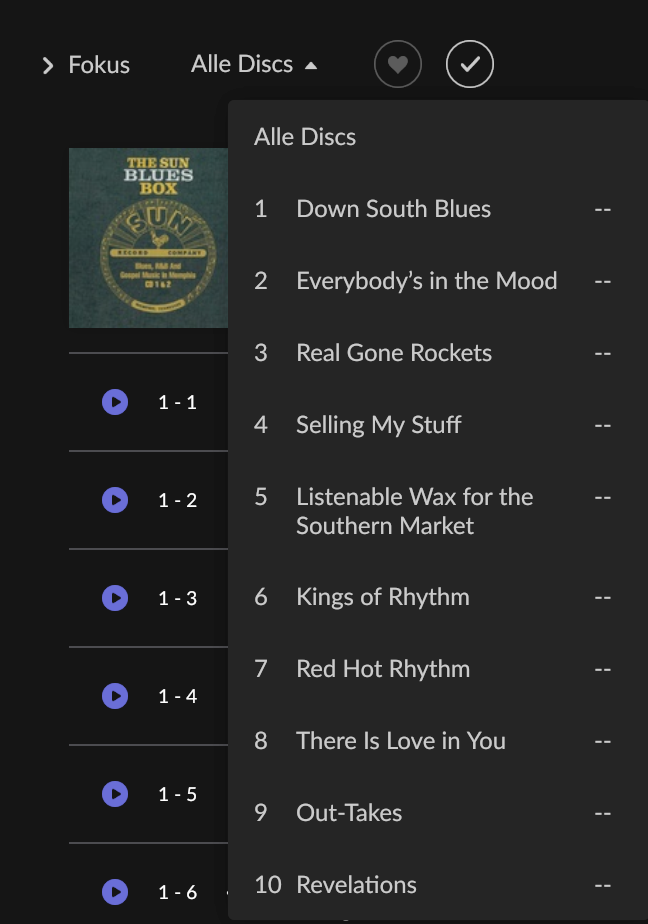
One bit you do miss out without discs names is the Disc No Dropdown. Without names that would show disc 1, 2 etc . That text is up to you to be as descriptive as you like

The other bit is now Filter will work with disc names so in my example filtering on “Tristan” puts me at the start of a 4 CD run of one opera spanning the 4 discs without further selection. This is massive in a classical context like this. In you Ellington example typing a date will move you to the start of a 7 disc run etc. Quite slick.

Your software is supported so it’s (just) a matter of adding names. Nice job for a cold winter’s evening :smiling_face_with_horns: . I am lucky mine were all done as I have been structuring boxes like this for ages !
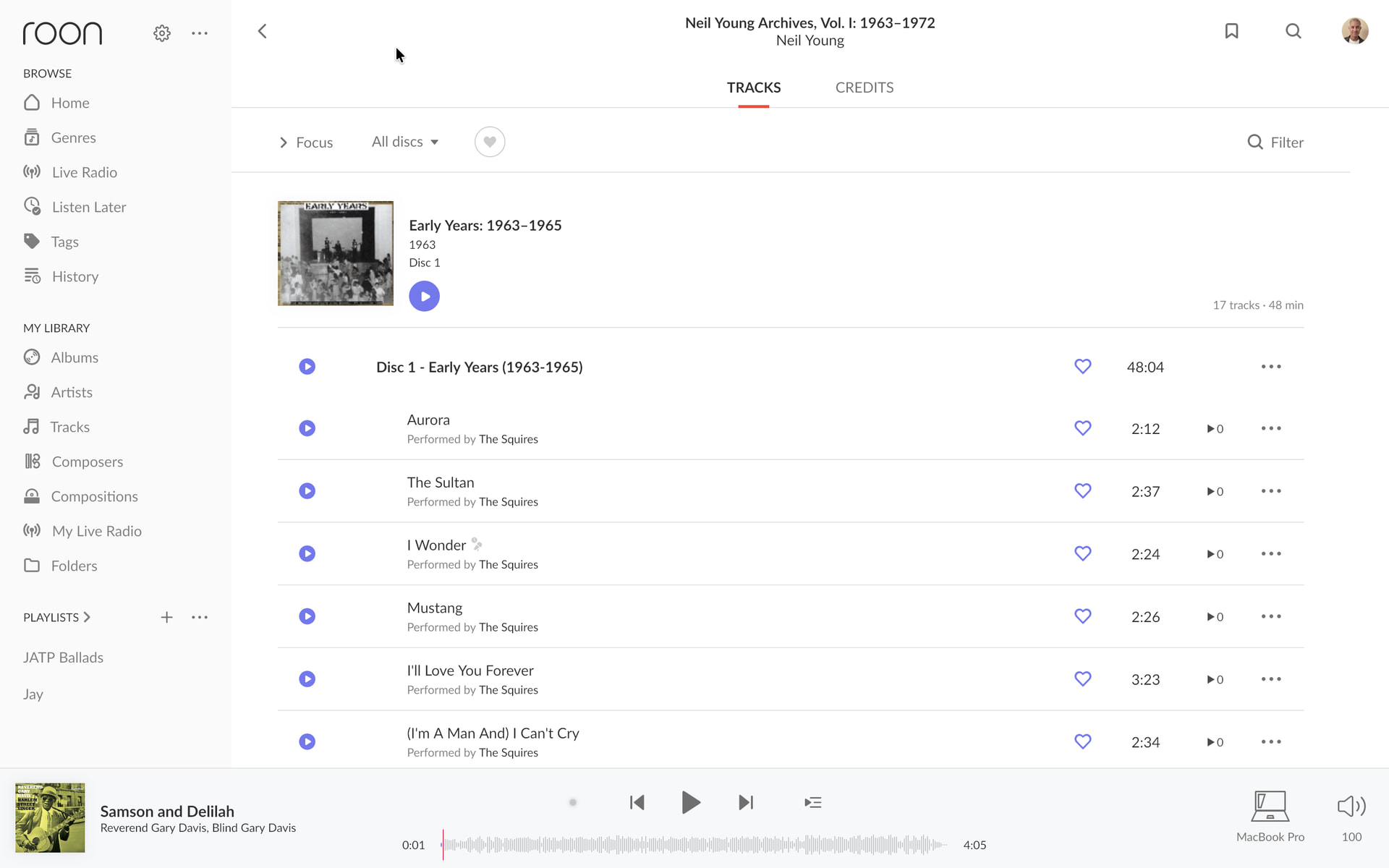
Thanks for the guidance. I started out with Neil Young Archives, Volume 1 as that is made up nine discs, each with its own title and artwork.

And it came out looking rather nice:

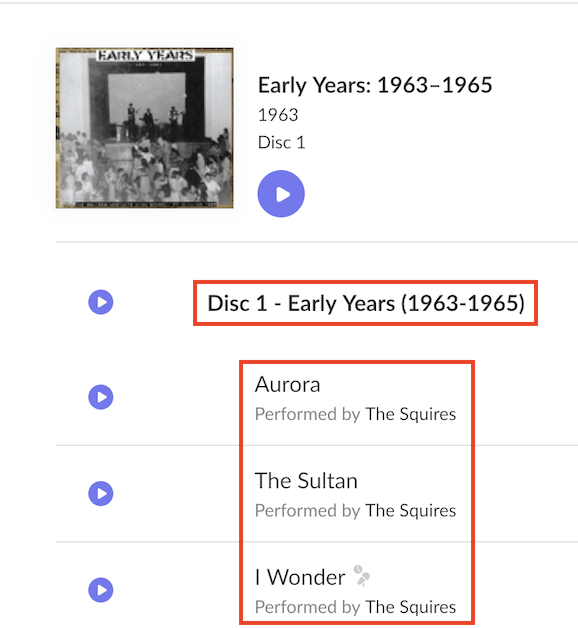
I wonder, and I do need to test this, if the repeat of “Disc 1 - the Early Years: 1963-1965” and the indent of the tracks displayed below are a result of the new box set feature along with my use of work and part in the Roon tab of Yate:


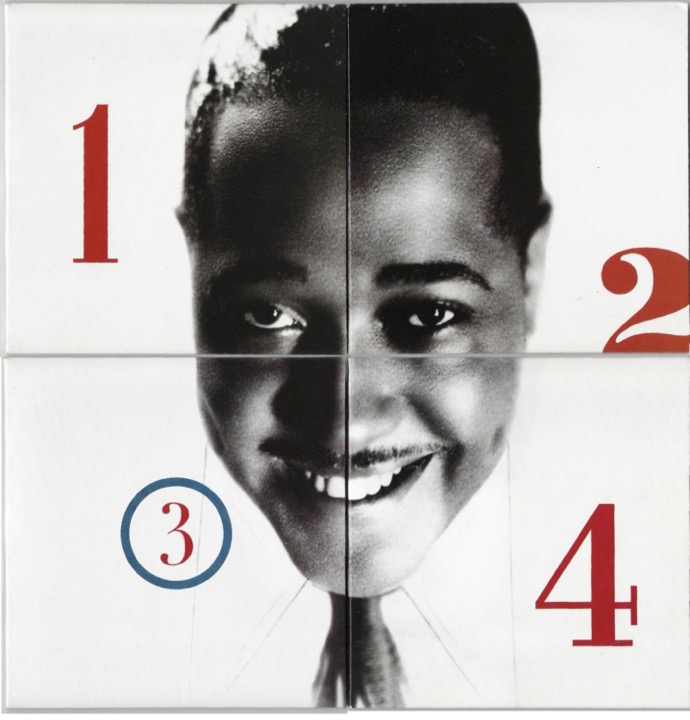
Turning to The Duke Ellington Centennial Edition, that is a bit more complicated since there is some lovely cover art made up of set of four discs:

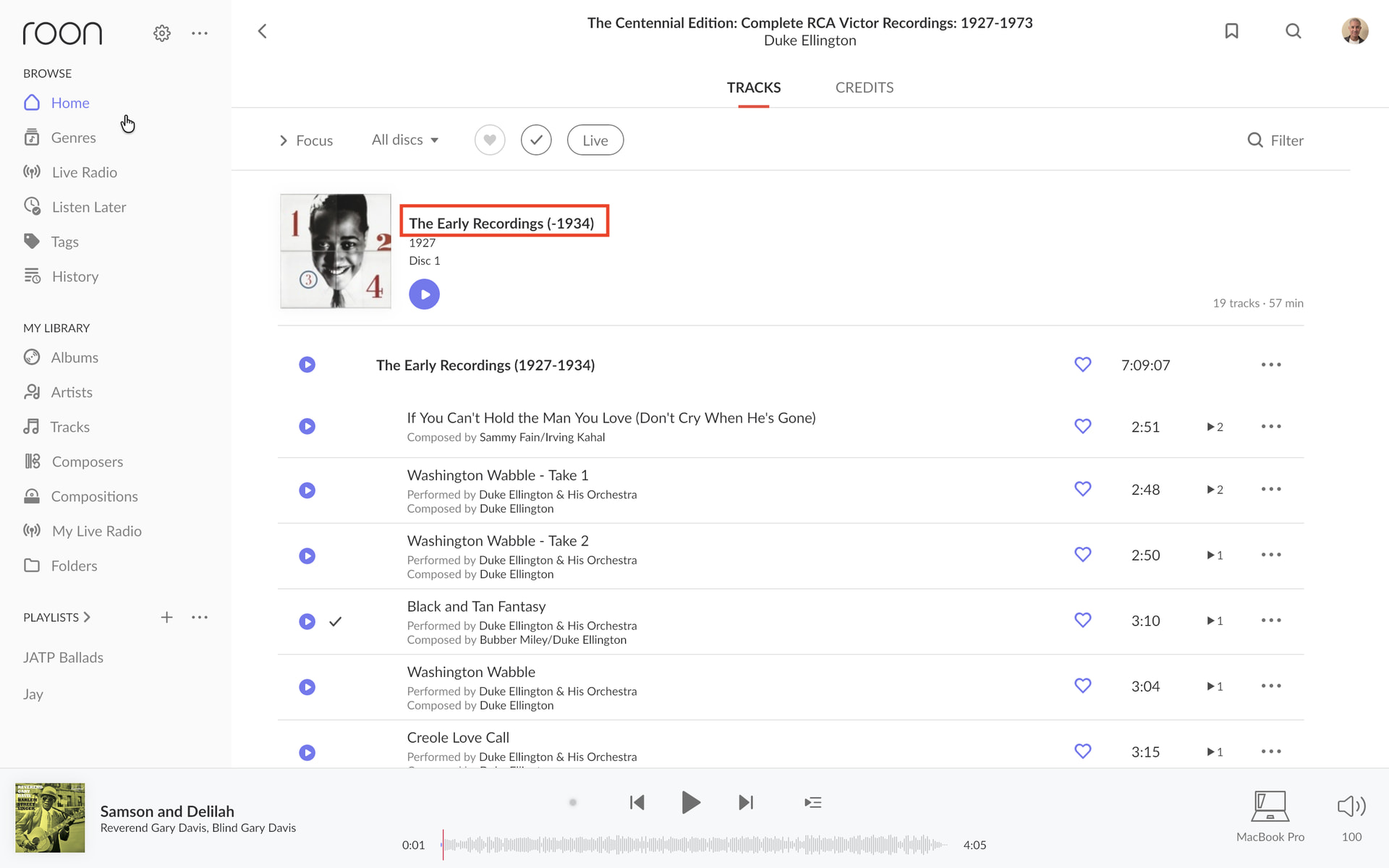
I’m still exploring the best way to do the Duke Ellington set. However, one thing that is curious- Neil Young came out nicely with each disc containing the full title such as “Early Years:1963-1965” as displayed above. Duke Ellington, on the other hand only shows the closing year as part of the disc title:

Yet the disc titles containing the tracks, from where I believe the disc titles are populated in Roon, are the the same:

Any reason for the difference? More importantly, what steps can I take to fix it?

You could always edit the disc titles manually, Edit Album > Disc Metadata > Edit Discs

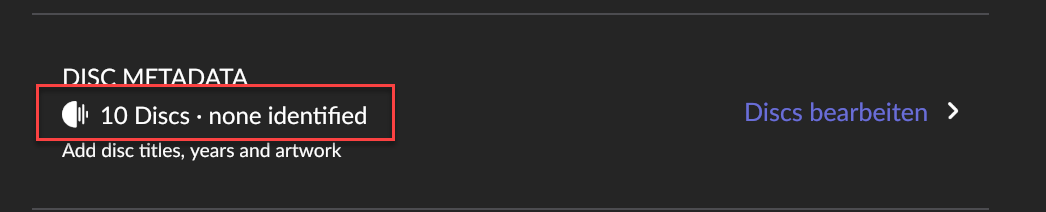
I wonder if this boxset is identified by roon, and from where is roon pulling the disc titles and disc covers? Does the disc metadata view show any discs being identified?

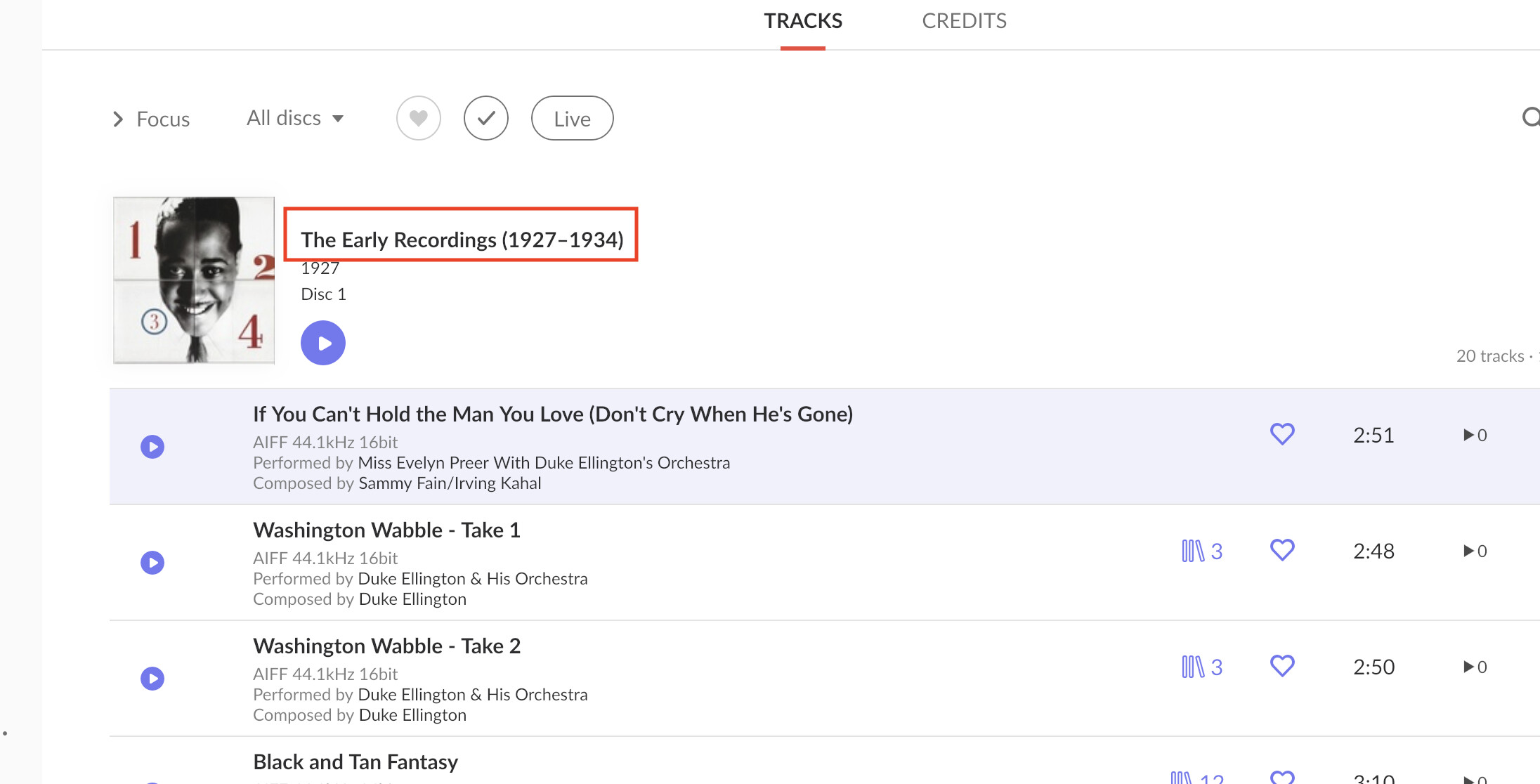
I tried that early on, but I don’t think that worked. After trying different things on and off, I have now figured out what was missing- plugging in a “set subtitle” string (I’m using Yate).

Once I did that:

All set for now.

the acceptance of [Set Subtitle] was added in EA especially at the request of the Yate developer for Yate users