I do have a pure fiber cable or so I think. This is what I purchased for fiber optic.
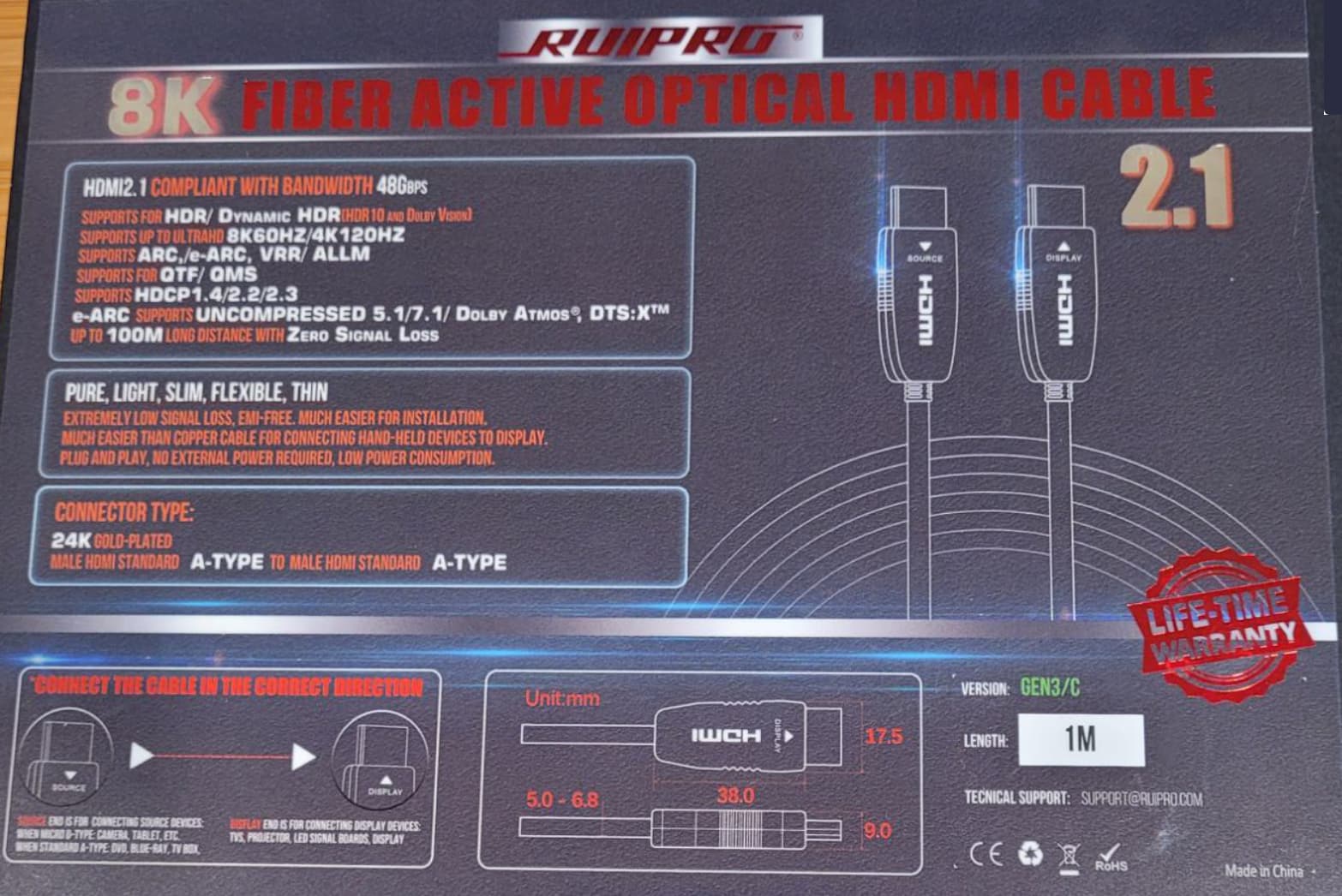
Not sure…RUIPRO looks like they have fiber and pure fiber lines. The latter have differentiated connectors with detachable fiber optic runs:
Probably not full fiber. The full fiber for 1M is almost $100 directly from Ruipro. I am at a loss at this point to get rid of the popping noises.
If you are in US, you could order from Amazon and return if it doesn’t solve your problem. 
The Marantz AV10 has a signal ground terminal. You could try strapping this to the ATI AT527NC.
The fact that the cable is shown as having source and display markings would seem to suggest that it is fibre-optic, with the convertor electronics contained withing the plug housings.
The ATI has a ground terminal. So I strapped a ground connector together between the ATI and the AV10 and it does not help the situation. Still static. Unfortunately the Roon employees just quickly made the assumption that this is related to the electrical environment and washed their hands of this issue. I even sent a message to Roon yesterday that I would like to process a return and exchange but they have not responded. They have kind of left me stranded. Not a good showing. Until now I have been all in on Roon, but I am beginning to question my decision if they cannot work out a problem with their hardware.
I have a Marantz AV 10 processor also. As of a few months ago, it has Roon Ready firmware that works quite well. Sadly, Roon only sees it as a 2-channel device (no support for 5.1 surround), but it sounds great and has been reliable.
If your priority is support for multi-channel music via HDMI, then my comment won’t help.
But if 2-channel music is your focus, consider moving your Nucleus One to a closet or wherever your Internet router/firewall is located. It just needs power and Ethernet to provide audio for your whole house. It does not have to be in your component rack with the AV 10.
No, my preference is to play 2 channel music and so I have the HDMI from the Roon connected to the Marantz AV10. How do I select my Roon if it is not and input to the AV10?
If your AV10 has the latest firmware and it is connected to your home network, then it should show up as a Roon Ready device in Roon’s  > Audio screen.
Perhaps you could post a screenshot of that screen so that we can see what you have available?
1 Like
So I unplugged the Nucleus One HDMI and left it where it is. It is playing through the AV10 I guess even though the HDMI is not attached. I look on my pc and here is what I see. The downside is that I get no TV screen with the album info.
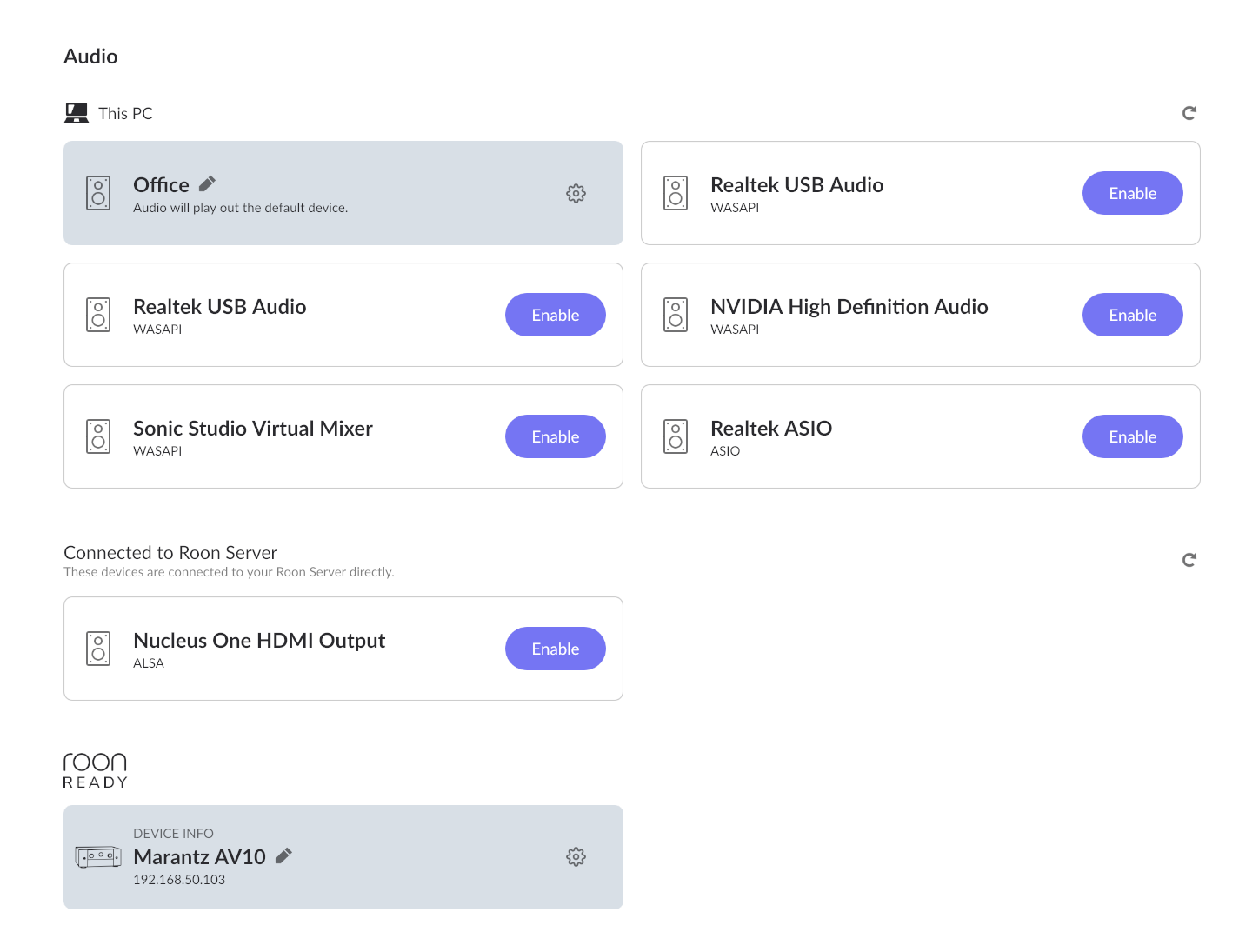

At least there is no static but I miss the TV display.
Sorry, but were you actually getting album info on the TV screen? Normally, I would expect to see just a text screen showing diagnostic information on the Nucleus when it is connected via HDMI to an AVR…
Yes I would get the album info with a picture of the album, the progress of the song and any lyrics if I wanted to see those.
That’s a new one because the Nucleus is expected to only display text status information over HDMi (and this is an extremely frequent troubleshooting step)
Having graphical album & track information has been a feature request for a very long time and has been unfulfilled, as far as anyone knows.
So this is very intriguing
It may be because the AV10 is Roon Ready… I’ve asked Roon Labs to comment on this…
It would be very cool if Roon Ready devices would get Now Playing by HDMI, but it would be news to me, you, and the documentation  ,
,
Incompatible Devices
We have found that the PlayStation 4 console browser is not compatible as a Roon Display. While some Roon Ready devices have HDMI outputs, only Chromecast and web browsers are supported for Displays at this time.
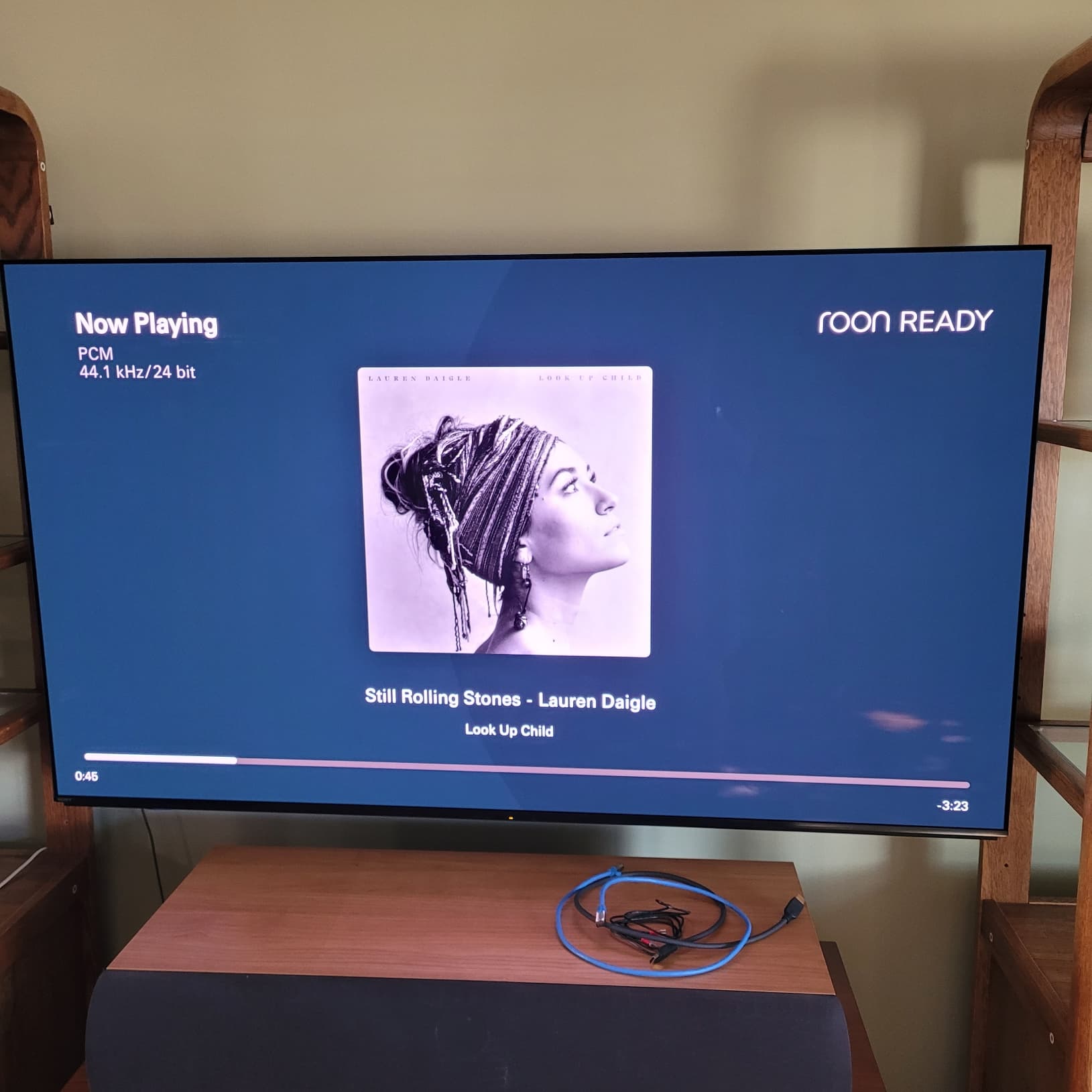

Your display above looks like you were streaming via Roon Ready when you took that picture (rather than over HDMI).
2 Likes