I think tech should be easy! To me a lot of products and developers who build them prioritize features, performance, whatever. While I have nothing against those, it’s not an excuse to ship poor experiences.
If you have suggestions, let me know.
I think tech should be easy! To me a lot of products and developers who build them prioritize features, performance, whatever. While I have nothing against those, it’s not an excuse to ship poor experiences.
If you have suggestions, let me know.
Fellow HQPlayer users: we’re back to working DSP controls with 3.2.1. Please give it a try and report issues!
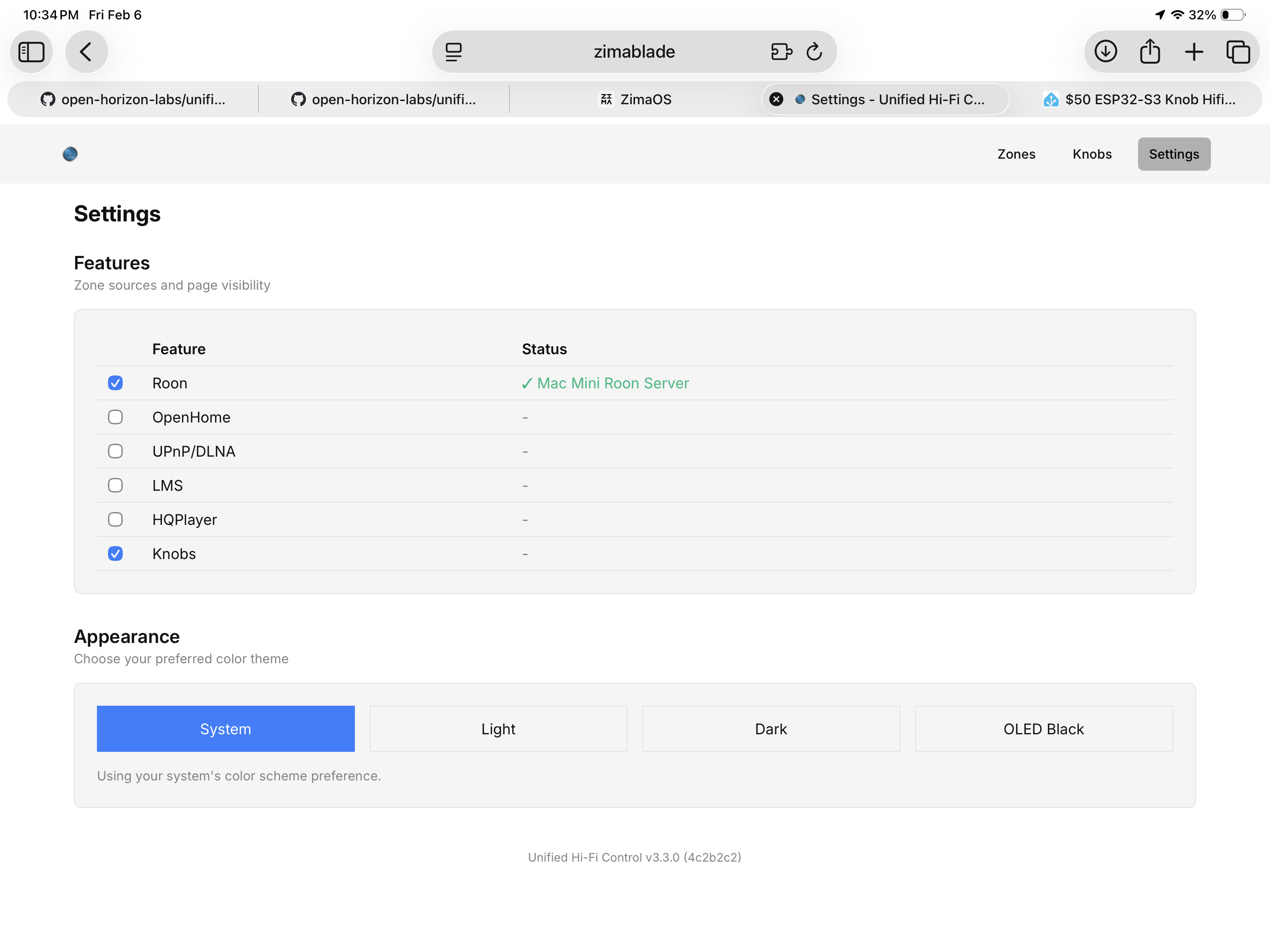
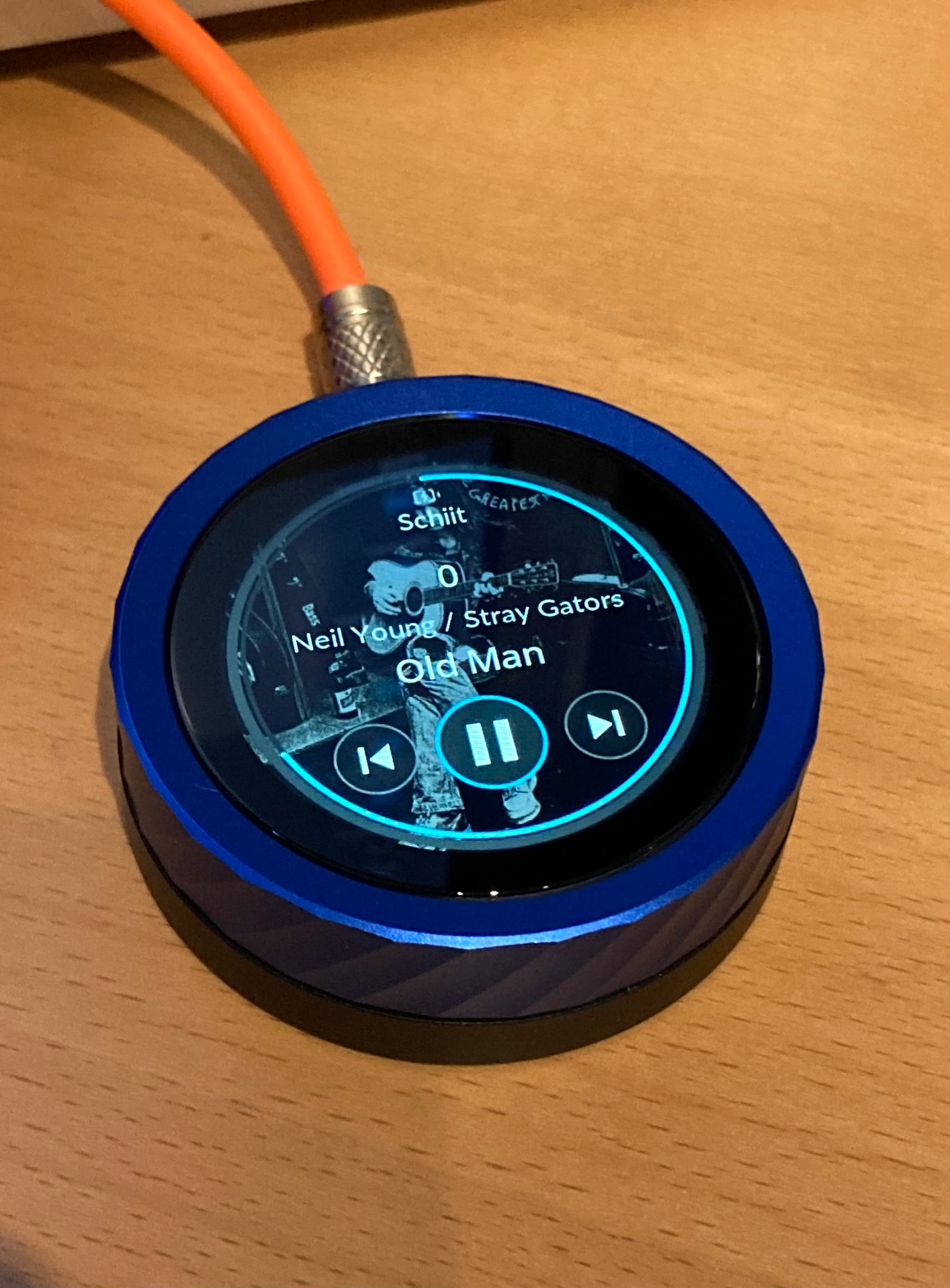
On knob firmware 2.4.1, auto detection of volume control works, thanks!
However, when digital volume control is deactivated, digital volume is still shown at the center of the screen, but it’s ‘0’.
Removing it would reclaim some screen space and might also give the opportunity to increase the font sizes for better readability of the meta data.
Bridge v3.3.0 adds Adjustable Volume Sensitivity per Knob (#226)
The knob config now lets you control how much the volume changes with each turn. If your system’s default feels too coarse or
too fine, open the knob’s settings in the web UI and set your preferred step size. The knob still responds to how fast you turn it: slow turns make small adjustments, fast turns make big ones but now you choose the starting point.
If you find the controller useful, please consider supporting my work at https://buymeacoffee.com/muness .
Hey @Muness - wanted to report in that I got the Knob working today very easily. The only step that confused me was the “flip the cable if not recognized” trick. The flashing site throws a scary error about device not recognized, and I think that’s a great break point to say: “or just try flipping the cable”.
I switched computers, tried downloading drivers, etc- but all I needed to do in the end was flip the cable. lol.
Otherwise this is an awesome contribution! Nice QOL experience. I’ll keep using and provide feedback if it’s helpful.
I’ll echo a previous commenter: fixed volume endpoints shouldn’t display the “0” volume state; should display nothing at all.
Okay I have one: rotate the orientation.
I have a cool USB dock/charger thing that perfectly props up the knob. But the usb is on the bottom, which flips the Knob orientation.
It wouldn’t need to be super fancy and auto rotate. Just a simple top/bottom/left/right orientation selector would suffice here. Then I can leave it in the stand permanently next to my listening chair!
One of the options in config is to flip orientation!
I have no control over the message in that flash software. I’ll try clearer messaging on the page but in my experience people don’t read until there’s an error. 
Ah thanks! And to your point, I guess I didn’t RTFM 
For both of these asks! I’ll take a look. It’s so cool.
I mean, really, I never RTFM, I just want things to work!
I realized why I missed the feature. I used the Roon Extensions method.
On the mobile Roon app, Extensions tab, there’s no config button for the Unified HiFi Control extension. Tapping on it takes you to the GitHub page.
I realized I have to navigate to port 8088 for my Roon server and there’s a whole (feature rich) config page for the Knob!
So far I’m digging this knob so much. Been looking for a physical control and artwork solution and this perfectly meets my needs. Looks great in a dock next to my listening chair! Thanks again for building this.
Would you mind sharing which one? Could be helpful for others going down this route. Thanks!
Got the knob working. Sweet! Wonderful guide and elegant execution.
Thanks for the great work…
Books bought.
I’ve got it! Firmware flashed fine, easily installed via Extension Manager but…I must be doing something really stupid but can’t see how to connect it to WiFi? I can connect to the hotspot on my phone but don’t get any prompt to provide my WiFi details. Any idea what I’m missing? Thanks 
Edit: Sorted - used Fing to identify the gateway ip and connected to that. All good.
Glad you figured it out! It’s supposed to show up a captive portal, but some phones don’t trigger it reliably.
For the next person who hits this, a couple things to try:
I’m really impressed with how neatly this works @Muness - am still playing with it and the hqp functionality but it makes a cracking first impression. I really liked how clearly the power saving options are depicted too. Have bought a book as a starter Thanks for all your hard work.
Would be great if the volume and track progression lines could be individually enabled/disabled in the UI for a cleaner / less distracting look if preferred.
It’s this one!
It’s like a squishy silicone material. The arch of the stand almost perfectly fits the knob, and it looks really integrated. Try it!
Thanks for sharing the link.
May I ask you to post a picture of the combo here?
So @Muness, had a small accident with the volume on the knob today. I use it to control a zone with an RME ADI-2, connected via rooADI. I was being impatient turning the volume knob as it resumed from deep sleep. This had the effect of seeming to reset it to 0, or full blast on the RME. The family did not thank me, nor did my speakers  Is it possible to set it to stay at last volume until it is fully booted? I don’t think it was just a question of me turning it all the way to 0, as it started at -45db. Thanks!