I now have a Nucleus One with SSD and I’m looking to start ripping my CD collection. I have read on here that dBpoweramp seems to be the best software to use. I’ve visited their website and there appears to be dozens of options/programs. Which ones do I need to purchase to let me rip my CDs please?
Also is there a simple to follow guide which shows where to save the rips and how to transfer them from my Mac to the Nucleus?
I recommend having a piece of metadata editing software as well, to allow post-rip edits. I recommend any of these (I have all 3):
In regard to where to save the rips, I recommend accessing the Nucleus storage directly over the network via the SMB protocol rather than doing drag & drop to the Roon interface. This allows you to maintain your own folder navigation that is friendlier than what results from the drag & drop interface.
RH: Yes! You’ll share your Mac flac file folder on your wifi (via SMB) and after connecting/sharing your Nuc to same network, copying is straightforward (ethernet faster but wifi sastifactory). Good help via Grok or CGPT even though they do make errors. You will need to use the IP address of the Nuc instead of ‘local’ when networking. Good luck!
CD Ripper - dbPowerAmp
Tag Editor - MP3Tag
However another important program is some type of image scanner and editor to use for album art work, especially cover art. I use FastStone Image Viewer, which is Windows program. There are many other excellent image editing programs available for Windows and Mac.
Feeling like this might be a dumb question, but why do you need the metadata software so badly?
I am ripping CD with dbpoweramp and then move it to the Nucleus ssd and edit any metadata directly on Roon… Feel you will say that is not what I should be doing, so just tell me
For basic stuff like album art, artist, titles, composer it’s easy enough to do in dbPoweramp. (Not sure about lyrics if that’s important - I use another tagger for this because I have some favorite artists that are not very well cared for by Roon’s lyrics service)
One can argue that doing everything else in detail (instrument credits, etc.) in the file tags is useful because if you ever stop using Roon, or it dies, you have all the work saved in the files and can take it with you.
On the other hand, Roon does a lot by itself and I only fix it up where needed directly in Roon. And if I ever have to use something else, I will surely never tag every credit by hand and would fall back to an automated tagger like SongKong or Picard, which takes MusicBrainz metadata. And whether I do that now or later does not matter much (and maybe I don’t have to).
But that’s because I am only interested in Pop/Rock and some Jazz and Electronic. If one is into Classical, there is a lot to do and many more possibilities by tagging files in explicit ways:
I’ve been ripping a long time and countless albums have incorrect or inconsistent metadata. A 3 CD album might rip with 2-3 different names. (Dave’s Picks I am looking at you. )
There are quite a few reasons one might want a good metadata editor. For one, once you step outside of the mainstream, native dbPoweramp tagging might well put something completely wrong in. Or break a boxset into multiple unrelated singles.
For another, the better the metadata the better the chance that Roon will identify rips properly. And even if it does not, ones with correct metadata are far more usable.
Finally, if you either decide to move to something else or need to reinstall Roon from scratch, whatever edits were made in old Roon will be gone. Changes to file metadata stay with files.
You do know that you have complete control over what dbPoweramp writes as metadata into your ripped files? I always review the metadata that dbPoweramp retrieves from its various online sources before ripping files - as has been said, boxsets are notorious for having inconsistent metadata across the CDs in the set.
Oh, sure, you absolutely can. But IMHO the UI, especially when you need to update multiple tags for multiple tracks, is not all that great. As long as dbPA gets track names more or less correct, I, personally, find it easier to rip it, then use MP3Tag to bulk update set-level tags. Especially if it is a 150 disk boxset and 30% of disks are identified with correct content and artists (albeit inconsistently spelled) but as stand-alone disks with wrong covers and publication data.
Depending on how technically/command line comfortable you are Beets is a great tool for managing metadata, filenames and the like. There are a few Roon users: Beets to manage library. It takes a little time to get an automated workflow established but once that was done I’ve not looked back…
 And the Audio Converter is separate from the CD Ripper these days.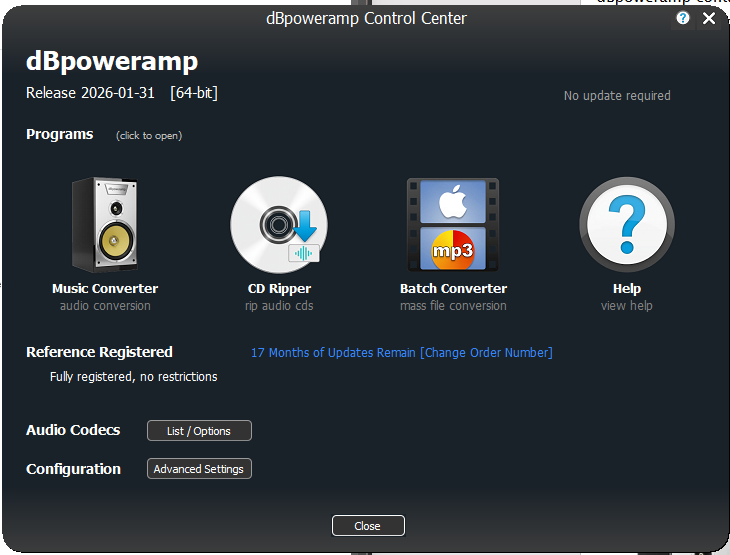
 )
)