When I attempt to add a track to an existing playlist, I select the track, move to the right and select the 3 dots, up comes up the add to a playlist, then I select add and the window states "you have no playlist. However, I do have a number of playlist. How do I restore this capability? Thanks Jim
Please post a screenshot of the playlist view
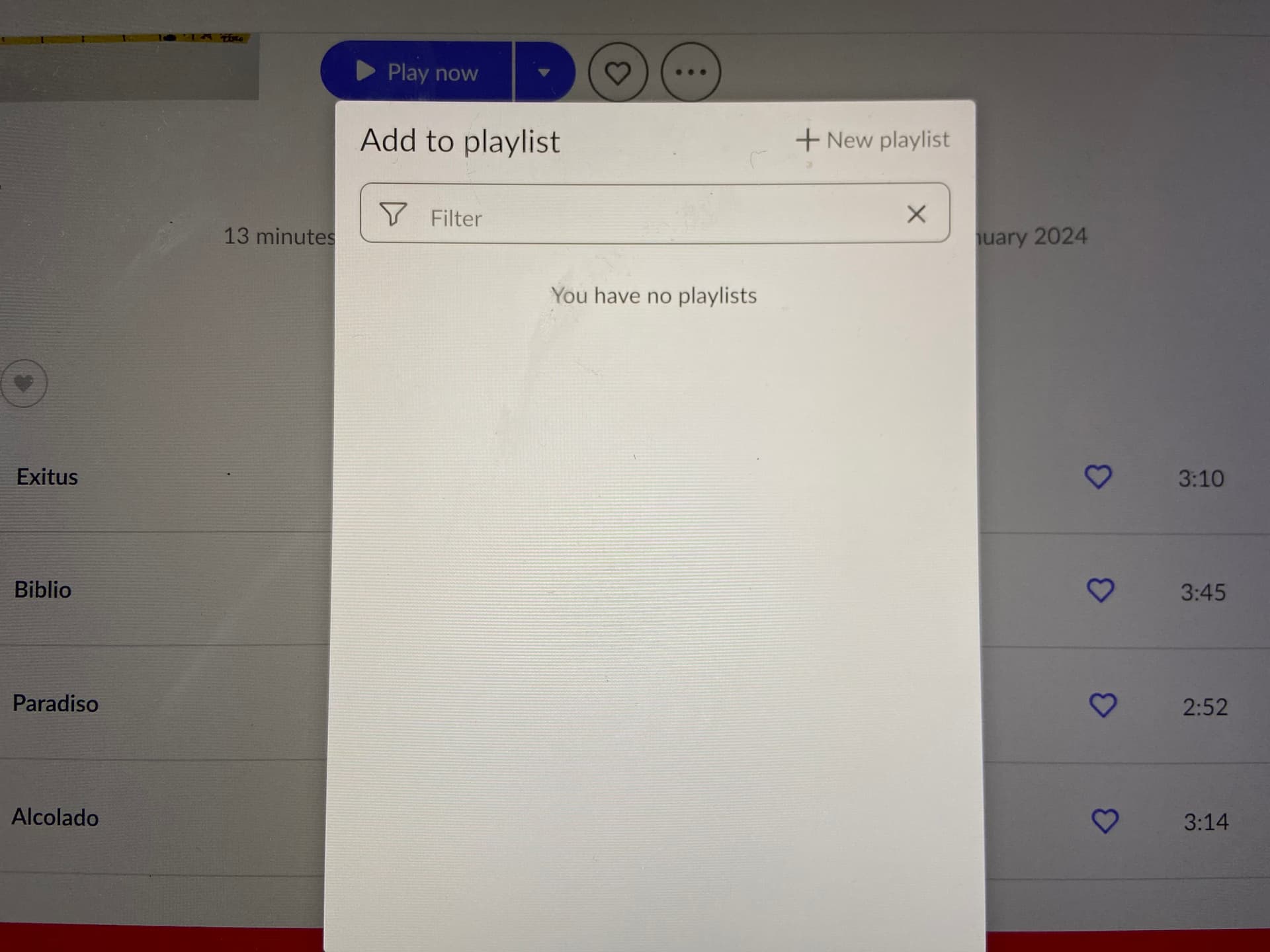
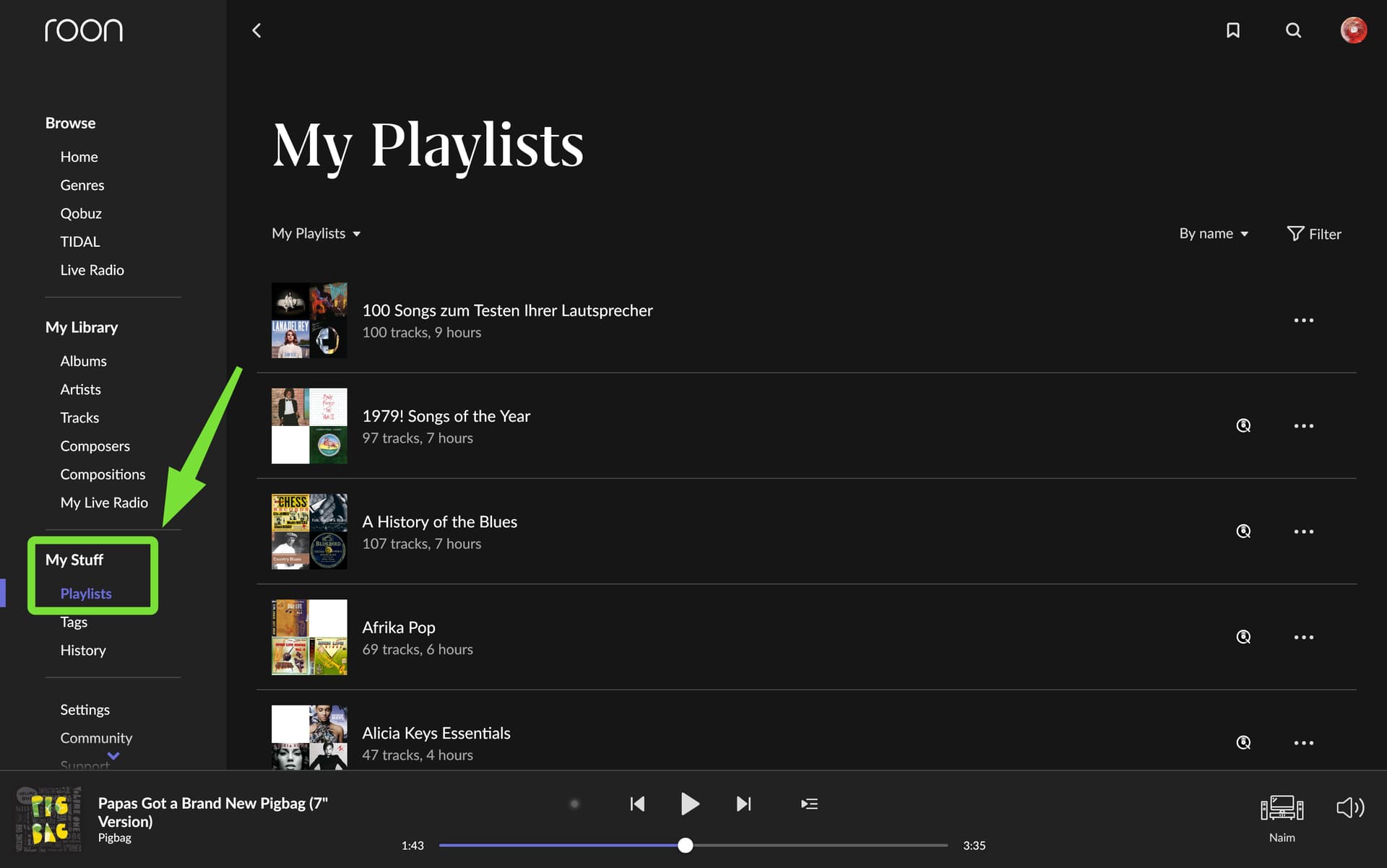
Yes! When I click on this, all of my playlist pop up. I think about 15. In the past, when I brought
up the add to playlist all of the playlist would come up on the menu, where now nothing comes up
James,
Recently, thanks to help from @DDPS in another thread entirely, I learnt that there are actually two kinds of Playlists.
Could this be your case: I certainly had the same screen as you?
Thanks for your suggestion. I am really very limited in my knowledge of how to fix and operate
Roon. Sadly, I am not clear as to what you are suggesting. It would be helpful for me, if you
could try again with as simple of language that can help me understand how to fix the problem.
Kind regards, Jim
Go to My Playlists and open the menu. Is the Shared Playlists switch enabled? What happens if you turn it off? Do you then still see playlists?
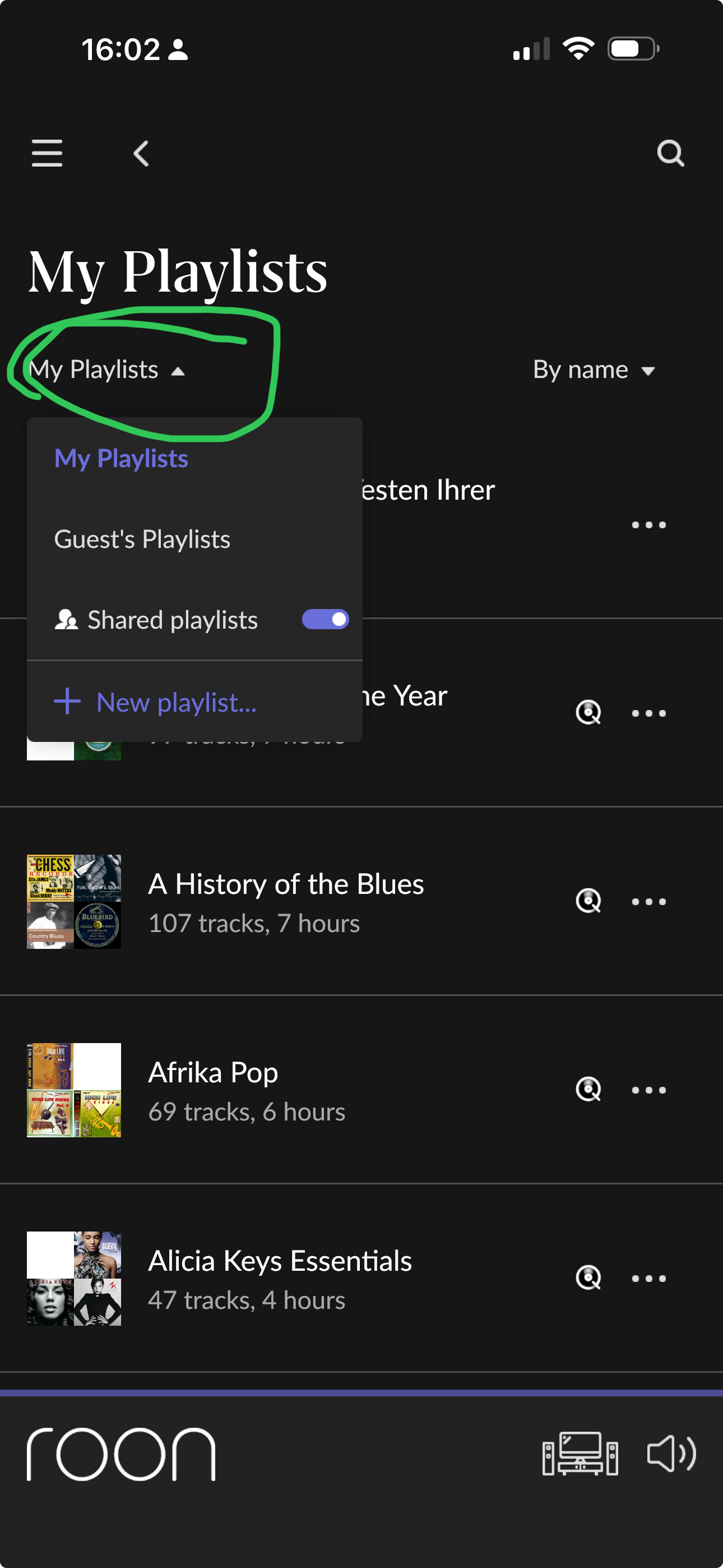
This is why I asked you to show a screenshot of your My Playlists. You can only add to your local Roon playlists in your own user profile. Any playlists that show the Qobuz or Tidal icon are not local Roon playlists and are only displayed if the Shared Playlists switch in the menu is enabled, and you can’t add to those. The same applies to playlists from other Roon user profiles.

For these Qobuz/Tidal or other-profile playlists you first have to Save A Local Copy and then you can add to those copies:

Also compare the help on playlists:
Playlists
You can access the Playlist Browser by clicking the navigation icon
, then Playlists
Playlists created from within Roon and can be edited, with songs being added, removed and reorganized. Roon can also import and play various types of Playlists. Playlists created in Roon are attached to a profile, so each member of your household can have their own playlists. This does not apply to imported playlists, which are Shared Playlists and are available to everyone. When you Save a Copy of an imported playlist, that playlist is saved to the current users Profile.
From:
Mark, That did it. I saved a local copy of all playlist and now I can easily add to an existing playlist.
I am assuming it is OK, if you wish to not have duplicate copies of a single playlist, to delete those
with the Tidal symbol and just keep the new playlist. If that make s sense? Thanks for your assistance
and use of images for this old slow mind. Cheers, Jim
So glad you got it working, Jim.
I’d have thought it was OK to delete a duplicate as you suggest; but would like someone with greater expertise than mine to chime in and confirm.
Mine is an old slow mind as well. That’s what makes this forum such a wonderful place 
I do this. Delete the playlists from Qobuz once I created a local copy in Roon. It gets too messy otherwise…
Not sure if this deletes the playlists on Qobuz too, does it? If yes, someone may or may not want that.
In any case, turning off the “shared playlists” switch hides them as well.
Thanks Evert! I agree too much duplication. I’ll start deleting
Yes, the playlist in Qobuz is deleted.
Thanks, I saw in the meantime. There is a warning, so I didn’t point it out here