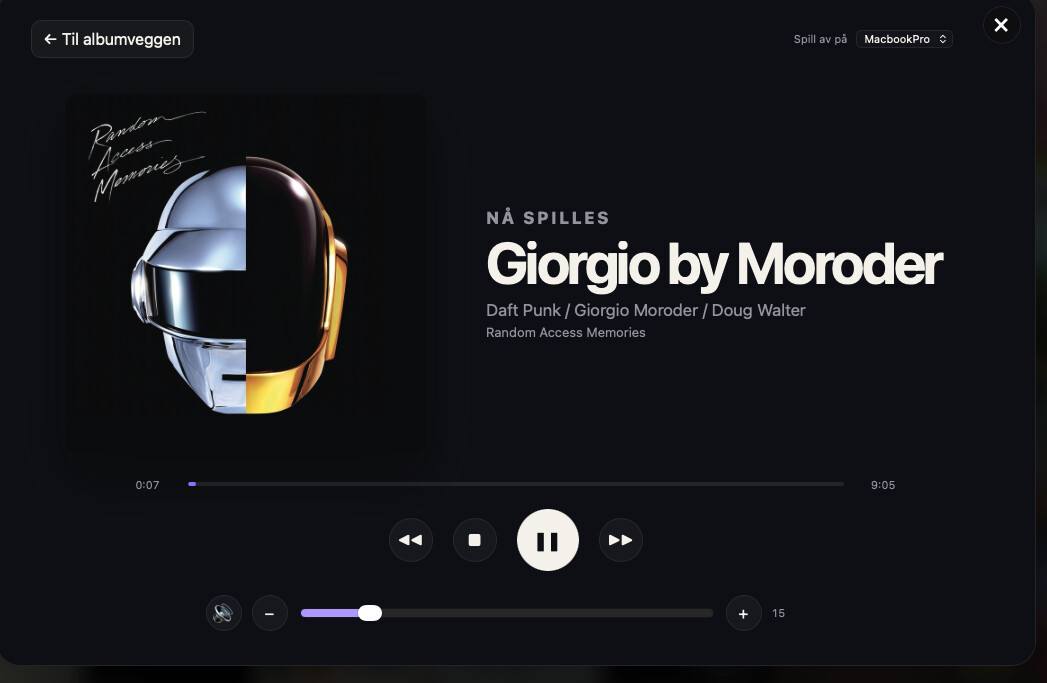
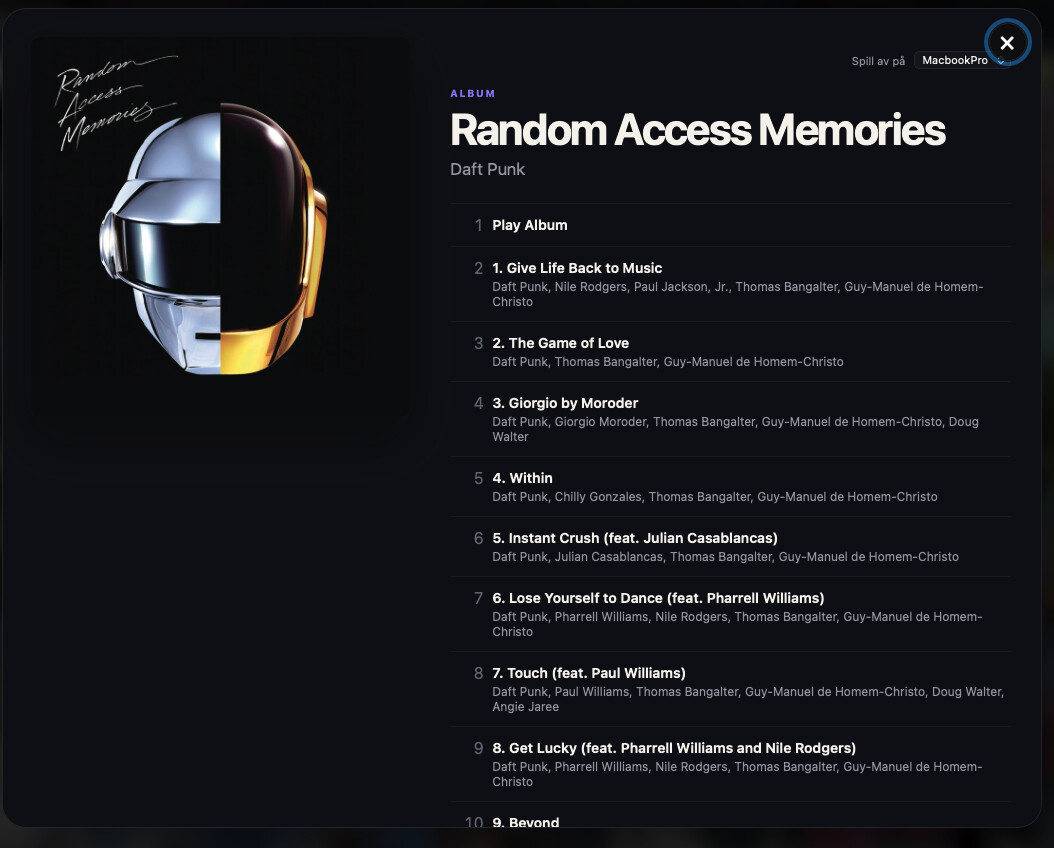
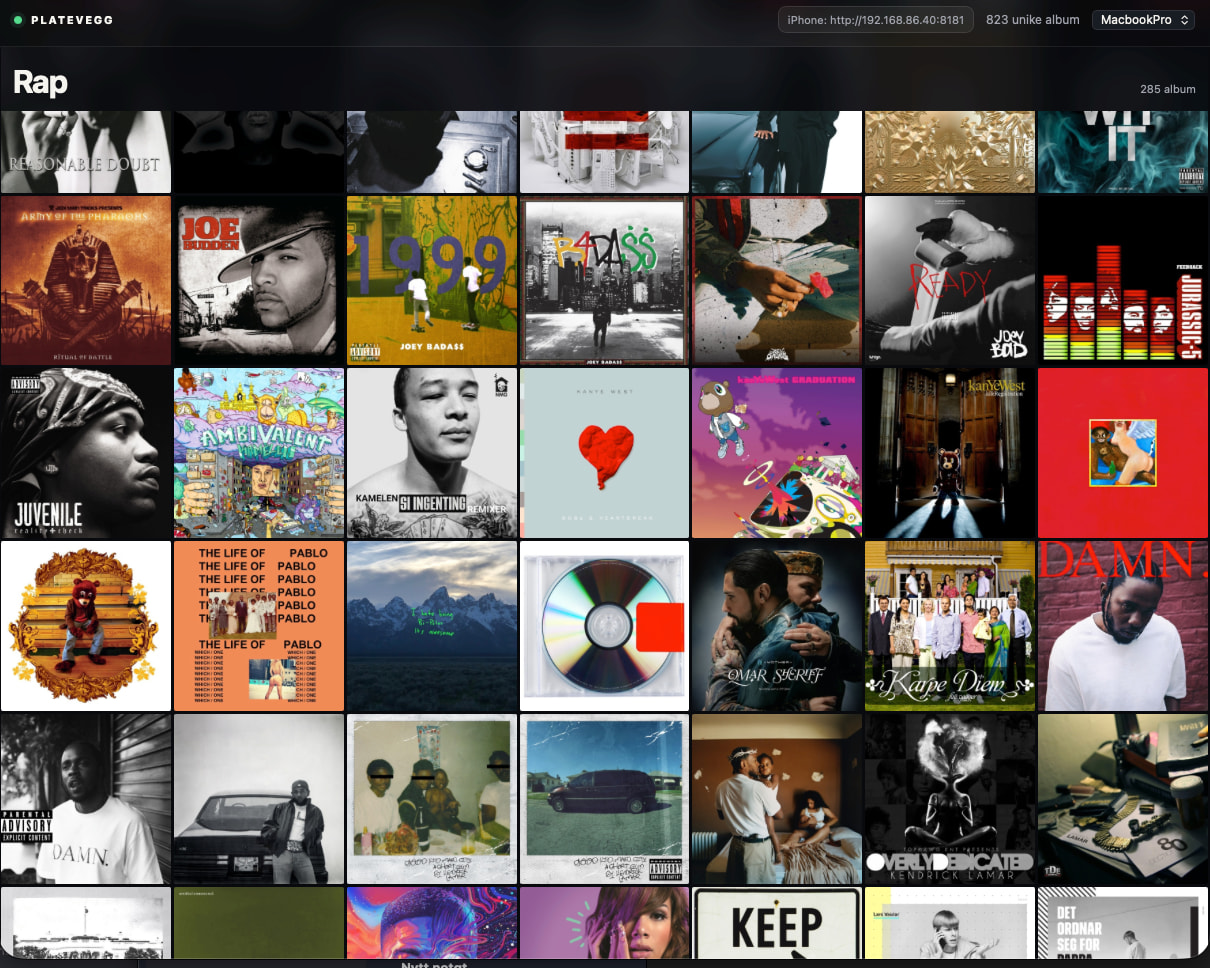
I wanted a simpler, more visual way to explore my Roon library—just a wall of album artwork that works on both Mac and iPhone.
The prompt below asks ChatGPT/Codex to build the complete application: genre-sorted covers, duplicate removal, track browsing, zone selection and full playback controls. It runs locally alongside your Roon Server, requires no cloud service, and includes beginner-friendly setup instructions.
I’m sharing the prompt so others can build, test and improve their own version. No coding experience should be necessary—just paste it into a coding-capable AI and let it work through the setup with you.
Promt:
Build a complete, beginner-friendly local web application called “Roon Cover Wall”.
The application must run on a Mac and connect to a Roon Server or Roon Nucleus through the official Roon Extension API. The user should not need programming knowledge after downloading the finished project.
Main purpose
Create a visually clean, responsive wall of album-cover artwork from the user’s Roon library.
The normal browsing view should contain almost nothing except the album covers. Clicking a cover must open the album and its track list without immediately starting playback.
The application must work both:
-
In a desktop browser on the Mac running the application.
-
In Safari on an iPhone connected to the same home network.
Do not use Roon ARC as the integration layer. The Mac application should communicate with Roon Server locally, while the iPhone browser communicates with the Mac.
Required technology
Use Node.js and Express.
Use the official Roon Node.js extension packages:
-
node-roon-api -
node-roon-api-browse -
node-roon-api-image -
node-roon-api-status -
node-roon-api-transport
Use plain HTML, CSS and browser JavaScript unless another dependency is genuinely necessary.
The application must not require a database or cloud service.
Roon extension
Create a properly identified Roon extension with:
-
A unique extension ID.
-
An English display name such as “Roon Cover Wall”.
-
A version number.
-
Clear status reporting in Roon Settings → Extensions.
The extension must use Roon discovery and pairing. No Roon credentials, TIDAL credentials or API tokens should be hard-coded.
The application must never modify the Roon library.
Album wall
Use the Roon Browse API to retrieve the albums in the user’s library.
Display:
-
Square album covers only.
-
No permanent titles or artist text beneath the covers.
-
A subtle hover effect on desktop.
-
Useful accessible labels for screen readers.
-
A responsive grid for Mac, iPhone and iPad.
-
Lazy-loaded cover images.
-
A dark, elegant interface inspired by a physical record wall.
Albums without artwork may be omitted from the visual wall.
Use the Roon Image API for all artwork.
Genre organization
Organize the wall into genre sections using Roon’s own genre hierarchy.
Requirements:
-
Remove duplicate albums before calculating genre sizes.
-
Sort genres by the number of unique displayed albums, largest genre first.
-
Within each genre, sort by album artist and then album title.
-
If an album belongs to several genres, show it only once. Assign it to the largest relevant genre.
-
Put albums that cannot be matched to a genre in an “Other Albums” section at the end.
-
Show a clear genre heading and album count above each section.
-
Display progress while the genre catalogue is being built.
-
Cache the completed genre catalogue for the lifetime of the Node process.
-
If the genre hierarchy cannot be interpreted, fall back safely to an alphabetical album wall instead of crashing.
Roon may place an intermediate “Albums” item beneath a genre. The implementation must handle both:
-
A genre opening directly into albums.
-
A genre page containing an “Albums” submenu.
Use separate Browse API multi_session_key values for the main album hierarchy and genre-catalogue work.
Serialize state-changing Browse API operations so concurrent browser requests do not corrupt Roon’s stateful browse sessions.
Duplicate detection
Do not change or delete anything inside Roon. Duplicate removal is visual only.
Detect duplicate covers using several levels:
-
Normalized album title plus normalized artist.
-
Identical Roon
image_key. -
A lightweight visual fingerprint calculated from the loaded cover image in the browser.
Normalization should ignore capitalization, punctuation, whitespace and diacritical differences.
The visual fingerprint should tolerate small JPEG-compression differences without being so aggressive that clearly different covers are removed.
Opening albums safely
Roon Browse API item_key values are stateful and may become invalid after the browse hierarchy is reset.
Do not rely on an old album item_key stored in the browser.
Instead:
-
Store the album’s index in the main Roon Albums hierarchy.
-
When a user opens an album, reset the Albums hierarchy.
-
Reload that album at its stored index.
-
Obtain a fresh
item_key. -
Use the fresh key to open the album.
This is required to avoid InvalidItemKey errors.
The album dialog must show:
-
Large album artwork.
-
Album title.
-
Artist.
-
Track list.
-
A Roon-zone selector.
Opening an album must not start playback.
Starting playback
Track rows and Roon-provided actions must be clickable.
Use the Roon Browse API to expose and execute Roon’s own playback actions, such as:
-
Play Album
-
Play Now
-
Play From Here
-
Play Next
-
Queue
Always include the selected zone_or_output_id when performing playback-related Browse operations.
Roon may sometimes execute playback while still returning a response that looks like another browse list. Therefore, do not rely only on the Browse API response to decide when playback has started.
After the user selects an action containing “Play”, “Start” or the equivalent localized term:
-
Poll the selected zone’s actual transport state.
-
Detect
loadingorplaying. -
Automatically switch from the album/track view to the Now Playing view.
-
Stop waiting after a reasonable timeout if playback does not begin.
If a track item directly starts playback without opening an action list, also open the Now Playing view.
Now Playing view
After playback starts, automatically show a dedicated Now Playing page inside the same dialog.
It must include:
-
Current cover artwork.
-
Track title.
-
Artist.
-
Album title.
-
Elapsed time.
-
Total duration.
-
A progress indicator.
-
Play.
-
Pause.
-
Stop.
-
Previous track.
-
Next track.
-
Mute/unmute.
-
Volume down.
-
Volume up.
-
A volume slider where supported.
-
A Roon-zone selector.
-
A prominent “Back to Album Wall” button.
“Back to Album Wall” must close the player view without stopping playback.
Use the Roon Transport API for all player controls.
Respect the capability flags supplied by Roon, including:
-
is_play_allowed -
is_pause_allowed -
is_previous_allowed -
is_next_allowed
Disable controls that Roon reports as unavailable.
For volume control:
-
Select a suitable output in the chosen zone that exposes volume control.
-
Support numeric and dB volume ranges.
-
Use relative steps for volume-up and volume-down.
-
Hide unsupported controls instead of failing.
Poll the player state regularly while the Now Playing view is open so artwork, titles, progress, play/pause state and volume stay synchronized.
Zone selection
Provide a zone selector:
-
In the top bar of the album wall.
-
Inside the album and track dialog.
-
Inside the Now Playing view.
Keep all selectors synchronized.
Playback and transport controls must always target the currently selected zone.
iPhone and home-network access
The Express server must listen on 0.0.0.0, not only 127.0.0.1.
Use port 8181 by default, but make it easy to change.
Detect the Mac’s local IPv4 addresses and show a usable URL such as:
http://192.168.1.50:8181
Prioritize normal Mac network interfaces such as en0 over:
-
VPN interfaces
-
Parallels interfaces
-
Virtual-machine interfaces
-
Bridge interfaces
Show the preferred iPhone URL:
-
In the Terminal output.
-
As a copyable button in the desktop web interface.
The iPhone and Mac must be on the same Wi-Fi network.
Make the mobile interface comfortable to use in Safari and suitable for “Add to Home Screen”.
Do not expose the server directly to the public internet. Include a clear warning not to configure router port forwarding for port 8181.
Mention that anyone on the trusted local network who can reach the URL may control Roon because this simple version has no authentication.
Mac startup experience
Provide a double-clickable macOS command file, for example:
Start Roon Cover Wall.command
It must:
-
Change to its own project directory.
-
Check whether Node.js is installed.
-
If Node.js is missing, explain how to install the current Node.js LTS release.
-
Install dependencies automatically if
node_modulesis missing. -
Start the Node server.
-
Wait until the local HTTP server responds.
-
Open the application automatically in the Mac’s default browser.
-
Keep running until the user presses
Ctrl+C. -
Shut down the Node process cleanly.
If macOS asks whether Node may accept incoming network connections, tell the user to select Allow.
The browser window may be closed while the server continues running. Explain that the Terminal window and Mac must remain running and awake.
Packaging
Deliver the completed project as a ZIP file containing:
-
All source files.
-
package.json -
package-lock.json -
The macOS start command.
-
An English README.
-
Required static web assets.
-
Preferably the installed JavaScript dependencies, if they are platform-independent, to simplify first startup.
The extracted folder should have a clear name such as:
Roon-Cover-Wall
README
Write installation instructions for a non-technical user:
-
Extract the ZIP.
-
Double-click the start command.
-
If macOS blocks it, right-click it, choose Open and confirm.
-
Open Roon.
-
Go to Settings → Extensions.
-
Enable “Roon Cover Wall”.
-
Return to the browser.
-
Wait for the genre catalogue to finish.
-
Select an album, track, playback action and zone.
-
Explain how to access it from an iPhone.
-
Explain how to stop it with
Ctrl+C.
Also explain:
-
Roon Server/Nucleus must be running.
-
The Mac must remain awake.
-
The Terminal process must remain active.
-
The browser itself does not need to remain open.
-
Existing playback continues if the browser is closed.
-
This application is intended for a trusted home network.
Safety requirements
The application must:
-
Never delete or edit Roon library data.
-
Never alter tags, metadata, favourites or playlists.
-
Never start playback merely because an album cover was opened.
-
Validate all HTTP inputs.
-
Limit page sizes and numeric ranges.
-
Avoid exposing internal exceptions unnecessarily.
-
Escape or safely construct all browser content to prevent HTML injection.
-
Avoid putting user-provided strings directly into
innerHTML. -
Avoid hard-coded IP addresses, zone IDs or Roon item keys.
-
Recover gracefully if Roon disconnects.
-
Show useful error messages rather than a blank page.
Validation
Before delivering the ZIP:
-
Run syntax checks on all server and browser JavaScript.
-
Verify the dependency tree.
-
Test that the HTTP server starts without Roon discovery.
-
Test the status endpoint.
-
Verify the ZIP archive for corruption.
-
Confirm executable permissions on the macOS command file.
-
Confirm that no personal IP addresses, zone IDs, names or credentials are included.
-
Clearly state that final Roon playback and genre behavior must be tested against the user’s own Roon Server because the Browse API is stateful and library-dependent.
Build the complete working application, not merely a tutorial or code snippets. Make reasonable decisions without expecting the user to understand programming, and provide the downloadable ZIP plus concise installation and testing instructions.