I just setup my Roon Nuc attached via HDMI to Denon AVR-X3800H to get multi-channel audio working but I can only control the audio volume of the System Output from Roon Remote. Is there a way to control the audio volume of the receiver from roon remote?
First, select the correct audio device on the NUC from Settings → Audio.
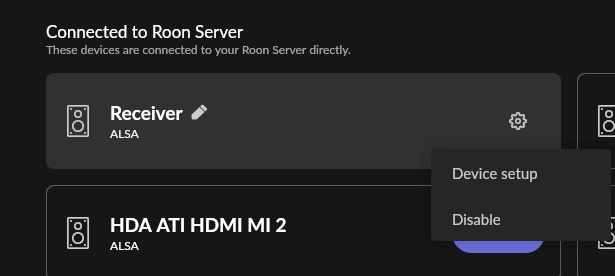
Then, enter Device setup, and choose the desired Volume control setting.
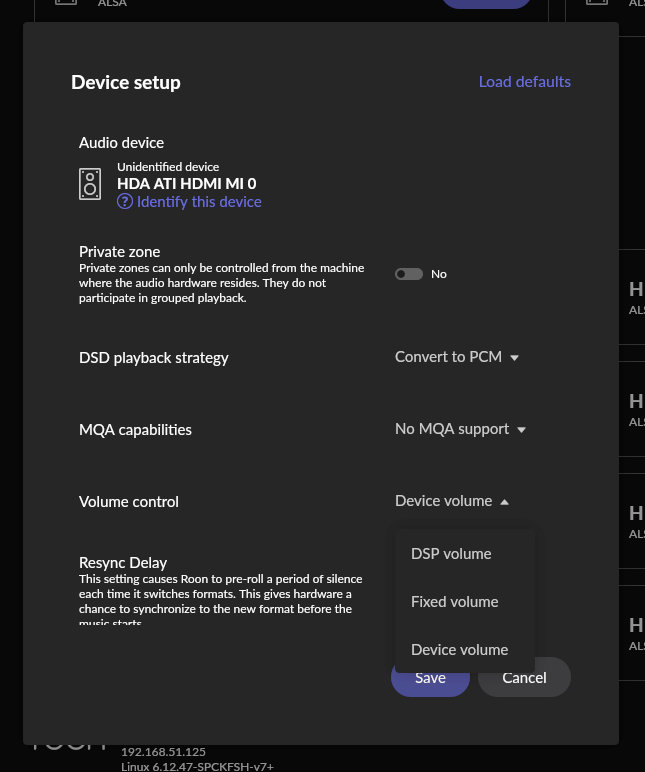
Ideally, use Device volume to control the receiver from Roon. Fixed volume necessitates control using the receiver’s volume control. DSP volume will also work well without any loss of quality.
Hi,
I don’t think my my denon is showing up in the audio list as a device. I do have it via network as you can see in the screenshot.
Do I have to have the HDMI plugged into a specific port or anything? Also, could it be the HDMI cable I am using or something?
Also, I am running this on a Windows 11 Pro OS and not rock. If that matters.
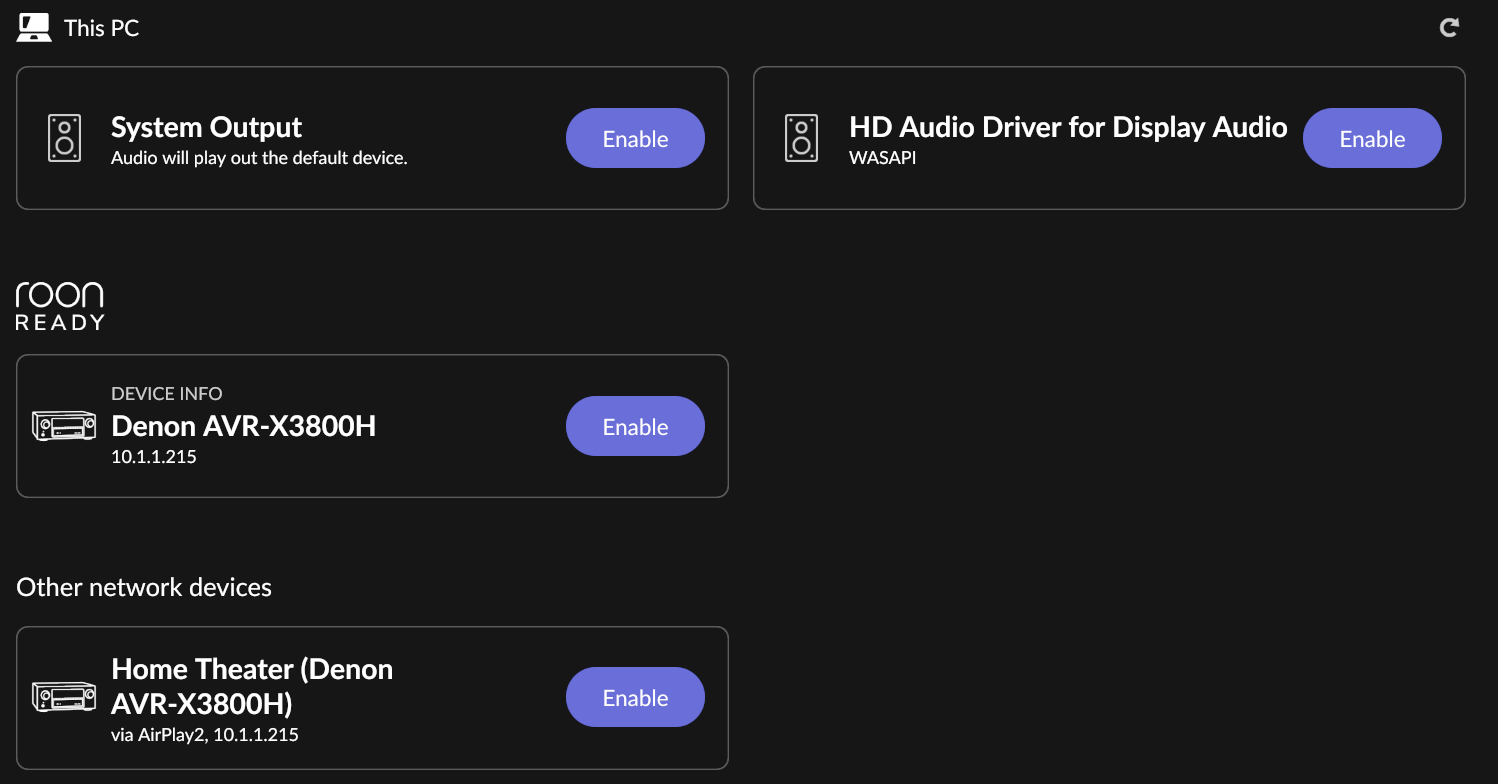
It’s there as a Roon Ready Device, but this is likely to only work for two channels, streamed over the network. Currently, you haven’t enabled this.

For multichannels, you’ll need to connect the receiver to the NUC via HDMI, and enable the correct audio device (HDMI interface on the NUC) in Settings → Audio.
Under Windows, I think you’ll find that the HDMI connection is the one showing as HD Audio Driver for Display Audio…
So I think the odd device on the right is the receiver after looking in device manager. Unfortunately, it doesn’t seem to let me control the volume of the device that way as it seems to always show “Volume Fixed”. I have it set to Device Volume for volume control. I also tried it without setting “Exclusive Mode” on the device properties but when I did that it seemed to act like the “System Output” setting where it doesn’t change the receiver volume but with a weird full red volume control bar. (3rd screenshot).


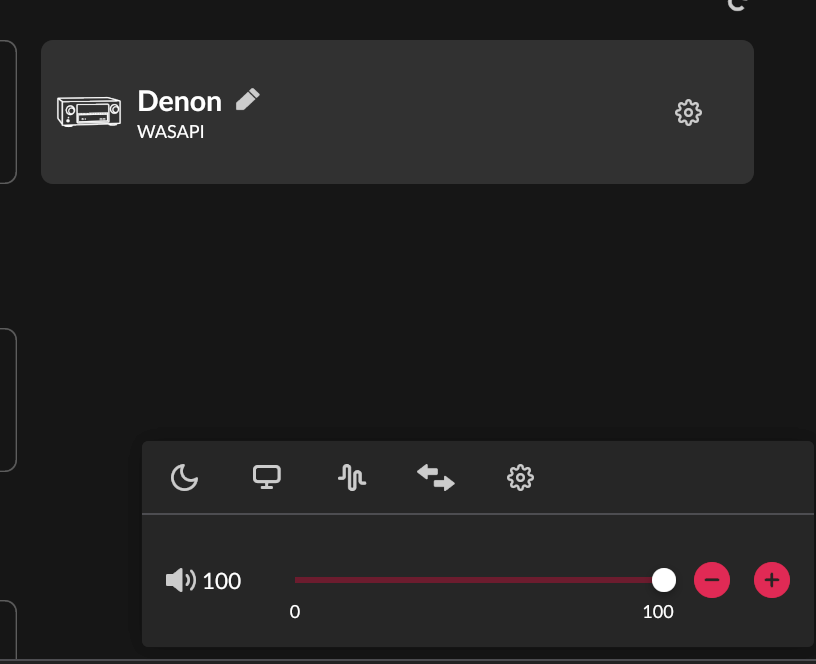
Yeah, I haven’t enabled that since it only supports 2 channel. That’s why I got the Nuc and hooked it up directly to the AVR. I’m using the HDMI only now.
You are correct. I just found the device in Device Manager. I posted it in the other reply to mjw.
Sorry it is taking awhile for my replies as each one has to be approved by a moderator.
You’re new - it’s standard procedure for new members of the forum. It will pass once you have been using the forum for a while. It’s all about trust levels.
Yeah I figured that was it but just wanted to give a heads up on the delay in my replies. 
I looked a bit more in dev manager and found another 2 devs that have the same name. So I’m not sure how to tell if it hooked up to the right thing? So there are 3 total devs that have the same name “HD Audio Driver for Display Audio”.
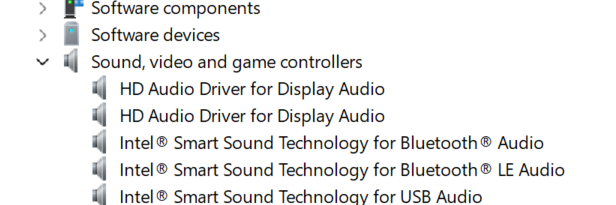
I just tried disabling the Denon labeled device in device manager and it still showed up and played via Roon. So I’m guessing it is not selecting the right Denon labeled output. Maybe due to the names being the same?
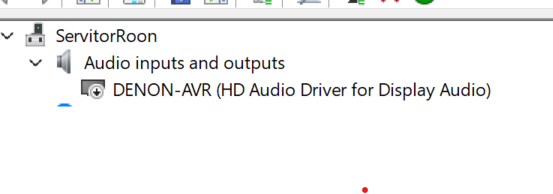
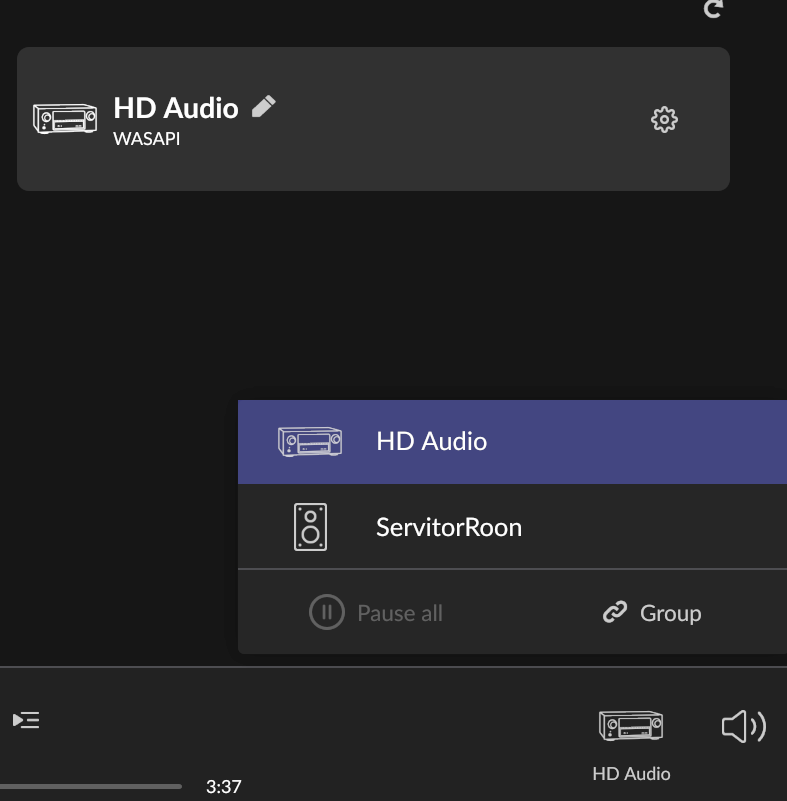
The NUC has multiple display outputs. IIRC one via the HDMI connector, and the others via the USB C connector (DisplayPort.) HDMI should be the first, but you have to try enabling each in turn.
Are you using the NUC for the Server or Bridge with the server running on the PC. I’m not familiar with the Bridge setup.
With my NUC/Rock used as the Roon Server I have 5 options for HDMI, HDA Intel PCH HDMI 0 - 4. I use the HDMI 0 and rename it.
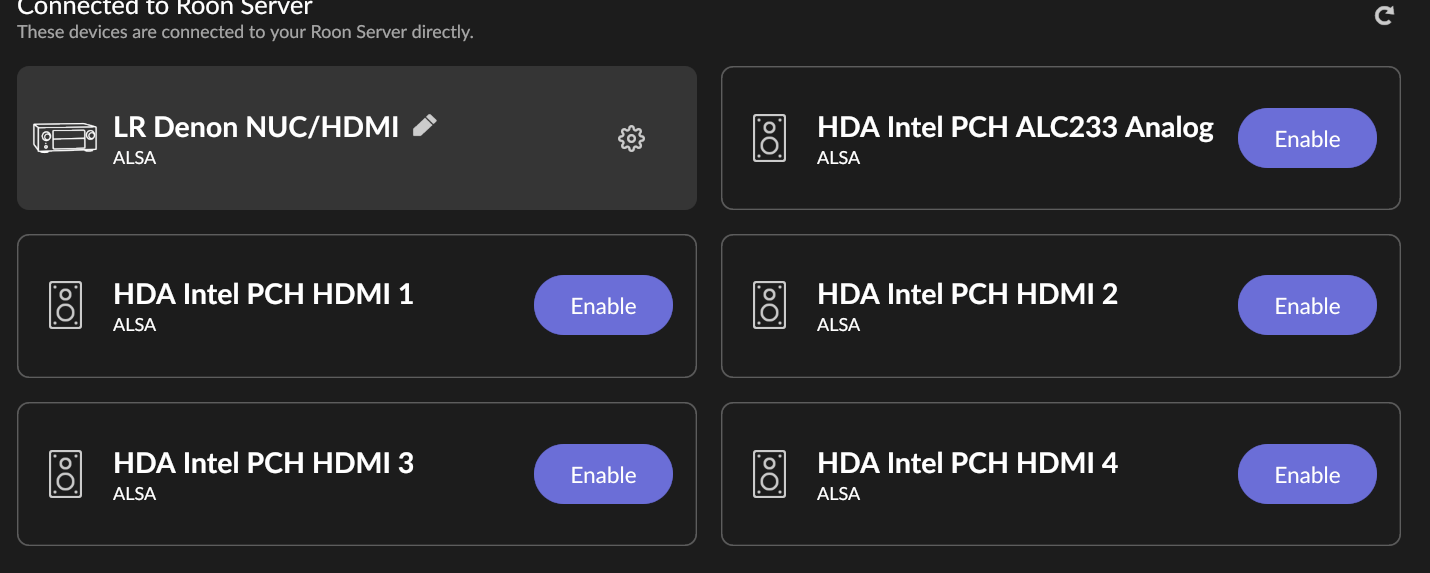
For my Denon AVR-X8500H setup I use fixed volume with the surround system remote for volume control. My setup is obviously different from yours so this information is probably worthless for you. Just showing a working NUC to Denon AVR multi-channel setup with HDMI.
1 Like
Bridge will list HDMI in the same way, but under a different device heading. Typically, HDA PCH HDMA 0 etc., or HDA ATI HDMA MI 0 etc., depending on the hardware manufacturer.
I’m using it in Server mode, not bridge mode. If you are using Fixed volume, have you tried using Device Volume instead, and if so does it work? If it does work at least I’ll know this scenario is supposed to work.
My setup is from 2019, trying to recall the fixed vs device volume setup.
I do recall after initially building the NUC/Rock and switching between device and fixed volume that I had a full volume multi-channel episode with the Denon’s 150 watts per 7 channels and 3000 watts between the 2 subs. I was not in the living room with the surround system 7.2 speaker arrangement when it occurred and it felt like the house was coming apart. I had to RUN to the system location and cut the power. Only happened once and that was more than enough.
I use a Logitech Harmony Hub for volume control in the media space, with the Roon HDMI zone set to Fixed volume.
I use device volume for 5 other zones but don’t want to mess with it for the surround system.
Thanks for the info. It sounds like you were able to get the denon volume control working over HDMI? That at least tells me that I should be able to do this from Roon. I just need to figure out the issue.
This will be both a home theater and an audio setup. I’ve really enjoyed being able to change the volume and everything remotely within one app. I could control the volume via the HEOS app but that would just be another layer to go through that doesn’t seem like it should be necessary.
On the volume issue you had, it is pretty easy to accidentally hit a volume slider to max it out. That’s one of the things I like about Roon since it has the different volume safety levels that you can implement now. They have two settings one for absolute maximum (can’t go above this volume level at all) and then safety level which adds a part of the volume bar that requires you to use the plus and minus buttons to go up to. So you can’t accidentally fat hand the thing to 11. 
I have an AVR-A1H and Device volume does not work when connected via HDMI from my Nucleus One. You can move the slider but it acts as a fixed volume. You have to use the Denon remote to control volume. I did just test that DSP volume control works, however, if you want to turn up the Denon and use DSP volume from Roon.
I can also confirm that Denon HEOS Roon Ready Device volume works as expected.
The full volume issue I had was caused by a bug in the Roon software, not by anything I did. And the volume controls in place now were added as a safety feature after numerous full volume accidents had occurred to me and other users in the community. I’m pretty sure Roon has that under control now. I just prefer to use fixed volume for the AVR. The Logitech remote handles everything in the Media room. For all the other Roon Ready endpoints I do use the device volume control along with the volume controls built into the endpoints. It does work well.
I’m hoping my Denon 8500H become Roon Ready in the near future so I can see what that has to offer in my setup.