I really would love to use the opra eq service but it’s not possible as one of my three audio devices in use, an Activio P1 (mobile device, roon ready) / Wilkins & Bowers P7 combination is not detected as headphone - so I cannot import the file…Any idea how to convince the system that the Activio P1 itself cannot work without headphone? THX in advance!
Import which file? The headphone EQ filter can be used with any endpoint.
Opra can be used for any Roon endpoint. It could be you need to add the “Headphone EQ” filter in Muse to access Opra for the endpoint you wish to use.
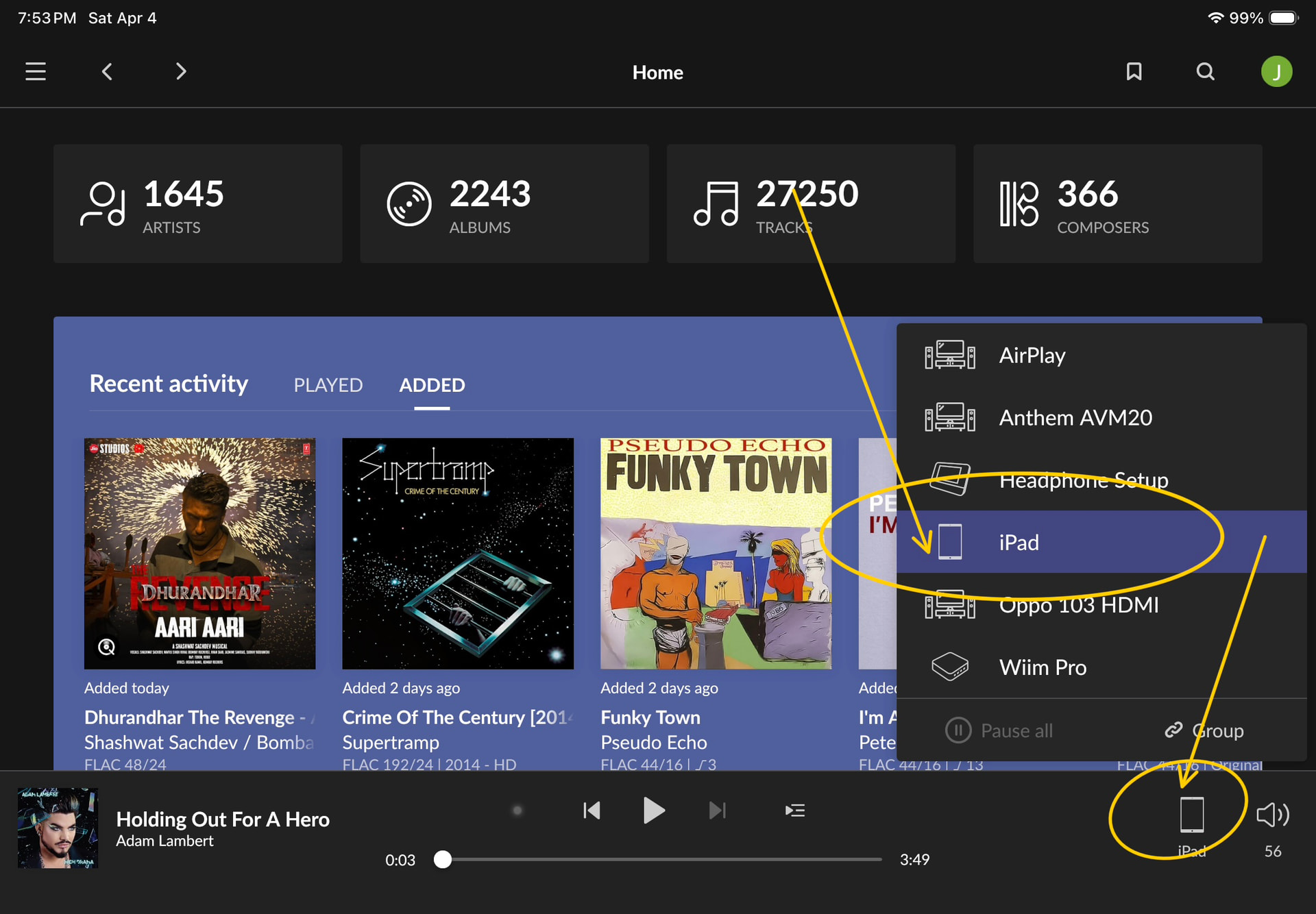
To do so, from the Home screen, first select the endpoint in question
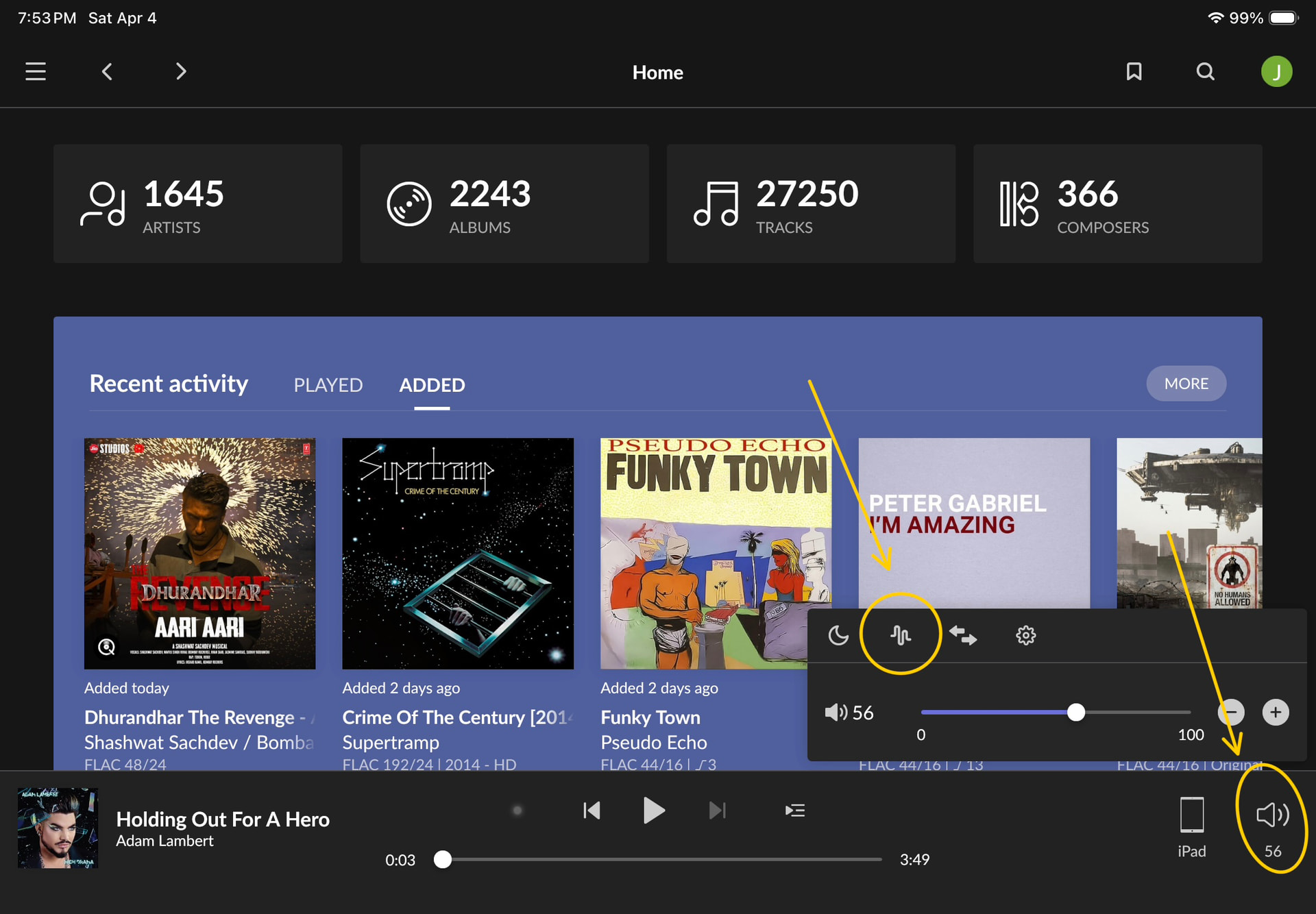
Then select the speaker icon in the lower right corner, then the Muse squiggle icon to bring up Muse
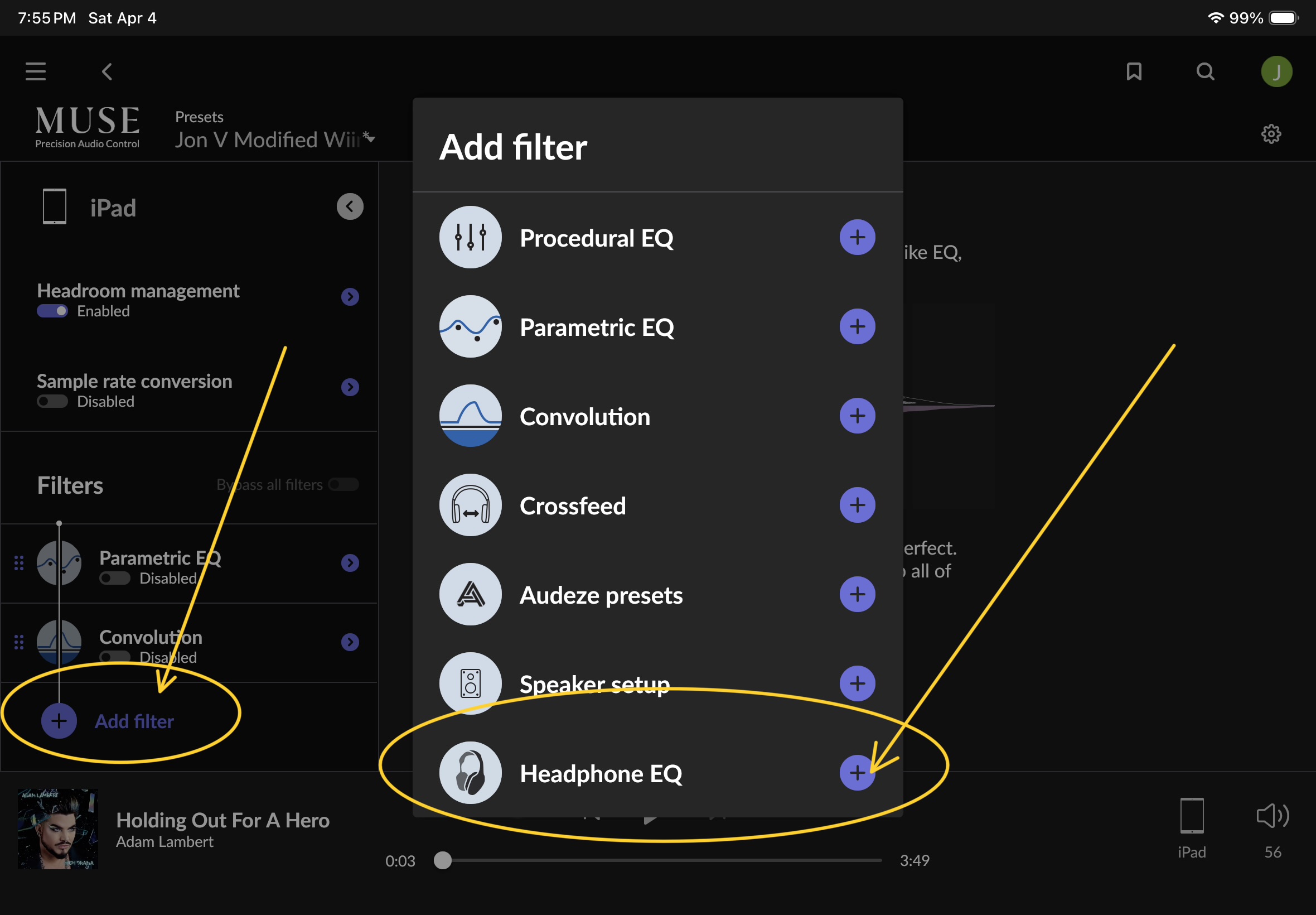
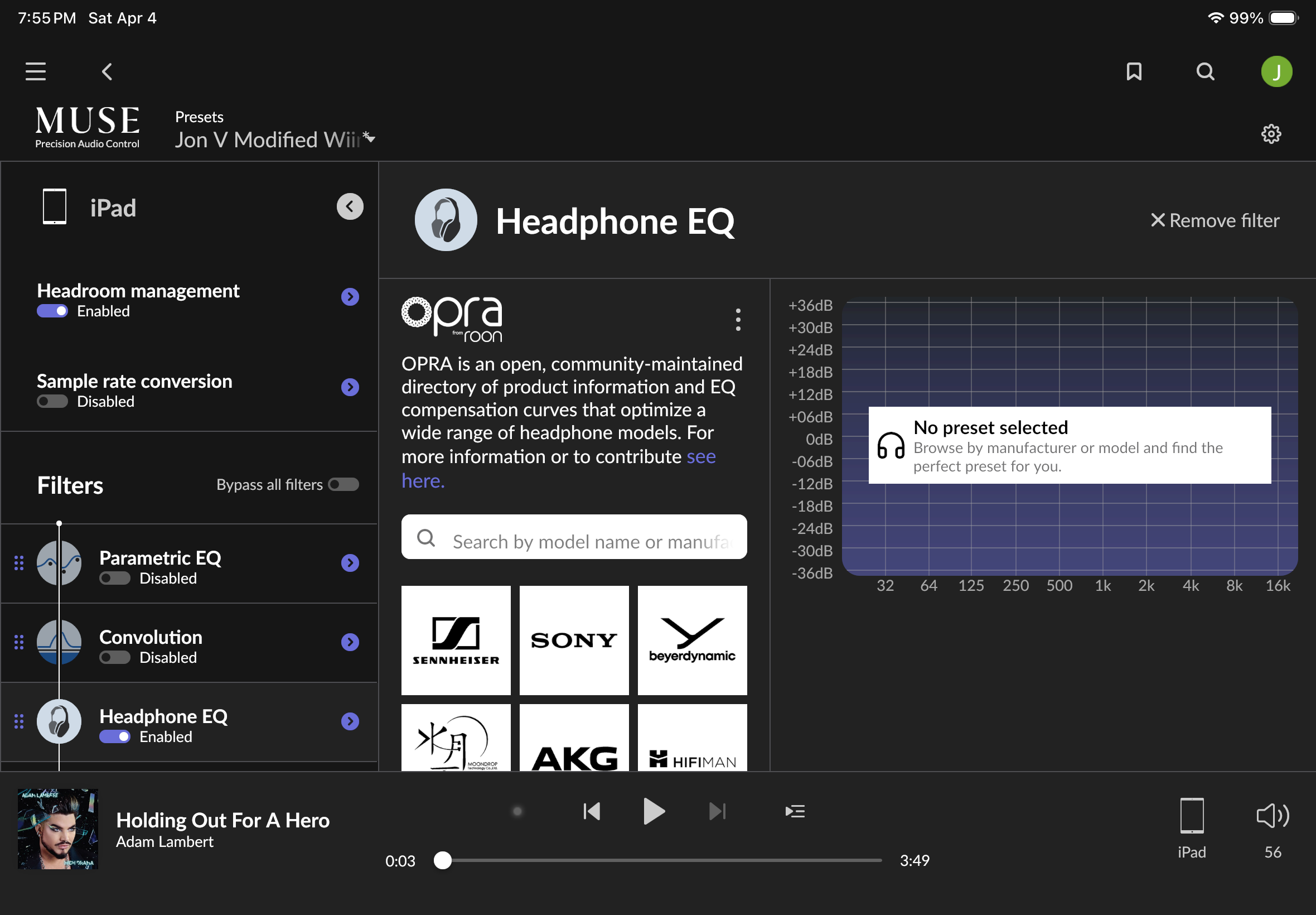
On the left side of the Muse screen, under Filters, see if Headphone EQ is shown. If not, select Add Filter, then select Headphone EQ.
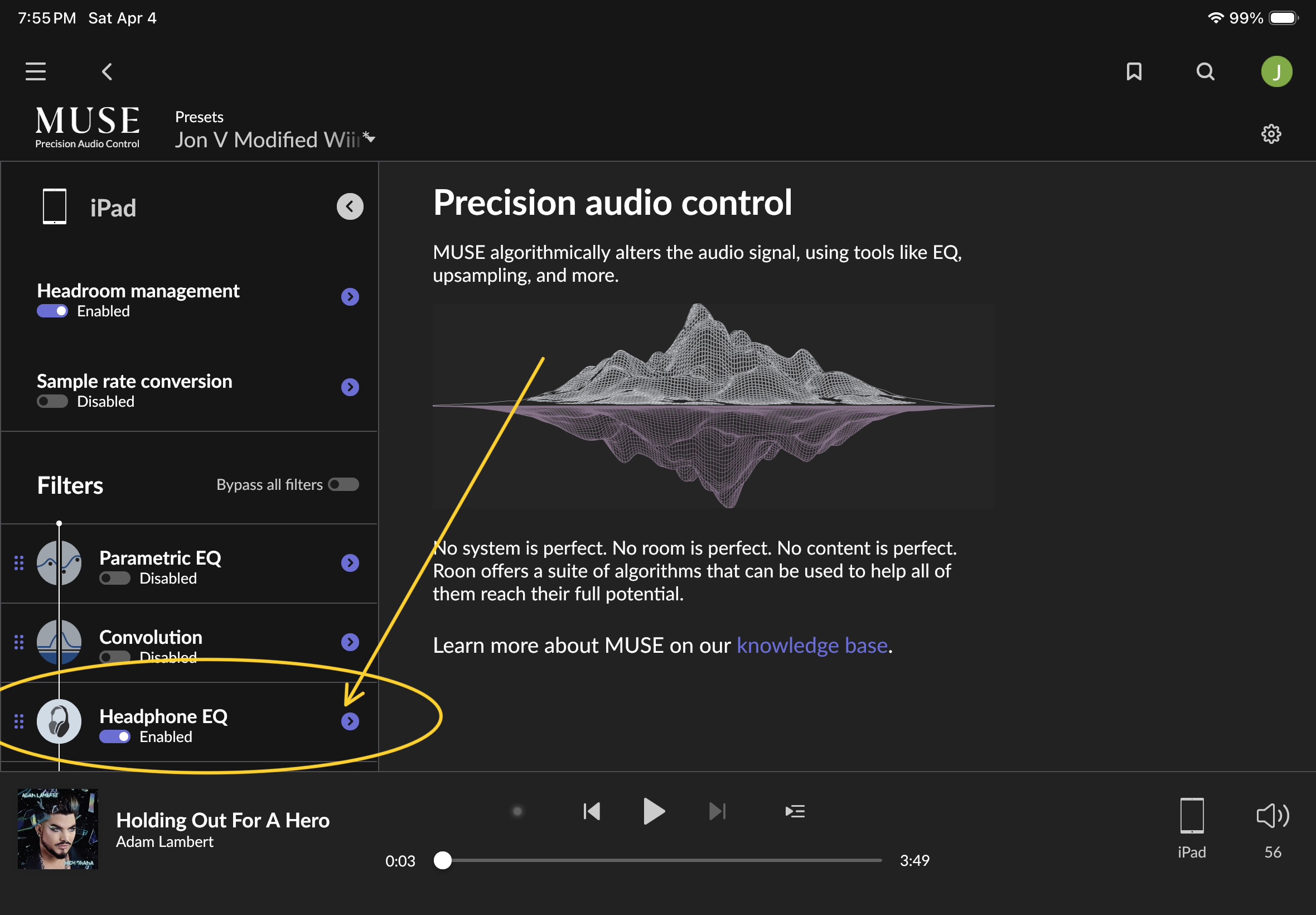
Headphone EQ will now appear under Filters and will be enabled. Select the “>” next to Headphone EQ, then Opra will show.
Hope this helps.
Thank you very much!