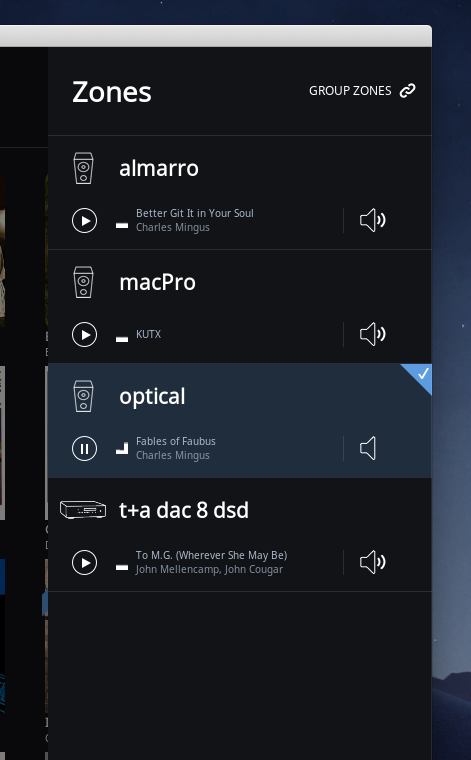
below is a screenshot of the audio zone selection screen from the mac desktop app.
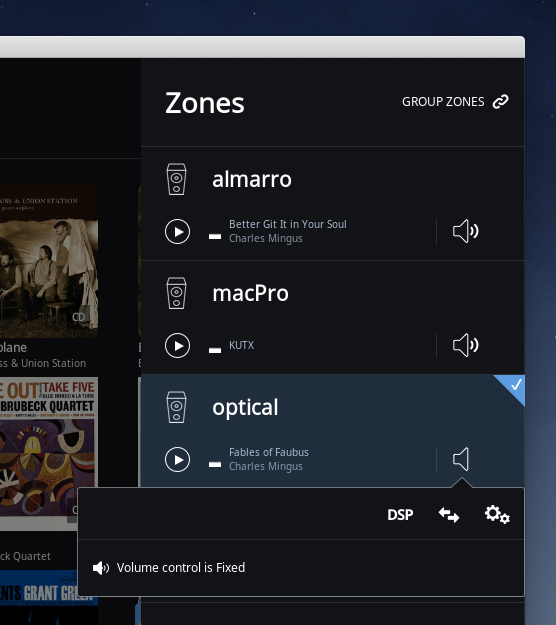
anyone know the meaning of the speaker icon for the zone named “optical” – it does not have sound waves, while all 3 other zones show the speaker icon with sound waves?
all 4 zones are set to “fixed volume”
parenthetically, the zone is an optical s/pdif port on a MOCK. i am able to have roon play to this zone, however, i am not getting any output from it… in fact, not even able to get the port to emit light.
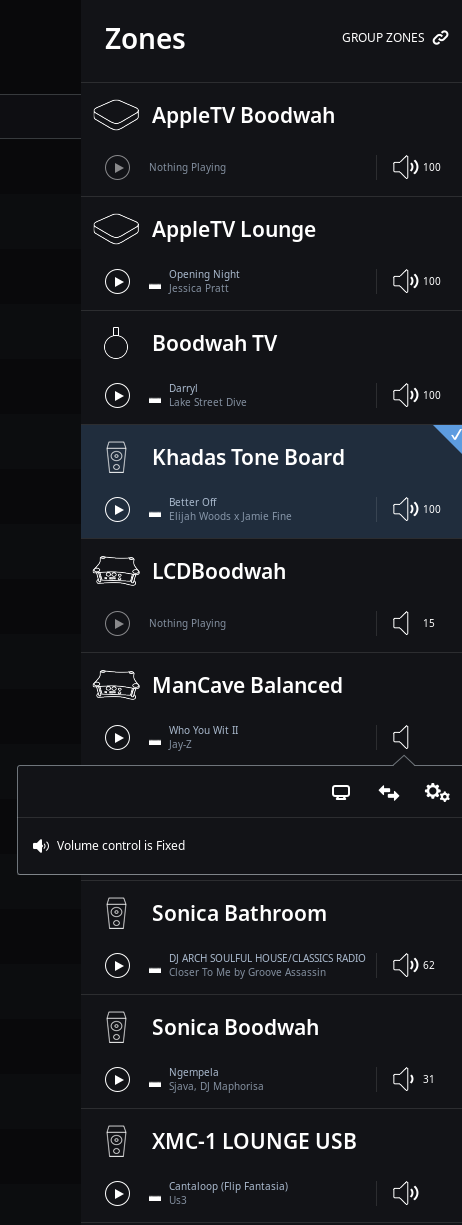
A ‘bar’ is added when the volume is over 25 and two bars when over 50. Fixed volume is also set at two bars. Zero bars means volume is less than 25 on the scale of 0 to 100.
What are the audio and volume settings for the ‘optical’ zone?
in any event, cannot get a signal from the optical/toslink port or to cause it to emit any light using either “fixed” or “device” volume… just trying to troubleshoot to find out if this is a settings, driver, or non-functional hardware thing.
You might check the BIOS and see if it has control option for the Toslink output. I can check my NUC with a toslink out later to see what it’s BIOS says. (Not using ROCK)
I am assuming that the port used to work on this machine.
thanks! i checked to BIOS – only a setting to enable/disable audio; nothing any more granular. its a new device and this is the first time i have tried to use the port.
If you think it is a driver issue, you could just scrap ROCK, load Ubuntu and then the Linux RoonCore. That way you can eliminate drivers as being an issue.
fwiw: i contacted asus support who said the motherboard does not support linux at this time… not really sure that even makes sense, particularly given that ROCK can see the port and every other I/O on the board works fine [except the wi-fi which ROCK is not even able to see and has been confirmed a driver issue by roon support] but that is pretty far in the weeds for me to know one way or the other.
before such a drastic step i should probably start a thread over in rock support to see if anybody there knows if this is likely a driver issue. actually, one of the things i wanted to experiment with is DSD512 which would require windows as an OS in order to send it to my DAC… so i may get there yet.
in any event, i am currently upsampling to DSD128 and sending to the DAC over USB – SQ is amazing and i am quite happy with this, however, i did want to experiment with optical s/pdif.

 i should probably start a thread over in rock support to see if anybody there knows if this is likely a driver issue. actually, one of the things i wanted to experiment with is DSD512 which would require windows as an OS in order to send it to my DAC… so i may get there yet.