There’s supposed to be a specific fallback mode for shairport-sync to avoid exactly this problem. We’ll figure out why that isn’t working in your case and get it fixed.
Hi everyone – @ben has been working on some changes, and we’ve flipped a flag on our server for @j_a_m_i_e that seems to have helped address some issues they were having starting playback to a Denon Processor over Airplay.
We’ve now enabled the same flag for everyone in Early Access so if you have been having problems starting playback, please restart Roon Server twice (to ensure the new flag is enabled) and let us know how things are working – if things are better, worse, no change, etc, just let us know what you’re seeing and what devices you’re using and we’ll follow up for more details soon.
Very first impression is that I can now play both Live Radio and Albums to two Airplay 1 devices that had been flaky with recent updates and had previously been reliable. Will see if this remains the case - an encouraging start though, thanks
We traced an issue with symptoms that seem very similar to this to RoonServer failing to communicate what port the speaker should use to send control messages back to RoonServer. Here’s my most reduced version of the symptoms:
If I play to one, and then start playing to the other, the second one plays silence
If I play to one, stop, and immediately start playing to the other, the second one plays silence
If I play to one, stop, wait 5 seconds, and start playing to the other, the second one works
In our experience grouping or not grouping the two zones doesn’t change anything, it’s purely about timing and ordering. This doesn’t happen with all AirPlay speakers, and I believe the Apple TV is not normally effected, but it could certainly trigger the problem in other speakers.
@Suedkiez, can you try some of those sequences with the NDX2 and Apple TV and let us know if the symptoms seem to match?
one change after server restarts … streaming to m1 mac mini … in most cases there is sound
with only one active network interface on the mac, no issues
with both ethernet and wifi interfaces connected, ethernet should be higher in the service order, but roon always sends to the wifi interface, and there’s no sound (vs airplay 2 via Tidal app, this works with both network interfaces connected)
After rebooting the server twice as suggested, am now able to play to BOTH speakers of my HomePod stereo pair WITHOUT interruptions / stopping after a few seconds
Do you think it would be “safe” to re-enable my mini HomePod pair used as the primary output of my AppleTV for testing, or are you not yet ready to test that combination?
@ben Unfortunately, I’m still seeimg some problems with Airplay 1 to a Monitor Audio S200 - just attempted to play and needed to start play twice. Similarly didn’t start from the Alarm Clock extension earlier. It does though now seem to be working with an Audio Pro A10 Mk 1.
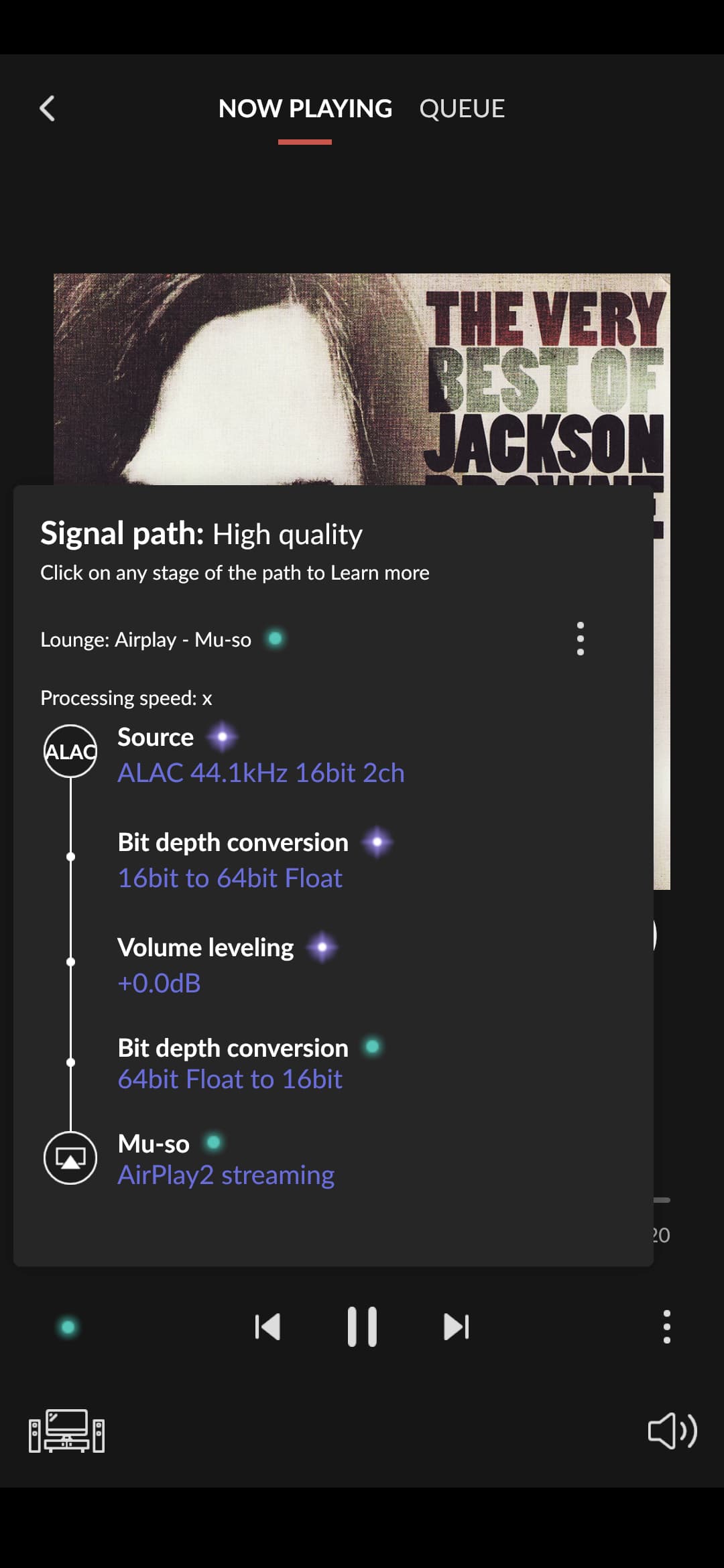
No change in Airplay to Naim Mu-so First generation: unsupported Airplay 2 stream is initiated with result as before - no sound, no progress from 0 seconds, Naim doesn’t switch input to Airplay. Initial report:
That’s great news, thanks. We believe we’ve fixed this, at least for the hardware we’ve tested on, so hopefully your case will also be fixed in the next release.
I experienced terrible out of sync with a group of two. Old Pioneer and new AudioPro, AP1 and AP2. Was in sync on 1407, but wouldn’t start and needed the ‘slew the progress bar-work around’. Now back at 1407.