The time it takes a waveform to appear seems to be a factor of both track resolution and length.
16/44.1 2 minute song 10-15 sec.
16/44.1 4 minute song 31 sec
24/96 4 minute song 1:20
24/192 4 minute song Song ended before Waveform populated.
Is there going to be a way to turn this off? I am assuming that on-demand analysis is happening as it is being downloaded to the buffer. This might cause issues for servers that are older/slower, less CPU headroom; especially if it is doing other duties like DSD upsampling at the same time.
Plus, if I"m not going to get a waveform before the track is finished, it is not worth wasting the compute cycles on it.
I’ve just tested a few streamed tracks and the wave form is appearing in 10 to 30 seconds.
But I don’t think it’s wasting CPU, as from what I can tell once a streamed track is analysed Roon is storing it so it’s immediatly available next time the track is played.
I presume this in the the local DB. It would be advantageous for that information to be also stored in the cloud so it’s available for other user when streaming the same track and thus would not need local AA to be run by every user playing that track … only the first user from the collective user base.
What could also be done, is to background AA (or use cloud data) streamed track that are in ones library … so it’s typically ready before the track is played for the first time.
Having dabbled in waveform display in an earlier project of mine, I found compute power of a single core alongside what was used for playback was sufficient and produced a waveform within the time frames specified.
How to get round this for subsequent tracks in the queue is to start the next track before the first finishes. Albeit more cpu use overall during playback. Some may not like that.
I made the feature a choice, not mandatory.
Now, I don’t bother adding this as a feature to my projects, as I feel there are better things to look at/read during music playback.
The waveform needs the whole file to be downloaded, not just enough to start playback. CD-quality files are relatively small, so the waveform usually appears quickly. Hi-res files are several times larger, so with something like 24/192, the file may only finish arriving near the end of the track.
There is some room for improvement here. We can’t make the analysis itself much faster, but we may be able to let it finish and keep the result even if playback has already moved on. That should make the behavior more consistent on subsequent plays.
There are also a few other edge cases around on-demand analysis that we’re looking at.
If you want to turn it off for now: Settings → Library → On-demand audio analysis → Off. Just note that this also disables on-demand analysis for local files.
Waveform was never shown on second play, still no waveform .
This scenario should work in the next release, right now we discard results of the first try, so second one is doing the same heavy lifting and failing.
I have tons of extra compute power on my RoonServer others may not. For me, I only use On Demand for my entire library, so turning it off just to Disable Streaming Waveform would not work. It would be nice to have a separate toggle.
This should be detailed/Highlighted in the release notes. Otherwise, support is going to get slammed with; “Why is my waveform taking so long to show up” / “Why am I not getting a waveform” queries.
I’d rather the existing waveforms were displayed on mobile devices. Assuming they have already been calculated the display shouldn’t take too many resources.
Could display the waveform as the progress bar so don’t need extra screen estate.
FWIW - I’ve implemented waveform to my Roon extension MusicD Remote, now playing screen and wall display feature. Granted it only does local files only, but it produces waveforms much much quicker than Roon. L and when skipping tracks, they appear instantly because of how the implementation has been worked in to the extension.
So there is hope Roon can make this work better.
The possible issue is streaming services. I believe the ToS for both Qobuz and Tidal only allow download for means of playback a few tracks at a time and should be destroyed within a set time. I believe an hour after being played.
But, streaming service albums, tracks within Roon need to be fetched, start playing > PCM, then download the remainder of the file and produce the waveform. Otherwise it’ll be doing it in realtime and could be the issue here.
Having looked into this before for my own projects, it just wasn’t worth it for streaming services within the main UI.
Chromecast display may have worked once upon a time because the mechanics of it worked differently. Possibly the streaming service URL for the tracks was sent to the Chromecast display to produce the waveform by downloading it and then discarding it. Not 100% sure on this.
I’d urge thorough testing be conducted internally at Roon Towers for the implications to the database, assuming it’ll store to the same DB in use currently. I’d recommend a separate DB for these waveforms.
I often use Qobuz to sample music, most of which I’ll never listen to again. I’d hate to have a database full of waveforms from tracks I’ll never listen to again.
Surely the waveforms are just some numbers that describe the bar lengths. It’s not going to use a lot of space. (And I have lots of local files I will never listen to again, which already create the same info in the database)
 on second play, still no waveform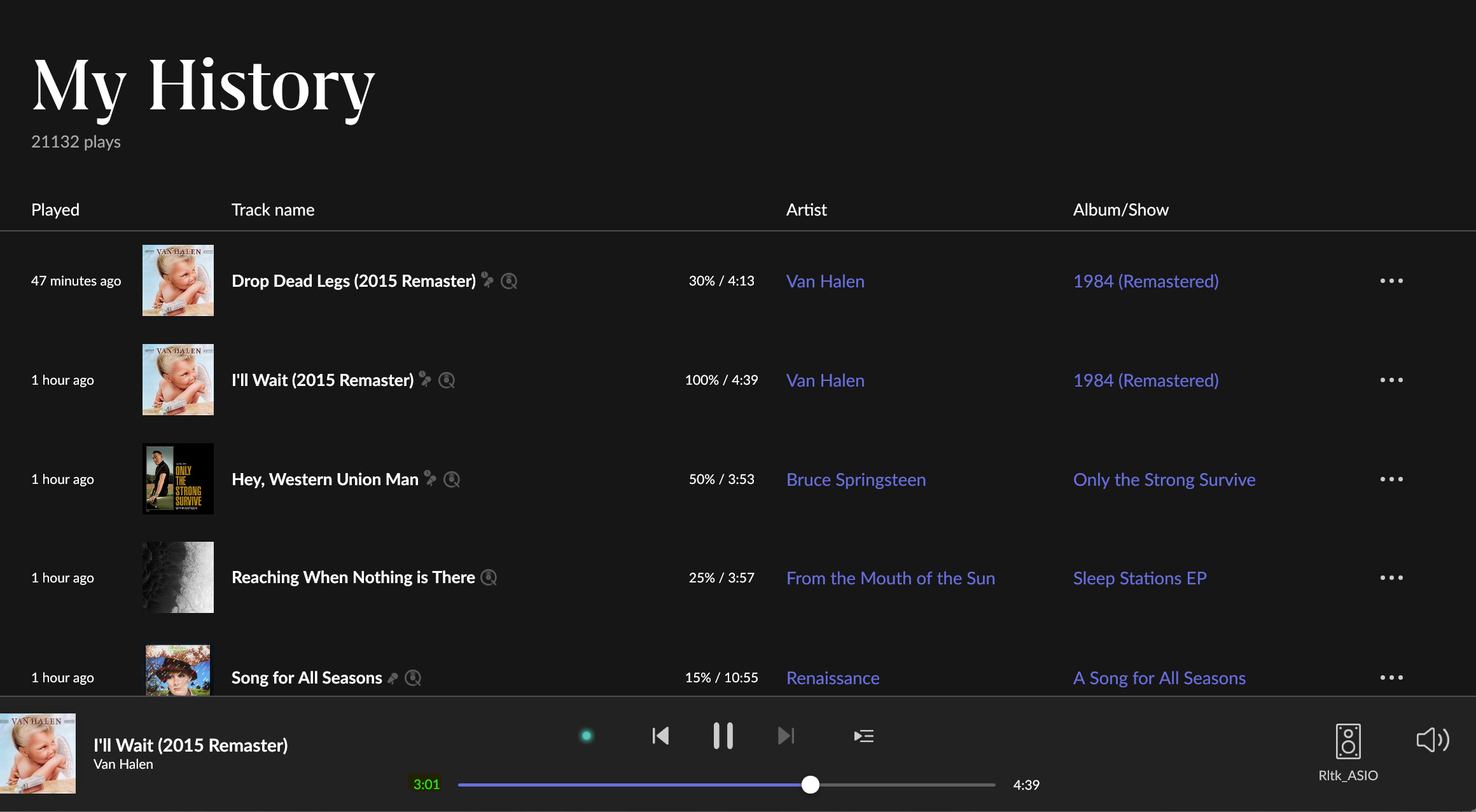

 I have tons of extra compute power on my RoonServer others may not. For me, I only use On Demand for my entire library, so turning it off just to Disable Streaming Waveform would not work. It would be nice to have a separate toggle.
 And, I think it will make a ton of users very happy.