B429 ARC CarPlay feedback

Thanks for the reworking of the code – seems much more responsive and stable in limited testing with my 3,100 album library.

I do have a couple of bugs/questions. iPhone 18 Pro, iOS 27.0.1, CarPlay running on Polestar 2.

First, the shuffle and repeat buttons are still displaying in miniature. See screenshot:

Also, I have a question about display for Albums and Artists in the library. It’s displaying a short list of each of them, rather than the previous version, which displayed the whole library.

Here’s Artists. They seem to be displayed in reverse chronological of any artist which had an album added to the library:
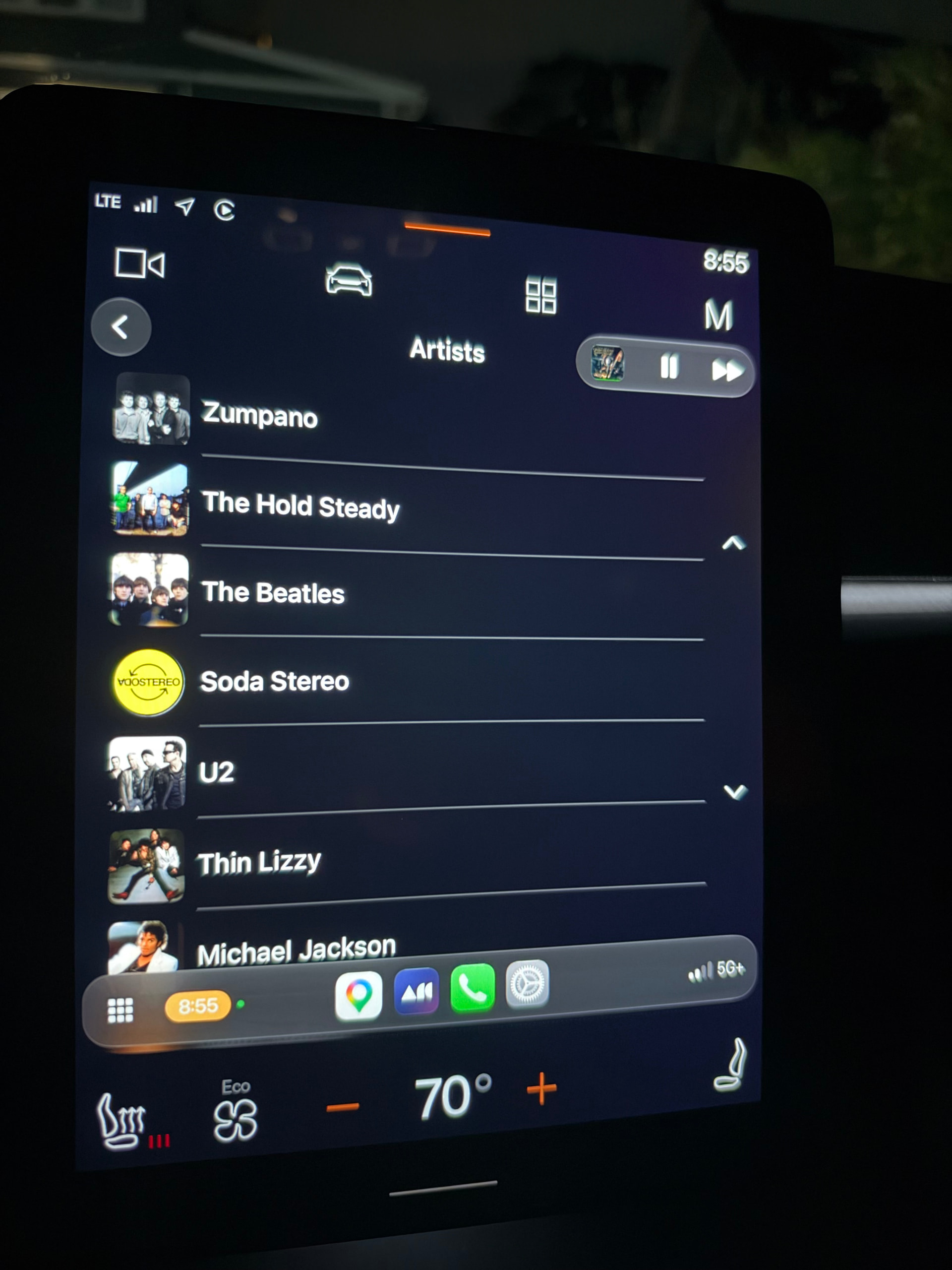
Is that expected behavior? That seems odd to me, can’t move through entire library at all.

Similar in Albums:
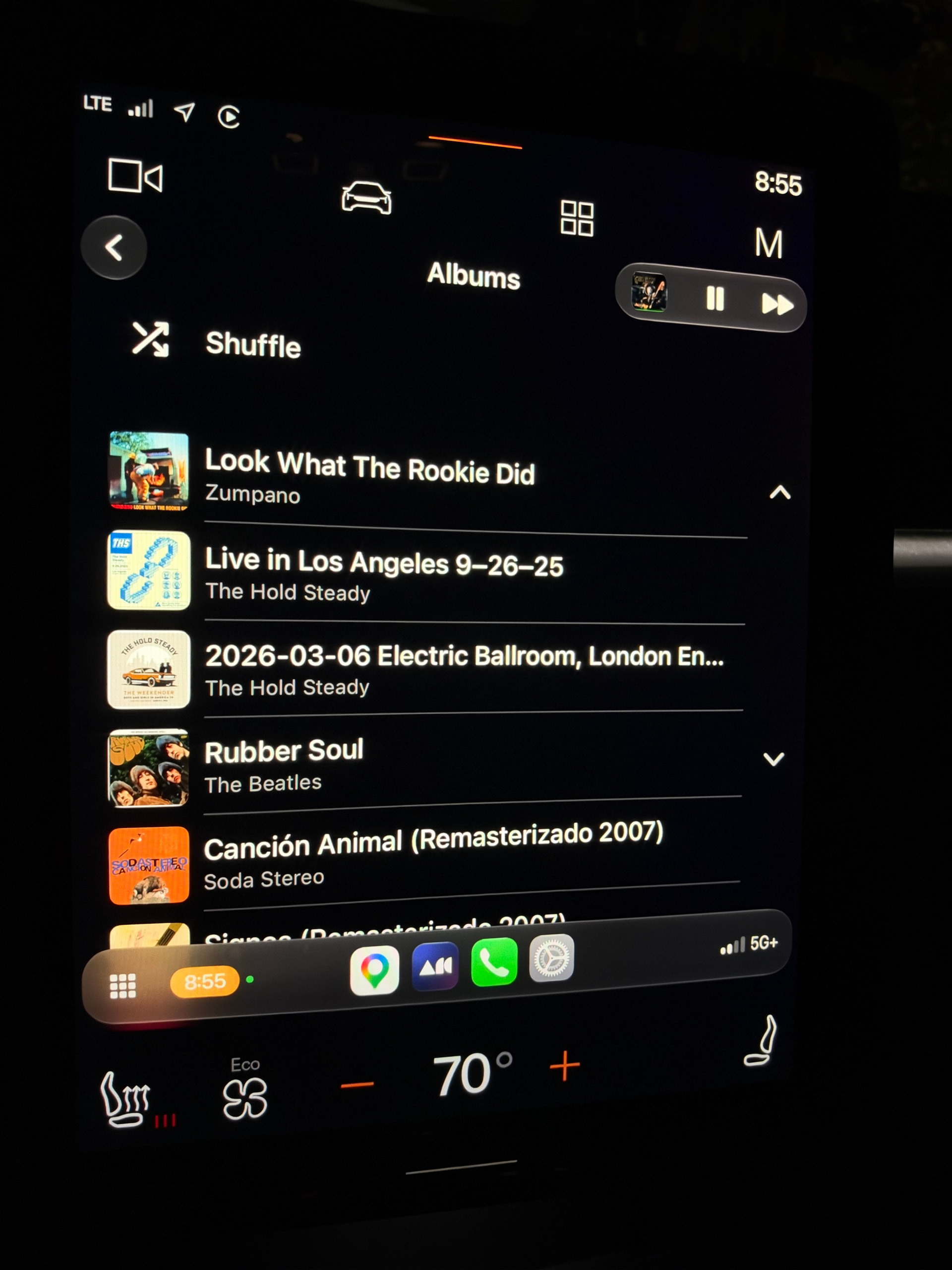
That’s basically the Recently Added list, and I can’t get to other albums from there. Again, I don’t know if this is expected behavior.

Thanks again for the ongoing work to improve ARC.

Hi, @Mark_McClusky1, thank you for the feedback! As for the icon problem, we have an open ticket about this and the dev team is actively working on it. As for the other points you mentioned, I forwarded them to the dev and the product team. I will post here as soon as I get a response.

Thanks!

–
Ivan

Thanks @ivan. Also want to report that Siri behavior in using it to search is inconsistent. Sometimes works as expected. Sometimes launches and asks for input, but then closes without taking any action. Sometimes takes input, “thinks,” and then says, “Sorry, there’s been a problem with Roon ARC.”

Let me know if videos of behavior would be helpful. This is with the latest iOS and the updated Siri.

The voice search behaviour is still an area our dev team is working on, so, unfortunately, for now it’s expected to have inconsistencies there :frowning:

As for these questions:

AND

I will let @mike comment about the product-side decisions here.

Thanks!

–
Ivan

I would say for somebody like me with a gigantic library. This is working better than any prior iteration of ARC. The only issue I seem to have as it does still take a bit when you first click on it to load. The loading screen last, maybe 20 seconds or more but once it goes away and you start playing music, I have not had any issues with crashing or stopping unexpectedly. I am not requiring the use of tail scale or anything like that either this just seems to be working the way it should, which is wonderful. Great work to the team.

A little more feedback:

  • Thank you for making shuffle/repeat buttons bigger! Any chance of getting a heart and/or radio button on that line too?

  • New box set implementation works great in ARC, but doesn’t seem to translate to CarPlay (box sets are just a straight track listing). Will those improvements be coming to CarPlay too?

  • Any chance of getting a way to click on an album title in the CarPlay Now Playing view that takes us to the full album? Or, even better, a pop up like on Qobuz that can take us to the full album OR the artist page?

Hi, @Jason_Ferguson, thank you for the feedback. I will pass these questions to the product team?

Thanks!

–
Ivan

Thank you for all of the feedback, it has been super helpful!

I’ve been using the early access ARC for a bit over a week. Overall it is an improvement. I would regularly need to pick up my phone to start the music in the app when i got in the car since the CarPlay interface would not recognize that there was something already “playing”. With the early access i have had that happen only once all week. The “please wait/loading” screen still shows up but seems to clear and show the regular home screen more quickly, and I don’t think i’ve had it get stuck on “loading” all week.

One problem i am seeing is that radio doesn’t seem to work. I start playing by selecting an album and then selecting the first song, and after the last song it just stops. THe now playing screen shows the regular buttons but no music to play.

My one request would be that if I get (back) in the car and ARC starts playing (as it should if it was playing when I got out) then it would be great to have it default to the now playing screen instead of staying on the home screen.

Also would love to have the “love” button on the no playing screen.

thanks!

I still have to manually resume in Arc on my iPhone everytime I reconnect in the car. When the end of a playlist (or daily picks) I cannot start new music. If I try (by asking Siri or manually selecting a track or playlist) the play controls and artwork load but playback does not start. Need to either turn the car off/on or force quit Arc, resume play on the phone.

@ivan @ben2 @mike

I do want to go back to my questions about Albums and Artists in the Library tab and what’s being displayed there, as contained in my first post in this thread. Can we get a little more insight?

Hi, for me the new CarPlay is a little more reliable. I still need to navigate to ARC to restart the music though.

But it eats through my battery. It chugged through 40% of my iPhone 17 Pro battery in around 40-50 mins of driving. My iPhone gets very hot as well this is with navigating with Apple Maps but it never got this hot and used this much battery before

Yep was just coming back here to say the same - absolutely smashes the processor for some reason and the phone overheats using Arc.

I have just the opposite experience. IOS 27.2 RC. ARC B437. Listened all day (well alot) at an outdoor build project.

Is this CarPlay or regular playback? During normal playback battery usage is normal. Only CarPlay is turning my phone into an oven.

Sorry, regular play, not CarPlay.

Trying again here, @ivan @ben2 @mike

Hi Mark, just getting to this one – appreciate your patience.

So, the short(ish) version: as far as I know we’ve never been able to show a 3,100-album library in full on CarPlay. Apple caps the lists third-party apps can show at 500 items, and some cars cut lists even further, to around a dozen while you’re moving. Those limits come from Apple and the carmakers, and we can’t work around them.

The old version felt complete because it showed your 500 most-played albums with an A–Z index on top, so it looked like the whole library. The new version shows recent items first instead, which is a different 500, with no A-Z. I can see why that feels like less, but we are operating under the same constraints.

We’ve looked at “chunking” on CarPlay, i.e. breaking the library into ranges like A–C, D–F. It’s possible, and gets around these limits, to a point.. but it has limits of its own. Particularly in cars that cut lists down while you’re moving, the utility of the ranges decreases as library size increases.

We also need to work around behaviors that Roon has always gotten right, like ignoring “The,” so The Beatles land under B instead of all “The” bands ending up bunched together under T. We’ve explored this with mixed results, but it’s absolutely not off the table.

For now we’re leaning into voice search. Finding one album out of thousands by voice seems like a better (and safer) experience in the car than scrolling, but I understand Siri has been inconsistent for you. We are working on that, too.

We did a lot of work this time around focusing on a complete overhaul of performance and stability. This lays the groundwork for what comes next, and of course we’re reading this thread closely, so keep the feedback coming.

I get it with the CarPlay limitations, @mike. They’re super frustrating.

The new workaround ends up feeling pretty similar to the recently played/recently added views on the home screen – they kind of have to given the logic. They don’t seem like a look into your full library; I’d suggest that maybe they aren’t serving much of a purpose…

I wonder if voice navigation to an Artist page would help some of this, although the artist pages are kins of a weird mashup of several things, and not a full look at an artists discography.

Obviously now easy answers, but improved voice search would really help.

I feel like Plexamp has this solved; when you click on “Library” it chunks it out by Album Artists, but it is subdivided by letter (so, 26 entries). Then, within each letter, an alphabetical listing of album artists.(Assuming not too many people have more than 500 album artists per letter in their collections?) When you select the artist, it shows all their albums, a “shuffle all/play all” option, and a radio option.