Browsing hierarchy and user metadata/Qobuz tags

Trial user here, testing Roon with a view to signing up, but with some reservations about browsing and metadata, both for accessing my own library, but also for organising and accessing my Qobuz account. I am hoping that there are existing happy users who will alleviate my apprehension and defend Roon’s way of interacting with libraries.

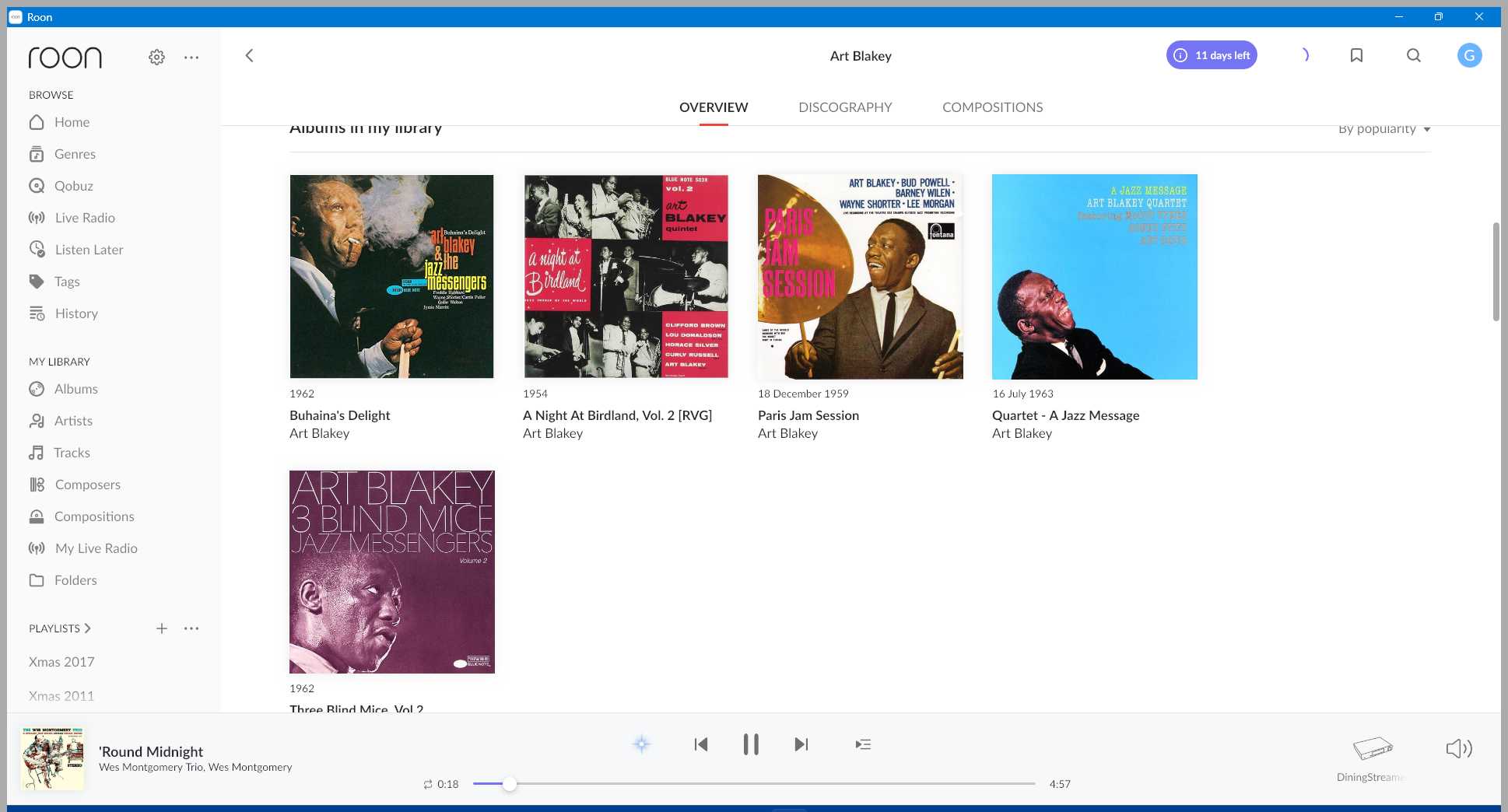
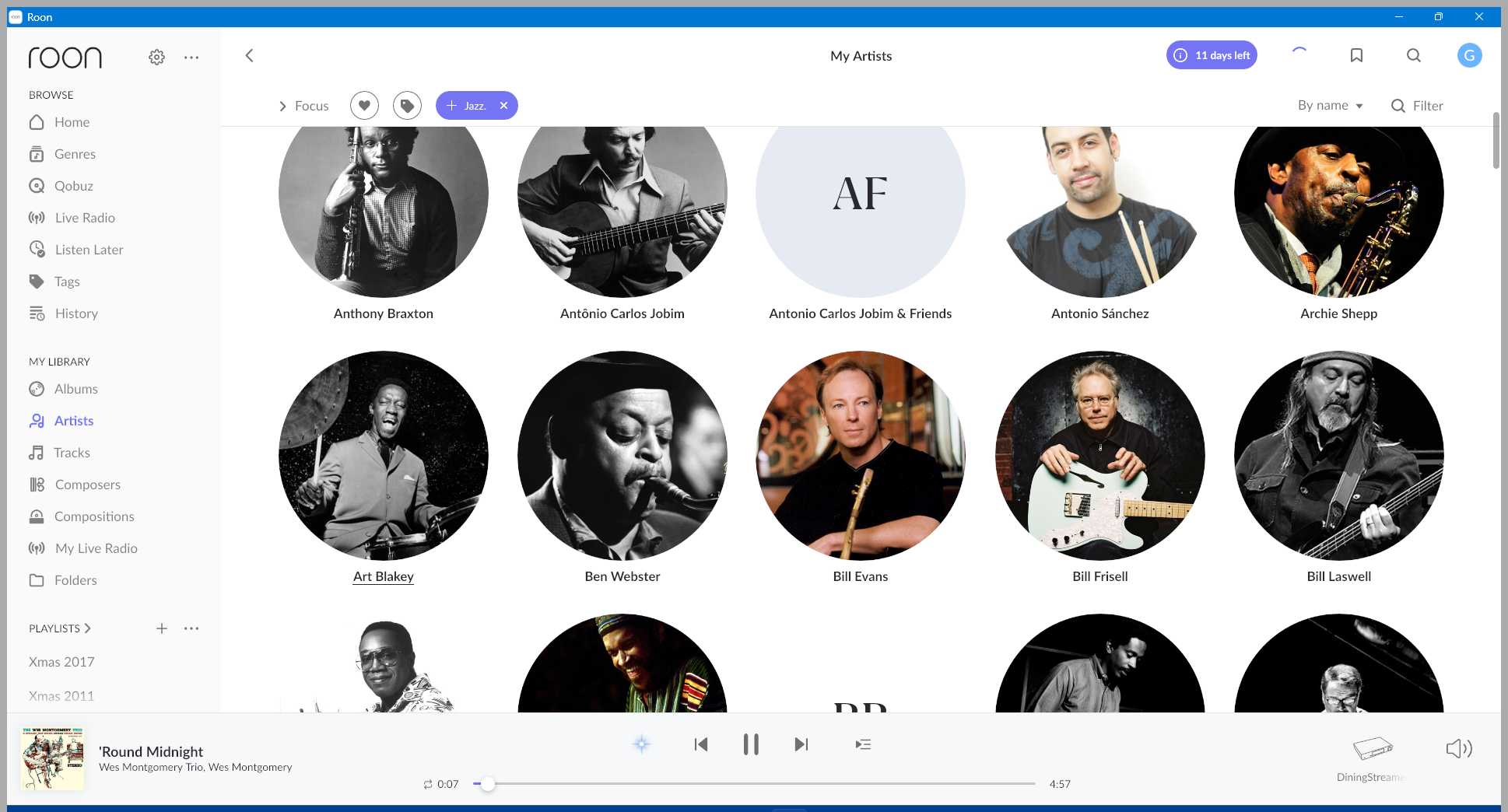
Own library first: I have a carefully curated library of c1000 albums, where I have taken a lot of trouble to organise metadata so that I can quickly find and play any album using the browse sequence of Genre>Artist>Album. Therefore I have selected “File preferred” for all relevant options in the import settings. The first problem I encountered with Roon is that when I search via Genre to the Artist level, I don’t see either the Album Artist or Track Artist which is in my metadata, but an Artist which Roon has generated. So, instead of “Art Blakey” as in my library, I see “Art Blakey”, “Art Blakey Quartet”, “Art Blakey Quintet”, “Art Blakey & The Jazz Messengers”. I am guessing that in some cases it will be a completely different artist name, not just a slight variation?

The next problem is that at the Album level, I find albums by the artist I chose, but not in the Genre which I started with. Is there some way of defining the browse sequence so as to retain browse choices all the way down the hierarchy?

Qobuz next: Their library is notorious for bad metadata and for lacking ways of organising favourites, so it is great to have the option to create a tag per album, which I can use in a similar way to Genre in my own library. Sadly I don’t seem to be able to modify the (often completely wrong) Artist name. If I use the tag to browse albums, I obviously get just a list of albums. If I use the tag focus, as if it were genre, and choose Artist, I see “Artists” who are actually performers on the albums tagged. So 1 album generates half a dozen entries at the Artist level within a tag. If I choose one of these “Artists”, I will see albums in my Qobuz library by that artist/performer, which don’t have the chosen tag, or any tag at all. This is similar behaviour to the genre issue mentioned in browsing my own library.

Either library: I noticed that the play queue shows tracks, but not albums. It doesn’t seem to be possible to select multiple tracks before performing an action. If you want to remove an album from the queue you need to delete each track individually.

Coming from a basic but functional (and cheap!) UPnP environment I have found the availability of biographies, discographies, photographs, recording details and performers quite astonishing, but actually I spend most of my time with a system like this just managing what is or will be playing, which at the moment I would find more difficult with Roon. The extra information is brilliant, but in everyday use it maybe compromises functionality. Could do with a switch to turn it on or off. Tags and search flexibility add important features to using Qobuz.

My question: I would be interested to know if I am missing some configuration settings/preferences which would allow me to follow the simple hierarchy I described. There are other minor niggles, but for now, I am finding the browse hierarchy implementation an obstacle to usability.

Cheers
Marmite
In order to provoke a response, perhaps I can suggest that Roon has a lousy way of importing a local library (losing artist metadata) and a dysfunctional browsing path. You can’t drill down via genre/tag and then artist to find and play an album from your own or Qobuz library. Doesn’t anybody find this frustrating?

Not sure I understand what you want..

Currenty, I can

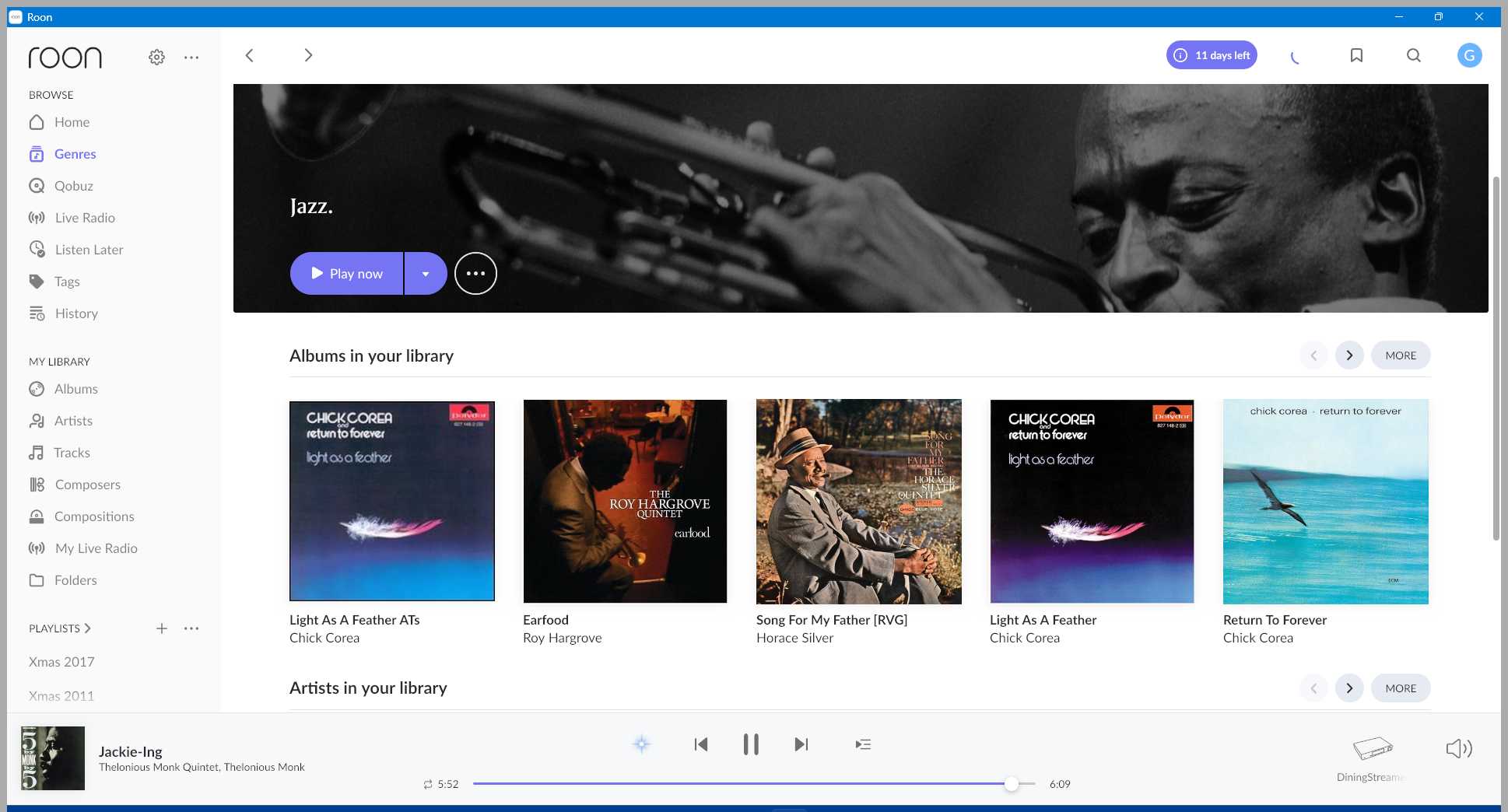
  1. Click on genre, . Scroll down to “Artists in my Library”, click “More” and see all artists in my library with that genre.

Or…

  1. Go to Artist section, click on Focus, and then choose a genre.

Choose the folder view. If you have encoded your browsing hierarchy in your folder structure, you may find this more familiar. In general roon navigation doesn’t work in the hierarchical fashion you describe. Infact, folder browsing was only added by roon a few years back after a great deal of resistance over more than 10 years by the founders. In general, navigation just works in a different way. For most, “Focus” is the first port of call.

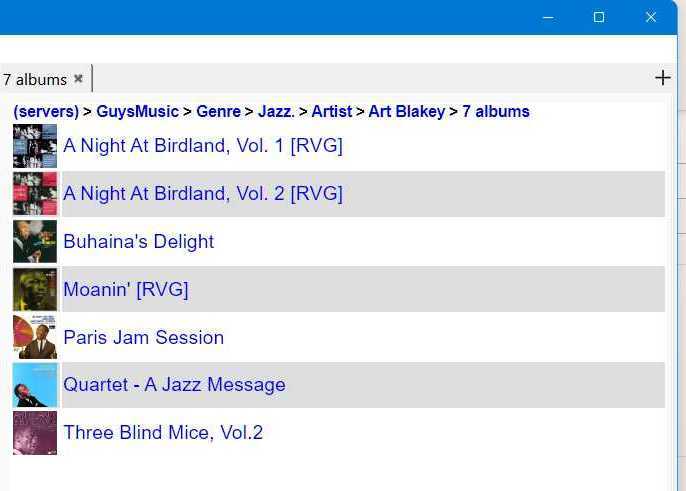
something like this

can it be done?

By merging some artists I have managed to get these:
but 2 albums seem to have disappeared

and if there were albums by Art Blakey that were not jazz, they would all appear here (often the case with some artists and the way I defne the genre)

Oh ok, the old folder chestnut. That’s quite helpful and explains where I am “going wrong”. I have folders arranged by iTunes according to the artist. I define genres a bit like subgenres to help to narrow down the numbers in a given selection, so I often have artists with albums in multiple genres, which would require separating them into different folders in Roon, I think.

Looks like I would have to do quite a lot of reclassifying my folders/files/metadata.

I also didn’t realise how much Roon does its own organising/reorganising of the metadata which sometimes clashes with my metadata (e.g. artist).

Thanks.
Marmite.

Thanks for the comments. From other threads discussing metadata, I think I understand now what Roon is supposed to do. As far as metadata is concerned Roon is a kind of aggregator or consolidator, which isn’t what I am looking for, since I am happy to maintain my own metadata. I guess the time saving is what you are paying for, as well as the many other features Roon provides. This explains the browsing philosophy, which seems to be designed to widen out at certain points, rather than narrow down the selection. The genre and focus tags don’t seem to be “sticky” when you are searching.

The possibility to add some organisation to Qobuz is useful, and can probably be used along with editing album details to make browsing more herarchical/personal.

The audio management and artist/album information, photos etc are tremendous added value, but I have to wonder whether they are worth the cost.

I learnt a lot from this trial, but I don’t think I am ready to commit to Roon yet.
Marmite.

Try this:

Go to My Library → Album view
Then “Focus” → Genres → Jazz
Roon will display all the album in the Jazz genre.
Create a Bookmark for this view named “Jazz” Don’t worry because Bookmarks are dynamic and will show all the items in your library that match the bookmark settings.

Now you can search for albums by “Art Blakey” using the “Filter” search. Using the “Filter” search for “Art Blakey” without first selecting the Jazz bookmark will also display all “Art Blakey” albums regardless of the genre. Searching for “Art Blakey” by using “filter” while in My Library → Album view will actually display all the albums in your library (local and streaming, aka Qobuz) that have “Art Blakey” in either the artist or album tag.

Once you’ve have all your “Art Blakey” albums displayed you can use “sort” (located directly to the left of “filter”) to quickly find the album that your looking for.

I hope that helps.

Thanks. Very useful suggestion.