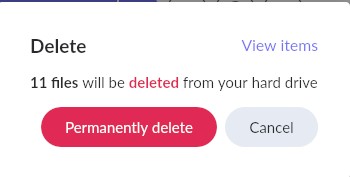
How do I delete an album from ROON? There is an album in my local library which I have deleted. However, in ROON, it still shows. When I click on the three dots, go to EDIT, then “DELETE ALBUM”, it gives this warning:
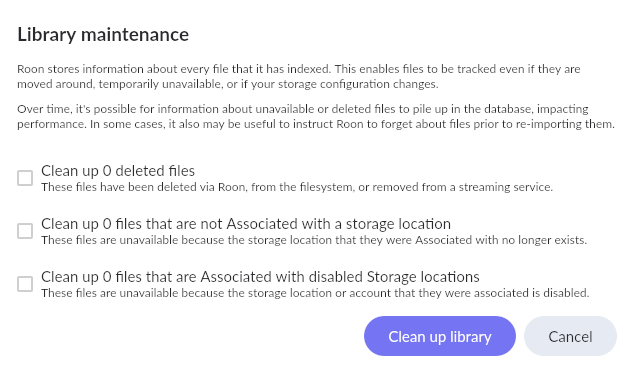
Which is fine, the files aren’t there anymore anyway. But the album is NOT deleted, it just stays there. When I go to Library Maintenance to clean up the Library, I get that everything is ok, no files to clean up.
I ran into the same problem some time ago. What I did, in my case, I deleted the files or information directly from my Roon Server (an old Mac mini 2012).
Regards,
Tony
Hi Tony, thanks for your reply. There are no files to delete, the album is no longer there. But the album is still shown in the ROON database. That is the problem. I cannot delete it out of the database. I even went to settings, disable storage, waited for a minute… and ALL the albums of my local library were gone… EXCEPT for the one that’s deleted. Even though this album does not exist anymore, Roon still displays it as if it were in its folder. It’s a “ghost” entry that somehow doesn’t get deleted.
Hi Geoff,
thanks! That worked. I rebooted the ROON Core Server, and the ghost album has disappeared. Thanks! Unsure what happend, but that did the trick.