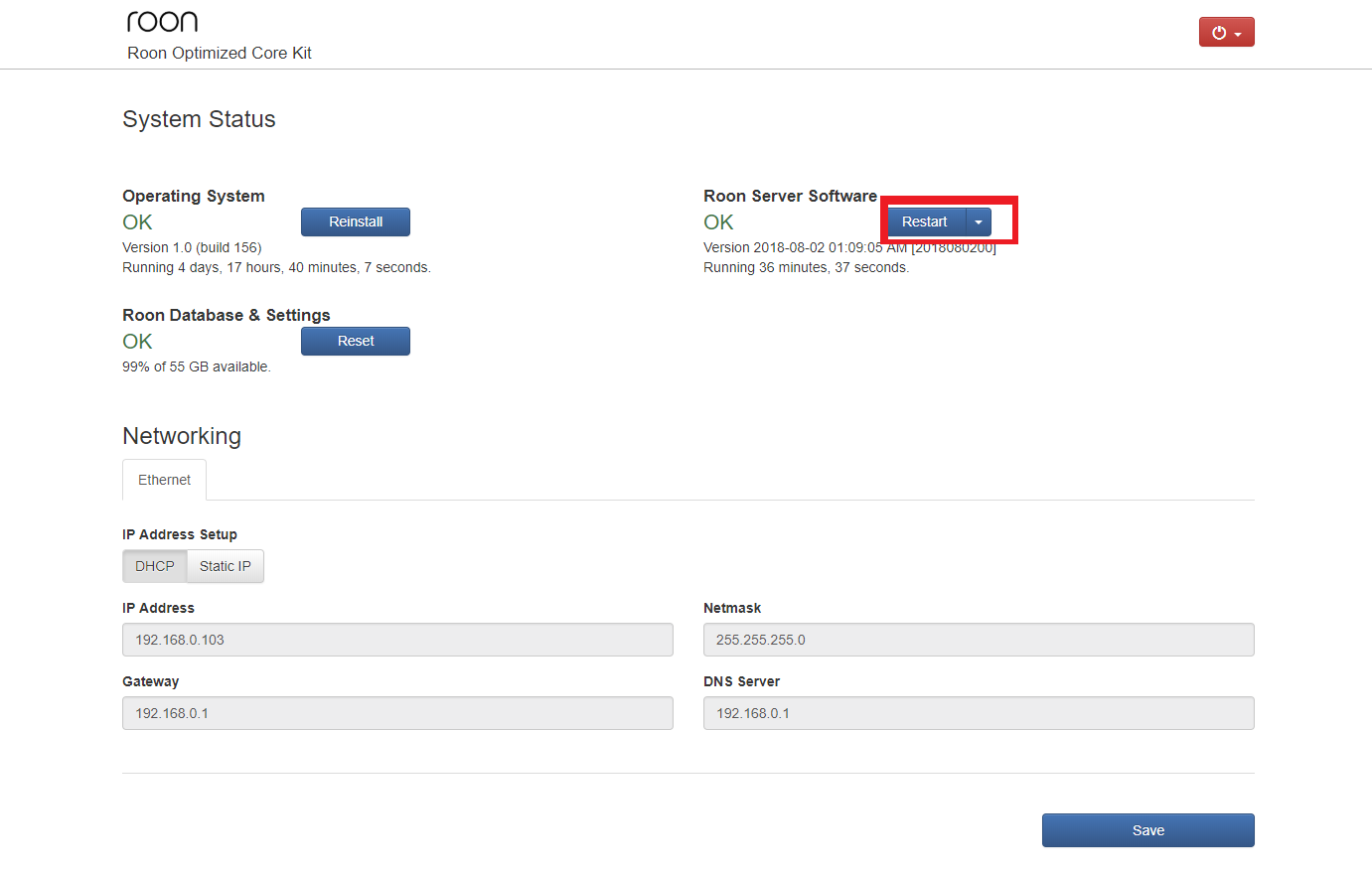
I l try to pay attention but now with the wired connection the drop out are quite small… it does not stop the track where before the track would stop and re-start later or even failed completely.
With the wired connection the drop is minimal…
I l try to pay attention but now with the wired connection the drop out are quite small… it does not stop the track where before the track would stop and re-start later or even failed completely.
With the wired connection the drop is minimal…
After disabling as many DSP functions as I could ( some were still present, if you know how to remove them all let me know ) the short dropouts are still present with Tidal and Qobuz through Roon. Tidal direct on the NAIM has no drop out.
Help. It feels like it is 20 years ago where small drop outs like this were the norm with slower internet service provider.
Should I bite the bullet and move to Ubuntu and the Roon server on the NUC?
Working in the industrial automation industry, I did appreciate the simplicity of the ROCK ( our customers loves this type of appliance as well ) but it seems there is an underlying issue…
I’m pretty sure your Ubuntu idea wouldn’t change anything.
But… I now read three different recent threads here telling about some dropout issue. All with different endpoints, but all using Chromecast at the very last “output”. So, it may be related to roon or the Chromecast implementation in these endpoints.
I can only recommend put as few elements/technologies as possible in your roon “line”. The more there are in your whole connection the more potential issues you’ll get. Maybe you should rethink your overall connections.
And there’s no point in looking back when the issue was not present. Many components have updatable software which often improves things but can also introduce new issues. That’s one reason why I disabled any auto update.
BTW, you don’t have to remove all DSP filters. You just need to click on “bypass filters”. The little slider will get red.
I want to get rid of the Chromecast but it did work well before I installed the Rock NUC combination instead of the Roon server - Synology combination where I never experienced drop out, just slow interface.
Yes the plan is to get a new Roon enabled player… just priorities!
Understand 
One more question regarding your NUC, since I also had some sort of nightmares about this. Do you have any devices attached to the NUC? I experienced lots of audio issues when attaching quite different devices to it. And I never found out why.
Hi @William_McFee ,
Thanks for your report here. We’ve enabled some additional diagnostics for your account to see if we can trace where the issue is happening. Can you please restart your RoonServer twice via the Web UI so that it can pick up the new diagnostic mode?
Then after the system is up and running again, please let us know the exact local time + date + track when you next observe this behavior, and we can look over the logging afterwards. Thanks!
Hi @Andre_Babineau,
We’ve revisited this report and confirmed that diagnostics associated with your account from the last few weeks appear to be consistent with this symptom.
There appear to be additional network failures calling upstream servers - it might be worth verifying whether or not a known reliable DNS server is assigned in your router GUI.
However, the team is investigating reports of dropouts with Chromecast audio devices that appear to be associated with an invalid session ID.
@maddib’s assessment is accurate. Your network itself might be vulnerable to dropouts depending on settings and implementation, but since dropouts only replicate with Chromecast and you can’t reliably reproduce with another endpoint/protocol, you’re likely encountering a Chromecast/Roon issue under investigation.
Hi @William_McFee,
We’ve identified a vulnerability in the buffer handling between Roon and Chromecast that’s causing these intermittent playback dropouts. It’s likely specific to a handful of devices, so the team is gathering information on this case to help inform future implementation that can account for and prevent these errors.
Airplay or another protocol, if available, is probably the most reliable workaround to fully prevent this in the meantime. We’ll keep this ticket open to track our investigation and post updates here when they are available.
Thanks Connor, I am pleased to know that you have found what you believe may be the issue. I like using chromecast for it’s ability to do display as well as being an audio endpoint in the same device. Keep us all posted on this progress. My system is still in logging mode AFAIK, as per earlier instructions. I will let you know if I am ever in a place where I can record the time and song when it stops. Thanks again!
Hi @Andre_Babineau,
We’re working with development on the Chromecast audio issue reported in this thread and need a few more details at your convenience.
Do you mind checking the current firmware version installed on your Naim Uniti2 endpoint? Is it [4.6, the latest release, or are you running 4.4 still?
Connor,
the version of the streamer is 4.8 and the Iphone app is version 6.6.1
Andre
Hi @Andre_Babineau,
Perfect, thank you. I will merge your report with the main tracking thread momentarily so that you can receive updates as the team proceeds with our investigation.
If you use another protocol to stream to this endpoint, like Airplay, etc., do you have any issues? We still want to try to diagnose any unrelated network connectivity issues that might exacerbate the problem.
Hi everyone,
The team released a fix for this issue several years ago (2022), but we’ve seen intermittent reports of issues with gapless playback in Chromecast over the years since. This particular thread never reached a conclusion, and in light of more recent reports, we want to reach back out to see if anyone has experienced recent gapless playback problems.
Please share the name of any tracks that failed to transition properly and we’ll investigate logs accordingly. Thank you!
Hi.
New Roon user here.
I would like to report my findings on this issue.
I have four Chromecast Audio devices. They are added to Roon as individual units and as different combinations of devices as groups from Google home.
One device was connected using optical connection.
When playing to this device’s own zone playback worked well.
But when playing to grouped zone where this Chromecast was part of playback was choppy.
Then changed device to use analog connection and after that playback was OK.
Regards Janne
Hi @Andre_Babineau,
Do you have any delay correction options available in your Google Home app? Try enabling that if you’re in a mixed optical/ethernet setup.
If you have one device on optical and the rest using ethernet/WiFi, then these Zones are relying on different clock sync mechanisms and have different conversion stages. It will be more difficult for the group to stay in sync than in an all-ethernet setup.
I notice the OP had two switches. Often that is unavoidable because of the practicalities of home layout but some also like to split audio and computer/storage devices accross switches. I run roon in two locations. One with 3 switches and the other with two. I had a very similar experience to the OP including intermittent drop-outs and gapped playback on chromecast (and other devices) that had built up over multiple roon version updates. It wasn’t allways that way. The normal advice is to use unmanaged switches but I found the opposite. I ended up replacing them all with more expensive, but still relatively cheap semi-managed types where I had finer control over both flow control and IGMP snooping, and the problems disappeared.
Hi everyone,
The team has dedicated resources to ironing out these Chromecast bugs in the upcoming Roon builds. We don’t have a specific timeline to release, but we want to mention that this symptom will likely be relieved or at least affected by this work. Thank you again for your patience.
Hi everyone,
An incremental update here: some of the tickets associated with our Chromecast stability improvements are beginning to proceed through the pipeline.
It’s taken some time but we’re beginning to make progress on improvements. We will share more specific information as it becomes available. Thank you!