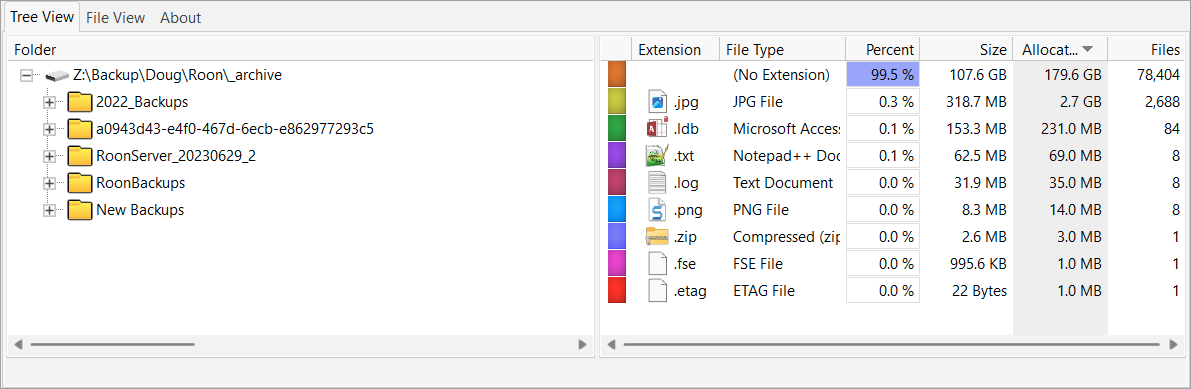
About six months ago I reorganized my backup strategy so that I’m saving daily and monthly backups in an organized fashion. This week I’ve been cleaning up my old, poorly organized backups by deleting them in Roon. Once I’d done that, I surprised to see that there were 78,000 files remaining in my old backup folders. These are folders where Roon recognizes no backups. I’m now going through the long process of deleting these folders directly. Has anyone else experienced this?
You should avoid manually deleting any files and folders from the Roon backup folder – use the app. The backups are incremental, so some backup files may be old.
If you must, rename the folder and recreate backups using Roon. You may have inadvertently broken your backups.
These folders contain backups from 2022 and before and I am now backing up into a different location using different backup rules. Is there a connection between my old backup location and the backup location I am currently using?
I am also backing up a different Roon server (NUC vs. Nucleus)
Without seeing your backup strategy, as defined in Roon, it’s not possible to comment. But, manually moving or deleting backups carries risk.
I have all my daily, weekly backups etc. in a single folder, and set up two backup locations in Roon for each type. The automated backup manages everything and removes unwanted files.
I understand the danger of deleting backup files outside of Roon, but i figured these old files were somehow orphaned. So I guess these are my questions, given that:
- I ran a Nucleus and backed up regularly.
- I replaced the Nucleus with a NUC and set it up by restoring the most recent backup from the Nucleus.
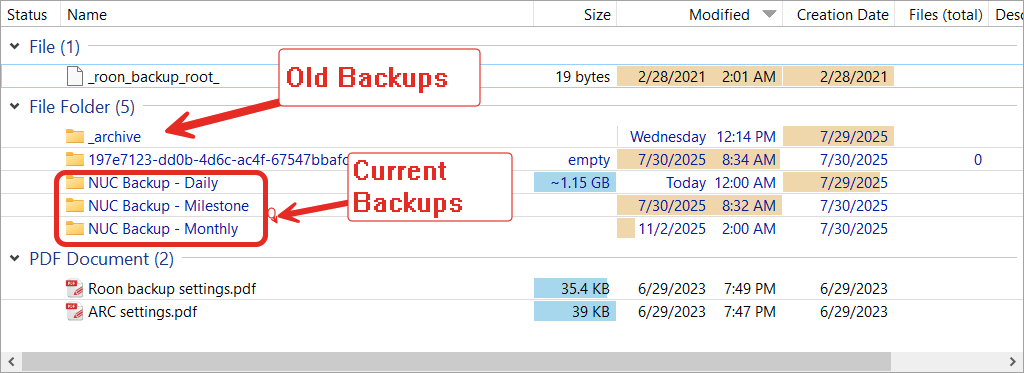
- I set up backup rules in the NUC to save daily and monthly backups (see below) to different folders
- I move the Nucleus backups to an _archive folder
Wouldn’t the incremental backups reset when I saved the first NUC backup? Is there still some connection between the Nucleus backups and the NUC backups? If so, my backups should have been broken when I manually moved the Nucleus backups to another folder (I have successfully restored backups to the NUC.)
Moral of the story, I’ll stop messing with this, but I’d like to be sure I understand how this works.


Roon will delete backup data older than 31 days and 12 months. My guess is that when migrating from the Nucleus, you orphaned the original backups. Typically, when restoring a backup, the original backup (and library) locations will be present as long as the original location is accessible.
However, you appear to have created new backup rules, and manually moved the original files. Since the backups are on a NAS, it should have been possible to browse to the share in Roon.
Anyway, it would seem that the new backups are fine – you may want to test them – and the old files are redundant.
1 Like