Have you tried running Etcher as administrator?
That helped. Now I can flash the USB, but the message is still the same after the boot: “Welcome to GRUB”.
So some parts of the code on the USB are read, but not all.
It the network connection needed in this boot up process?
It means you have some issue at bios level.
no
I have created several USB keys with Etcher. Used Etcher to unpack, unpacked with 7-zip, downloaded the image file using Firefox and Edge.
Updated BIOS to newest version, disabled secure boot, check mark in USB boot, booted and F10 to enter the boot menu.
USB key correctly selected as boot.
BUT STILL “WELCOME TO GRUB”
No more good ideas…
That’s not my experience with Balena Etcher.
I have used 128GByte and 256GByte USB sticks without issue.
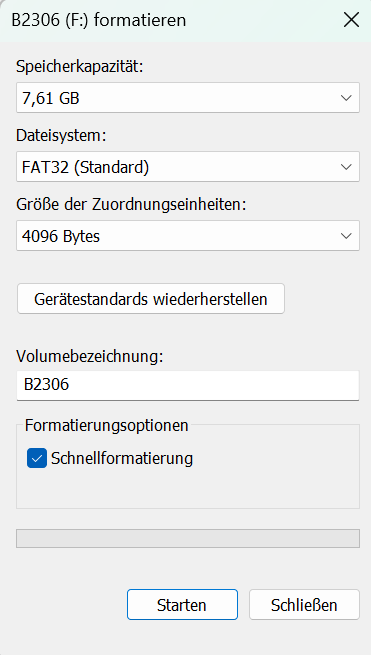
According to the Etcher home page, there is no need for a format of the USB key as the program will handle this as part of the process.
I get the USB key name when I press F10 during the boot and I then press enter to continue - and then the “Welcome to GRUB”.
I run the Etcher program as administrator and the process looks like it runs without any error messages.
It seems to me that your device is not seeing the USB as a bootable device. You must have the boot process set as UEFI in the bios. Also when you view the storage devices in bios you should see your USB in the list and it should say UEFI partition 1 or something similar.
I just thought I’d offer a quick update in case it’s of help to others. I came across a great deal on a NUC13ANKi7 - this has the i7-1360P processor with a max single core speed of 5.0GHz - almost as fast as that on the 240H but with a lower tdp. With the current RAM, and to a lesser extent, SSD prices it would have been impossible to build the system with my preferred components. However, I’d replaced both on my NUC7i5 a couple of years ago. Whilst not my preferred options for a new build, they moved across without event and I am still seeing the much hoped for speed increase from the new server, even with these older components. Everything is a lot snappier - in fact, I wish I’d made the leap ages ago. If/when prices become sane again I’ll refresh the components.
The whole process from unpackaging and transferring the components to updating and configuring the BIOS, tweaking the DHCP reservation and having a working Roon server took less than 20 minutes, which is testament to how tolerant ROCK is of being moved around the place - thanks Roon 
I haven’t moved it into a fanless case quite yet - I will at some point, but it’s completely silent in general background use.
I should say that, if others consider a similar pathway, do be aware that there’s talk online about DDR4 supplies drying up completely, or staying more expensive, as it now seems to be considered legacy - caveat emptor!
FYI, ROCK is not built to run in a fanless case. It has no mechanism to moderate temperature, unlike the version in the Nucleus. So, ROCK is expecting the BIOS and fan to control system temps.
Since ROCK also does not allow you to view system temperatures, you will have no way of knowing if you are shortening the lifespan of the components due to heat. If you want to do that I would suggest using a Linux build that allows you to keep tabs on system temps at least.
That’s a fair comment - my plan was to lower the PL2 to match the case specifications - but you’re right that I would have no way of keeping tabs on it. My 7i5 managed happily for 8 years, but I guess it’s a rather different beast. Tbh, it’s so quiet, the only thing that would motivate me is the fan starting to get bunged up.
In the early (gen 7, gen 8) machines you simply turn off the Turbo mode in the bios. You still get the required big single core performance but not the heat swings of turbo mode. In the latter machines you can stipulate TDP in the bios. You can match this to rating of your fanless case and you are covered. There isn’t any need to caution people against ROCK in a fanless case. The mitigations are there and telling people what those are is probably a better option because they are no longer competing with Nucleus sales. Mitigate in bios, good quality memory and storage and you will be fine.
Just for inspiration:
Torben
I also have a ASUS NUC 15 Pro + up running in 20 minutes. Easy. Followed the instructions from Audiophile Style.
With that said, I installed Rock on the 2280 SSD first to check it out. Then later i installed Rock on a 2242 SSD….only to find out that the two disk now compete at boot … with no good result. So I had to boot a Linux and wipe the 2280 SSD.
Learning, Install Rock on a 2242 SSD first and then add the 2280 SSD for your music after.
Btw, the ASUS NUC 15 is fast..,..now it is time to play with DSP and Muse,
Bjarne