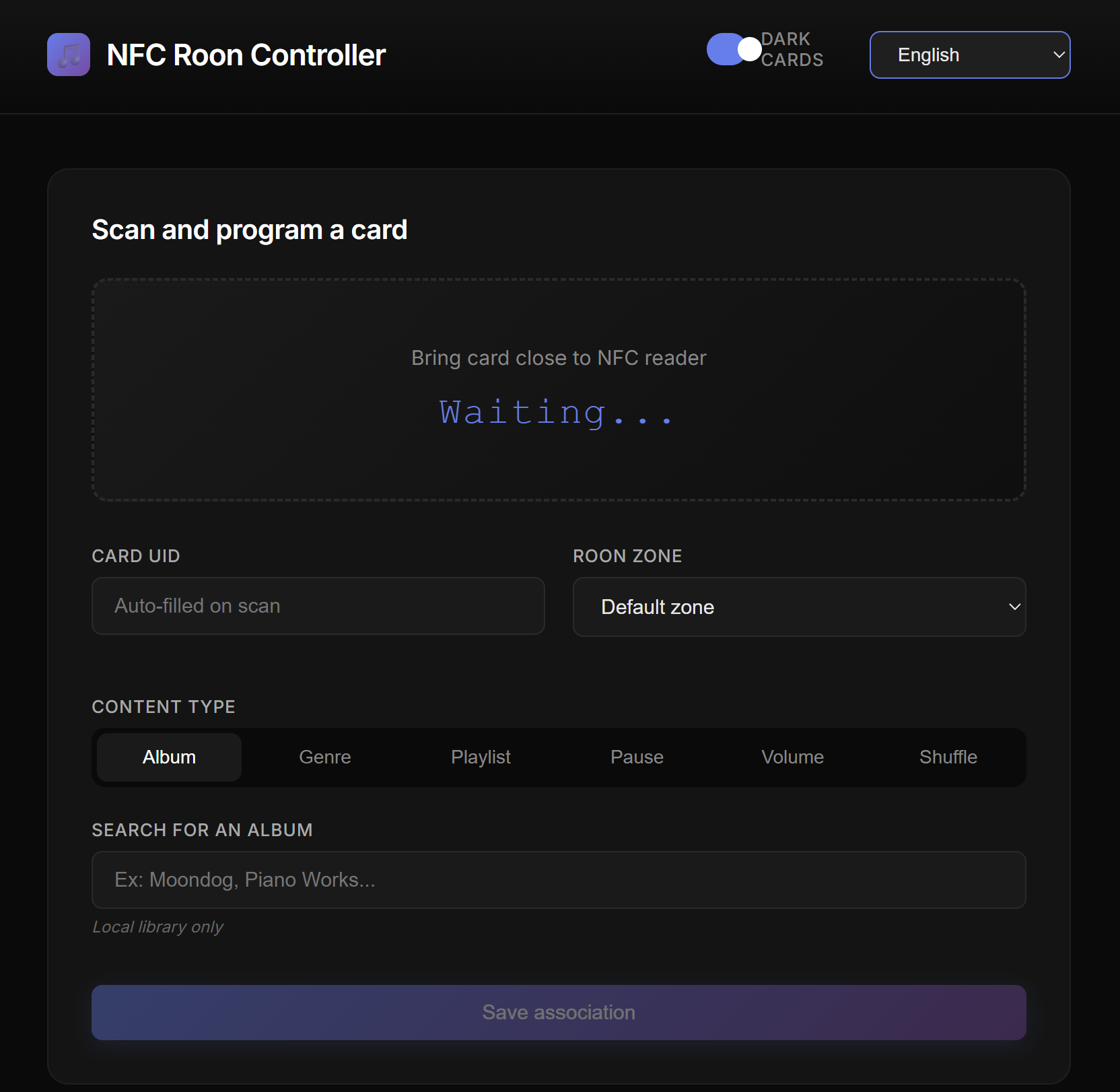
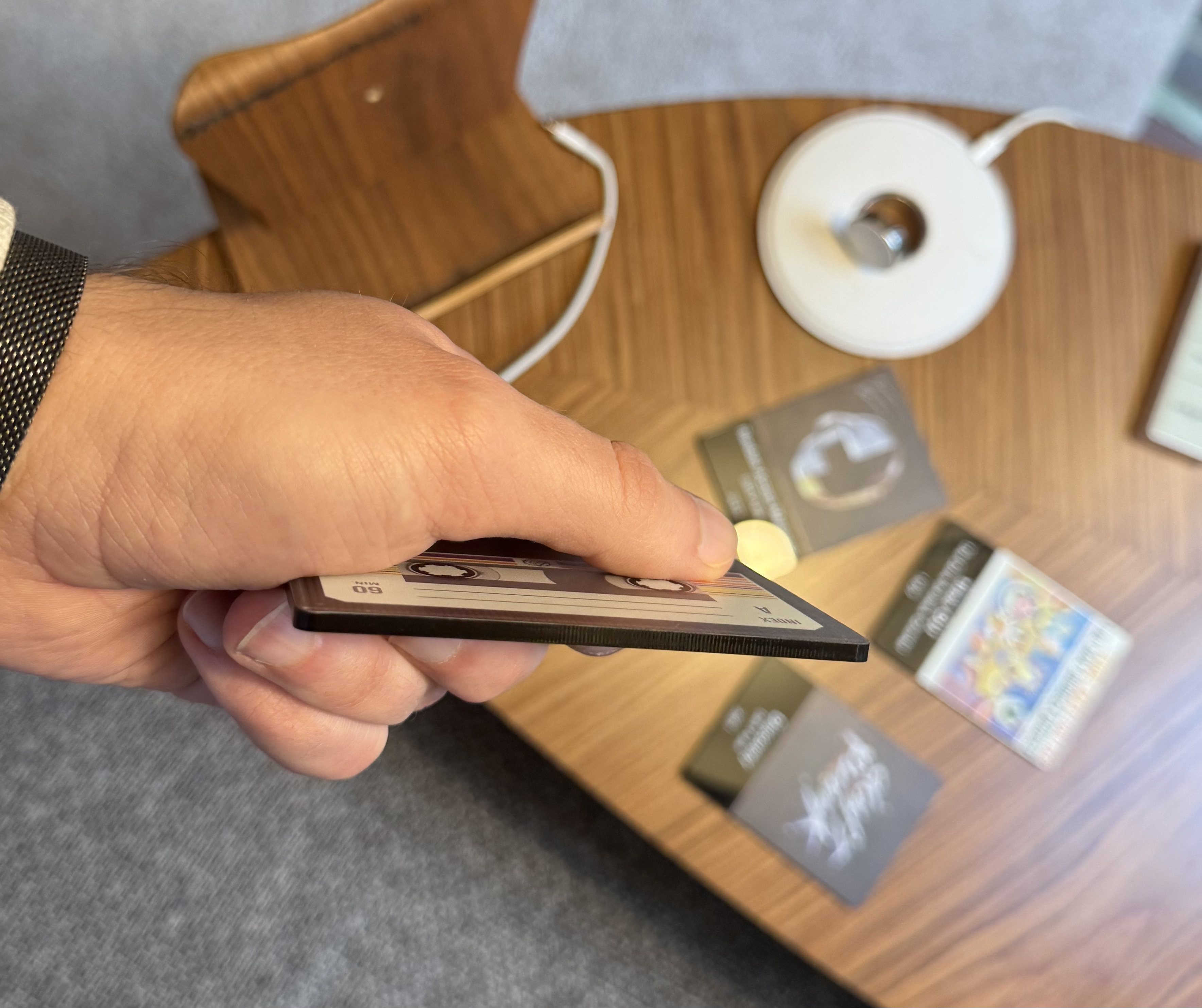
I built a simple system to control Roon with NFC cards. You tap a card on a reader, the album plays.
The idea came from wanting something physical again, like CDs but without the clutter. Any NFC card works - door badges, library cards, even old bank cards.
Thank you for this. I’ve just installed it and written my first card. The whole process was extremely simple and flawless. Well done!
This will be a little present for my wife - who hardly plays any music any more as she could never come to terms with the whole “music in the phone” thing.
I thoughtlessly sold my CD player and all my CDs, and since then she hasn’t really been able to use the music system.
I can’t really get the CD player and all the CDs back - but I think this will allow her to begin to enjoy her music again.
Hello, thank you very much for your feedback. It’s good to know my project was useful to someone. I designed it so my five-year-old son could use it, so in principle it should work for an adult as well!
I spent some time designing a version of the project that sends album artwork to a small secondary screen. But now that’s finished, I’ll resume development of the main branch.
Are there improvements or additions that would seem interesting to you?
I know the shuffle function doesn’t work very well and I’d really like to be able to implement smart playlists, even if they don’t work in the Roon API.
I haven’t used it enough to make many particularly useful comments - but I will once I have. One behaviour I noticed, which was unexpected, was that if you live the NFC card lying on the reader, then it re-starts the song/album of that card every couple of seconds - presumably because it detects the card again.
It’s not a big deal, but at least the option to leave the card lying on the reader without this happening would be nice. So, if it detects a card and it’s the same card as the one it detected before, it just continues playing. But as I said, not. big deal.
Good idea.
Before implementing a user-selectable cooldown time in the admin interface, I changed the server code so there’s a 3600-second (1-hour) cooldown between scans of the same card to resume playback from that card.
This only affects “music” cards, not special cards.
It’s not the most elegant solution in terms of code, but it works.
     if action == "play" and uid == state.last_uid and (time.time() - state.last_time) < 3600:
            logger.info("Same card scanned again, ignoring")
            return jsonify({"status": "ignored", "message": "same card"})

        state.scan(uid)
I’m currently working on the system that generates PDF files of pages to print for making cards (admin interface).
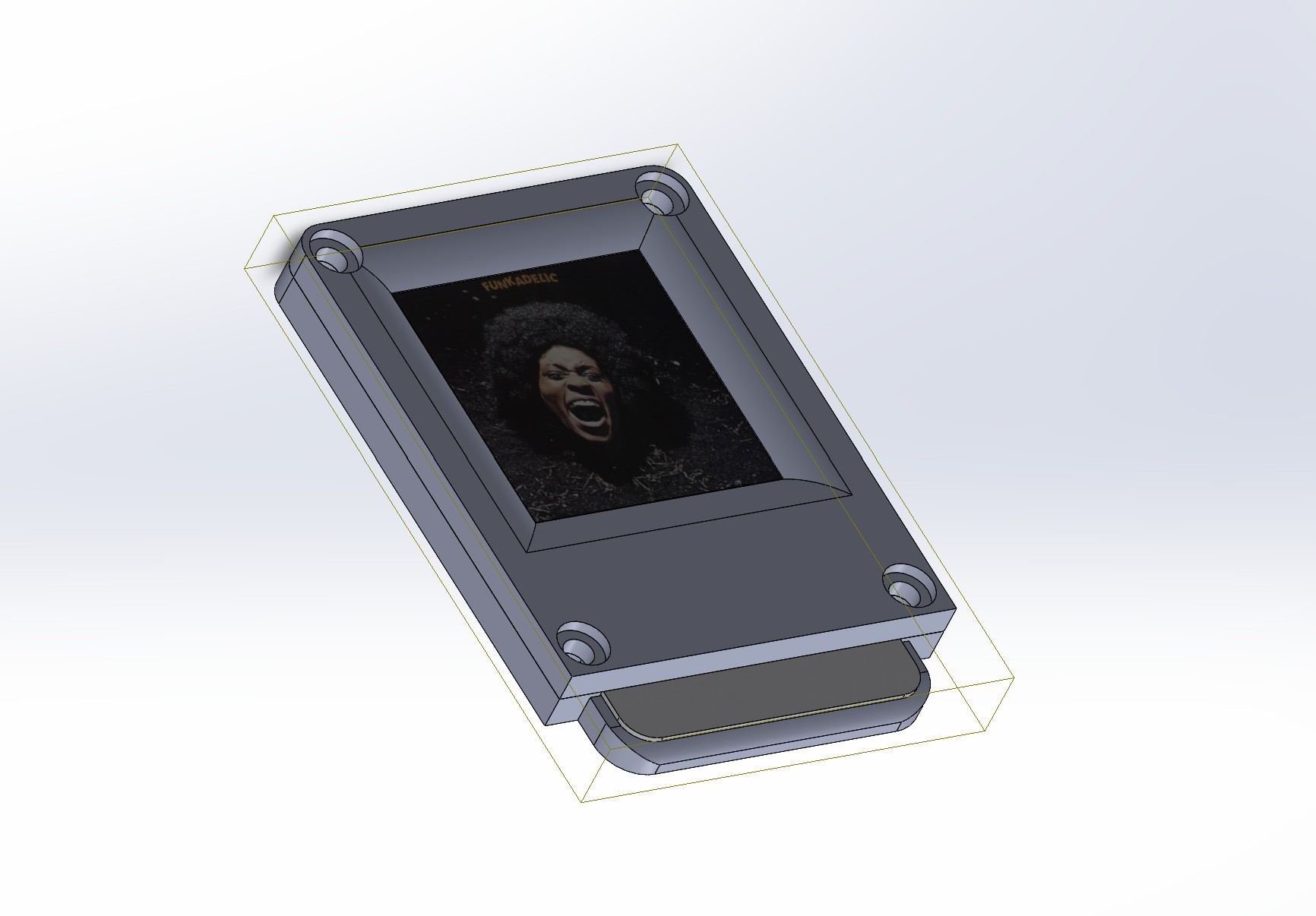
I’ll soon upload the STL files to GitHub for a small device to easily manufacture custom cards.
I’ve spent quite a lot of time printing labels for the front and back of standard white NFC cards (credit card size) using Avery 80mm x 50mm glossy white inkjet labels.
It works fine - it’s just quite labour intensive. So I’m very interested to see what you’re doing with your labelling approach.
Thank you so much Cyril, this is exactly what I was looking for after Plexamp added the NFC feature.
Currently struggling with pyscard install (say problem building the wheel on pc and pi) but will search some options
If it still doesn’t work, feel free to share the error messages, I can help you troubleshoot.
Also, the project is still evolving and I’m open to ideas. If you have suggestions or run into use cases I haven’t thought of, let me know!
What’s your intended NFC reader setup?
Thank you Cyril for trying to help unfortunately the pi still will not install pyscard. Does seem to be a dependency problem, I just card find it. I will keep trying. The error reports
swig is already the newest version (4.3.0-1).
libpcsclite-dev is already the newest version (2.3.3-1).
pcscd is already the newest version (2.3.3-1).
0 upgraded, 0 newly installed, 0 to remove and 0 not upgraded.
× Building wheel for pyscard (pyproject.toml) did not run successfully.
ERROR: Failed building wheel for pyscard
Failed to build pyscard
ERROR: Failed to build installable wheels for some pyproject.toml based projects (pyscard)
Thanks for the log command. Its a RPi 3 Model B+ running diet pi. So maybe diet pi is missing the dependencies needed, I will try another system
Error is
(venv) root@DietPi:~/nfc-roon-controller# pip install -r requirements.txt
Looking in indexes: Simple index, piwheels - Simple index
Collecting flask>=3.0.0 (from -r requirements.txt (line 1))
Using cached https://www.piwheels.org/simple/flask/flask-3.1.2-py3-none-any.whl (103 kB)
Collecting roonapi>=0.1.6 (from -r requirements.txt (line 2))
Using cached https://archive1.piwheels.org/simple/roonapi/roonapi-0.1.6-py3-none-any.whl (21 kB)
Collecting websocket-client==1.6.4 (from -r requirements.txt (line 3))
Using cached https://www.piwheels.org/simple/websocket-client/websocket_client-1.6.4-py3-none-any.whl (57 kB)
Requirement already satisfied: requests>=2.28.0 in ./venv/lib/python3.13/site-packages (from -r requirements.txt (line 4)) (2.32.5)
Collecting pyscard>=2.0.0 (from -r requirements.txt (line 5))
Using cached pyscard-2.3.1.tar.gz (160 kB)
Installing build dependencies … done
Getting requirements to build wheel … done
Preparing metadata (pyproject.toml) … done
Collecting blinker>=1.9.0 (from flask>=3.0.0->-r requirements.txt (line 1))
Using cached https://www.piwheels.org/simple/blinker/blinker-1.9.0-py3-none-any.whl (8.5 kB)
Collecting click>=8.1.3 (from flask>=3.0.0->-r requirements.txt (line 1))
Using cached https://www.piwheels.org/simple/click/click-8.3.1-py3-none-any.whl (108 kB)
Collecting itsdangerous>=2.2.0 (from flask>=3.0.0->-r requirements.txt (line 1))
Using cached https://www.piwheels.org/simple/itsdangerous/itsdangerous-2.2.0-py3-none-any.whl (16 kB)
Collecting jinja2>=3.1.2 (from flask>=3.0.0->-r requirements.txt (line 1))
Using cached https://www.piwheels.org/simple/jinja2/jinja2-3.1.6-py3-none-any.whl (134 kB)
Collecting markupsafe>=2.1.1 (from flask>=3.0.0->-r requirements.txt (line 1))
Using cached markupsafe-3.0.3-cp313-cp313-manylinux2014_aarch64.manylinux_2_17_aarch64.manylinux_2_28_aarch64.whl.metadata (2.7 kB)
Collecting werkzeug>=3.1.0 (from flask>=3.0.0->-r requirements.txt (line 1))
Using cached https://www.piwheels.org/simple/werkzeug/werkzeug-3.1.4-py3-none-any.whl (224 kB)
Collecting ifaddr>=0.1.0 (from roonapi>=0.1.6->-r requirements.txt (line 2))
Using cached https://www.piwheels.org/simple/ifaddr/ifaddr-0.2.0-py3-none-any.whl (12 kB)
Requirement already satisfied: six>=1.10.0 in ./venv/lib/python3.13/site-packages (from roonapi>=0.1.6->-r requirements.txt (line 2)) (1.17.0)
Requirement already satisfied: charset_normalizer<4,>=2 in ./venv/lib/python3.13/site-packages (from requests>=2.28.0->-r requirements.txt (line 4)) (3.4.4)
Requirement already satisfied: idna<4,>=2.5 in ./venv/lib/python3.13/site-packages (from requests>=2.28.0->-r requirements.txt (line 4)) (3.11)
Requirement already satisfied: urllib3<3,>=1.21.1 in ./venv/lib/python3.13/site-packages (from requests>=2.28.0->-r requirements.txt (line 4)) (1.26.20)
Requirement already satisfied: certifi>=2017.4.17 in ./venv/lib/python3.13/site-packages (from requests>=2.28.0->-r requirements.txt (line 4)) (2025.11.12)
Using cached markupsafe-3.0.3-cp313-cp313-manylinux2014_aarch64.manylinux_2_17_aarch64.manylinux_2_28_aarch64.whl (24 kB)
Building wheels for collected packages: pyscard
Building wheel for pyscard (pyproject.toml) … error
error: subprocess-exited-with-error
× Building wheel for pyscard (pyproject.toml) did not run successfully.
│ exit code: 1
╰─> [23 lines of output]
/tmp/pip-build-env-1z83qpyk/overlay/lib/python3.13/site-packages/setuptools/dist.py:759: SetuptoolsDeprecationWarning: License classifiers are deprecated.
!!
          ********************************************************************************
          Please consider removing the following classifiers in favor of a SPDX license expression:

          License :: OSI Approved :: GNU Lesser General Public License v2 or later (LGPLv2+)

          See https://packaging.python.org/en/latest/guides/writing-pyproject-toml/#license for details.
          ********************************************************************************

  !!
    self._finalize_license_expression()
  running bdist_wheel
  running build
  running build_py
  running build_ext
  building 'smartcard.scard._scard' extension
  swigging src/smartcard/scard/scard.i to src/smartcard/scard/scard_wrap.c
  swig -python -outdir src/smartcard/scard -DPCSCLITE -o src/smartcard/scard/scard_wrap.c src/smartcard/scard/scard.i
  creating build/temp.linux-aarch64-cpython-313/src/smartcard/scard
  aarch64-linux-gnu-gcc -fno-strict-overflow -Wsign-compare -DNDEBUG -g -O2 -Wall -fPIC -DVER_PRODUCTVERSION=2,3,1,0000 -DVER_PRODUCTVERSION_STR=2.3.1 -DPCSCLITE=1 -Isrc/smartcard/scard/ -I/usr/include/PCSC -I/usr/local/include/PCSC -I/root/nfc-roon-controller/venv/include -I/usr/include/python3.13 -c src/smartcard/scard/helpers.c -o build/temp.linux-aarch64-cpython-313/src/smartcard/scard/helpers.o
  error: command 'aarch64-linux-gnu-gcc' failed: No such file or directory
  [end of output]
note: This error originates from a subprocess, and is likely not a problem with pip.
ERROR: Failed building wheel for pyscard
Failed to build pyscard
error: failed-wheel-build-for-install
× Failed to build installable wheels for some pyproject.toml based projects
╰─> pyscard
after that, run pip install pyscard again.
If gcc still shows as missing after install, you might need to reboot or check that /usr/bin/gcc exists.
Let me know how it goes!
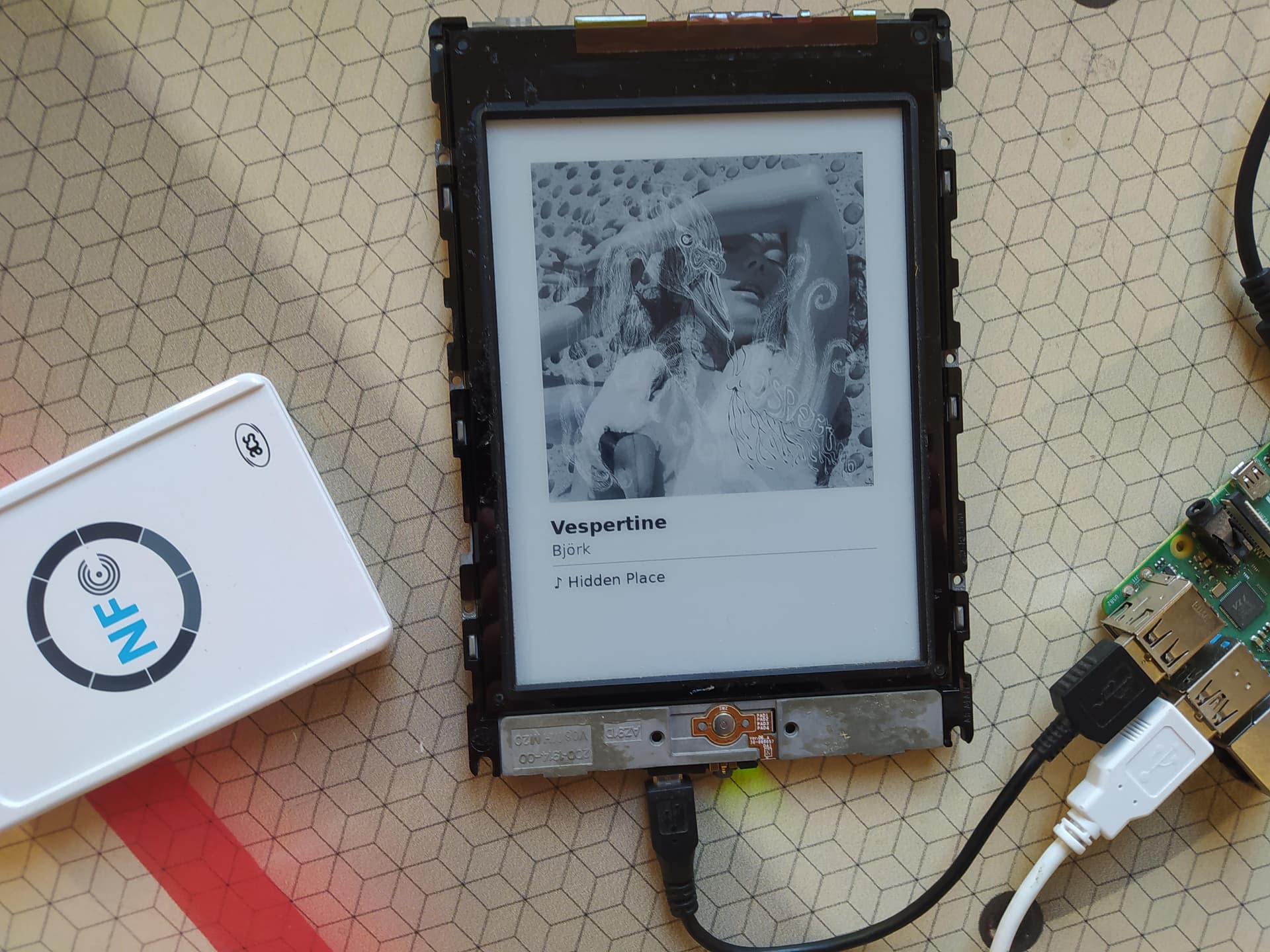
I implemented Kindle Touch (2012) support for my card reader system to display the currently playing track. The plan is to integrate everything into a small piece of furniture or enclosure. The Kindle Touch hack is fairly specific to this model and my setup, but if anyone’s interested, I could clean up the code and make it available.
Screen output looks great Cyril, I would certainly give it a try.
I’ve now got a my first 4 cards setup and having fun testing them out.
1 thing I have noticed is that sometimes cards do not react if the player is already in use. Is this by design so as not to stop the current playback? Or have my cards maybe just not been picked up by the reader
Glad it’s working!
There’s a 30-second delay by design. If you scan the same card twice within 30 seconds, the second scan is ignored. This is so you can leave a card on the reader as a visual reference without it restarting the album constantly. But if you’re scanning a different card and nothing happens, that’s not expected. Could be a reader issue.
Love this idea — went down a similar path a while back.
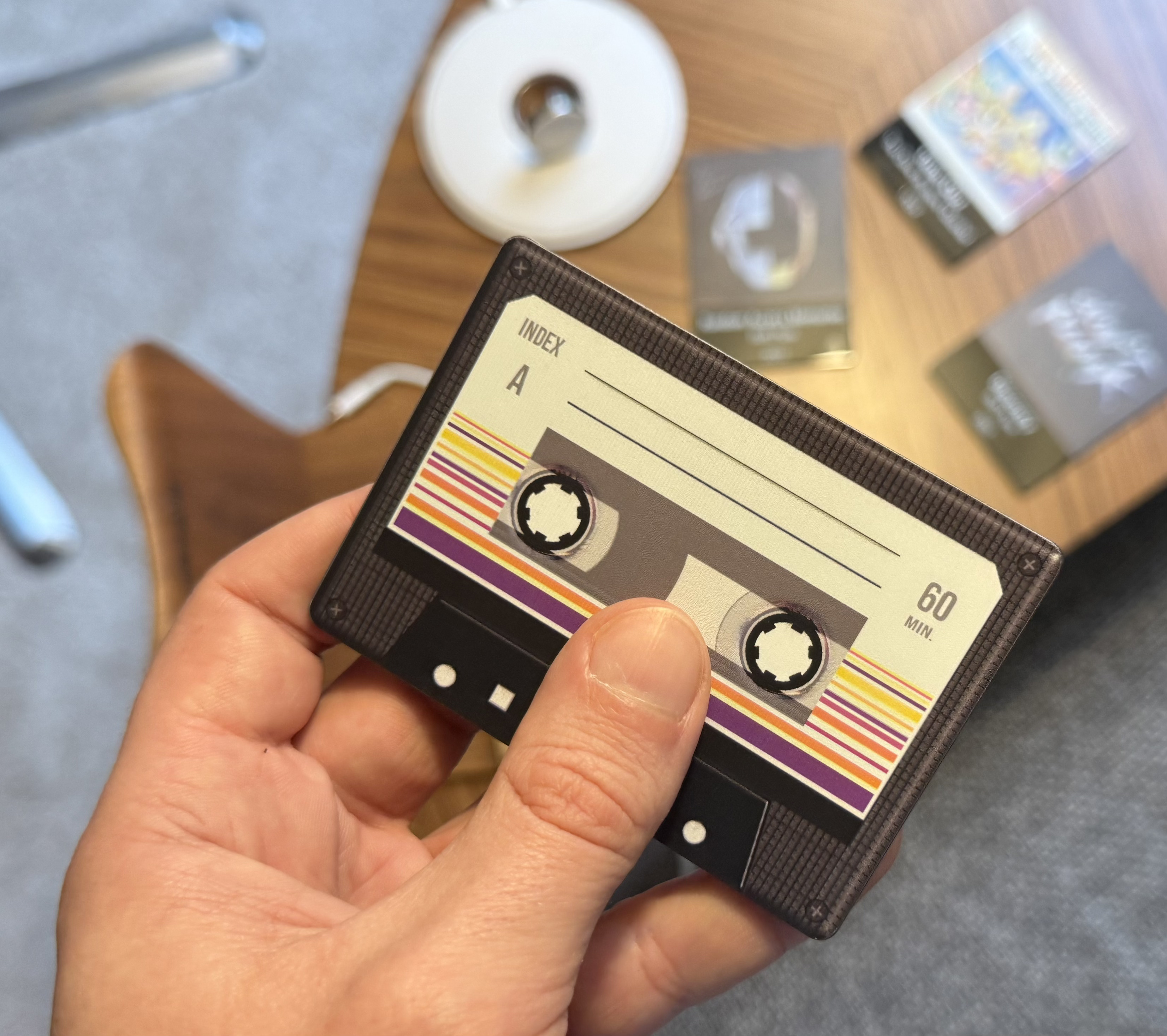
Built some NFC cards to trigger Roon playlists/zones because I missed the haptic side of music control. Started with simple tags, ended up making acrylic printed cards that feel more like physical media.
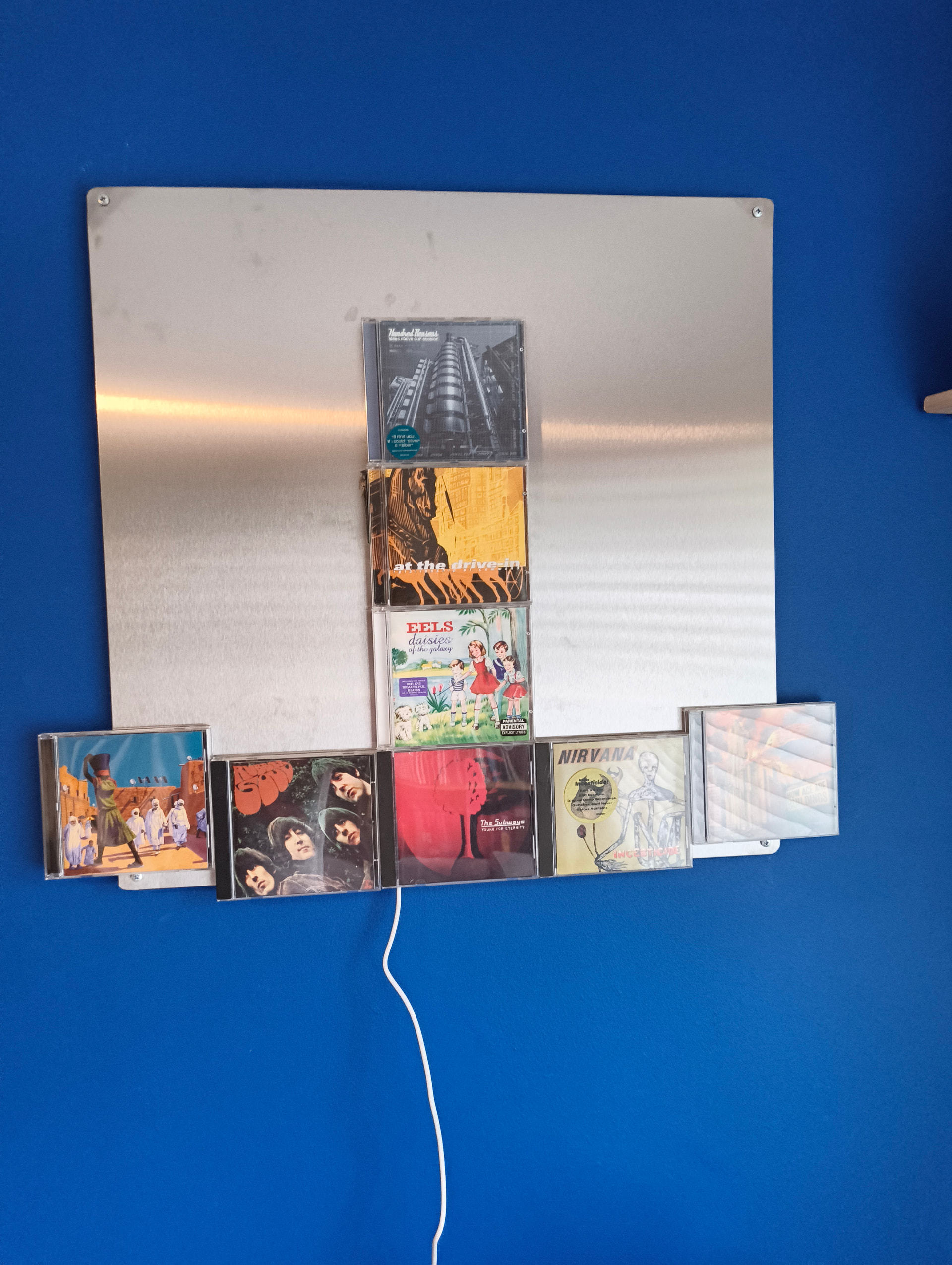
I removed the nfc reader plastic case and attached it to the back of the display, attached nfc tags and magnets to the cd cases and now the centre cd plays when put in place. Still working on it but working great so far.