https://github.com/epochaudio/CoverArt/releases/download/v2.18/CoverArt-2.18-debug.apk
https://github.com/epochaudio/CoverArt/releases/download/v2.19/CoverArt-2.19-debug.apk
- 2.19 (Latest):
- Settings Fix: Fixed settings service request routing so Zone selector is correctly rendered in Roon extension settings.
- Settings Compatibility: Improved
get_settings/save_settingspayload compatibility to prevent empty settings dialogs. - Settings Protocol Alignment: Aligned
subscribe_settings/unsubscribe_settingshandshake with Roon behavior (CONTINUE Subscribed,COMPLETE Unsubscribed) for stable settings rendering. - Zone Save Effectiveness: Use
zoneas the canonical settings key so selected zone is applied to the app immediately after saving. - Protocol Hardening: Integrated
SimpleWebSocketClientwith synchronous handshake logic for more reliable connections. - Moo Protocol: Implemented
MooParserandMooMessagefor robust message parsing and handling. - Stability: Fixed race conditions during Roon Core discovery and registration phases.
- Reconnect Reliability: Added in-flight guard and auto-reconnect policy to reduce duplicate connect/register flows.
- Zone Selection: Added
ZoneSelectionUseCaseandZoneConfigRepositoryfor safer fallback when stored zone is invalid. - Logging Hygiene: Reduced WebSocket per-frame log noise and kept lifecycle logs (
CONNECT_START/OK/FAIL,LOOP_START/END,DISCONNECT) for troubleshooting. - Art Wall: Optimized for server-side random image API, improving performance and variety.
- Architecture: Unified WebSocket client and registration flow; added
core_idtoken management and auto-migration.
2.20 (Latest) :
- Settings Fix: Fixed settings service request routing so Zone selector is correctly rendered in Roon extension settings.
- Settings Compatibility: Improved
get_settings/save_settingspayload compatibility to prevent empty settings dialogs. - Settings Protocol Alignment: Aligned
subscribe_settings/unsubscribe_settingshandshake with Roon behavior (CONTINUE Subscribed,COMPLETE Unsubscribed) for stable settings rendering. - Zone Save Effectiveness: Use
zoneas the canonical settings key so selected zone is applied to the app immediately after saving. - Settings UI Persistence: Persist selected output name and mirror
name/display_nameto improve settings dialog value restore after restart.
https://github.com/epochaudio/CoverArt/releases/download/v2.20/CoverArt-2.20-debug.apk
This doesn’t work for me on any of my Android devices. “ArtFrame” (2.1.2) appears in the Roon extension settings and I can activate it. However, no album art/metada is displayed
https://github.com/epochaudio/CoverArt/releases/download/v2.21/CoverArt-2.21-debug.apk
- 2.21 (Latest):
- UI Language: Switched all on-screen UI status/empty placeholders to English.
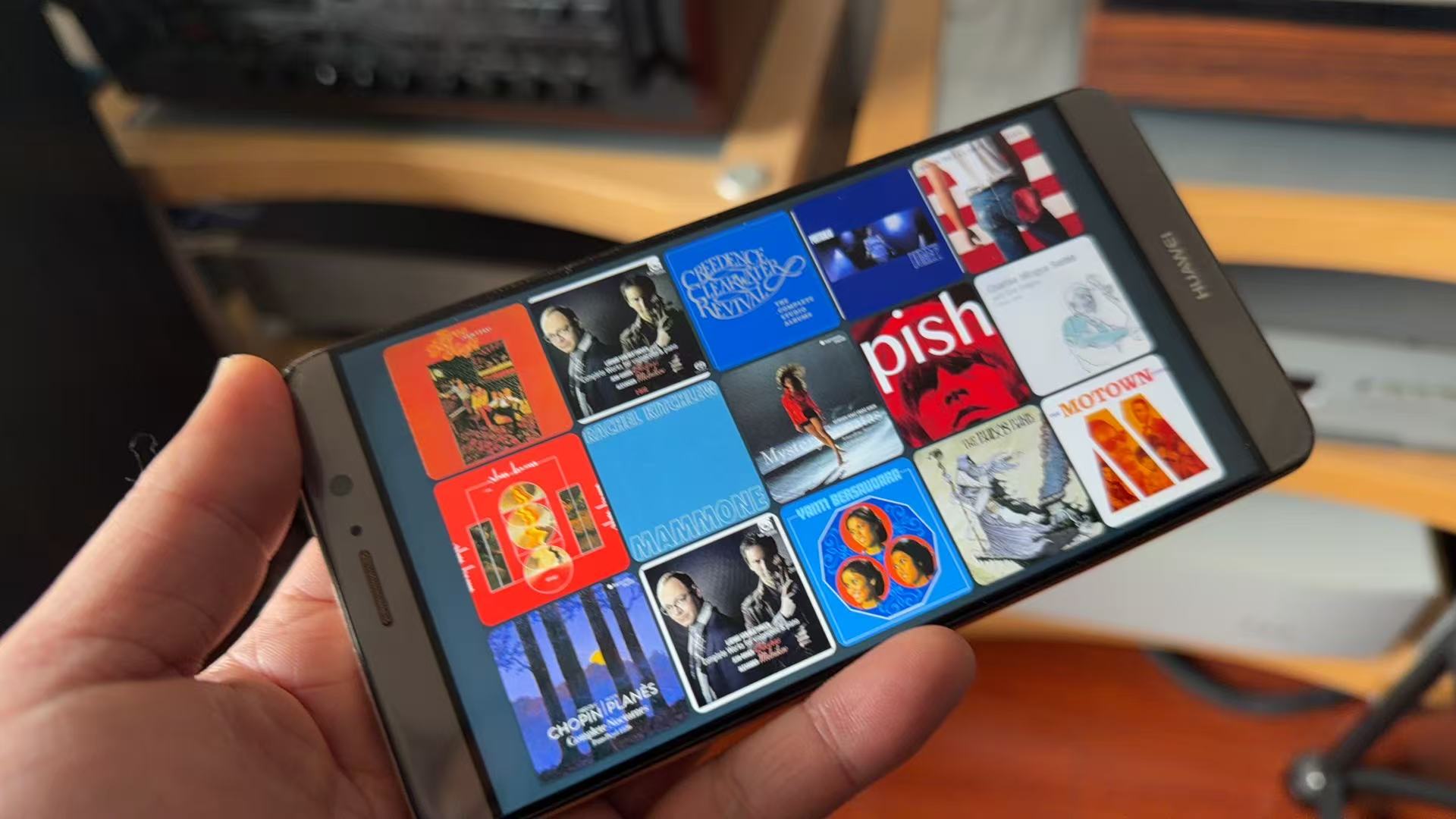
- Status Overlay: Added a small status overlay that stays hidden during normal playback. Both Art Wall and single-cover display remain clean; the overlay appears only for actionable alerts (authorization required, disconnected after a short grace window, errors/warnings).
- First Pairing Hint: When no saved token exists, the app will surface the “Enable the extension in Roon” instructions automatically if pairing doesn’t complete in time.
1 Like
Version
-
2.22 (Latest)
-
Added touch gesture playback controls (left/right/up/down swipes)
-
Added track transition animation feedback when changing tracks
-
Kept clean status overlay policy and existing keyboard/media-key control path
-
-
2.23 (Latest)
-
Added touch gesture playback controls (left/right/up/down swipes)
-
Added track transition animation feedback when changing tracks
-
Kept clean status overlay policy and existing keyboard/media-key control path
-
This one doesn’t work…the APK is corrupt?
Great work you’re doing.!
I would really like to see an option to turn off the screen when nothing is playing. Or just show black screen.
Maybe a small clock would be nice as a screensaver too.
Keep up the good work.
1 Like
Great news — there’s already a docker image that handles exactly what you’re looking for!
The epochaudio/coverart:small_with_clock image includes a clock screensaver that automatically kicks in when playback stops.
Switching to the clock version:
# Pull the clock variant
docker pull epochaudio/coverart:small_with_clock

# Run it (uses your existing config and images)
docker run -d \
  --name roon-coverart-clock \
  --network host \
  --restart unless-stopped \
  -v $(pwd)/images:/app/images \
  -v $(pwd)/config.json:/app/config.json:rw \
  epochaudio/coverart:small_with_clock
How it works:
- Displays real-time clock when music stops for ~15 seconds (instead of going black or showing the art wall immediately)
- Shows large, clean digits — perfect as a screensaver
- Automatically switches back to album art when playback resumes
- Keeps all your existing settings and Roon pairing token
Hope this helps! The clock view is actually quite elegant on a wall-mounted display.
Hi,
Sorry, but I have no idea how to do this.
Right now I’m just using the Android app om a cheap tablet
Found it, but I’m experiencing a bug. Both on my phone and my tablet.
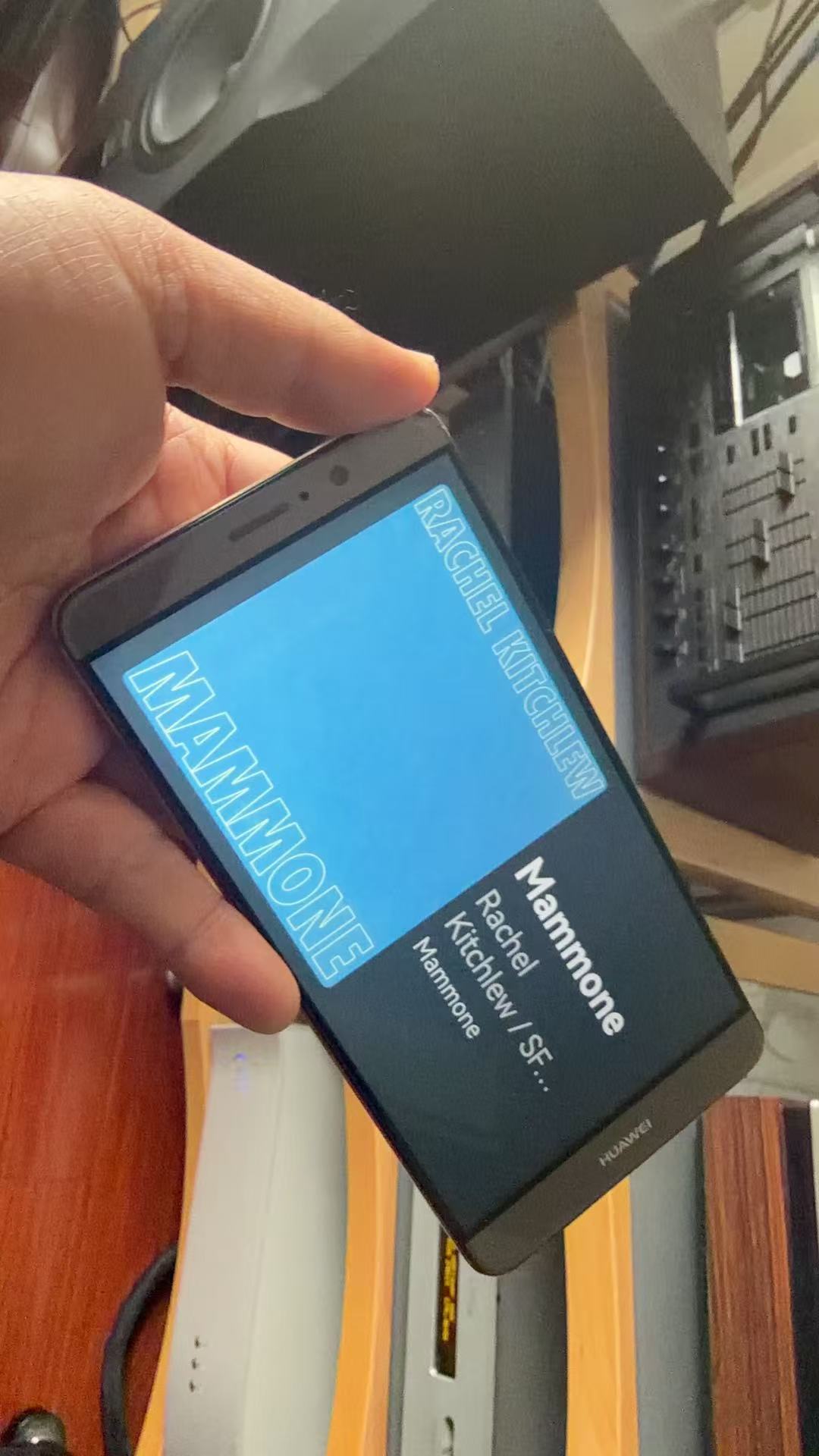
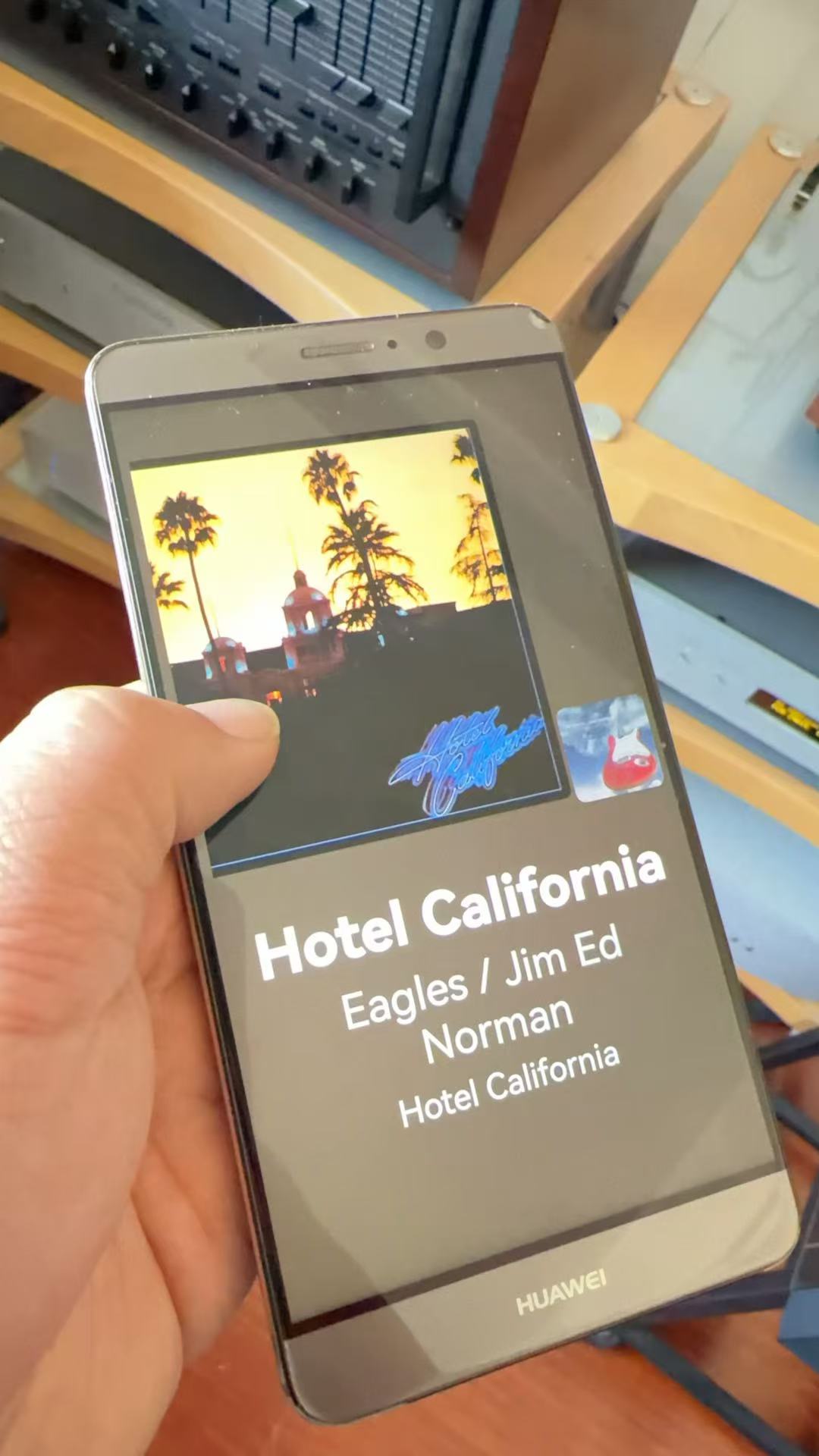
When Roon plays the next track in the queue, the artwork does update, but artist, album and title do not. They do refresh when pressing next or previous.
Are you using the CoverArt-2.28-debug.apk version? I’m not experiencing this issue in my testing. This version works for both phones and tablets. You can swipe left or right to change tracks, swipe up to stop playback, and swipe down to resume playback.
Hi Wen,
Yes, I’m using the version you mentioned. It seems to happen almost every other track and it also does sometimes when manually changing tracks. Seems like a timing issue somewhere. Might be my hardware? Is that possible? And something else I noticed, when playing tracks from the same album (no artwork change) this doens’t happen.
See the picture I just took. Tracy Chapman was the previous track playing…

Any chance of this also being implemented in the andriod version, maybe as an option? 