A hello to all Roon Fans,
I have developed a LCD color touch display device based on a Raspberry Zero 2W, which can display the cover with track informations like zone name, artist, album and title of various music sources like Roon.
Content from Apple Music and Spotify can also be displayed as an option.
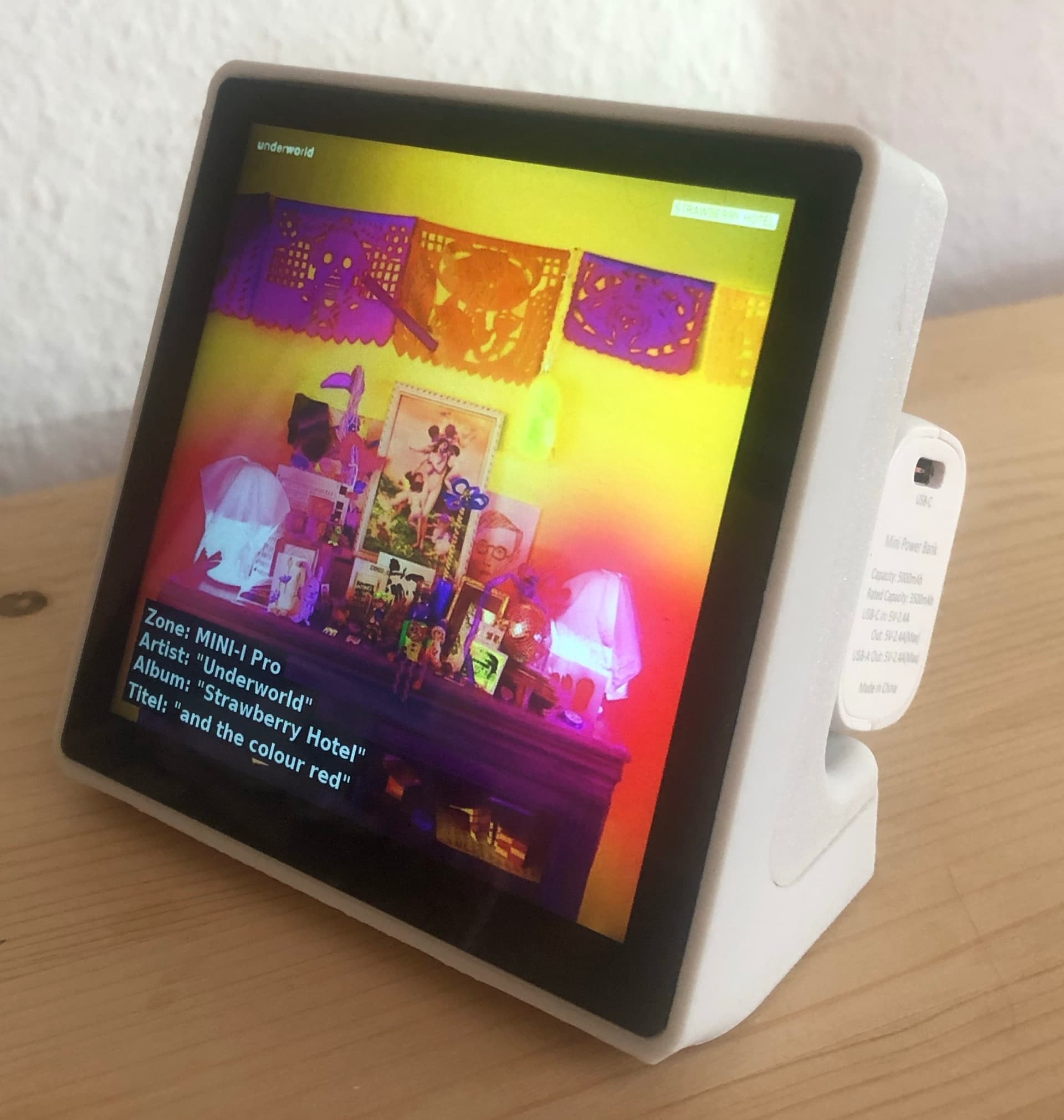
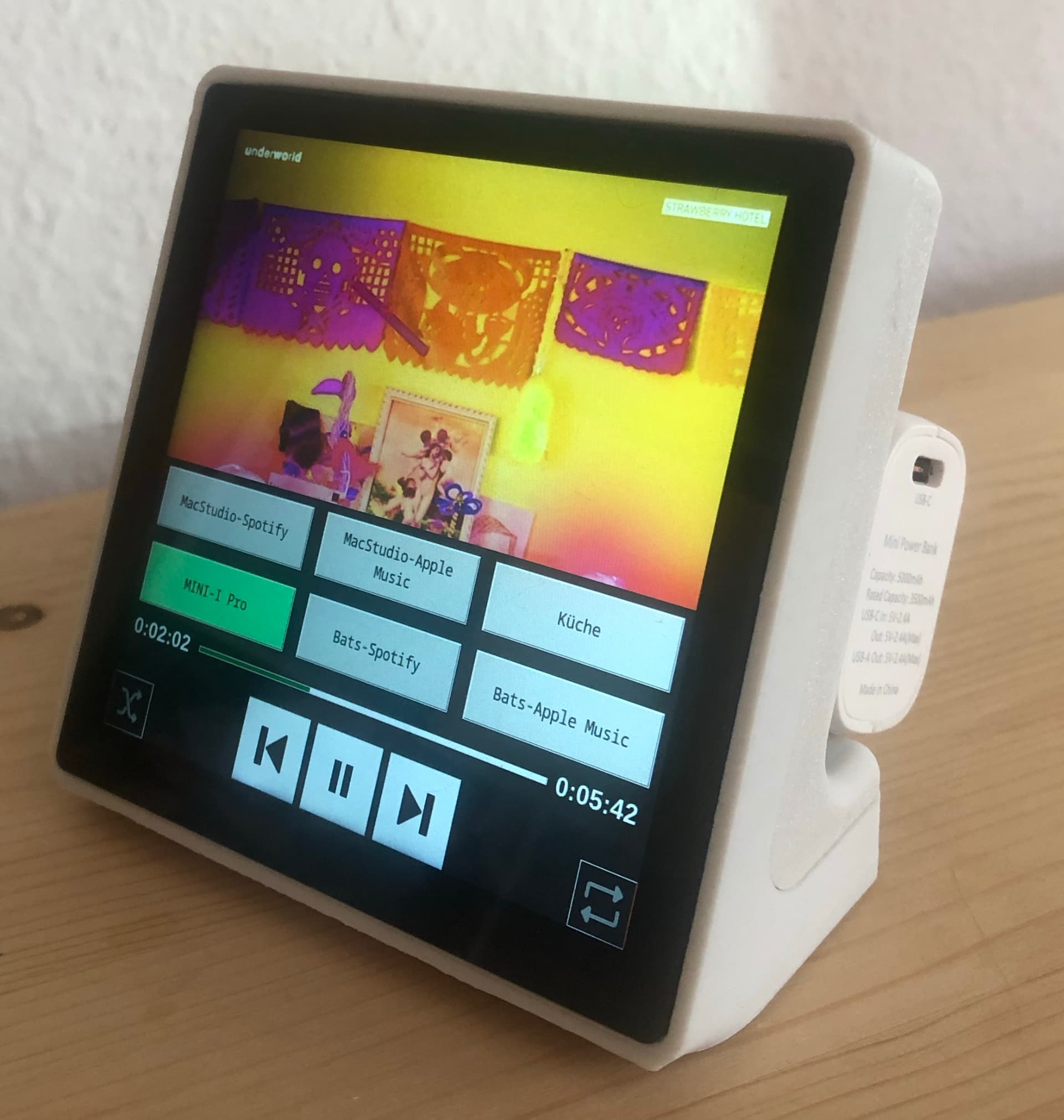
With a tap on the cover for the currently played title, you can open a overlayed menu. There are buttons to select a zone (channel) of Roon, Spotify, or Apple Music. For the selected zone, the position in time and the length of the actually played title is displayed.
Playback can be controlled via buttons (next, back, play/pause, random play, shuffle play).
With it, you have the total control over your Music.
The best thing about it: It’s a free maker project too (like my RoonMatrix device project), so it’s 100% free. You can find a detailed description of how to build the hardware by yourself on my homepage. It’s very easy to build.
There is also an app to control the Coverplayer device, which runs on all major platforms: iOS, Android, MacOS, Windows and Linux. This app (Roonmatrix) is now available in new version 1.1.0 on all major app stores, and is also free and without advertising.
You can find more information, pictures, videos, and more on my homepage: https://www.roonmatrix.com
Demo videos for you:
Video of the Hardware: https://www.youtube.com/watch?v=T51WecL1Wts.
Video of the iPhone app.
Video of the macOS app.
Links to the app:
| Store | Platform |
|---|---|
| Apple App Store Link to | iOS version |
| Apple App Store Link to | MacOS version |
| Microsoft Store link to | Windows version |
| Aptoid Connect Store | Android version |
| Canonical Snapcraft Store | Linux version, Ubuntu (AMD64, ARM64) |
Have fun with it!