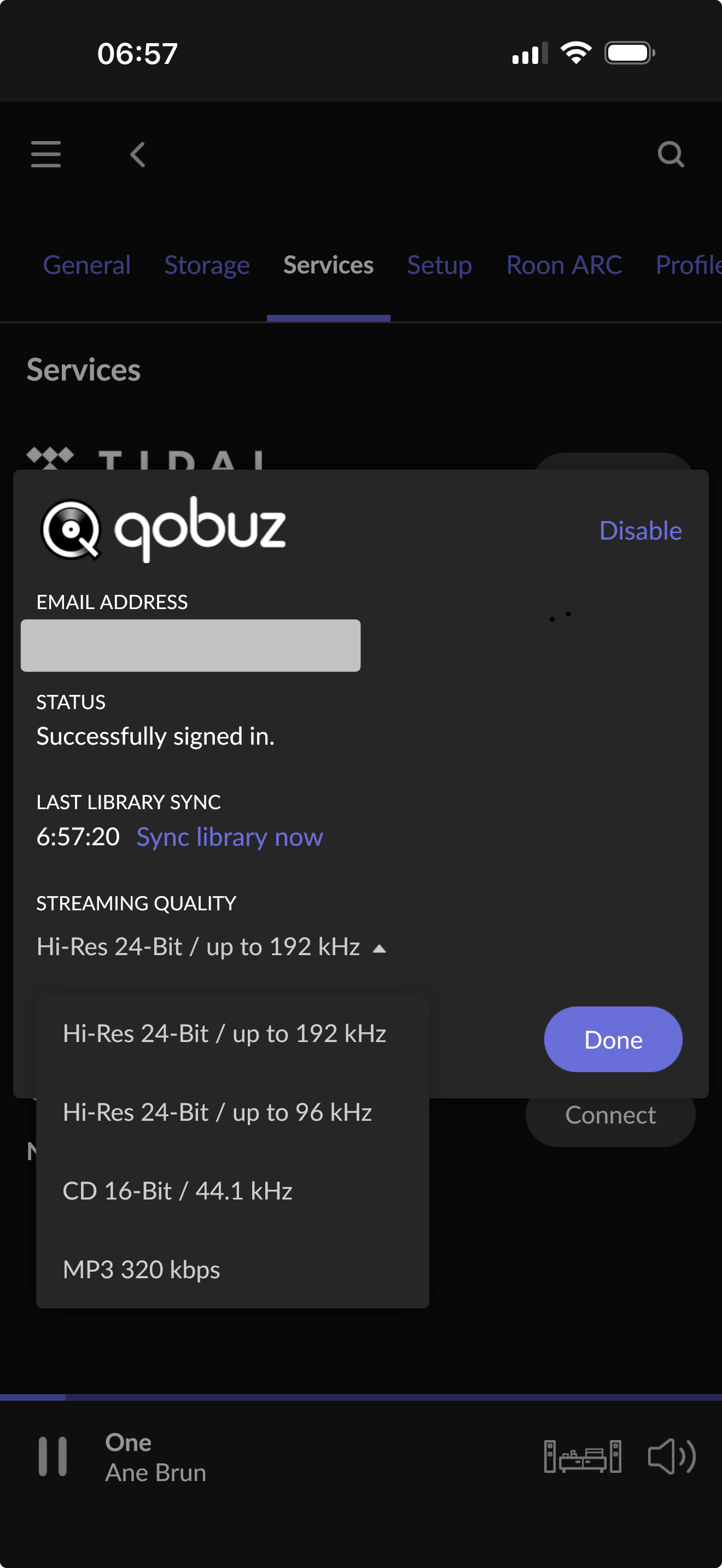
My question: is it possible to deliberately reduce the quality of the stream from Qobuz via Roon on a temporary basis? I’d like to use my iPhone/mobile plan as a hotspot for my MacBook—where my Roon Core is installed—while staying at a vacation location without a fixed internet connection. That way, I’d not only have access to my local files, but could also use my playlists, most of which rely on Qobuz streaming.
Since the music on vacation will mainly be played in the background on the terrace, and the available speakers are not particularly high-end, I would prefer to configure things in such a way that as little data as possible is used from the monthly allowance of my mobile plan.
Is there a way to set this up? Or does Roon/Qobuz always mandatorily use the maximum bandwidth/resolution available under my subscription?
Thank you very much! I actually know this setting—sometimes you just can’t see the forest for the trees.
I had already tried this setting, but it didn’t work, which is why I made this post in the first place. However, I just realized that I outsmarted myself. I tested it with an album that is natively in 24-bit/192 kHz, and it seemed as though the setting wasn’t working because playback was still shown at that quality. My mistake: I had purchased and downloaded this album just a few days ago, which I had forgotten. That naturally meant Roon was always playing the local files at full quality rather than streaming from Qobuz.
I just tried again with an album that is actually being streamed from Qobuz, and I’m happy to report that it works. Thank you very much!