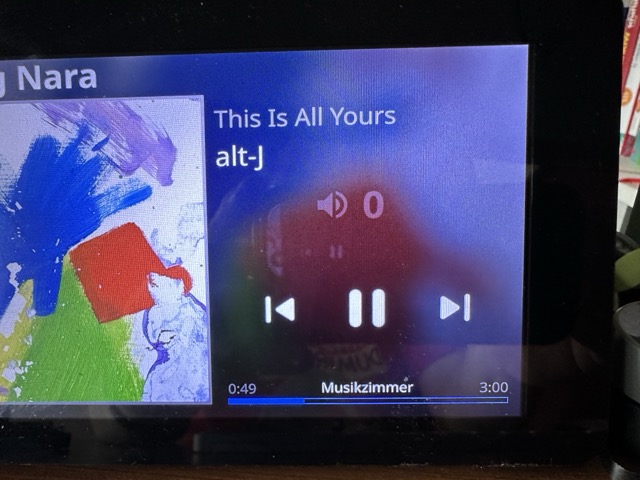
Using Ropieee for a while now as a desktop gadget to show the currently played Album & Track of my Roon Server. What a fantastic gadget . Excellent replacement for what the Vinyl Record Sleeve lying on the desk did for me with Vinyl
However, I really would love to see a small display of current audio quality like FLAC 96/24 or DSD, MP3 or the like. Maybe very small and gray or as some unobtrusive icons? Perhaps hidden, when playing in a user-defined default quality, like “lossless 44/16 is my normal, show only when it differs”?
Another (mild) annoyance is having always shown an audio volume 0 on my screen, despite my Audio setup does not support feedback of the current volume anyway.
What my Roon setup supports, but is not supported with RoPieee AFAICS, is sending VOL+ and VOL- signals via Roon (on a IR sender connected with Roon with Deep Harmony). This would be very helpful indeed, to have those VOL+/VOL- Buttons on the RoPieee display (without knowing / showing an absolute value).
Hmmm… how did you configure your device in Roon? RoPieee follows Roon here: if there’s volume control (both analog or digital) then this can be displayed (but not all the time!)
That is actuallly supported. If you click on the volume level you get a slider and +/- buttons with which you can influence the volume.
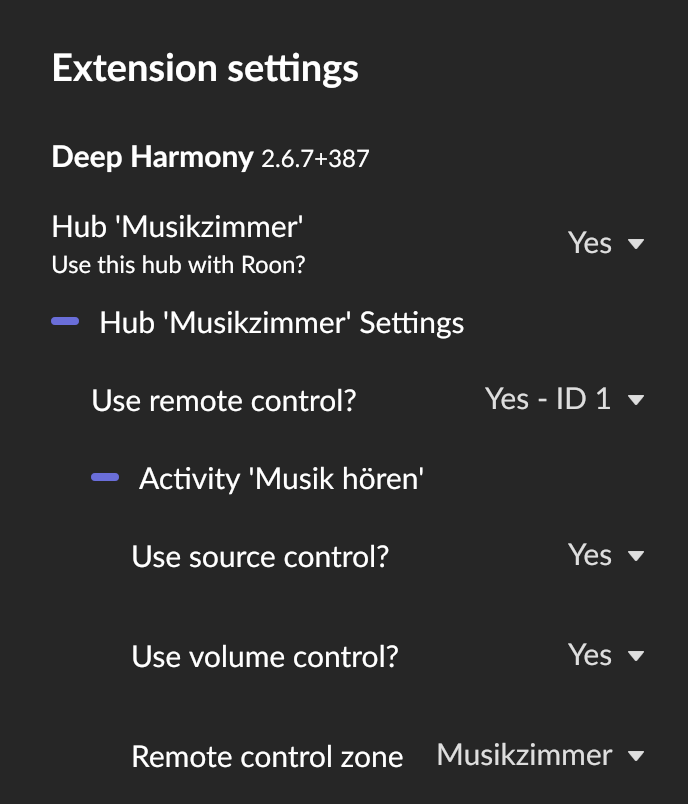
I use the Deep Harmony Roon extension, that bidirectionally connects Roon with Logitechs Harmony Hub. Key presses from the Remote, like play, pause, etc. are sent to Roon and Roon’s Vol+ and Vol- buttons are passed to the Harmony Hub, that sends the IR-Signals to the Linn Kolektor Preamp in my case.
So far this works fine for me. When I have roon open on my Mac and press ⌘-Cursor Up, the preamp increases its volume by one and decreases with ⌘-Cursor Down. ⌘-M works fine for mute, also.
 . Excellent replacement for what the Vinyl Record Sleeve lying on the desk did for me with Vinyl