We’ve discussed this with our senior QA and development teams. The team is investigating some possibilities here and, as soon as that investigation is complete, we’ll be sure to follow up ASAP.
You have our apologies for the trouble here, and we’ve greatly appreciated your patience as we continue investigating this tricky issue. We’ll be in touch as soon as we can.
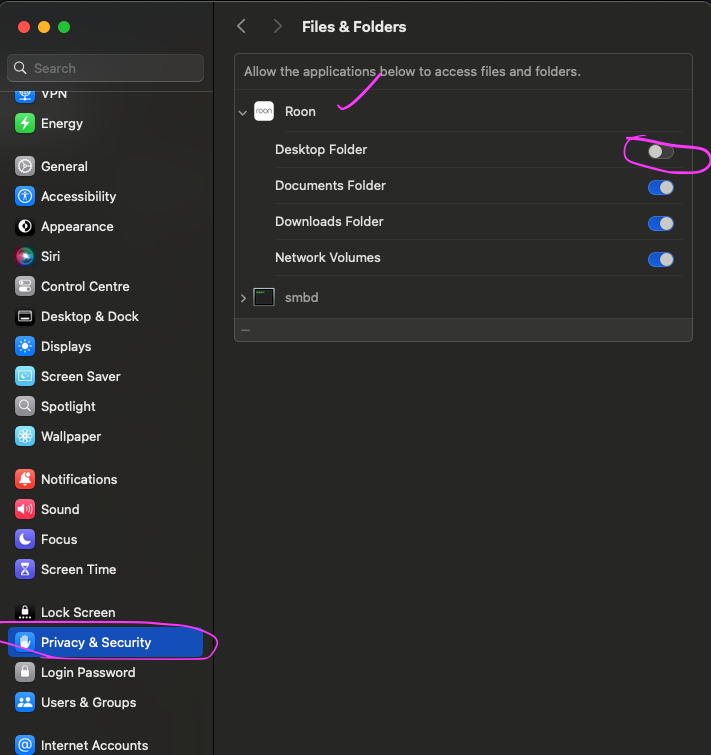
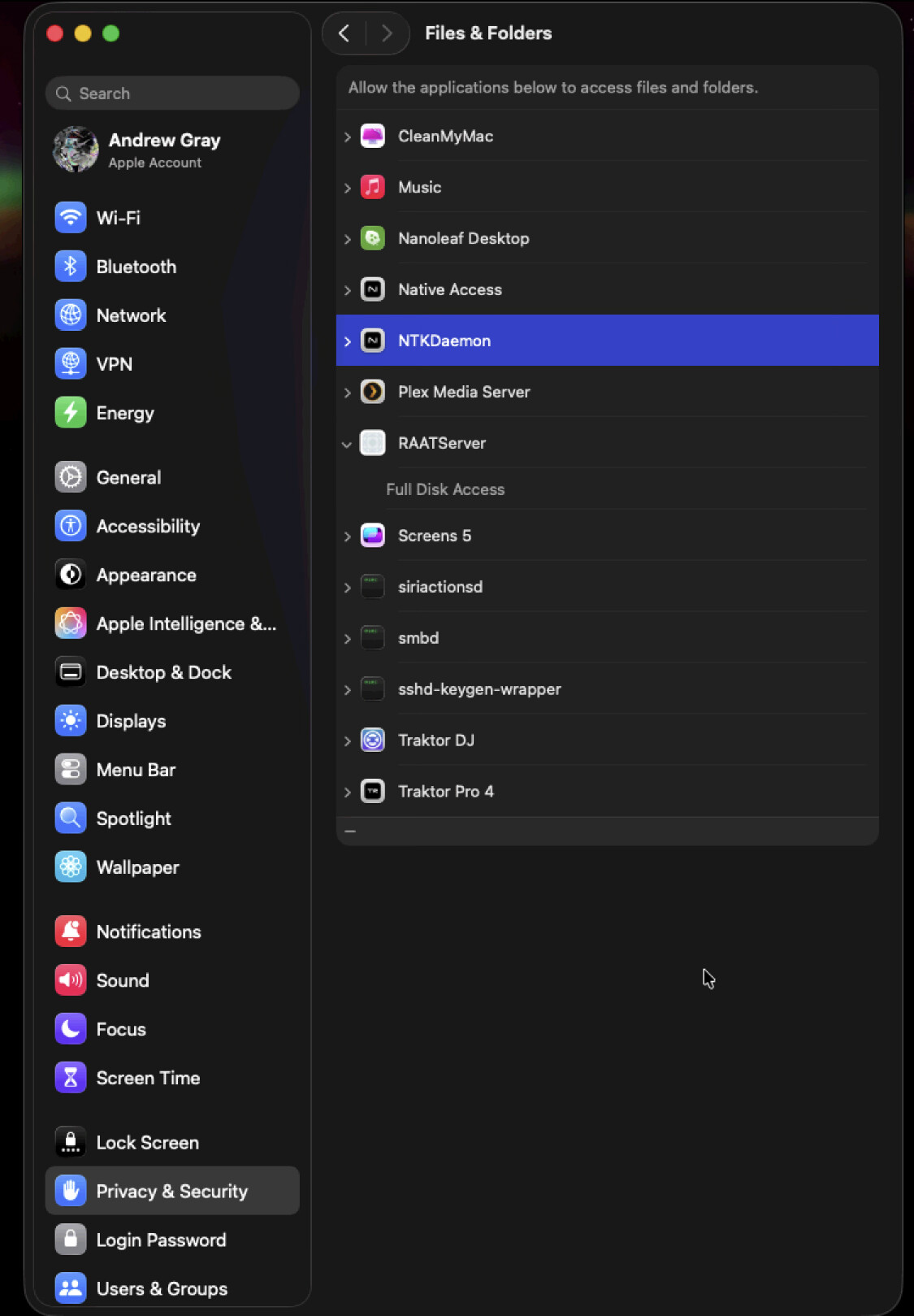
Would you kindly confirm that Roon has access to the “Files & Folders” in the Privacy & Security settings? In case it is already enabled, please toggle it off and back on again.
Thanks for the follow-up and screenshot! Just to triple confirm, you have Roon installed on the device you’ve shared the screenshot of, correct?
If you haven’t, I’d first safely stop Roon Server from running, and then reboot your mac and all Roon remotes. See if you run into the same issue afterwards.
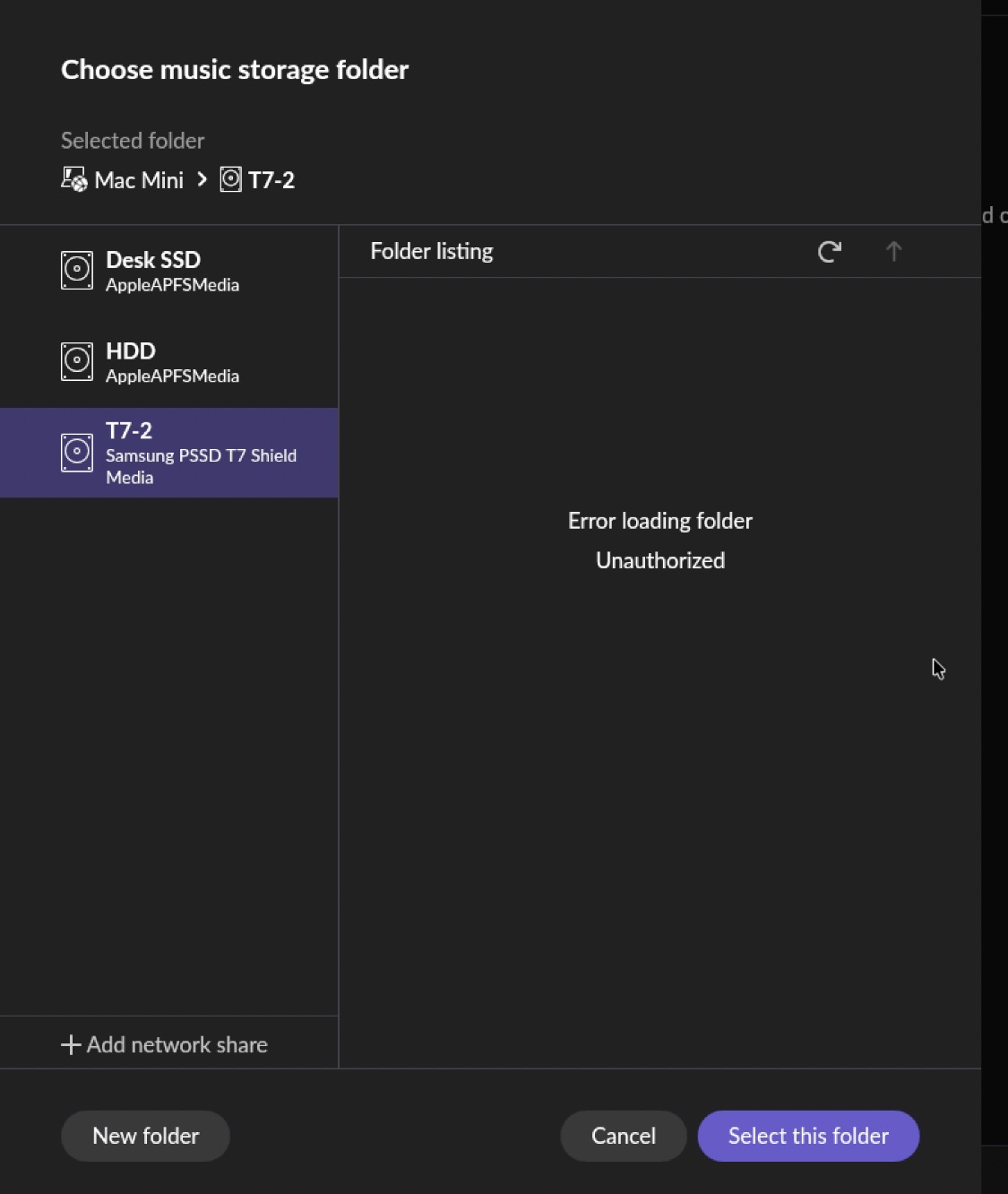
From a fresh diagnostics report, we do see traces of Roon analysing the unauthorized folder:
We haven’t seen a response in some time and wanted to reach out in this topic thread before it auto-closed.
Diagnostics indicate your Roon Server machine had active network share locations attached last time it pinged our servers.
We’re going to assume this issue was resolved behind the scenes, but if you do require further support, please reach out here. If you find that this thread has automatically closed due to inactivity, you can reactivate the conversation by simply submitting a new tech support request here. We’ll merge/reopen threads appropriately. Thank you!