Hello Everyone,
We’re excited to share a follow-up Early Access build of RoonOS 3.0. It addresses the feedback and bugs spotted by community users over the past week.
What’s new?
During this cycle, we focused on storage-related problems. We addressed a bug that caused the additional Internal Storage hosted on a RoonOS device to be absent from Data/Storage when visiting this folder via File Browser/Finder. Also, we worked on a problem that caused large exFAT drives to fail during mounting. While working on that, access to the fsck tool was made available in the WebUI. It provides an analogue of the Windows chkdsk tool.
Additionally, the Web UI underwent a minor redesign to improve usability and provide information on the current state of the external drives, among other improvements.
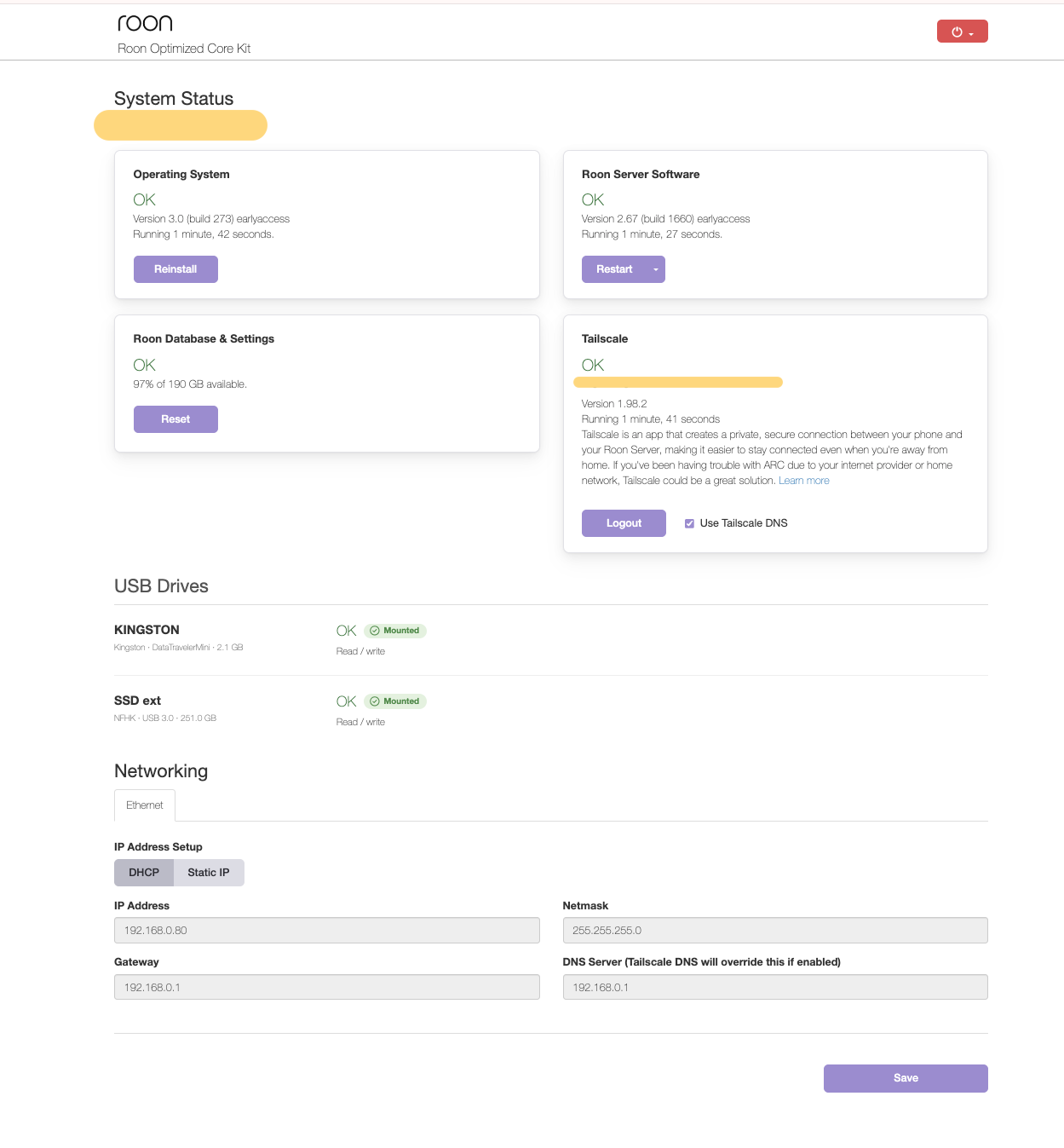
RoonOS 3.0 build 274 earlyaccess changes
- Fixed a bug which prevented large exFAT drives from being mounted
- Added the functionality to the WebUI which helps to run the fsck tool on mounted drives
- Updated Web UI design
- Fixed a bug which caused the additional internal storage device to be absent from Data/Storage
- Fixed a bug which caused problems when reverting to the production version of RoonOS from 3.0
Installing RoonOS earlyaccess
- Download the instruction file for RoonOS earlyaccess (do not modify the file or its name in any way)
- Follow the steps in the Roon Help Center to copy the instruction file to your RoonOS device and initiate the update procedure.
Moving back to production
- Download the instruction file for RoonOS production (do not modify the file or its name in any way)
- Follow the steps in the Roon Help Center to copy the instruction file to your RoonOS device and initiate the update procedure.
If you run into anything unexpected, please let us know in this thread or open a support ticket. Your feedback during EA is exactly what shapes the final release.
Thank you for your support.
The Team at Roon Labs