Thanks Connor. Nice to know it’s not my setup.
What’s happening?
· Something else
How can we help?
· None of the above
Other options
· Other
Describe the issue
Roon refuses to export
When I try to export some subset of my music library or all the albums in it by selecting them and choosing "Export"/Export local media, Roon first generates the export window with the relevant information (Files, destination folder); then when I click the "Export" button in the window Roon just replies "No current exports", deselects all my selected albums and becomes unresponsive for a few seconds.
Describe your network setup
Wired ethernet connecting Nucleus + and MSB Analog endpoint

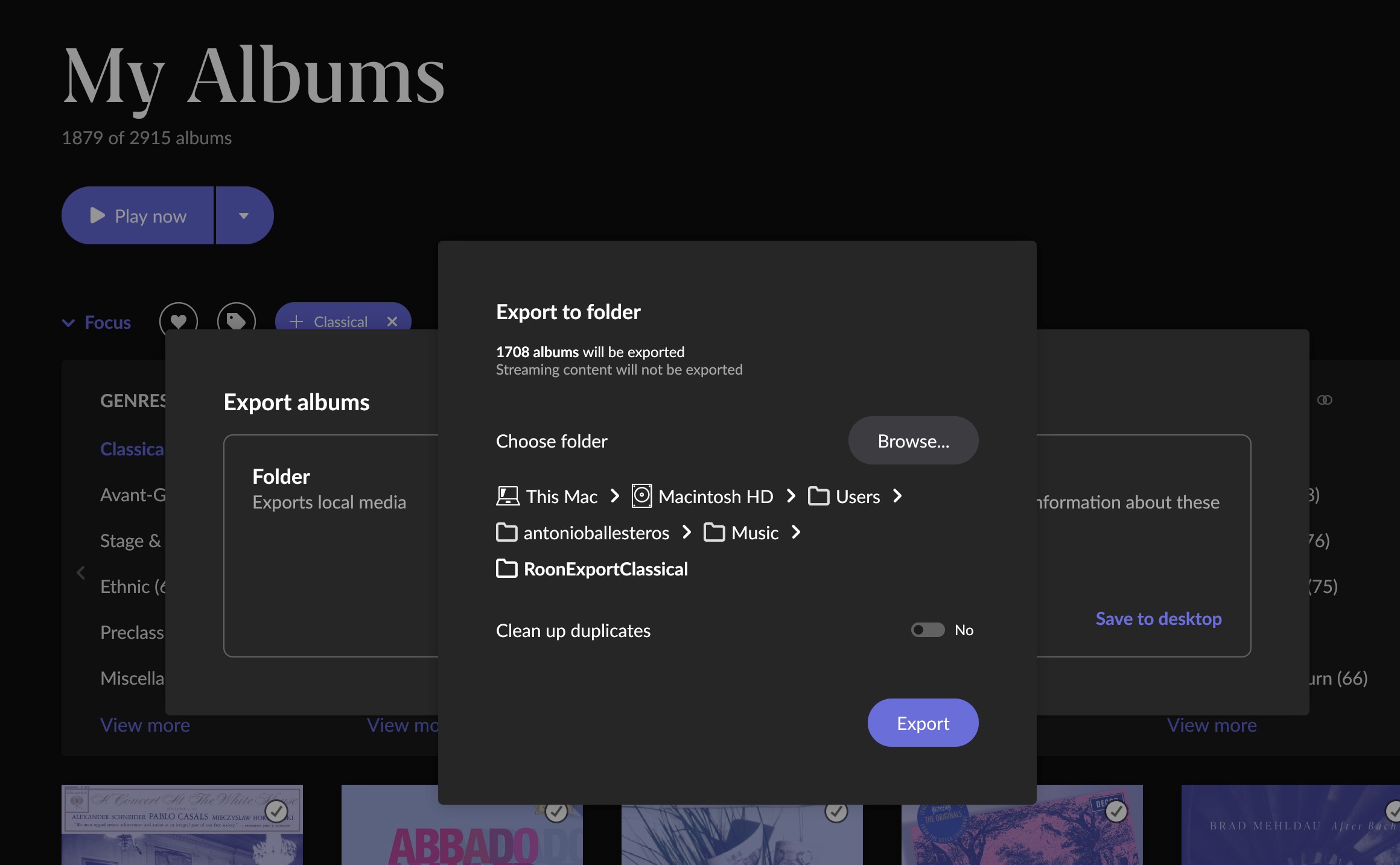

If you add an inverted Qobuz/Tidal focus criteria, how many albums remain in your selected subset?
2444 albums are locally stored in an SSD card in the Nucleus +
Yes, but i was trying to clarify if you actually had selected local media, as they are the only exportable ones?
Let’s say that you have a bunch of redbook rips locally and you have added the same albums from your streaming service, but in higher quality. Then each album you selected would be from the streaming service, hence: Not exportable.
Could this be the case?
And i must ask, why do you want to export local media? It’s already there on whatever storage location you chose.
The only reason i can find for exporting media, is to dress up any Roon ROCK ripped albums with usable meta data. (as they do not contain usable names or any metadata after the rip)
Yes, indeed. I selected all the local albums, and only these
As I have worked in the metadata and organized the library, and I understand exporting from Roon will update the files metadata and make the folder structure reflect the artists in the Roon library, I thought it might be a good idea to reproduce the changes I made in Roon in my files and folders. If one day I want to use a different software it would be easier if my folder and file metadata are better organized than they are now, based on the organization I created in Roon.
Do you think it is overkill? In any case, I assumed exporting would be an easy task.
Not necessarily, your use case is of course a valid one. I think most people tend to work with metadata with a separate tool from Roon though, at least thats how i understand it.
So i maintain my files with EZ CD Converter, at their storage location, and try and make Roon apply it’s metadata automatically.
My files are curated to work with Roon, Minim2 (UPnP), Auralic Lightning DS, Squeezebox and also Bluesound.
But i’ll try and not muddy the waters further, there has been some issues with the export function and i have never been able to make any use of it.
There is a known bug they have not fixed yet that seems to limit the amount of tracks you can export to external devices. I have a ticket about it @anon37652117 also experienced it.
Good to know, thanks
In my case the issue goes beyond what you describe.
I cannot export my library, or half of it, not even to my computer hard drive.
I can export chunks of the library to the computer hard drive. Not sure about the limit.
If I use a USB drive connected to my Mac, I cannot export anything to it (not even single albums). The USB drive is probably “remote” for Roon, as this is installed in a Nucleus+
I think it’s the same issue regardless of storage type, I just happened to be using a usb drive for mine but I did try local drive on the Mac or pc and it was the same. This has to be on the pc running the export not the Nucleus or in my case Rock which is the same
Os. You can break it into chunks and it will work. But no idea what the limit is. Check the drive format as Mac’s can’t write to certain formatted drives. Would need to be exFat or Mac formatted.
Out of curiosity, I may try to find out what the limit is, perhaps going progressively down in chunk size. But this will have to wait a few days.
Yes, the drive format is right, I can write onto it.
Hi @Antonio_Ballesteros,
I’m sorry to read that you are having trouble with your exports. We will look to see if this is in fact the known issue as suggested by other users. My colleague @connor will be along to help you with this.
@connor : has any progress been made on this bug? I’m encountering it myself. All local files on a self-made ROCK unit built out of an Intel NUC (both server and client fully up to date). All local files on the ROCK unit, trying to export to my Mac. Get a “No Current Exports” message when trying to export a paylist with a sizeable number of tracks.
Let me know if there is any information I can provide or additional steps I can take!
Hello all,
We noticed this thread is still active, and it’s been a while since we last checked in. Can you please confirm if this issue is still occurring, even after the latest Roon release that contained performance improvements? Please let us know when you have a chance, and we’ll continue from there, thank you.
Hi everyone,
The team still has an open ticket related to this issue, but we’ve not seen any active reports of this problem on any recent builds. Please comment here if you’re still experiencing either crashes/freezes or failures when attempting to export a large volume of tracks from ROCK.
Hi @anon77144803, @Michael_McDonald, @Antonio_Ballesteros, @stubaggs,
We wanted to reach out to see if you still had the same symptoms/crashes on the most recent build. The team has ongoing work related to this problem and we want to ascertain the current status for the affected users.
Thank you!