For the daily picks, how do you just select play so they play one after another? It seems it wants to choose one at a time.
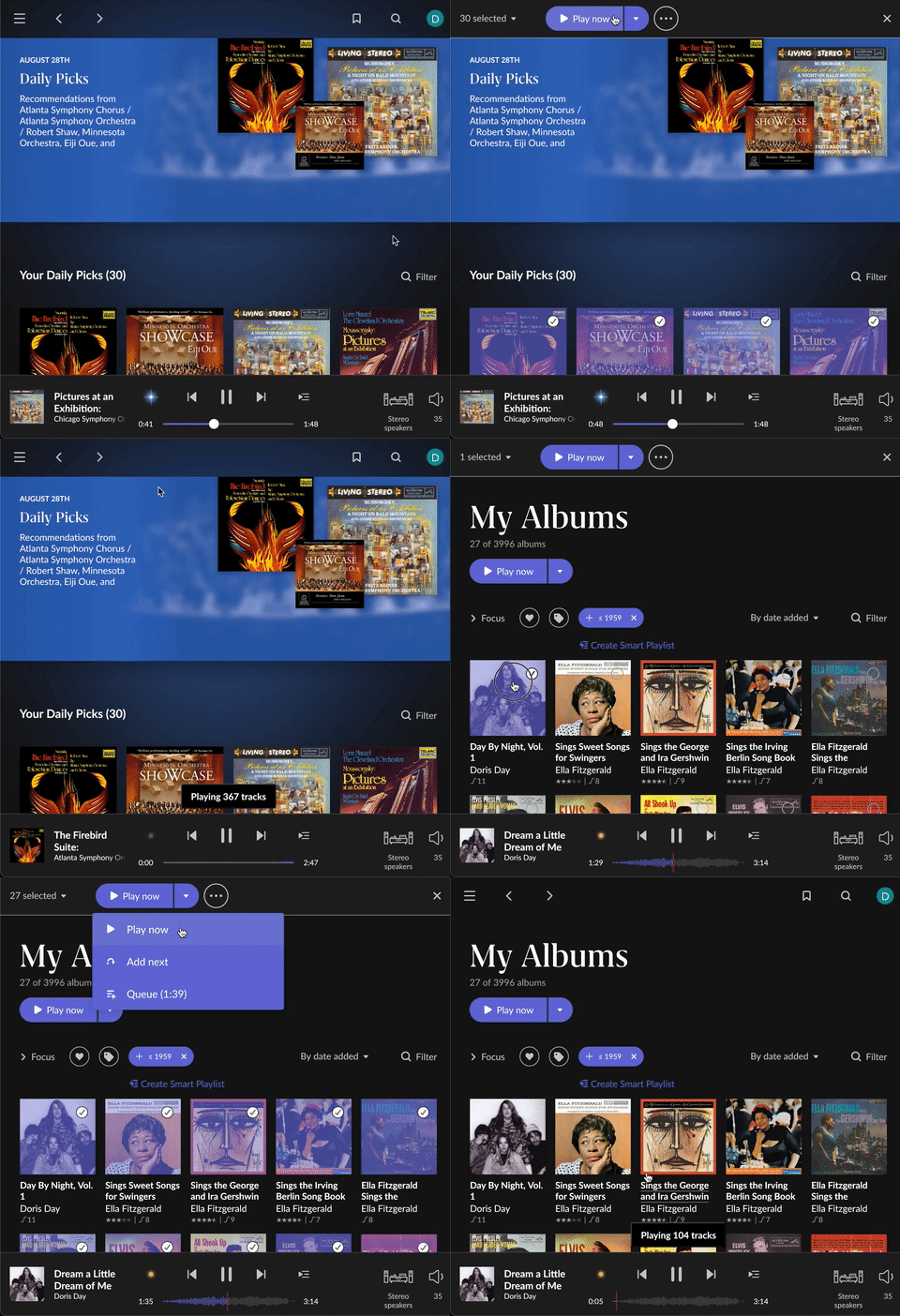
Select All, then Play Now or Shuffle
There isn’t a select all feature. The workaround is to manually click each daily pick and then play. Seems clunky.
just hold/press one album, then select “select all” up in the left corner, then “play now”
After many days staring at that screen without really understanding what to do with it, I decided to Google the forum.
This is utterly counter-intuitive.
Such a great feature ruined by not having an obvious “play” button.
I hope the Roon team is reading this. A “play all” button should not be so hard 
If I hadn’t accidentally discovered how to select all albums in my library, playing from the Daily Picks selections would have felt limited. One of the charms of learning Roon 
Excellent question, just came here to ask the same. I already knew how to pick multiple albums on a page for other purposes but somehow it didn’t occur to me that you would do that here too. Yes not intuitive for me. When I click the daily picks, I expected to see a playlist not a bunch of album covers. And a playlist still feels like it would be better. That said, I think it picks good combinations of things.
I love that its not a playlist, its so much better and clean when its albums. I use it every day and its very good to give me a good selection and I pick 1 or 2 albums to play.
Its not the intention to play them all…
Oh yes, different approach. I have many many “albums” that are only a track or a few, not full albums but if you’re talking while albums I can see the appeal of that.
There are tens of albums in daily picks, surely you can’t play them all
Daily picks have disappeared…