HiPhi gives you physical controls for Roon so you can choose music, adjust the volume, and pause playback without reaching for your phone. Browse albums on a touchscreen knob, use a BLE remote beside your chair, or control playback with the buttons on your Garmin watch.
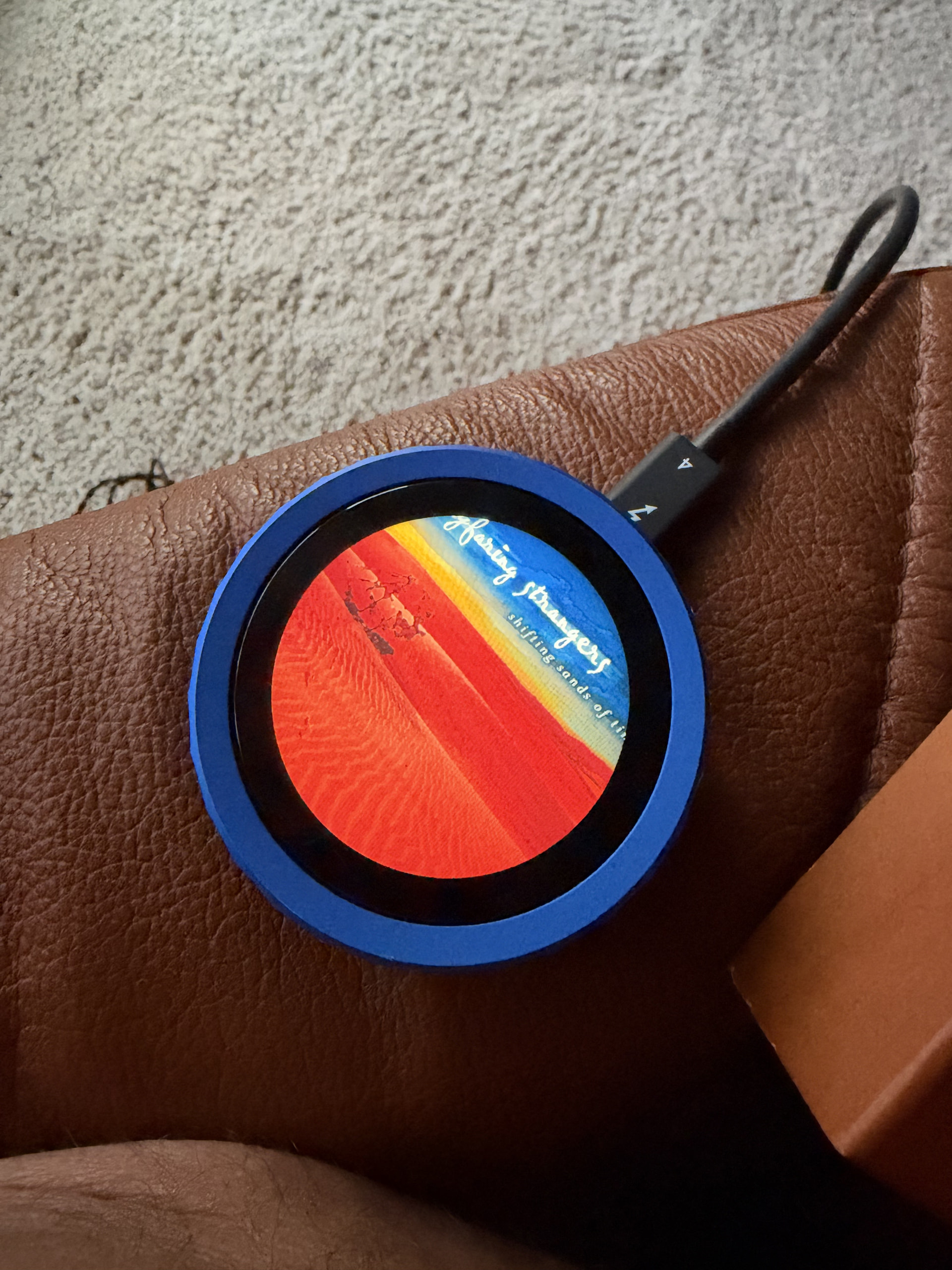
Dial, based on the Waveshare Knob, puts a volume knob and a touchscreen beside your listening chair. You can browse your library, choose an album, and start playback on the touchscreen.
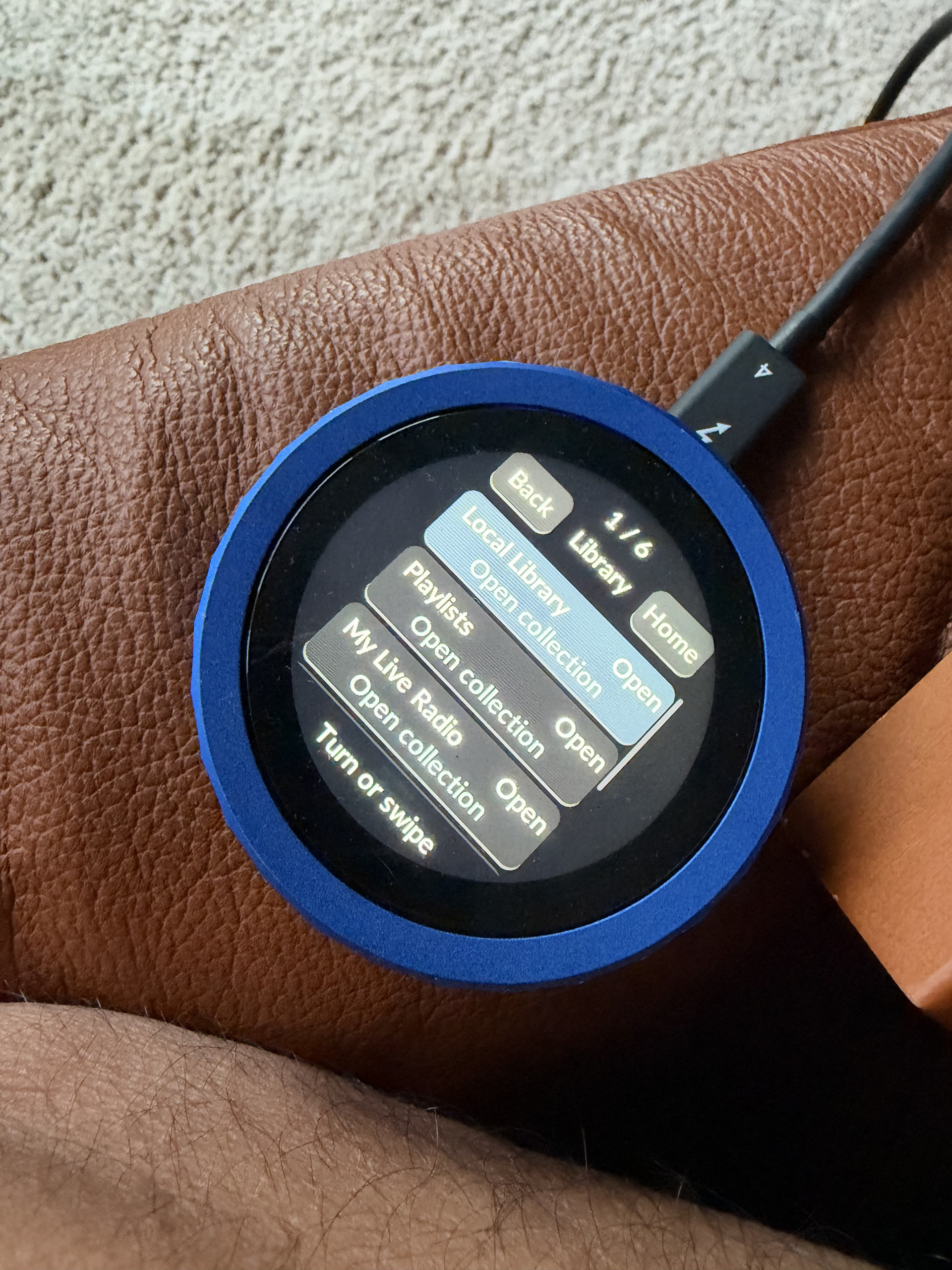
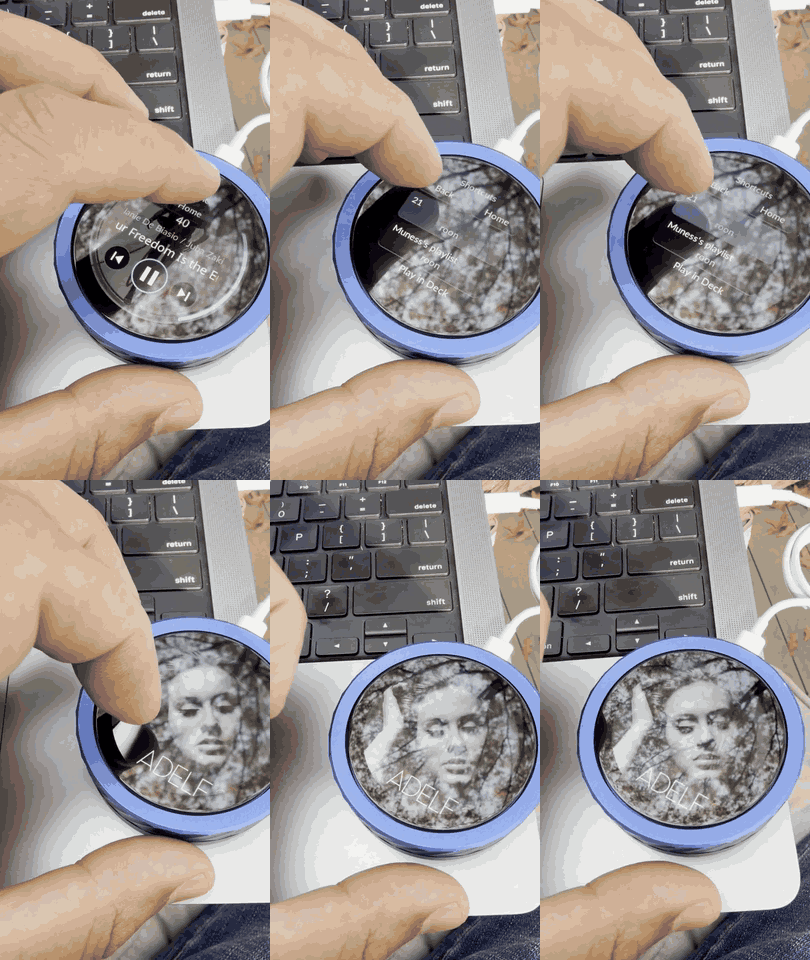
And it has library navigation and queuing:
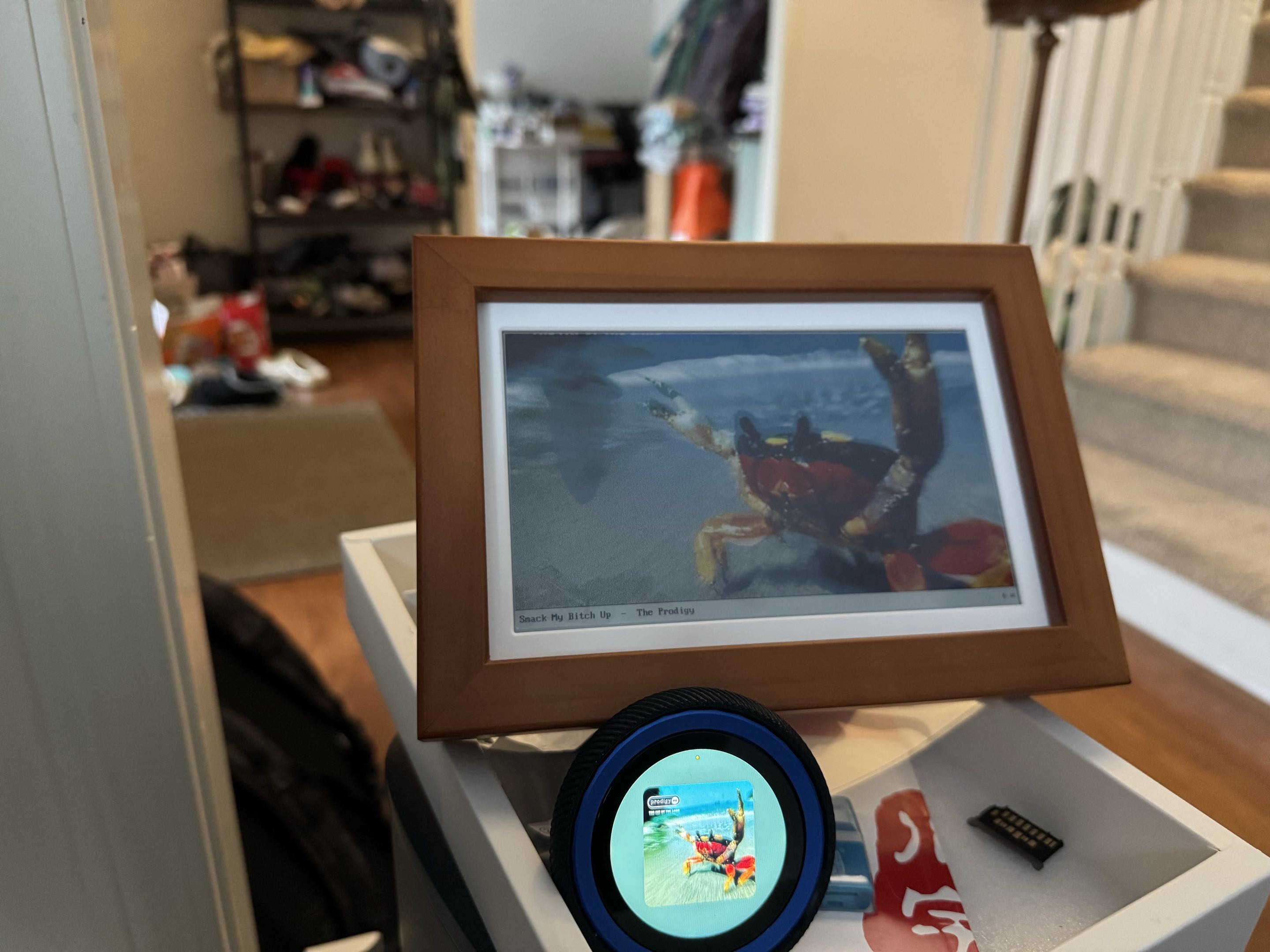
For beautiful art work at a distance Frame, based on the Waveshare PhotoPainter, uses a color e-paper display. Pair a BLE media remote with Frame or Dial and keep the buttons beside you while the artwork stays on display.
On your Garmin watch, you can choose a room, see what’s playing, and pause, skip, or change the volume with the watch’s buttons. The app connects to your home hi-fi through HiPhi Cloud.

You can also ask for music from your AI assistant: find an album, play it in the kitchen, or turn the volume down. HiPhi’s MCP integration connects those requests to your music system. Roon users have been trying it across clients and sharing their results in the AI assistant integration thread.
These controls connect through Unified Hi-Fi Control, a bridge that runs on your home network. It connects to Roon, LMS, and other music systems. Your controllers use it to select rooms, show what’s playing, and control playback.
For HQPlayer systems, UHC’s web interface puts DSP controls alongside playback: switch profiles, change filters and shapers, and see pipeline status. Link each Roon zone to its HQPlayer instance, including setups with a different instance for each room. HQPlayer setup.
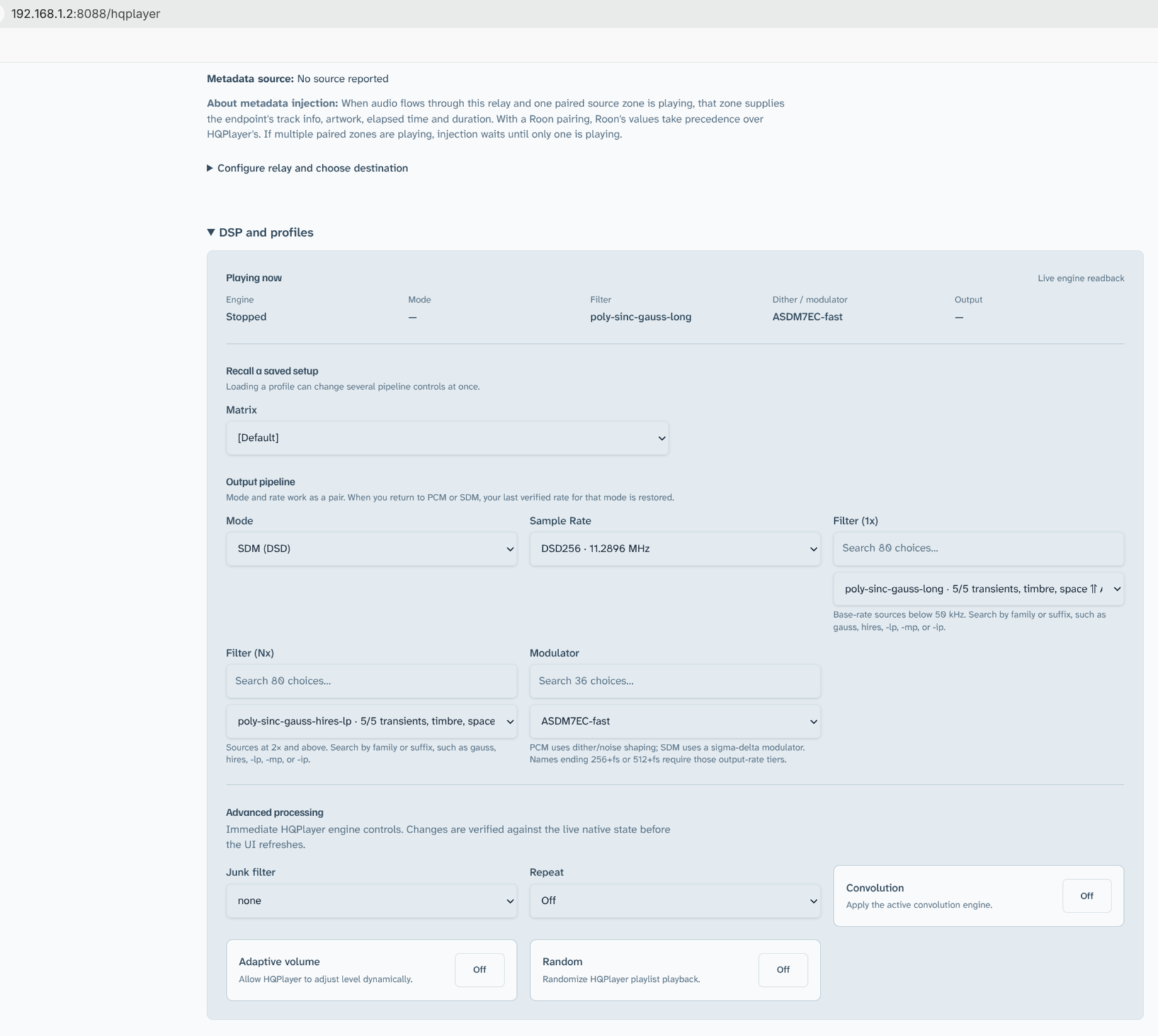
With relay mode, UHC can inject Roon metadata into the HQPlayer stream to the NAA client and route to other clients on the fly with an HQPlayer restart. Tested with HQPlayer Desktop 5 and HQPlayer Embedded 5 and 6.
Try it
Install Unified Hi-Fi Control on your computer or QNAP or Synology NAS. Authorize it under Roon’s Settings → Extensions, and open UHC’s browser interface to choose a room and control playback.
For a physical controller, choose a board and follow the firmware setup to flash device firmware from your - Chrome - browser. Garmin watches connect through a Connect IQ app and a UHC bridge enrolled in HiPhi Cloud.
Note that I have software for many more devices including the outdoor rated M5Stack Tough, StackChan, a HALO Touch usb hub to name a few. There’s also roku and iPhone apps I can share for those who want to try that.
Cost
HiPhi and UHC are free for personal, noncommercial use. Even for the cloud stuff (like connecting a Garmin Watch or Spotify Connect control), I use CloudFlare and have an architecture that I want and shouldn’t cost much for dozens of other people so that’s free still.
To help fund development and hardware testing, buy me a coffee. See the controllers and photos at hiphi.audio.
Thanks to the Roon and LMS communities for the testing and feedback. The original Roon Knob thread has the earlier builds and discussion.
For commercial applications, reach out. I also do custom integrations for those who want them, DM me or email me at muness@hiphi.audio.